
Off Front Cover Training Manual
A Comprehensive Design Guide for an Employee Goal Tracking System Training Manual
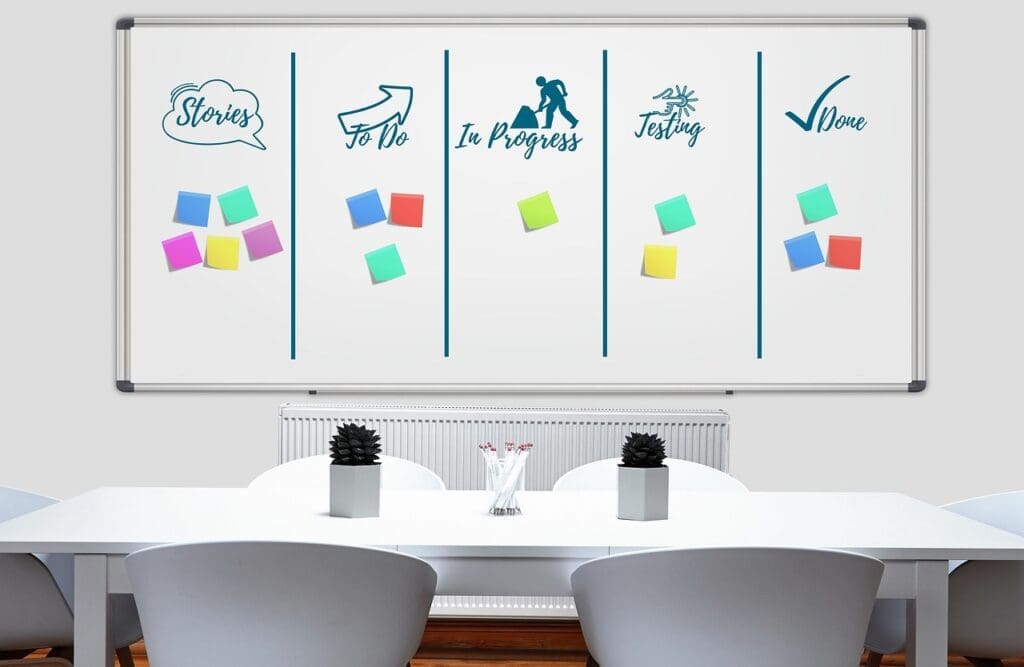
Key Highlights
- Clear and Motivational Visuals: Use high-quality images and graphics that inspire progress.
- Structured Layout and Branding: Incorporate company logos and a consistent color scheme to reinforce brand identity.
- Essential Information: Provide a clear title, subtitle, tagline, and concise descriptions that outline the manual’s purpose.
Introduction
Designing an off front cover for an employee goal tracking system training manual involves creating an interface that is not only visually appealing but also clearly communicates the purpose and objectives of the manual. The cover serves as the first point of interaction and sets the tone for the content inside. In this guide, we aim to provide detailed design instructions and best practices which will help demonstrate how to consolidate key elements such as branding, motivational imagery, and structured layout to deliver an engaging training manual cover.
When designing this cover, it is crucial to consider both aesthetic appeal and practical functionality. The front cover must evoke a sense of professionalism while instilling a spirit of motivation and clarity regarding the company’s expectations on goal setting. We detail various components from imagery to textual content and layout specifics, ensuring the final design aligns perfectly with the organizational objectives and training methodologies.
Core Design Elements
The success of the cover design hinges on the integration of multiple design components tailored to the content’s purpose. Listed below are the critical elements:
Title and Main Header
The title is the primary visual element and should immediately capture the attention of the employee. Use a bold, large font for the title "Employee Goal Tracking System Training Manual" that signifies the document's importance.
Font and Typography
A clear, legible font is recommended. Serif or sans-serif fonts that convey professionalism are ideal. For the title, consider using a font such as Helvetica or Arial Bold, while subtitles could be in a slightly lighter version of the main font. Ensure consistency in text alignment and spacing to maintain clarity and visual hierarchy.
Subtitle and Tagline
Following the main title, the subtitle should succinctly state the purpose of the manual. An example could be: "Empowering Success Through Clear Objectives and Continuous Progress". This reinforces the idea that each employee's progress is not an isolated achievement but a step towards the company’s overall success.
Additionally, a striking tagline such as "Align Your Efforts. Achieve Your Potential." serves both as a motivational call-to-action and a reinforcement of the company's commitment to employee development.
Visual Imagery
A key element of the cover is the inclusion of high-quality images or graphics. Consider using visuals that symbolize progress, such as:
- A dynamic graph showing an upward trend, representing growth.
- A symbolic representation of a target or bullseye which reinforces the idea of specific and measurable goals.
- An image of a diverse, professional team working collaboratively, illustrating the importance of teamwork and shared objectives.
The visual imagery not only enhances the aesthetic appeal but also acts as a visual cue to the content’s purpose. When these images are of high resolution and relevance, they serve as an effective tool to capture the viewer’s attention and communicate the manual's focus on goal tracking and performance improvement.
Color Scheme and Branding
Consistency in the color scheme reinforces the overall brand identity. Select colors that complement the company’s corporate design. For instance:
- Main Color: A vibrant blue (#007bff) displays trust and stability.
- Accent Color: A bright green (#34c759) symbolizes growth and renewal, and helps draw attention to key areas.
- Neutral Background: Whites or light grays can balance out the typography and imagery, ensuring that the text is easily legible.
These colors should be applied not only on the cover but consistently throughout the manual to create a cohesive visual narrative. The color scheme must reflect the company’s brand while being visually stimulating and supportive of the manual’s themes of progression and achievement.
Company Logo and Additional Branding
The placement of the company logo on the cover is essential. It can be at the top or bottom, but should be displayed prominently. The logo reinforces brand recognition and lends authority to the manual, highlighting it as an official company resource.
Ensure that the logo is of high resolution and suits the overall aesthetic design. Its color should either complement or contrast aesthetically with the background, ensuring it stands out. Additionally, consider adding a subtle watermark or background element that reflects the company’s values, serving as a secondary, reinforcing design element.
Edition and Date
To maintain the relevance of the manual, clearly indicate the version or edition. For example, labeling it as "2025 Edition" emphasizes that the content is updated and reflects current best practices. This piece of information is usually placed discretely in one corner or in a footer area to avoid visual clutter while still being noticeable.
Layout and Composition
A balanced layout is crucial to deliver all necessary information while keeping the design visually appealing. A typical layout for this manual's cover can be divided into various sections:
Top Section
The top section of the cover traditionally hosts the company logo along with the main title. This area is critical as it immediately conveys the identity of the document. A minimalistic background with subtle design elements works well to ensure that the content in this section stands out.
Middle Section
The middle section is ideal for displaying the main title in a large, eye-catching font along with the subtitle and tagline. Incorporate a powerful visual element in this section, such as an upward graph or motivational image, that reinforces the objective of the manual. This image should be balanced in a layout that allows text and visuals to complement each other rather than compete.
Bottom Section
The bottom section typically contains additional information and supportive text such as the edition information, a brief description, and sometimes a QR code. The QR code offers a digital transition opportunity, redirecting users to online resources or an interactive version of the manual. This section can also include testimonials or features in a concise list that reassures employees of the manual’s comprehensive nature.
Using a Grid System
Implementing a grid system in the design layout can contribute to a balanced and structured appearance. Below is an example of a grid system breakdown which facilitates the organization of different content blocks on the cover:
| Section | Content & Elements |
|---|---|
| Header | Company logo, main title |
| Main Visual Area | Title, subtitle, tagline, motivational graphics |
| Footer | Edition, brief description, QR code/testimonials |
This table represents a simple yet effective way to conceptualize the layout. Adjust spacing and alignment based on the size and resolution requirements of the final printed or digital product.
Incorporating Goal Tracking Principles
A well-designed cover is more than just aesthetic appeal—it is an embodiment of key performance principles that the manual will explore in detail. In the context of an employee goal tracking system, the cover should hint at important methodologies:
SMART Goals
The design must reflect the principles of SMART goals (Specific, Measurable, Achievable, Relevant, and Time-bound). This can be illustrated through subtle design motifs such as checkmarks, progress bars, or segmented icons that represent each component of the SMART methodology.
Progress Tracking and Continuous Improvement
Visual elements like upward arrows, staircase graphics, or progress indicators subtly communicate the pursuit of continuous improvement. The imagery should convey that every step forward is both measurable and incremental, anchoring the employee’s efforts in a tangible, motivational visual narrative.
Alignment With Organizational Objectives
The manual cover should reinforce how individual goals align with the greater objectives of the company. This can be represented by incorporating diagrams or icons suggesting connectivity, such as network motifs or a layered design that connects individual achievement with corporate progress.
Additionally, integrating such conceptual visuals not only underscores the user’s role in the organization’s success but also psychologically prepares employees to engage actively with the detailed processes laid out in the manual.
Detailed Design Layout
To help visualize the complete design process, below is a more detailed breakdown of the key sections that could be applied to the off front cover:
Section 1: The Company Branding Block
At the top left or right corner, position the company logo. Ensure that the logo is integrated as part of the initial brand storytelling, which reinforces credibility and trust. This block sets the stage for the design, aligning it with the company’s overall identity.
Section 2: The Title and Subtitle Block
Center the main title using a large, prominent font. Directly below the title, place the subtitle to provide additional context. This block should capture attention immediately with clear, concise text that communicates the manual’s core purpose.
Section 3: The Visual Impact Block
Use this portion of the cover to feature a large, impactful image that symbolizes progress. Whether it is a dynamic graph, an arrow pointing upward, or a collaborative team, the visual impact block must serve as a metaphor for success. The image should have sufficient resolution to be striking but should not compete with the text elements in the design.
Section 4: The Informational Footer Block
In the footer area, include smaller text elements such as the manual edition (e.g., "2025 Edition"), a brief overview or description of the training manual, and optionally, a QR code that links to digital resources. This information, although secondary, enables a smoother user transition between the printed and digital spaces.
Practical Design Execution
The design process culminates in the practical execution where ideas and layout are translated into a final product using graphic design software like Adobe InDesign or Illustrator. When setting up the document, consider the following:
1. Digital Preparation
Begin by setting up the digital canvas with the accurate dimensions needed for print or digital display. Ensure that the resolution is sufficient for high-quality printing, generally 300 DPI for print materials. Use layers effectively to separately manage textual content, images, and background elements.
Fixtures such as grids and rulers are indispensable to provide precise alignment across the various elements. Maintaining a layer structure and naming conventions helps later during the revisions where subtle shifts in placement or color correction might be necessary.
2. Integrating Visual Assets
Select and integrate visual assets that are high resolution and professionally appealing. Modify images with slight gradients or filters if necessary to ensure that they blend well with the textual overlays. Consider adding subtle shadow effects or outlines to text to increase contrast against the background imagery. Such minor adjustments often make a significant difference in visual quality.
3. Proofing and Iteration
Once the initial design structure is complete, engage in a thorough review and testing phase. Conduct visual proofing across different screens and print layouts to ensure that the cover maintains its appeal in various formats. Feedback from peers and direct user testing can be invaluable during this phase to identify any potential design inconsistencies.
4. Final Touches
Ensure all final elements—typography, imagery, and color accents—are harmonized. Revisit the spacing and layout decisions before finalizing the design. The final product should provide an inviting gateway to the training manual, balanced in its delivery of both content and style.
Integrating Digital Enhancements
In the era of digital transformation, providing a seamless integration between physical and digital content can be a game-changer. One effective strategy is including a QR code on the bottom section of the cover. This QR code can link employees directly to an interactive version of the training manual or supplementary online resources.
Ensuring that the design caters to both traditional print users and tech-savvy employees is key. Digital enhancements should not overpower the traditional design but instead complement it, ensuring that modern employees have immediate access to updates, extended resources, and interactive training modules.
Case Study: A Visual Walkthrough
Imagine a manual where the off front cover immediately tells the story: the company logo occupies a clean, crisp corner while a centered title boldly reads "Employee Goal Tracking System Training Manual". Just beneath it, the subtitle "Empowering Success Through Clear Objectives and Continuous Progress" lays out promise and vision. A high-resolution image of an upward-trending graph or a professional team collaborating on digital devices spans the center of the cover, strongly reinforcing the purpose.
In the lower segment, additional information such as the edition label ("2025 Edition"), a brief motivational note, and a subtle QR icon are elegantly placed to invite further digital interaction. The layout is punctuated by a consistent color palette: blue for professionalism, green for growth, and a clean white backdrop for clarity. The successful blending of these components produces a cover that is both inviting and illustrative of the internal framework and purpose of the training manual.
Final Checklist for a Successful Off Front Cover
Below is a checklist to ensure that the design meets all necessary standards:
- Clear Title & Subtitle: Verify that the title and subtitle are prominently displayed and easy to read.
- Consistent Branding: Ensure the company logo and color scheme are consistent with the overall brand guidelines.
- Eye-catching Imagery: Use high-quality visuals that align with the theme of progress and professional growth.
- Layout Harmony: Confirm that all sections are well-balanced and contribute to an overall clean design.
- Interactive Elements: Incorporate QR codes or digital enhancements as needed without compromising the cover’s aesthetics.
- High Resolution: Make sure that all images and texts are clear, particularly for print media.
- User-Centered Design: Test the layout for ease of use and clarity, ensuring that it works well in various formats.
Taking time to run through the checklist before finalizing the design guarantees the creation of an effective, functional cover that serves as both an introduction and a motivational invitation for employees to engage with the training manual.
Conclusion
Developing an off front cover for an employee goal tracking system training manual is both a creative and strategic endeavor. The design must communicate a clear message of progress, professional development, and alignment with organizational objectives. By incorporating a compelling title, a motivational subtitle, and high-quality imagery along with consistent branding and an actionable layout, the cover can set the tone for an engaging and useful training manual.
The design process should be executed with care—from digital preparation and integrating visual assets to final proofs and iterations. Integrating digital elements like QR codes further enriches the usability, linking the cover effortlessly to supplementary digital resources. Adhering to these design principles not only reinforces the content’s purpose but also ensures that the manual serves as a confident reflection of the company’s commitment to employee growth and performance excellence.
In summary, the cover acts as the ambassador of the training manual, drawing employees in and providing a roadmap for what they can expect inside. A front cover that is both visually appealing and informative will drive engagement, align employees with the company’s goals, and ultimately contribute to the overall success of the goal tracking system.
References
- Free Employee Goal Setting Template - PerformYard
- Employee Goal Setting Templates for 2025 - Mesh.ai
- 10 Best Tools for Employee Goal Setting - Engagedly
- Goal Tracking & Setting Templates - Smartsheet
Recommended Queries
Last updated February 23, 2025