
Enforcing IPv4-Only Connectivity on Google App Engine
Understanding the Implications and Best Practices for IPv4 Enforcement
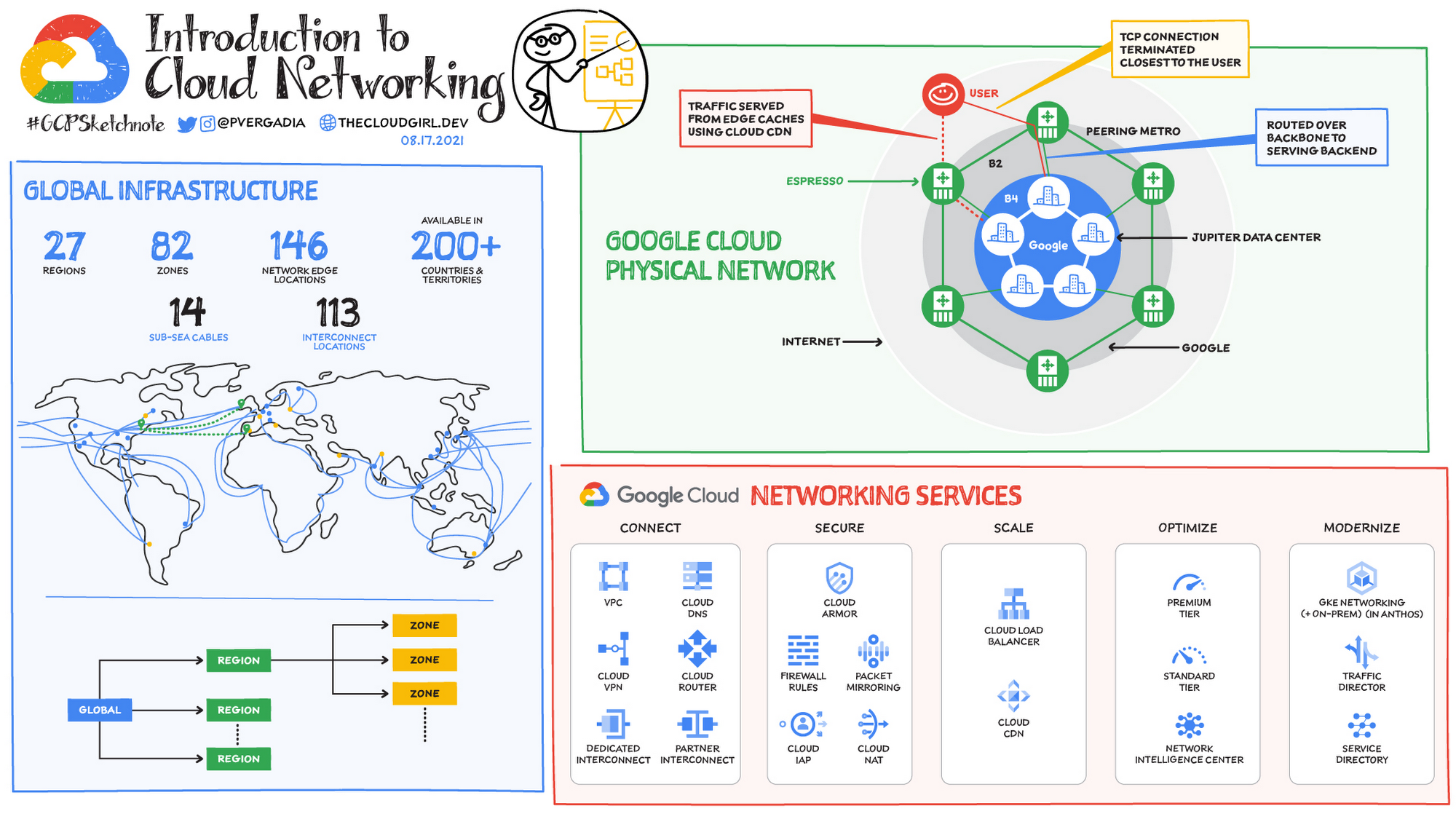
Key Takeaways
- Google App Engine supports both IPv4 and IPv6 by default, making exclusive IPv4 enforcement non-trivial.
- Using only A records can enforce IPv4 for inbound traffic, but may exclude IPv6-only users.
- Comprehensive IPv4 enforcement requires configuring firewall rules and possibly using Serverless VPC Access with Cloud NAT.
Overview of Google App Engine's Networking Support
Dual-Stack Support and Default Behavior
Google App Engine (GAE) is inherently designed to handle both IPv4 and IPv6 traffic, ensuring compatibility with a wide range of client configurations. By default, GAE applications are accessible via IPv4, with IPv6 support automatically managed through Google's infrastructure. This dual-stack capability ensures that applications remain accessible to users regardless of their network protocol preferences.
DNS Configuration: A Records vs AAAA Records
Using A Records to Enforce IPv4
Pros and Cons of IPv4-Only DNS Configuration
Configuring DNS with only A records means that your domain resolves exclusively to IPv4 addresses. This approach effectively enforces IPv4 for all inbound traffic to your GAE application. However, it comes with significant trade-offs:
- Pros:
- Ensures all incoming traffic uses IPv4, potentially simplifying network configurations.
- Reduces complexity by avoiding IPv6-related troubleshooting.
- Cons:
- Excludes IPv6-only users, limiting accessibility as the internet increasingly adopts IPv6.
- May lead to connectivity issues for clients or networks that prefer IPv6, affecting user experience.
- Future-proofs your application less effectively, as IPv6 adoption continues to grow.
Potential Impact on Users
By enforcing IPv4-only connectivity, you may inadvertently exclude a segment of your user base that relies solely on IPv6. This exclusion can result in failed connections for those users, leading to a fragmented user experience. Additionally, as more networks transition to IPv6, the proportion of accessible users via IPv4 may decrease, impacting the scalability and reach of your application.
Limitations of DNS-Based Enforcement
While configuring DNS A records restricts inbound traffic to IPv4, it does not control the underlying transport protocols used by Google's infrastructure. Google App Engine operates behind load balancers and other network components that may still utilize IPv6 for certain network paths. Therefore, DNS-based enforcement alone does not guarantee that all traffic is IPv4, especially for outbound connections or internal communications within Google's network.
Firewall Rules and Network-Level Controls
Configuring Google Cloud Firewall for IPv4
Steps to Restrict Access to IPv4
To enforce IPv4-only access at the network level, you can configure Google Cloud Firewall rules to allow only IPv4 address ranges. This method involves specifying ingress rules that permit traffic exclusively from IPv4 sources while denying IPv6 traffic. The steps include:
- Navigate to the Google Cloud Console and select the appropriate project.
- Go to the VPC network section and select Firewall rules.
- Create a new firewall rule with the following configurations:
- Name: enforce-ipv4-only
- Direction: Ingress
- Action: Allow
- IP Protocols: TCP, UDP, etc. as required
- Source IP Ranges: Specify desired IPv4 ranges (e.g., 0.0.0.0/0)
- Create a corresponding deny rule for IPv6 (e.g., ::/0).
By implementing these rules, you effectively restrict inbound traffic to IPv4 only, enhancing control over the types of connections your application accepts.
Challenges and Considerations
While firewall rules provide a layer of control, they come with certain challenges:
- Complexity: Managing multiple firewall rules can become complex, especially for large-scale applications with diverse traffic sources.
- Maintenance: Ongoing maintenance is required to ensure that firewall rules remain effective and do not unintentionally block legitimate traffic.
- Performance: Improper configuration of firewall rules may lead to increased latency or blocked connections, negatively impacting user experience.
Outbound Traffic Control with Serverless VPC Access and Cloud NAT
Setting Up Static Outbound IPv4 Addresses
Google App Engine instances use dynamic IP addresses for outbound traffic by default, which can include both IPv4 and IPv6 addresses. To enforce IPv4 for outbound connections, you can set up a static outbound IPv4 address using Serverless VPC Access combined with Cloud NAT (Network Address Translation). This configuration ensures that all outbound traffic from your application routes through a dedicated IPv4 address.
Benefits of Static Outbound IPs
- Consistency: A static outbound IP provides a consistent address for external services that require IP whitelisting.
- Control: Enhances control over outbound traffic, allowing you to monitor and manage external communications effectively.
- Compliance: Helps meet regulatory and compliance requirements by ensuring that outbound traffic adheres to specific IP protocols.
Implementation Steps
- Set up a Serverless VPC Access connector in your Google Cloud project.
- Configure a Cloud NAT gateway with a reserved static IPv4 address.
- Associate the Cloud NAT gateway with your VPC connector to ensure that all outbound traffic from GAE uses the static IPv4 address.
- Update your GAE application's configuration to route outbound traffic through the VPC connector.
This setup ensures that all outbound communications from your GAE instances are confined to IPv4, aligning with your enforcement goals.
Best Practices for IPv4 Enforcement on GAE
Balancing IPv4 and IPv6 Support
While enforcing IPv4 may be necessary for certain use cases, it's essential to balance this with the benefits of IPv6 support. IPv6 offers advantages such as a larger address space and improved routing efficiency. Therefore, consider the following best practices:
-
Gradual Transition: If enforcing IPv4, plan for a gradual transition that includes monitoring IPv6 traffic and adjusting configurations as needed.
-
User Communication: Inform your user base about any changes that may affect connectivity, especially for IPv6-only users.
-
Infrastructure Readiness: Ensure that your infrastructure, including firewalls and load balancers, is properly configured to handle IPv4 enforcement without disrupting services.
Future-Proofing Your Application
As the internet continues to adopt IPv6, future-proofing your application becomes crucial. Consider implementing dual-stack configurations where possible, allowing both IPv4 and IPv6 traffic. This approach ensures maximum compatibility and prepares your application for evolving network protocols.
Potential Risks of Enforcing IPv4 Only
User Accessibility Issues
Enforcing IPv4-only connectivity can lead to accessibility issues for users who rely exclusively on IPv6. These users may experience difficulties in accessing your application, resulting in a fragmented user base and potential loss of engagement.
Performance Implications
Restricting connectivity to IPv4 may have performance implications, especially in regions where IPv6 is prevalent. IPv6 can offer more efficient routing and reduced latency, and excluding it may hinder the overall performance and responsiveness of your application.
Conclusion
Enforcing IPv4-only connectivity on Google App Engine is feasible by configuring DNS with A records and implementing network-level controls such as firewall rules and Cloud NAT for outbound traffic. However, this approach comes with significant trade-offs, including potential exclusion of IPv6-only users and increased maintenance complexity. It's essential to carefully evaluate the necessity of IPv4 enforcement against the benefits of maintaining dual-stack support, ensuring that your application's accessibility and performance are not adversely affected. Future-proofing by gradually incorporating IPv6 support, while enforcing IPv4 where necessary, can provide a balanced solution that caters to a broad user base while meeting specific networking requirements.
References
Last updated February 2, 2025