
Essential Components for a Home-Based Homelab: Network Security, Self-Hosted Cloud, and Media Downloading
Building a robust and secure homelab for managing your network, data, and media
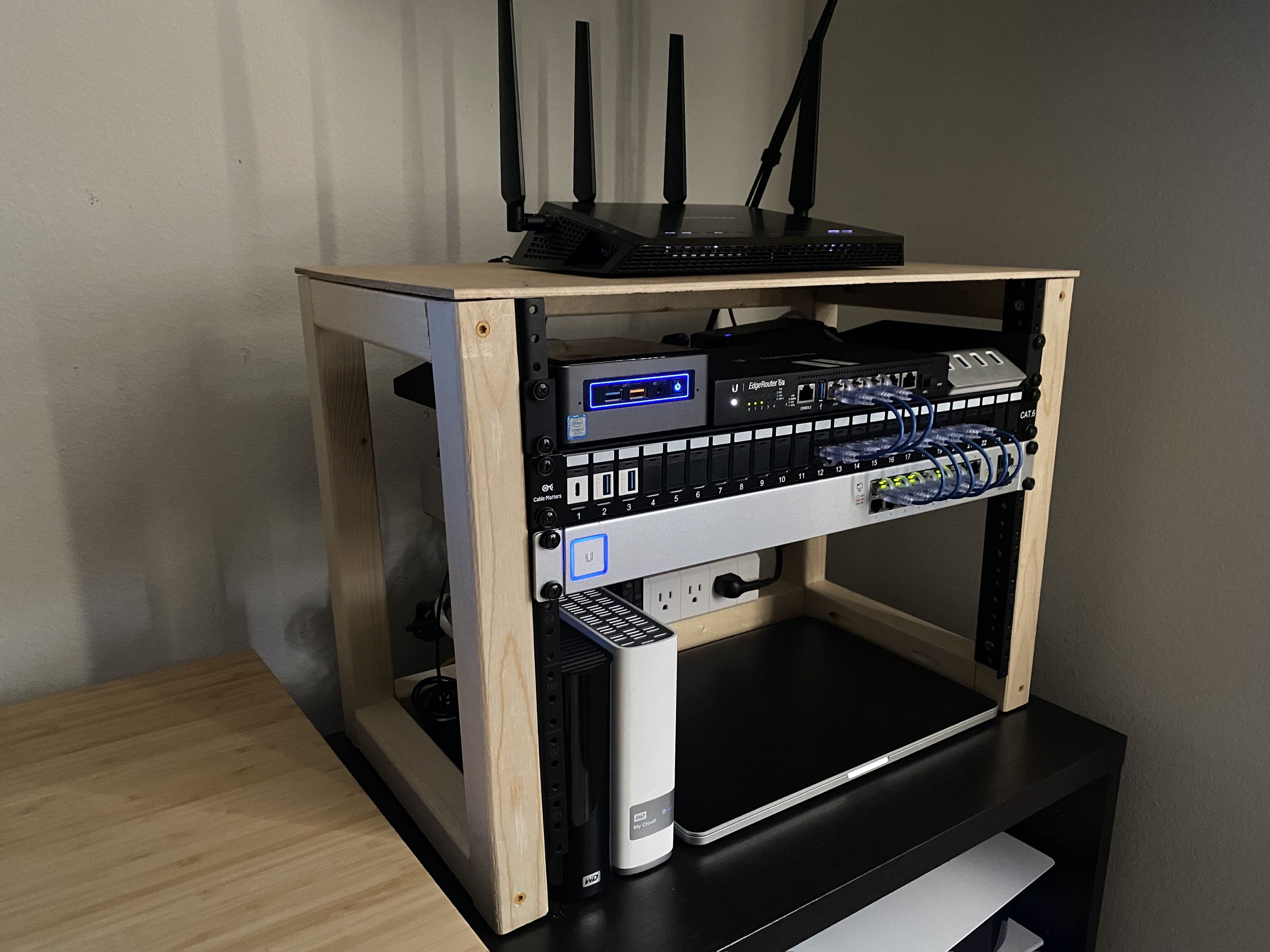
Key Takeaways
- Network segmentation and a robust firewall setup are crucial for maintaining a secure homelab environment.
- Self-hosted cloud solutions like Nextcloud offer enhanced control over data management and collaboration tools.
- Automated media management systems streamline the organization and accessibility of your media library.
Network Security
Firewall and Router Configuration
A reliable firewall is the cornerstone of any secure homelab. Solutions such as pfSense and OPNsense provide comprehensive firewall capabilities, including traffic filtering, NAT, and VPN support. Investing in a dedicated router with multiple network interfaces allows for effective network segmentation, ensuring that different parts of your home network remain isolated and protected from potential threats.
VPN and Remote Access
Establishing a secure VPN is essential for remote access to your homelab. Tools like WireGuard and OpenVPN offer robust encryption and are user-friendly options for setting up a VPN server. This enables you to access your homelab resources securely from outside your home network without exposing critical services directly to the internet, thereby minimizing security risks.
Network Segmentation and VLANs
Implementing Virtual Local Area Networks (VLANs) allows you to partition your network into distinct segments, each dedicated to specific types of devices or functions. For instance, you can separate your IoT devices from your main homelab servers, reducing the potential attack surface and limiting the spread of any security breaches that may occur.
Intrusion Detection and Prevention Systems
Deploying Intrusion Detection Systems (IDS) and Intrusion Prevention Systems (IPS) such as Snort, Suricata, or Security Onion enhances your ability to monitor and defend against malicious activities. These systems analyze network traffic in real-time, identifying and mitigating threats before they can compromise your homelab environment.
DNS Filtering and Access Control
Utilizing DNS filtering services like Pi-hole can block unwanted advertisements, trackers, and malicious domains at the DNS level. Additionally, implementing Access Control Lists (ACLs) ensures that only authorized users and devices can access specific segments of your network, further strengthening your security posture.
Logging and Monitoring
Centralized logging solutions such as the ELK stack (Elasticsearch, Logstash, Kibana) or Graylog allow for comprehensive monitoring of network activities. By aggregating logs from various sources, you can efficiently track and analyze security events, set up alerts for suspicious activities, and maintain an audit trail for compliance and troubleshooting purposes.
Self-Hosted Cloud
Cloud Storage Solutions
Nextcloud stands out as a powerful self-hosted cloud platform, offering features like file storage, synchronization, sharing, and collaboration tools. Alternatives such as Seafile and Syncthing provide similar capabilities with varying focus areas, such as enhanced sync speeds or peer-to-peer file sharing. Choosing the right platform depends on your specific needs for data management and collaboration.
Containerization and Virtualization
Leveraging containerization tools like Docker or orchestration platforms like Kubernetes can significantly simplify the deployment and management of your cloud services. Alternatively, virtualization platforms like Proxmox VE provide robust support for running multiple virtual machines alongside containers, offering flexibility in how you allocate and manage your homelab resources.
Backup and Redundancy
Implementing a robust backup strategy is paramount to protect your data against loss. Utilizing Network-Attached Storage (NAS) devices with RAID configurations ensures data redundancy and resilience. Additionally, setting up regular backup routines, both onsite and offsite, safeguards your information against hardware failures, accidental deletions, or other unforeseen events.
Access and Authentication
Securing access to your self-hosted cloud services involves using strong authentication mechanisms. Integrating TLS certificates through services like Let's Encrypt ensures that data transmission is encrypted. Implementing multi-factor authentication (MFA) and managing user permissions effectively helps in maintaining the integrity and confidentiality of your data.
Media Downloading and Management
Media Server Setup
Setting up a media server is essential for organizing and streaming your media collection. Open-source solutions like Jellyfin offer comprehensive media management capabilities without the licensing fees associated with commercial alternatives. Plex is another popular choice, providing a user-friendly interface and extensive device compatibility, but it may require a subscription for certain advanced features.
Automated Downloaders and Management
Automating the process of downloading and organizing media can save significant time and effort. Tools such as Sonarr, Radarr, and Lidarr can automate the downloading, renaming, and sorting of TV shows, movies, and music, respectively. These applications integrate seamlessly with download clients like Transmission or Deluge, as well as with media servers like Jellyfin or Plex, ensuring your media library remains up-to-date and well-organized.
Storage and Organization
Effective storage solutions are critical for managing large media libraries. Utilizing high-capacity storage devices configured with RAID ensures data redundancy and improves read/write performance. Organizing your media into structured directories and using post-processing tools like FileBot can further streamline access and playback within your media server.
Privacy and VPN Usage
When downloading media, especially via peer-to-peer methods, maintaining privacy is important. Running your download clients behind a VPN ensures that your activities are encrypted and your identity is protected. This not only enhances privacy but also helps in avoiding potential ISP throttling or legal issues related to unauthorized content distribution.
| Feature | Nextcloud | Seafile | Syncthing |
|---|---|---|---|
| File Synchronization | Yes, with real-time syncing | Yes, optimized for speed | Yes, peer-to-peer |
| Collaboration Tools | Robust (Calendar, Contacts, etc.) | Limited compared to Nextcloud | Basic file sharing |
| Security Features | End-to-end encryption, MFA | Encryption options available | Peer encryption |
| Community Support | Extensive | Active | Growing |
| Ease of Deployment | User-friendly installation | Requires some setup | Simple peer-to-peer setup |
General Considerations
Hardware Infrastructure
Selecting appropriate hardware is fundamental to the performance and reliability of your homelab. Options range from repurposed PCs and dedicated servers to NAS units with third-party application support. Consider factors such as energy efficiency, processing power, memory capacity, and storage scalability to ensure that your hardware can handle virtualization, containerization, and media streaming tasks effectively.
Automation and Orchestration
Automation tools like Ansible or Home Assistant can greatly enhance the efficiency of managing your homelab. These tools allow you to automate repetitive tasks, enforce configuration consistency, and streamline the deployment of services. Orchestration platforms like Kubernetes further enable scalable management of containerized applications, ensuring that your homelab can grow seamlessly with your needs.
Maintenance and Security Updates
Regular maintenance is critical to maintaining the security and performance of your homelab. This includes applying software updates, patching vulnerabilities, and monitoring system health. Implementing configuration management practices helps prevent configuration drift, ensuring that your systems remain secure and operate as intended over time.
Documentation and Monitoring
Comprehensive documentation of your configurations, network setups, and installed services is invaluable for troubleshooting and future upgrades. Additionally, deploying monitoring tools to track system performance, resource utilization, and security events provides visibility into the health of your homelab, enabling proactive management and issue resolution.
Conclusion
Establishing a home-based homelab that effectively addresses network security, self-hosted cloud services, and media downloading requires a thoughtful combination of robust hardware, secure configurations, and efficient management tools. By implementing comprehensive network segmentation, leveraging powerful self-hosted platforms, and automating media management processes, you can create a versatile and secure environment tailored to your personal and professional needs. Regular maintenance, proactive security measures, and thorough documentation further ensure that your homelab remains reliable, efficient, and resilient against evolving threats.
References
Last updated February 8, 2025