

- Seamless Integration: Hotmail accounts are now fully merged into the Microsoft Outlook.com ecosystem, offering a unified experience.
- Enhanced Security: Users benefit from Microsoft's robust, enterprise-grade security features, including advanced threat protection and two-factor authentication.
- Modern Features: Existing Hotmail addresses gain access to Outlook's contemporary features, such as AI-driven assistance, improved spam filtering, and integration with Microsoft 365 services.
Hotmail's Transformation: A Journey from Pioneer to Modern Powerhouse
Hotmail, initially launched in 1996, revolutionized email by offering a free, web-based service accessible from any internet-connected device. This pioneering spirit made it a household name and paved the way for many modern email platforms. Over the years, Hotmail underwent several rebranding initiatives under Microsoft's ownership, eventually transitioning entirely into the Outlook.com ecosystem. While new Hotmail.com addresses are no longer issued, existing accounts continue to function seamlessly, benefiting from Microsoft's ongoing advancements.
Today, a Hotmail email address is essentially an alias within the broader Outlook.com and Microsoft 365 framework. This means users with a @hotmail.com domain receive the same features, security, and integration capabilities as those with @outlook.com or other Microsoft email addresses. This evolution has transformed Hotmail from a standalone service into a component of a comprehensive suite of productivity tools.
The Historical Evolution of Hotmail
Hotmail's journey is a testament to the dynamic nature of technology. Starting as a trailblazer in free webmail, it was acquired by Microsoft and subsequently rebranded multiple times to align with Microsoft's evolving service offerings. This progression culminated in its full integration with Outlook.com, a strategic move by Microsoft to consolidate its communication and productivity tools under a unified brand. This historical context is crucial for understanding why Hotmail, as a brand, no longer exists independently, yet its legacy and user base remain robust.
This video explains the history and evolution of Hotmail, detailing its transition into the Outlook ecosystem.
Modern Hotmail: Features and Functionality in the Outlook Era
For users retaining their @hotmail.com addresses, the experience is now indistinguishable from using an @outlook.com account. This integration brings a wealth of modern features and functionalities that enhance productivity, security, and connectivity within the Microsoft ecosystem.
Unpacking the Benefits: Security, Integration, and Productivity
The modern Hotmail experience is characterized by several key advantages:
- Robust Security Measures: Microsoft has implemented enterprise-grade security for all accounts, including existing Hotmail users. This encompasses two-factor authentication (via authenticator apps, SMS, or hardware keys), passwordless sign-in options like biometrics, advanced threat monitoring, and ransomware recovery for linked OneDrive files. AI-driven filtering and stringent anti-spam and phishing protections further safeguard inboxes.
- Seamless Microsoft 365 Integration: Hotmail accounts are deeply integrated with other Microsoft services. This includes OneDrive for cloud storage, Microsoft Teams for communication, Office Online for document creation, and Skype for video calls. This ecosystem provides a holistic platform for both personal and professional use.
- Advanced Productivity Tools: Users benefit from the modern Outlook interface, which includes features like Copilot for email summarization and drafting, improved search capabilities, enhanced attachment handling (with offline access), and S/MIME support for secure communication. The focused inbox helps prioritize important emails, and the streamlined interface makes navigation intuitive.
- Unified Account Management: All Hotmail accounts are managed through the Microsoft account system, providing a single sign-on experience across various Microsoft services. This simplifies access and ensures consistent security policies.
Sender Authentication and Best Practices
Microsoft has also reinforced sender authentication requirements, including SPF, DKIM, and DMARC, along with valid Reply-To addresses and unsubscribe links. These measures, while primarily aimed at reducing email abuse, also contribute to a cleaner and more trustworthy email environment for all users.
Perceptions and Professional Considerations of a Hotmail Address
While the technical capabilities of a Hotmail address are on par with any modern email service, its historical branding can sometimes influence perception, particularly in professional contexts. It's important to differentiate between the functionality and the perceived "modernity" of the domain name itself.
The "Dated" Domain vs. Modern Functionality
Some individuals might view a @hotmail.com address as less contemporary than an @outlook.com or a custom domain. However, this perception rarely translates into practical disadvantages, especially when assessed against a candidate's skills and qualifications in a professional setting. The underlying service is robust and feature-rich, making the domain largely a cosmetic consideration.
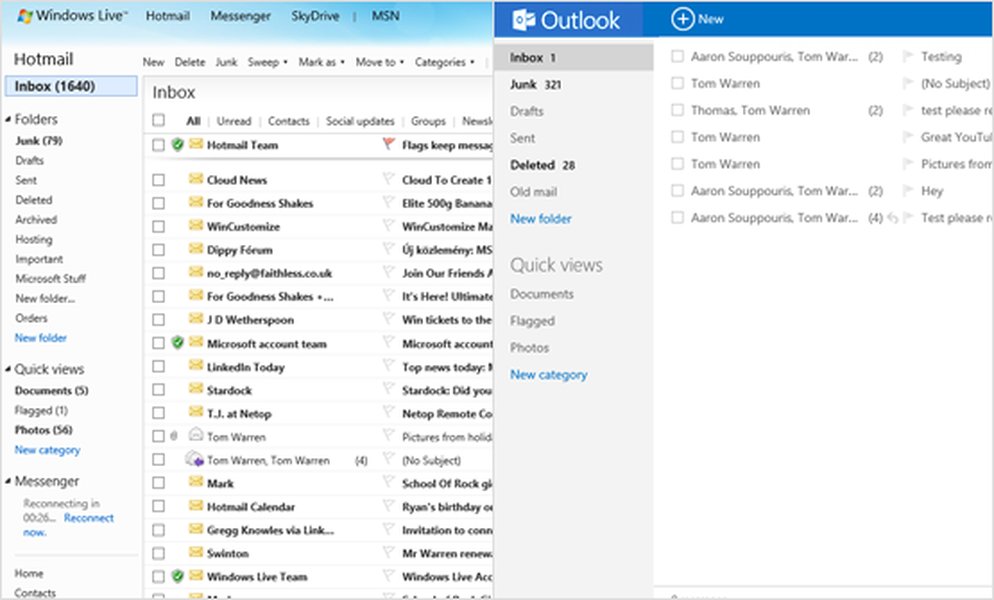
A visual comparison showing the evolution of the Hotmail interface to Outlook.com.
Choosing Your Email Identity
For those looking to update their digital identity while retaining their Hotmail history, adding an @outlook.com alias to their existing account is a common and effective solution. This allows users to benefit from a newer domain while keeping their established Hotmail address active for continuity.
Understanding Hotmail's Place in the Email Landscape
The transition of Hotmail into Outlook.com is a significant chapter in the history of internet services. It showcases how legacy products can be revitalized and integrated into larger, more comprehensive platforms. Here's a mindmap illustrating the core components and influences of Hotmail's journey:
This mindmap provides a structured overview of Hotmail's journey, its present-day characteristics as part of Outlook.com, the features it offers, how it's perceived, and the underlying technical aspects that ensure its continued operation.
Comparing Email Service Aspects: Hotmail/Outlook vs. Competitors
While Hotmail accounts now operate under the Outlook.com umbrella, it's insightful to consider how its combined offerings stack up against other popular email services. This table outlines a comparative view based on various aspects.
| Feature/Aspect | Hotmail/Outlook.com | Gmail | Proton Mail | Yahoo Mail |
|---|---|---|---|---|
| Integration with Ecosystem | Excellent (Microsoft 365, OneDrive, Teams) | Excellent (Google Workspace, Drive, Meet) | Limited (Focus on privacy) | Good (Yahoo services, Flickr) |
| Security Features | Advanced (2FA, passwordless, ransomware recovery, AI threat monitoring) | Strong (2FA, advanced phishing, safe browsing) | Very Strong (End-to-end encryption by default) | Standard (2FA, basic spam filters) |
| Storage (Free) | 15 GB | 15 GB (shared with Drive, Photos) | Limited (500 MB to 1 GB) | Generous (1 TB) |
| Productivity Tools | Copilot, Focused Inbox, Calendar, To-Do | Smart Compose, Smart Reply, Calendar, Tasks | Basic (Secure Calendar) | Calendar, News, Finance integration |
| Spam Filtering | Highly effective (AI-driven, enterprise-grade) | Highly effective (AI-driven, constantly evolving) | Good | Good |
| Professional Perception (Domain) | Generally good, @hotmail.com can be seen as dated by some | Excellent (Widely accepted) | Neutral/Positive (Focus on privacy-conscious users) | Neutral (Can be seen as slightly dated) |
This table provides a generalized comparison, highlighting that Hotmail/Outlook.com is a competitive and feature-rich email service, especially for users embedded in the Microsoft ecosystem. While other services excel in specific niches (e.g., Proton Mail for privacy), Hotmail/Outlook offers a strong balance of features, security, and integration.
Performance Benchmarks: What Matters in an Email Service
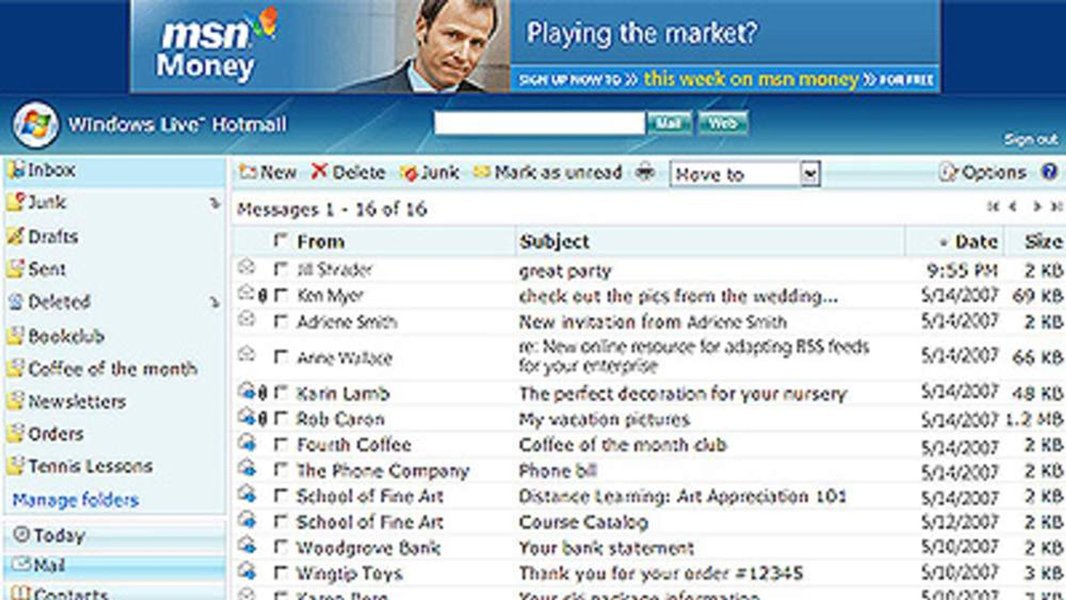
An image illustrating the rebranding from Hotmail to Outlook.
Frequently Asked Questions about Hotmail
Is Hotmail still active in 2025?
What is the main difference between Hotmail and Outlook today?
Can I still access my old Hotmail emails?
Is using a Hotmail address unprofessional?
What are the security features for Hotmail accounts now?
Conclusion: Hotmail's Enduring Relevance in the Digital Age
In conclusion, Hotmail's journey from a pioneering webmail service to a fully integrated component of Microsoft's Outlook.com ecosystem is a testament to its enduring relevance. While the standalone brand has been retired, the email addresses themselves remain vibrant and fully functional. Users with @hotmail.com accounts enjoy the benefits of Microsoft's robust security, seamless integration with the broader Microsoft 365 suite, and a continuous stream of modern productivity features, including AI assistance. Though the domain might carry a historical connotation for some, its operational capabilities are entirely contemporary, making it a reliable and feature-rich choice for personal and professional communication. Hotmail is not just "still around" in 2025; it's thriving as a central part of Microsoft's digital offerings.
Recommended Further Reading
- Explore the comprehensive timeline and reasons behind the Hotmail to Outlook transition.
- Dive deeper into the advanced security protocols protecting Microsoft Outlook accounts.
- Discover guidelines for selecting and using email addresses effectively in professional contexts.
- Learn how to maximize your productivity by integrating Hotmail/Outlook with other Microsoft 365 services.