
Mastering the Detection of AI-Generated Images and Videos Online
Essential Strategies and Tools to Verify Digital Content in an AI-Driven World
Key Highlights
Before diving into the detailed guide, here are three essential insights to help you quickly identify AI-generated content:
- Use specialized AI detection tools like Deepware or Hive Moderation for accurate analysis of images and videos, leveraging advanced algorithms to spot synthetic media.
- Look for visual inconsistencies such as anatomical errors in images or unnatural movements in videos, which are common giveaways in AI-generated content.
- Contextual verification through reverse image searches and metadata checks can confirm authenticity, helping you cross-reference content with reliable sources.
Understanding AI-Generated Content
In today's digital landscape, with AI technologies like DALL-E, Stable Diffusion, and Sora advancing rapidly, distinguishing between real and artificially created media has become increasingly challenging. AI-generated images and videos can appear highly realistic, often used for misinformation, entertainment, or even malicious purposes. This section explores the fundamentals of AI content creation and why detection is crucial, especially as of the knowledge cutoff in May 2025.
AI models generate content by learning from vast datasets of real images and videos, then synthesizing new ones based on text prompts or other inputs. However, this process often introduces subtle flaws that can be detected with careful examination. By understanding these mechanisms, you can better apply detection techniques to safeguard against deception.
Why Detection Matters
The proliferation of AI-generated content poses risks, including the spread of deepfakes that could influence public opinion, elections, or personal relationships. According to various sources, deepfake videos increased exponentially from 2019 to 2023, highlighting the urgency for effective detection methods. Whether you're a journalist, social media user, or educator, learning to spot AI-generated media empowers you to critically evaluate online information.
Techniques for Detecting AI-Generated Images
AI-generated images often contain imperfections due to the way algorithms process data. This section outlines step-by-step techniques to identify them, drawing from expert analyses and tools reviewed in reliable sources.
Visual Analysis Methods
Start with a close inspection of the image for common AI artifacts. For instance, AI struggles with rendering human anatomy, often producing images with extra fingers, asymmetrical faces, or distorted features. Sources like Kellogg Insight and BBC Bitesize emphasize that these errors stem from the AI's lack of understanding of real-world physics and biology.
Other signs include:
- Unnatural lighting and shadows that don't align with the scene's environment.
- Repetitive patterns or textures that lack organic variation.
- Inconsistent details in backgrounds, such as blurry edges or mismatched scales.
To apply this, zoom in on high-resolution images and compare them to real-world examples. For example, AI-generated faces might have overly symmetrical features or glassy eyes, as noted in articles from Northwestern University and Microsoft.
Advanced Inspection Techniques
Beyond basic visual checks, consider metadata analysis. Many AI tools embed invisible markers or watermarks, which can be detected using software. Reverse image searches via tools like Google Images can reveal if the photo has been widely shared or altered, often leading to the original source where AI generation might be disclosed.
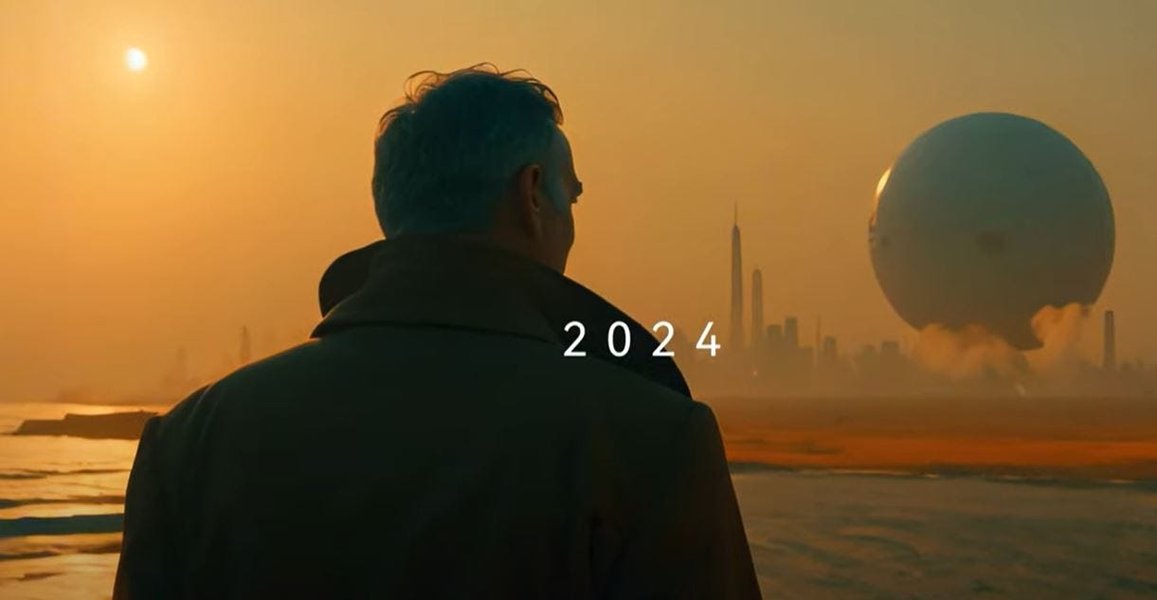
Illustration of AI Video Generation Breakthroughs: This image depicts common AI-generated video scenarios, highlighting potential inconsistencies like unnatural movements or lighting flaws, directly complementing the discussion on detection techniques.
Leveraging Detection Tools
Several online tools specialize in AI image detection. For example, Sightengine and Hive Moderation use machine learning to analyze images for synthetic elements, achieving high accuracy rates. These tools scan for patterns associated with popular generators like Midjourney and DALL-E, providing quick verdicts on authenticity.
Techniques for Detecting AI-Generated Videos
Video detection is more complex due to motion and audio elements, but similar principles apply. AI-generated videos, such as those from Sora or other models, often exhibit telltale signs that can be spotted with practice and tools.
Key Visual and Audio Cues
Watch for unnatural fluidity in movements or synchronization issues between audio and video. Sources like Forbes and PCMag note that AI videos may have inconsistent facial expressions, jerky motions, or mismatched lip-syncing. For instance, deepfake videos might show faces that don't age naturally or environments with illogical physics.
Common indicators include:
-
Blurring or artifacts in high-motion scenes, indicating synthetic compositing.
-
Unrealistic skin textures or reflections that don't behave like real light sources.
-
Audio discrepancies, such as robotic voices or background noises that don't match the visuals.
To detect these, play videos in slow motion and focus on transitions between scenes, where AI often falters.
Contextual and Forensic Approaches
Context is key—check if the video aligns with known events or locations. Tools like Deepware's scanner can analyze videos pixel-by-pixel for manipulation, offering insights into whether content is synthetically altered. Additionally, reverse video searches can trace origins, helping identify if the footage is part of a larger AI-generated campaign.
Recommended Video Detection Tools
Platforms like Microsoft Video Authenticator and Intel's FakeCatcher provide real-time analysis, detecting deepfakes with high precision. These tools examine facial landmarks and audio patterns, making them essential for verifying online videos amid the rise of generative AI.
Comprehensive Comparison of AI Detection Tools
To aid in your selection, here's a table comparing some of the top AI detection tools based on accuracy, ease of use, and capabilities. This synthesis draws from multiple sources to provide a balanced overview without repetition.
| Tool Name | Strengths | Weaknesses | Accuracy Rate |
|---|---|---|---|
| Deepware | Specializes in video analysis; easy-to-use interface for scanning deepfakes | Limited to visual and audio detection; may require uploads | High, often above 90% for videos |
| Hive Moderation | Handles images and videos with human-level accuracy; scalable for enterprises | May flag false positives in complex scenes | Up to 99% for content moderation |
| Sightengine | Detects AI-generated images at scale; supports multiple generators like DALL-E | Less focused on video; requires API for advanced use | 95%+ for image authenticity |
| Microsoft Video Authenticator | Analyzes both images and videos; provides confidence scores | Dependent on internet connectivity; not always free | Over 90% for deepfake detection |
This table highlights how each tool can be applied based on your needs, ensuring you choose the best one for identifying AI-generated content efficiently.
This embedded video from ABC News provides a practical demonstration of spotting AI-generated "people" and images. It is highly relevant as it offers real-world examples and expert advice, supplementing the textual explanation by visually illustrating common detection techniques in a concise, engaging manner.
FAQ Section
What are the most common signs of AI-generated images?
Common signs include anatomical inaccuracies like extra fingers or asymmetrical faces, repetitive patterns, and inconsistent lighting. Tools can help confirm these observations.
How accurate are AI detection tools?
Accuracy varies, but tools like Winston AI and Hive Moderation boast rates above 95%, though they may struggle with evolving AI models. Always cross-verify with multiple methods.
Can AI-generated videos be detected in real-time?
Yes, tools like Intel's FakeCatcher offer real-time analysis, but effectiveness depends on the video's quality and the AI's sophistication. Contextual clues remain crucial.
Are there free tools available for detection?
Absolutely; options like Sightengine and Deepware offer free tiers for basic scans, making them accessible for everyday users to verify content online.
How can I protect myself from AI-generated misinformation?
Beyond detection, stay informed about current events, use reputable sources, and apply critical thinking. Regularly updating your knowledge on AI trends is key.
References
Last updated May 9, 2025