
Exploring the Foundations and Applications of Digital Image Processing
A detailed look into image definition, operations, and biometric system applications
Key Insights
- Image and Acquisition – Understanding the core definition of an image and how sensors convert real-world scenes into digital data.
- Point Operations – Grasping how manipulating individual pixel values can enhance contrast, brightness, and detail.
- Geometric Transformations – Recognizing how operations like rotation and scaling support biometric applications such as face and fingerprint recognition.
a. Image Definition and Image Acquisition
In the field of digital image processing, an image is fundamentally defined as a two-dimensional function, commonly represented as f(x, y). Here, x and y correspond to spatial coordinates, and f denotes the intensity or brightness at a given point. In digital image processing, the continuous image function is discretized by sampling into a finite set of pixels, with each pixel representing a specific color or grayscale intensity. Essentially, a digital image comprises an array of discrete image elements—each pixel has an associated location and a numerical value indicating its brightness or, in the case of color images, a combination of red, green, and blue (RGB) values.
Digital vs. Analog Images
The transition from analog images, which are continuously variable, to digital images, which are described by finite sets of discrete values, is essential. Unlike analog images that represent information with a continuous signal, digital images are stored in a numerical format and are thus well-suited for computer analysis, storage, transmission, and further processing.
Image Acquisition Process
Image acquisition is the vital initial phase in digital image processing. It involves capturing visual data from the real world using various hardware devices such as digital cameras, scanners, or specialized sensors. The primary stages of image acquisition include:
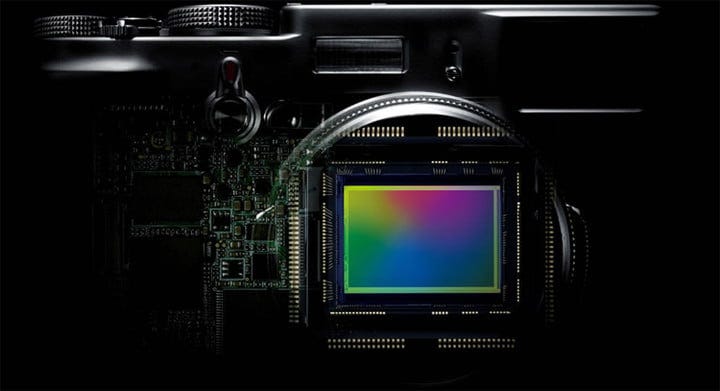
- Image Sensing: This stage involves the detection of light. Devices such as CCD (Charge-Coupled Device) or CMOS (Complementary Metal-Oxide Semiconductor) sensors are typically used. These sensors convert incoming photons into electrical signals.
- Image Sampling: Here, the continuous image captured by the sensor is sampled into discrete pixels. The resolution of the acquired image is determined by the sampling frequency or the number of pixels captured per unit area.
- Quantization: In this stage, the continuous range of pixel intensity values is mapped to a finite range. This process establishes the bit depth of the image, which defines how many levels of intensity (or color) can be represented. For instance, a grayscale image might use 8 bits per pixel, allowing for 256 intensity levels.
The culmination of these steps is a digital representation of the original visual scene, ready for further processing and analysis. The quality and resolution of the final digital image depend directly on the capabilities of the sensing, sampling, and quantization techniques used during acquisition.
b. Point Operations and Their Significance
Point operations, also referred to as pixel-wise or point processing operations, are foundational techniques in digital image processing. These operations adjust or modify the intensity value of each pixel individually. The key characteristic of point operations is that the new pixel value is computed solely on the basis of the original intensity of that pixel, without taking into account its neighboring pixels. This localized processing allows for a variety of enhancements that can significantly improve the overall appearance or utility of an image.
Fundamental Characteristics
The core idea behind point operations is to map an input pixel value to a specific output value using a transformation function. Common transformations include:
- Brightness Adjustment: This involves adding or subtracting a constant value from each pixel's intensity, enabling overall lightening or darkening of the image.
- Contrast Enhancement: By stretching or compressing the range of intensity values, contrast enhancement makes details within the image more distinguishable.
- Thresholding: Commonly used in segmentation, thresholding assigns pixels a binary value (e.g., black and white) based on whether their intensity exceeds a predetermined threshold.
Practical Example: Histogram Equalization
One practical and widely used example of a point operation is histogram equalization. This technique is used to enhance the global contrast of an image. In histogram equalization, the distribution of the pixel intensities is transformed to be more uniform. This redistribution allows for the enhancement of local contrast, particularly for images that are poorly exposed—where details might be imperceptible. By applying this transformation, even the underexposed or overexposed parts of an image can reveal important details, thus improving its visual quality.
More specifically, assume an 8-bit grayscale image where pixel values range between 0 (black) and 255 (white). If the majority of the pixel values fall within a narrow range (for instance, between 50 and 150), the image will appear washed out or lacking in contrast. Histogram equalization will apply a transformation function that redistributes these concentration of values over the complete range (0-255). The result is an image with enhanced contrast and improved detail discernibility.
c. Geometric Transformations and Their Role in Biometric Systems
Geometric transformations are operations that modify the spatial structure of an image. Unlike point operations which modify pixel values individually, geometric transformations affect the position of pixels relative to one another, altering the image's geometric layout. These transformations include translation, rotation, scaling, reflection, and shearing. Their ability to manipulate the spatial attributes of images makes them indispensable in preparing images for further analysis and pattern recognition tasks.
Key Concepts of Geometric Transformations
The primary goal of geometric transformations is to standardize images by reorienting their position, adjusting their scale, or correcting perspective distortions. Specific transformations include:
- Translation: The process of shifting an image by a certain amount in the horizontal and/or vertical direction.
- Rotation: Rotating an image by a certain angle about a specified point, usually the center of the image.
- Scaling: Changing the size of an image by expanding or contracting its dimensions while preserving its structure.
- Reflection and Shearing: Reflecting an image provides a mirror image, and shearing distorts the shape in a way that the image appears slanted.
Applications in Biometric Systems
Geometric transformations are particularly valuable in biometric systems, where consistency and standardization of image data are crucial for recognition accuracy. Two key applications in biometrics where geometric transformations are prominently applied include:
- Face Recognition Systems: In facial recognition, images of faces captured under varying conditions must often be aligned to a standardized orientation. Geometric transformations such as rotation and scaling are applied so that every face appears in a consistent format, typically aligning the eyes and mouth to predetermined positions. This standardization allows recognition algorithms to focus on intrinsic facial features rather than differences introduced by the angle or scale of the image capture. By correcting for orientation and size, the systems are better able to detect unique facial features, thereby increasing the accuracy of identification and verification.
- Fingerprint Analysis: Fingerprint recognition systems also greatly benefit from geometric transformations. Fingerprints can be captured at different angles or may suffer from distortions during the capture process. Rotational and scaling transformations are used to normalize these inconsistencies, aligning the fingerprint images with stored templates. This ensures that the unique ridge patterns and minutiae points are properly aligned, enabling efficient and accurate comparison. The transformation converts the raw, often distorted input into a standardized format, which aids in both matching and identification tasks.
In both applications, geometric transformations serve to mitigate the variabilities introduced during the image capture process. Whether it is a matter of differing lighting conditions, camera angles, or variations in subject placement, applying such transformations before analysis ensures that the extracted features are comparable and consistent, leading to reliable biometric identification.
Comprehensive Comparative Table
| Aspect | Description | Examples/Applications |
|---|---|---|
| Image Definition | A digital image is a two-dimensional array of discrete pixels, each containing an intensity or color value. It represents real-world scenes in a discretized form. | Grayscale images, Color images (RGB) |
| Image Acquisition | Process of capturing real-world visual data and converting it into digital format. It involves sensing, sampling, and quantization. | Digital cameras, Scanners, CCD/CMOS sensors |
| Point Operations | Pixel-wise operations where each pixel's value is modified individually based on its original intensity without considering its neighbors. | Brightness adjustment, Histogram equalization, Thresholding |
| Geometric Transformations | Operations that modify the spatial arrangement of pixels. They adjust image orientation, size, and perspective. | Rotation, Scaling, Translation, Reflection |
| Biometric Applications | Use of geometric transformations to standardize images in biometric systems, ensuring accurate feature extraction and matching. | Face recognition, Fingerprint analysis |
References
- Fundamental Steps in Digital Image Processing - GeeksforGeeks
- Geometric Transformation in Image Processing - GeeksforGeeks
- Biometrics and Image Processing - TutorialsPoint
- Digital Image Processing Point Operations - AllAboutCircuits
- What Is Image Processing: Overview, Applications, Benefits, and More - Simplilearn
Recommended Related Queries
 cloudinary.com
Last updated March 24, 2025