
Installing NVIDIA 340.108 Drivers on Ubuntu 25.04: A Comprehensive Guide
Addressing the Challenges and Finding Solutions for Legacy Hardware
Attempting to install the NVIDIA 340.108 driver on a modern distribution like Ubuntu 25.04 presents significant challenges due to the driver's legacy status. The 340.xx series drivers reached end-of-life support from NVIDIA some time ago, meaning they are not actively maintained and lack compatibility with newer Linux kernels, including the one used in Ubuntu 25.04. This guide explores the complexities involved and outlines potential, albeit not guaranteed, solutions.
Key Considerations for NVIDIA 340.108 on Ubuntu 25.04
- Legacy Driver Status: The NVIDIA 340.xx series drivers are no longer supported by NVIDIA and are not included in the official Ubuntu 25.04 repositories.
- Kernel Incompatibility: The 340.108 driver is primarily compatible with older Linux kernels, typically up to 5.4. Ubuntu 25.04 utilizes a much newer kernel, which introduces incompatibilities.
- Potential Need for Older Ubuntu Versions: For reliable operation with the 340.108 driver, using an older Long Term Support (LTS) version of Ubuntu where this driver was officially supported, such as Ubuntu 20.04 with the 5.4 kernel, is generally recommended.
Understanding the Compatibility Issues
The core problem with installing the NVIDIA 340.108 driver on Ubuntu 25.04 stems from kernel version differences. The 340.xx driver was designed and tested against older kernel APIs and structures. Newer kernels, like the one in Ubuntu 25.04, have undergone significant changes that break compatibility with these older drivers. This often results in installation failures, system instability, graphical glitches, or even the inability to boot into a graphical environment.
Ubuntu's official repositories for 24.04 and 25.04 do not contain the 340 driver due to its end-of-life status and incompatibility with current kernel versions. While third-party Personal Package Archives (PPAs) might offer repackaged versions of these legacy drivers, their reliability and long-term support are not guaranteed. Using drivers from unofficial sources can introduce security risks and further instability.
Methods and Potential Workarounds (Use with Caution)
Despite the significant challenges, some users have attempted to install legacy NVIDIA drivers on newer Ubuntu versions using unofficial methods. These workarounds are not officially supported and may require advanced Linux knowledge to troubleshoot. They might also cease to work with future system updates.
Attempting Installation via a Legacy PPA
Some unofficial PPAs exist that attempt to maintain legacy NVIDIA drivers for newer Ubuntu releases. One such PPA that has been mentioned in the context of legacy drivers is ppa:kelebek333/nvidia-legacy. However, its compatibility with Ubuntu 25.04 and the 340 driver is uncertain and should be verified with the PPA's maintainers if possible.
If you choose to explore this route, the general steps would involve adding the PPA, updating your package list, and attempting to install the driver package. This is a highly speculative approach for Ubuntu 25.04 due to the kernel version.
sudo add-apt-repository ppa:kelebek333/nvidia-legacy
sudo apt update
sudo apt install nvidia-340
Warning: Executing these commands on Ubuntu 25.04 is likely to result in errors or a broken system due to kernel incompatibility. Proceed with extreme caution and ensure you have backups.
Manual Installation from NVIDIA Website (.run file)
NVIDIA provides a .run installer file for the 340.108 driver on their legacy Unix drivers page. While this method bypasses Ubuntu's package management, it does not resolve the fundamental kernel compatibility issue. The installer checks for kernel compatibility, and it is highly probable it will refuse to install on Ubuntu 25.04's modern kernel. Even if forced, it is unlikely to function correctly.
To attempt a manual installation (again, not recommended for Ubuntu 25.04):
- Download the 340.108 driver .run file from the NVIDIA website.
- Stop your display manager (e.g., LightDM, GDM3, SDDM). This typically involves dropping to a terminal (Ctrl+Alt+F3).
- Navigate to the downloaded file and make it executable:
chmod +x NVIDIA-Linux-x86_64-340.108.run - Run the installer with superuser privileges:
sudo ./NVIDIA-Linux-x86_64-340.108.run - Follow the on-screen prompts. Be prepared for the installer to report kernel incompatibility.
This method is highly likely to fail on Ubuntu 25.04.
Considering Alternative Ubuntu Versions
For hardware that requires the NVIDIA 340.108 driver, the most stable and recommended approach is to use an older Ubuntu LTS release that officially supports this driver and its corresponding kernel version. Ubuntu 20.04 LTS with its original 5.4 kernel is often cited as a distribution where the 340 driver could be installed with fewer issues, potentially using the ppa:kelebek333/nvidia-legacy PPA if needed for the latest 340.108 version on that kernel series.
Upgrading from an older version with the 340 driver installed to a newer version like 24.04 or 25.04 is also unlikely to preserve the driver's functionality and is explicitly advised against in many community forums.
Exploring the Default Nouveau Driver
Ubuntu includes the open-source Nouveau driver as a default for NVIDIA cards. While Nouveau does not offer the same level of performance or features as the proprietary NVIDIA drivers, it provides basic graphical functionality out-of-the-box. For legacy cards that require the 340 driver, the Nouveau driver might be the only option that works reliably on Ubuntu 25.04 without resorting to complex and unstable workarounds.
You can check if the Nouveau driver is in use with the command:
lsmod | grep nouveau
If the Nouveau driver is loaded, your system is using it. For many basic desktop tasks, this might be sufficient.
Potential Issues After Attempting Installation
Attempting to install an incompatible driver like NVIDIA 340.108 on Ubuntu 25.04 can lead to several issues:
-
Login Loop: The system might fail to load the graphical environment, leading to a loop back to the login screen.
-
Black Screen: No display output after booting.
-
System Instability: Crashes, freezes, and unpredictable behavior.
-
Reduced Functionality: Lack of hardware acceleration, poor performance, and issues with external displays.
If you encounter these issues after attempting installation, you might need to boot into recovery mode or a terminal and remove the attempted NVIDIA driver installation to revert to the Nouveau driver or integrated graphics.
sudo apt --purge remove 'nvidia-*'
sudo ubuntu-drivers autoinstall # This might attempt to install a compatible driver if available, but unlikely for 340 series hardware on 25.04
sudo apt autoremove
sudo apt clean
sudo reboot
Understanding Driver Branches
NVIDIA maintains different driver branches to support various generations of graphics cards. The 340.xx branch is a legacy branch for older hardware (primarily GeForce 8 and 9 series GPUs). Newer cards are supported by more recent branches like 390.xx, 470.xx, and the latest production and new feature branches (currently around 570.xx and 565.xx respectively for Ubuntu 25.04).
Attempting to install a driver from an incorrect branch for your hardware or an incompatible branch for your Ubuntu version will lead to problems.
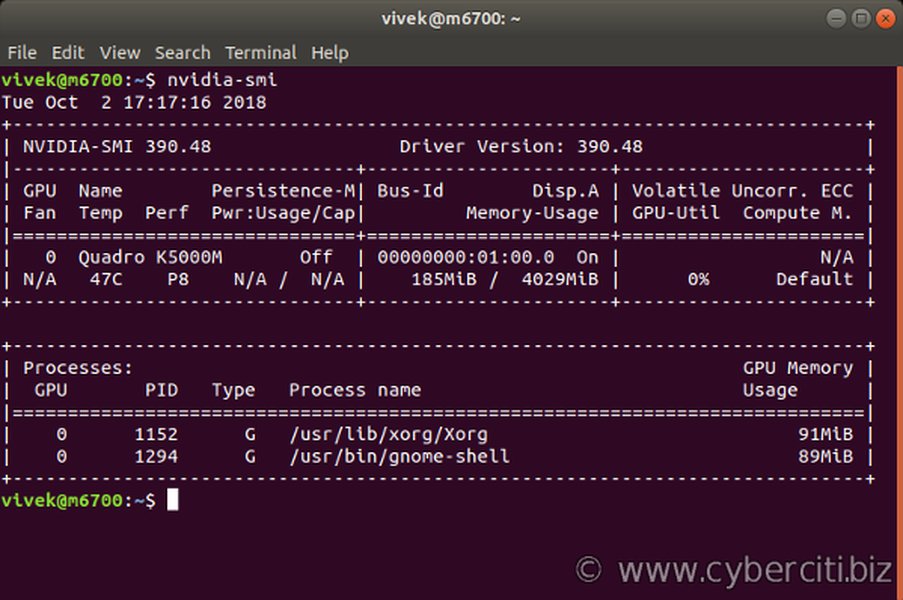
An example of output from the nvidia-smi command, used to monitor NVIDIA GPU status.
Current NVIDIA Driver Status on Ubuntu 25.04
Ubuntu 25.04, codenamed "Plucky Puffin," is being released with support for newer NVIDIA driver series, including the 570 branch. This is intended for more recent NVIDIA hardware. Legacy drivers like the 340 series are not part of this release's focus or included packages.
The Additional Drivers utility in Ubuntu typically shows available proprietary drivers. For legacy hardware on newer Ubuntu, compatible options may be limited or absent.
Ubuntu's built-in ubuntu-drivers tool is the recommended way to identify and install officially supported drivers. However, for hardware requiring the 340 driver on Ubuntu 25.04, this tool is unlikely to offer a compatible proprietary driver option.
ubuntu-drivers devices
This command lists available drivers for your hardware. If a compatible proprietary driver is found, you can install it using sudo ubuntu-drivers autoinstall.
Frequently Asked Questions (FAQ)
Can I use the NVIDIA 340.108 driver with the latest Linux kernel?
No, the NVIDIA 340.108 driver is not compatible with recent Linux kernel versions, including the one in Ubuntu 25.04. It was designed for older kernels, typically up to 5.4.
Why isn't the 340 driver available in Ubuntu 25.04 repositories?
The 340.xx driver series has reached end-of-life support from NVIDIA and is incompatible with the newer kernel versions used in modern Ubuntu releases like 25.04. Ubuntu's official repositories only include drivers that are actively maintained and compatible with the current system.
What are my options if my graphics card requires the 340 driver?
Your most reliable options are to use the open-source Nouveau driver which is included in Ubuntu, or to install an older version of Ubuntu (like 20.04 LTS) that officially supports the 340 driver and a compatible kernel. Attempting to force the installation on Ubuntu 25.04 is likely to cause significant issues.
Is it safe to use third-party PPAs for legacy drivers?
Using third-party PPAs carries inherent risks, including potential instability and security vulnerabilities. While some PPAs may attempt to provide legacy drivers, their compatibility and maintenance are not guaranteed. It is generally recommended to stick to officially supported drivers and software sources.
Conclusion
Installing the NVIDIA 340.108 driver on Ubuntu 25.04 is not a straightforward process and is highly likely to fail due to fundamental incompatibility with the modern Linux kernel. The driver is end-of-life and not included in official repositories. While unofficial workarounds might exist, they are not recommended due to potential instability and lack of support. For hardware that requires this legacy driver, using an older, compatible Ubuntu LTS release or relying on the open-source Nouveau driver are the most practical approaches.
References
Last updated May 14, 2025