
Creating a Simple Website with an Interactive CV
A Comprehensive Guide to Building Your Interactive Online Resume
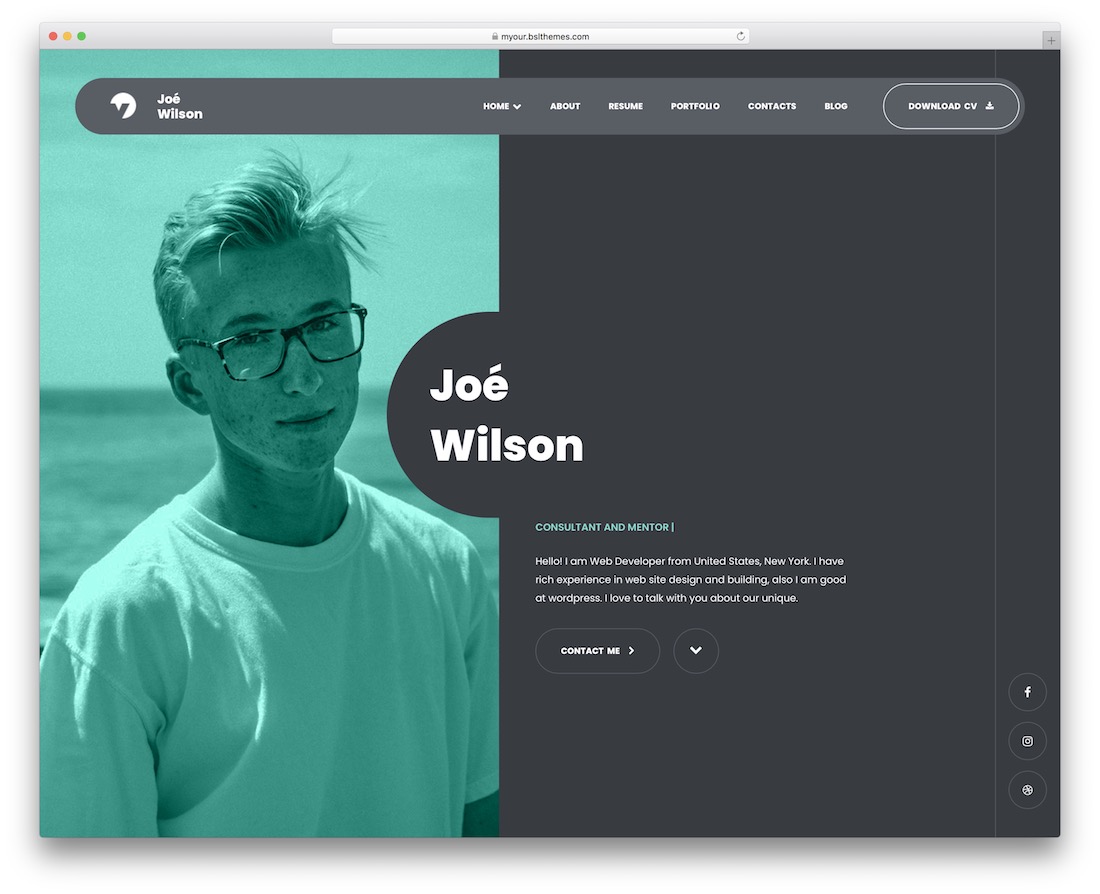
Key Takeaways
- Structured Planning: Clearly define the sections and content of your CV to ensure a comprehensive presentation.
- Responsive Design: Utilize HTML, CSS, and JavaScript to create a visually appealing and interactive user experience across all devices.
- Deployment: Leverage free hosting platforms like GitHub Pages, Netlify, or Vercel to publish your interactive CV online.
1. Planning Your Interactive CV
Defining Your CV Content
Before diving into the technical aspects of building your interactive CV, it's crucial to outline the content you wish to include. This preparation ensures that your CV is both comprehensive and well-organized. Typical sections to consider are:
- Personal Information: Include your name, professional title, contact details, and a professional photograph.
- About Me: A brief introduction highlighting your career objectives, skills, and personal attributes.
- Work Experience: Detailed accounts of your previous roles, responsibilities, and achievements.
- Education: Academic qualifications, institutions attended, and graduation details.
- Skills: Technical and soft skills relevant to your profession.
- Projects/Portfolio: Showcase significant projects, including descriptions and links if applicable.
- Contact Information: Provide a form or direct contact details for potential employers or collaborators to reach you.
Incorporating interactive elements such as animations, clickable links, and dynamic content can enhance user engagement and make your CV stand out.
2. Setting Up Your Development Environment
Preparing Your Workspace
A well-organized development environment facilitates efficient coding and project management. Follow these steps to set up your workspace:
- Install a Code Editor: Choose a code editor that suits your preferences. Popular options include:
- Visual Studio Code
- Sublime Text
- Notepad++
- Create a Project Folder: Organize your project files by creating a dedicated folder structure. A recommended structure is:
/interactive-cv
    |-- index.html       <!-- Main HTML file -->
    |-- styles.css        <!-- CSS file for styling -->
    |-- script.js        <!-- JavaScript file for interactivity -->
    |-- /assets          <!-- Folder for images, videos, and other media -->
3. Building the HTML Structure
Creating the Foundation with HTML
HTML serves as the backbone of your website, defining the content and structure of your interactive CV. Below is a sample HTML structure to get you started:
<!DOCTYPE html>
<html lang="en">
<head>
    <meta charset="UTF-8">
    <meta name="viewport" content="width=device-width, initial-scale=1.0">
    <title>My Interactive CV</title>
    <link rel="stylesheet" href="styles.css">
</head>
<body>
    <header>
        <img src="assets/profile.jpg" alt="Your Name">
        <h1>Your Name</h1>
        <p>Email: your.email@example.com | Phone: +123 456 7890</p>
    </header>

    <nav>
        <ul>
            <li><a href="#about">About</a></li>
            <li><a href="#experience">Experience</a></li>
            <li><a href="#education">Education</a></li>
            <li><a href="#skills">Skills</a></li>
            <li><a href="#projects">Projects</a></li>
            <li><a href="#contact">Contact</a></li>
        </ul>
    </nav>

    <main>
        <section id="about">
            <h2>About Me</h2>
            <p>A brief description about your professional background, skills, and career aspirations.</p>
        </section>

        <section id="experience">
            <h2>Work Experience</h2>
            <ul>
                <li>
                    <h3>Job Title at Company</h3>
                    <p>Start Date - End Date</p>
                    <p>Description of responsibilities and achievements.</p>
                </li>
                <!-- Repeat for additional experiences -->
            </ul>
        </section>

        <section id="education">
            <h2>Education</h2>
            <ul>
                <li>
                    <h3>Degree Name</h3>
                    <p>University Name | Graduation Year</p>
                </li>
                <!-- Repeat for additional education entries -->
            </ul>
        </section>

        <section id="skills">
            <h2>Skills</h2>
            <ul>
                <li>HTML</li>
                <li>CSS</li>
                <li>JavaScript</li>
                <!-- Add more skills as needed -->
            </ul>
        </section>

        <section id="projects">
            <h2>Projects</h2>
            <div class="project-item" onclick="showProjectDetails('Project 1 Description')">
                <h3>Project 1 - Portfolio Website</h3>
            </div>
            <div class="project-item" onclick="showProjectDetails('Project 2 Description')">
                <h3>Project 2 - E-commerce App</h3>
            </div>
            <!-- Add more projects as needed -->
        </section>

        <section id="contact">
            <h2>Contact Me</h2>
            <form id="contact-form">
                <label for="name">Name:</label>
                <input type="text" id="name" name="name" required><br>
                <label for="email">Email:</label>
                <input type="email" id="email" name="email" required><br>
                <label for="message">Message:</label>
                <textarea id="message" name="message" required></textarea><br>
                <button type="submit">Send</button>
            </form>
        </section>
    </main>

    <footer>
        <p>© 2025 Your Name. All rights reserved.</p>
        <p>Connect with me on <a href="https://linkedin.com/in/yourprofile" target="_blank">LinkedIn</a>.</p>
    </footer>

    <script src="script.js"></script>
</body>
</html>
This HTML structure includes all the essential sections of an interactive CV, such as About, Experience, Education, Skills, Projects, and Contact. The navigation menu allows users to smoothly navigate to different sections of the CV.
4. Styling Your CV with CSS
Enhancing Visual Appeal
CSS is pivotal in transforming the basic HTML structure into a visually appealing and responsive website. Below is an example of a comprehensive CSS file to style your interactive CV:
/* Global Styles */
body {
    font-family: Arial, sans-serif;
    line-height: 1.6;
    margin: 0;
    padding: 0;
    background-color: #f4f4f4;
}

header {
    text-align: center;
    padding: 50px 20px;
    background-color: #0073e6;
    color: white;
}

header img {
    width: 150px;
    height: 150px;
    border-radius: 50%;
}

h1, h2, h3 {
    color: #333;
}

nav {
    background-color: #333;
}

nav ul {
    list-style: none;
    display: flex;
    justify-content: center;
    padding: 10px 0;
    margin: 0;
}

nav ul li {
    margin: 0 15px;
}

nav ul li a {
    color: white;
    text-decoration: none;
    font-size: 18px;
}

nav ul li a:hover {
    text-decoration: underline;
}

main {
    padding: 20px;
    max-width: 1200px;
    margin: auto;
    background: #fff;
}

section {
    margin-bottom: 40px;
}

ul {
    list-style-type: none;
    padding: 0;
}

ul li {
    margin-bottom: 10px;
}

.project-item {
    background-color: #f4f4f4;
    padding: 15px;
    border: 1px solid #ccc;
    margin-top: 10px;
    cursor: pointer;
    transition: transform 0.2s ease;
}

.project-item:hover {
    transform: scale(1.05);
}

/* Contact Form */
#contact-form {
    max-width: 600px;
    margin: 0 auto;
}

#contact-form label {
    display: block;
    margin-top: 10px;
}

#contact-form input,
#contact-form textarea {
    width: 100%;
    padding: 10px;
    margin-top: 5px;
    border: 1px solid #ccc;
    border-radius: 5px;
}

#contact-form button {
    margin-top: 10px;
    padding: 10px 20px;
    background-color: #0073e6;
    color: white;
    border: none;
    cursor: pointer;
}

#contact-form button:hover {
    background-color: #005bb5;
}

footer {
    text-align: center;
    padding: 20px;
    background-color: #0073e6;
    color: white;
}

@media (max-width: 768px) {
    nav ul {
        flex-direction: column;
    }

    nav ul li {
        margin: 10px 0;
    }
}
This CSS file adds color schemes, typography, layout adjustments, and responsive design elements to ensure that the CV looks good on various devices. The hover effects and transitions on project items enhance interactivity, making the user experience more engaging.
5. Adding Interactivity with JavaScript
Enhancing User Experience
JavaScript introduces dynamic behavior to your interactive CV, allowing for actions like smooth scrolling, interactive pop-ups, and form validations. Below is a sample JavaScript file to add these functionalities:
// Smooth Scrolling for Navigation Links
document.querySelectorAll('nav a').forEach(anchor => {
    anchor.addEventListener('click', function(e) {
        e.preventDefault();
        const targetSection = document.querySelector(this.getAttribute('href'));
        targetSection.scrollIntoView({ behavior: 'smooth' });
    });
});

// Interactive Project Details Popup
function showProjectDetails(details) {
    alert(details);
}

// Contact Form Submission Handling
document.getElementById('contact-form').addEventListener('submit', function(e) {
    e.preventDefault();
    alert('Thank you for your message! I will get back to you soon.');
    this.reset();
});
The above JavaScript code accomplishes the following:
- Smooth Scrolling: When a navigation link is clicked, the page smoothly scrolls to the corresponding section.
- Project Details: Clicking on a project item triggers a pop-up displaying additional details about the project.
- Form Handling: Submitting the contact form displays a confirmation alert and resets the form fields.
You can further enhance interactivity by adding more sophisticated features such as project modals, animations, or real-time form validations using additional JavaScript or libraries like jQuery.
6. Hosting Your Interactive CV
Deploying Your Website Online
Once your interactive CV is developed and tested locally, the next step is to make it accessible online. Several free hosting platforms facilitate easy deployment:
- GitHub Pages: Ideal for hosting static websites directly from your GitHub repository.
- Netlify: Offers continuous deployment, custom domains, and various integrations with build tools.
- Vercel: Provides seamless deployment with support for front-end frameworks and serverless functions.
Example Deployment with GitHub Pages:
- Create a GitHub repository named
username.github.io, whereusernameis your GitHub username. - Push your project files (index.html, styles.css, script.js, and assets) to the repository.
- Navigate to
https://username.github.ioto view your live interactive CV.
Ensure that all links and resource paths are correctly referenced to prevent broken links or missing assets after deployment.
7. Optional Enhancements
Making Your CV Stand Out
To further elevate your interactive CV, consider incorporating the following enhancements:
- Animations: Use CSS animations or JavaScript libraries like Animate.css and GSAP to add engaging animations to elements such as headers, buttons, and project items.
- Responsiveness: Ensure your CV is mobile-friendly by utilizing responsive design techniques with CSS media queries. This guarantees optimal viewing across various devices and screen sizes.
- Rich Media: Embed multimedia elements like YouTube project demos, GitHub repository links, or interactive charts to provide a more comprehensive view of your work.
- Interactive Charts: Display your skills and proficiency levels using interactive charts or progress bars created with libraries like Chart.js.
- Dark Mode Toggle: Implement a toggle switch to allow users to switch between light and dark themes, enhancing accessibility and user preference.
Incorporating these enhancements can significantly improve the user experience, making your interactive CV more professional and appealing to potential employers.
8. Recap and Best Practices
Final Thoughts on Building Your Interactive CV
Creating an interactive CV website involves careful planning, solid coding practices, and thoughtful design. Here's a quick recap of the steps involved:
- Plan Your Content: Define the sections and information to be included in your CV.
- Set Up Your Workspace: Organize your project files and choose a suitable code editor.
- Build the HTML Structure: Create the foundational structure of your website with HTML.
- Style with CSS: Apply styles to make your CV visually appealing and responsive.
- Add JavaScript Interactivity: Enhance user experience with dynamic behaviors.
- Host Your Website: Deploy your interactive CV using platforms like GitHub Pages, Netlify, or Vercel.
- Implement Optional Enhancements: Incorporate additional features to make your CV stand out.
Best Practices:
-
Consistency: Maintain consistent styling, fonts, and color schemes throughout your CV.
-
Accessibility: Ensure your website is accessible to all users by following WCAG guidelines, such as using appropriate contrast ratios and providing alt text for images.
-
Performance: Optimize images and minimize code to ensure fast loading times.
-
Cross-Browser Compatibility: Test your website across different browsers to ensure it functions correctly everywhere.
-
Content Accuracy: Regularly update your CV to reflect your most recent experiences and achievements.
By adhering to these best practices, you can create a professional, effective, and engaging interactive CV that effectively showcases your qualifications and skills to potential employers.
References
These resources provide additional insights, tutorials, and examples to help you refine and enhance your interactive CV website.
Conclusion
Empower Your Professional Journey
Building an interactive CV website is an excellent way to present your professional profile in a modern and engaging format. By following this comprehensive guide, you can create a personalized and dynamic online resume that effectively highlights your skills, experiences, and achievements. Remember to continually update and refine your CV to reflect your growth and evolving career aspirations
Last updated January 20, 2025