
Java For循环调用第三方接口
深入解析如何在Java中使用for循环批量调用外部API接口
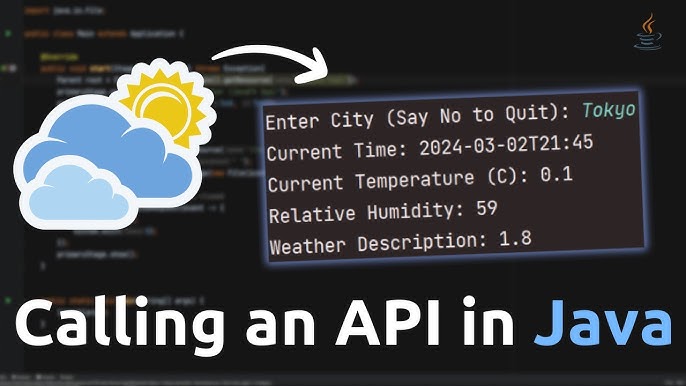
关键亮点
- 结构化设计: 采用for循环构造动态请求,确保代码清晰便于管理。
- 性能与优化: 通过并发调用和错误处理机制提升调用效率和系统鲁棒性。
- 实际操作示例: 掌握实际代码示例与多种方法调用接口(如HttpURLConnection、Apache HttpClient和Spring RestTemplate)。
概述
在Java开发中,使用for循环调用第三方接口是一种常见的场景,特别是在批量数据处理、数据抓取或者系统集成中非常有用。常见的应用包括基于用户ID循环获取用户数据、对每个数据项调用外部服务进行数据补全等。本文将详细说明如何使用for循环调用第三方接口,并介绍几种常用工具和方法,如HttpURLConnection、Apache HttpClient、Spring RestTemplate及WebClient。此外,还将讨论如何处理错误、如何通过并发方式优化接口调用及注意API接口的速率限制。
主要实现方法
1. 使用 HttpURLConnection 基本调用
Java 的 HttpURLConnection 类提供了一个简单的方式来调用第三方接口。此方法适用于简单的GET或POST请求,适合较小规模的批量调用。借助for循环,你可以动态构造URL并依次发起请求。
示例代码
import java.io.BufferedReader;
import java.io.IOException;
import java.io.InputStreamReader;
import java.net.HttpURLConnection;
import java.net.URL;

public class GetAPI {
    public static void main(String[] args) {
        for (int i = 1; i <= 10; i++) {
            String urlString = "https://jsonplaceholder.typicode.com/posts/" + i;
            try {
                URL url = new URL(urlString);
                HttpURLConnection connection = (HttpURLConnection) url.openConnection();
                connection.setRequestMethod("GET");

                if (connection.getResponseCode() == 200) {  // 判断响应状态码
                    BufferedReader reader = new BufferedReader(new InputStreamReader(connection.getInputStream()));
                    String line;
                    StringBuilder response = new StringBuilder();
                    while ((line = reader.readLine()) != null) {
                        response.append(line);
                    }
                    reader.close();
                    System.out.println("Response for ID " + i + ": " + response.toString());
                } else {
                    System.out.println("Response error for ID " + i + ": " + connection.getResponseCode());
                }
            } catch (IOException e) {
                e.printStackTrace();
            }
        }
    }
}
在这个例子中,for循环遍历了10个不同的请求,每个请求通过构造的URL访问不同的资源。为了确保资源得到释放,我们在每次请求后调用connection.disconnect()或者确保使用完毕后关闭流。
2. 使用 Apache HttpClient 进行高级调用
Apache HttpClient 提供了更加灵活的HTTP请求功能,适用于复杂的场景,可以方便地设置请求头、管理连接池及处理响应数据。在批量调用第三方接口时,HttpClient可显著提升代码的可维护性和扩大性。
示例代码
import org.apache.http.HttpResponse;
import org.apache.http.client.methods.HttpGet;
import org.apache.http.impl.client.CloseableHttpClient;
import org.apache.http.impl.client.HttpClients;
import org.apache.http.util.EntityUtils;

import java.io.IOException;

public class ThirdPartyInterfaceCaller {
    public static void main(String[] args) {
        String[] ids = {"1", "2", "3"};
        for (String id : ids) {
            String url = "http://example.com/api/data/" + id;
            String response = callThirdPartyInterface(url);
            if (response != null) {
                System.out.println("Processed Response for ID " + id + ": " + response);
            } else {
                System.out.println("API call failed for ID: " + id);
            }
        }
    }

    private static String callThirdPartyInterface(String url) {
        CloseableHttpClient httpClient = HttpClients.createDefault();
        HttpGet httpGet = new HttpGet(url);
        try {
            HttpResponse response = httpClient.execute(httpGet);
            if (response.getStatusLine().getStatusCode() == 200) {
                return EntityUtils.toString(response.getEntity());
            } else {
                System.out.println("Invalid response code at URL: " + url);
            }
        } catch (IOException e) {
            System.out.println("Exception when calling URL: " + url);
        } finally {
            try {
                httpClient.close();
            } catch (IOException e) {
                System.out.println("Exception closing HttpClient");
            }
        }
        return null;
    }
}
使用HttpClient时,可以设置更多的请求属性,如超时、重试机制和连接管理,这样能更好地应对网络不稳定或接口响应异常的问题。
3. 使用 Spring RestTemplate 或 WebClient
在Spring Boot应用程序中,经常会用到RestTemplate或更现代的WebClient来实现HTTP请求。利用这些工具,可以很容易地在for循环中调用第三方API,并利用Spring的声明式异常处理、并发配置等特性。
RestTemplate 示例
import org.springframework.http.ResponseEntity;
import org.springframework.web.client.RestTemplate;

public class ApiCaller {
    public static void main(String[] args) {
        RestTemplate restTemplate = new RestTemplate();
        String apiUrl = "https://api.example.com/data?userId=";
        for (int i = 1; i <= 10; i++) {
            String url = apiUrl + i;
            try {
                ResponseEntity<String> response = restTemplate.getForEntity(url, String.class);
                if (response.getStatusCodeValue() == 200) {
                    System.out.println("User " + i + " Data: " + response.getBody());
                } else {
                    System.out.println("Error response for user " + i + ": " + response.getStatusCodeValue());
                }
            } catch (Exception e) {
                System.out.println("Exception while calling API for user " + i);
            }
        }
    }
}
WebClient 示例(异步处理)
import org.springframework.web.reactive.function.client.WebClient;
import reactor.core.publisher.Mono;

public class AsyncApiCaller {
    public static void main(String[] args) {
        WebClient webClient = WebClient.create("https://api.example.com");
        for (int i = 1; i <= 10; i++) {
            String endpoint = "/data?userId=" + i;
            Mono<String> responseMono = webClient.get()
                    .uri(endpoint)
                    .retrieve()
                    .bodyToMono(String.class);

            // 异步获取并打印结果
            responseMono.subscribe(response -> {
                System.out.println("User " + i + " Data: " + response);
            }, error -> {
                System.out.println("Error Occurred for user " + i);
            });
        }
        // 为了演示目的,主线程等待响应,实际使用中请确保WebClient同步策略或适当的调度管理
        try {
            Thread.sleep(5000);
        } catch (InterruptedException e) {
            e.printStackTrace();
        }
    }
}
RestTemplate适合同步场景,而WebClient由于其响应式特性特别适合异步处理和高并发场景。结合for循环,这两种技术可以帮助你构造灵活、高效的方式调用第三方接口。
重要注意事项
错误与异常处理
第三方接口调用过程中可能会遇到请求超时、网络中断或返回错误状态码等问题。因此,必须为调用代码设计健全的异常处理机制:
- 捕获网络异常: 在每次调用时捕获IOException等网络相关异常,确保异常不会导致整个程序崩溃。
- 状态码验证: 检查HTTP响应状态码,只有在接收到200 OK时处理数据,其他状态码则记录错误信息便于后续跟踪与日志管理。
- 重试机制: 如果遇到网络异常或临时错误,建议设置自动重试逻辑,避免一次性调用失败而丢失数据。
性能与并发优化
如果需要调用的接口数量较多,串行执行for循环可能会导致响应延迟严重,甚至可能因请求过于频繁而触发第三方API的速率限制。以下措施可用于优化性能:
- 并发调用: 利用Java的CompletableFuture或线程池技术进行并发调用。例如,在Spring Boot中你可以使用线程池管理器,将for循环中的各个任务分配给不同线程异步运行,从而显著减少总体执行时间。
- 限流处理: 结合重试机制和锁控策略,在高并发场景下合理管理请求的速率,避免第三方服务因请求过多而封禁。
- 资源释放: 无论是HttpURLConnection还是Apache HttpClient,都需要在请求完成后及时关闭资源,避免长时间占用系统资源。
日志与监控
为便于问题追踪和性能监控,设计良好的日志系统是非常重要的。通过日志记录每一次API调用的结果、响应时间以及调用异常,可以为后续的故障排查提供依据。此外,结合应用性能监控工具(如Prometheus+Grafana),对于大规模调用情况进行监控与报警,也可有效保障系统稳定性。
综合比较表
| 技术 | 优点 | 缺点 | 适用场景 |
|---|---|---|---|
| HttpURLConnection | 简单直观、内置库支持 | 代码冗长、功能较少 | 小规模或简单请求 |
| Apache HttpClient | 灵活、支持高级配置、强大扩展 | 需要外部依赖、配置复杂 | 复杂应用、需要细粒度控制 |
| RestTemplate | 集成Spring生态、使用简单 | 较旧,不支持反应式编程 | Spring Boot项目同步调用 |
| WebClient | 响应式、异步处理、多并发支持 | 学习曲线略高 | 高并发、大规模异步调用 |
最佳实践建议
代码组织与模块化
将API调用逻辑封装为独立模块或者类,有助于提高代码可维护性。不同的模块可以单独进行测试和调试,例如,将实际的HTTP请求部分与数据处理部分分离。通过设计多个类或函数,实现:
- URL构造器: 根据业务需求动态构造调用URL。
- 请求管理器: 管理HTTP调用,统一设置请求头、超时和重试次数。
- 响应处理器: 根据不同状态码或返回数据格式进行分门别类的处理。
错误记录与监控
应用日志系统不仅记录标准日志信息(INFO、DEBUG),还应详细记录调用失败的情况,如响应码错误、网络超时和异常。可以采用集中化日志管理方案,配合报警系统及时通知开发人员有关问题信息,确保系统可以迅速恢复。
自动化测试
编写单元测试和集成测试是保障第三方接口调用可用性的关键。通过模拟不同API响应和错误情况,测试重试、超时和异常处理逻辑,确保在所有情况下系统均能安全运行。这也有助于未来接口升级或变更时,迅速定位与解决问题。
参考文献
- Java For Loop - GeeksforGeeks
- How to call REST API in the loop - Stack Overflow
- Call Third-Party API in Java - Blog on Code
- Harnessing Parallel Calls in Java Spring Boot - Medium
-
Various Approaches of API Integration - Ignek Blog
推荐相关查询
Last updated March 17, 2025