
Unlock the World of Java: Your Simple Guide to Getting Started
Discover Java's power and learn the basics quickly, even without installing anything!
Java is a cornerstone of the programming world, known for its power, versatility, and the famous principle of "Write Once, Run Anywhere" (WORA). Developed initially by James Gosling at Sun Microsystems (now part of Oracle), Java is an object-oriented language designed to be robust and relatively easy to learn, making it a popular choice for beginners and professionals alike. It powers everything from Android apps and web applications to large-scale enterprise systems and scientific computing.
Key Takeaways
- No Installation Needed (Initially): You can start writing and running Java code instantly using free online Java compilers, eliminating the need for complex setup.
- Core Concepts Demystified: Learn the fundamentals – displaying output, reading user input, repeating actions with loops (
while), performing calculations, and making decisions (if/else). - Platform Independent Power: Understand that Java code runs on the Java Virtual Machine (JVM), allowing your programs to work across different operating systems without modification.
Getting Started: The Easy Way
Jump Right In with Online Tools
For absolute beginners, the simplest way to start coding in Java is by using an online compiler or Integrated Development Environment (IDE). These web-based tools let you write, compile, and run Java code directly in your browser, requiring no setup on your computer. They handle the Java Development Kit (JDK) and compilation process behind the scenes.
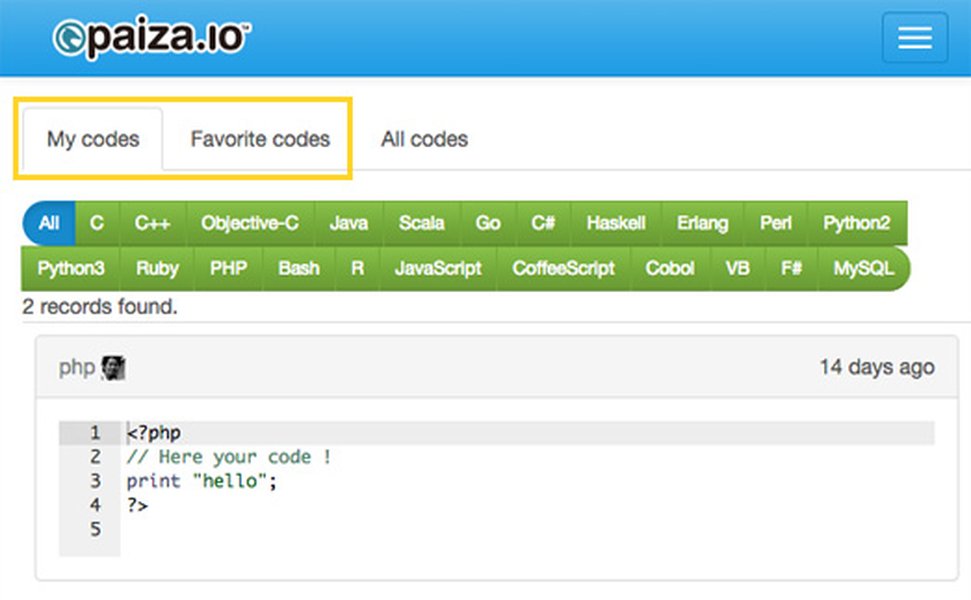
Online Java editors provide a simple interface to write and execute code.
Popular Online Java Compilers
Here are a few highly recommended options to try:
| Platform | URL | Key Features |
|---|---|---|
| Programiz Online Java Compiler | programiz.com | User-friendly interface, code sharing, dark mode, great for beginners. |
| OneCompiler | onecompiler.com | Supports recent Java versions, allows user input (stdin), provides boilerplate code. |
| JDoodle | jdoodle.com | Supports multiple languages, straightforward execution, options for saving and sharing code. |
| W3Schools Java Compiler | w3schools.com | Integrated with tutorials, simple editor for trying out examples. |
To use them, simply visit the website, type or paste your Java code into the editor, and click the "Run" or "Execute" button. The output (or any errors) will appear in a console window.
Alternative: Local Installation (For Later)
While online tools are great for starting, eventually you might want to set up Java locally. This involves:
- Downloading and installing the Java Development Kit (JDK) from Oracle or an OpenJDK provider like Adoptium.
- Choosing and installing a code editor or IDE (Integrated Development Environment) like Visual Studio Code (with Java extensions), IntelliJ IDEA (Community Edition is free), or Eclipse.
This setup gives you more features and control but involves more initial configuration.
Core Java Concepts for Beginners
Let's dive into the fundamental building blocks you requested, using simple examples you can run in an online compiler.
1. Writing Output to the Console
Displaying information is crucial for seeing results and debugging. In Java, the standard way to print text or variable values to the console is using System.out.println(). This command prints the specified content and then moves the cursor to the next line.
Example: Saying Hello
// All executable Java code must be inside a class
public class Greeter {
    // The main method is the entry point of the program
    public static void main(String[] args) {
        System.out.println("Hello, Java World!"); // Prints text
        System.out.println("Let's start coding."); // Prints on a new line
        System.out.print("This part "); // System.out.print does not add a new line
        System.out.print("stays on the same line.");
    }
}
Output:
Hello, Java World!
Let's start coding.
This part stays on the same line.
2. Reading User Input
Interactive programs often need to get input from the user. Java provides the Scanner class, found in the java.util package, for this purpose. You need to import this class before you can use it.
Example: Getting the User's Name
import java.util.Scanner; // Step 1: Import the Scanner class

public class UserInput {
    public static void main(String[] args) {
        // Step 2: Create a Scanner object to read from the keyboard (System.in)
        Scanner inputReader = new Scanner(System.in);

        // Step 3: Prompt the user
        System.out.print("Please enter your name: ");

        // Step 4: Read the line of text entered by the user
        String userName = inputReader.nextLine();

        // Step 5: Use the input in the output
        System.out.println("Hello, " + userName + "! Welcome to Java.");

        // Step 6: Close the scanner (good practice to free resources)
        inputReader.close();
    }
}
When you run this code in an online compiler that supports input, it will pause after the prompt, waiting for you to type something and press Enter.
3. Iterating with a while Loop
Loops allow you to repeat a block of code multiple times. The while loop continues executing its block as long as a specified boolean condition remains true.
Example: Counting Upwards
public class Counter {
    public static void main(String[] args) {
        int count = 1; // Initialize a counter variable

        System.out.println("Starting the count:");

        // Loop condition: continue as long as count is less than or equal to 5
        while (count <= 5) {
            System.out.println("Count is: " + count);
            count = count + 1; // Increment the counter (or use count++;)
        }

        System.out.println("Counting finished!");
    }
}
Output:
Starting the count:
Count is: 1
Count is: 2
Count is: 3
Count is: 4
Count is: 5
Counting finished!
It's crucial to ensure the condition eventually becomes false (like incrementing count here), otherwise, you'll create an infinite loop!
4. Doing Some Math
Java handles standard arithmetic operations easily.
Basic Operations
- Addition:
+ - Subtraction:
- - Multiplication:
* - Division:
/(Note: Integer division truncates decimals) - Modulus (Remainder):
%
Example: Simple Calculations
public class Calculator {
    public static void main(String[] args) {
        int num1 = 15;
        int num2 = 4;
        double preciseNum1 = 15.0; // Use double for floating-point results

        int sum = num1 + num2;
        int difference = num1 - num2;
        int product = num1 * num2;
        int quotient = num1 / num2; // Integer division: 15 / 4 = 3 (remainder discarded)
        int remainder = num1 % num2; // Modulus: 15 % 4 = 3
        double preciseQuotient = preciseNum1 / num2; // Floating-point division: 15.0 / 4 = 3.75

        System.out.println("Number 1: " + num1);
        System.out.println("Number 2: " + num2);
        System.out.println("Sum: " + sum);             // Output: 19
        System.out.println("Difference: " + difference); // Output: 11
        System.out.println("Product: " + product);       // Output: 60
        System.out.println("Integer Quotient: " + quotient); // Output: 3
        System.out.println("Remainder: " + remainder);     // Output: 3
        System.out.println("Precise Quotient: " + preciseQuotient); // Output: 3.75
    }
}
5. Making Decisions with if/else Statements
Conditional statements allow your program to execute different code blocks based on whether certain conditions are true or false. The basic structure is if, optionally followed by else if and/or else.
Example: Checking a Number
import java.util.Scanner;

public class NumberChecker {
    public static void main(String[] args) {
        Scanner reader = new Scanner(System.in);
        System.out.print("Enter an integer: ");
        int number = reader.nextInt();

        if (number > 0) {
            System.out.println("The number is positive.");
        } else if (number < 0) {
            System.out.println("The number is negative.");
        } else {
            System.out.println("The number is zero.");
        }

        // Example combining condition with math
        if (number % 2 == 0) { // Check if the number is even
            System.out.println("The number is also even.");
        } else {
            System.out.println("The number is also odd.");
        }

        reader.close();
    }
}
This program reads a number and uses if-else if-else to classify it as positive, negative, or zero. It then uses another if-else to check if it's even or odd using the modulus operator.
Visualizing Java's Beginner Friendliness
To give you a better sense of where Java stands for newcomers, especially when using online tools, here's a comparative look at some relevant factors. This chart reflects general opinions and the ease provided by online compilers, not absolute metrics.
As the chart suggests, Java scores highly on support and resource availability. While the basic syntax is readable, the initial learning curve can be slightly steeper than some other languages, but using online compilers significantly simplifies the setup process.
Mapping the Core Concepts
This mind map provides a visual summary of the fundamental Java elements we've discussed, showing how they relate to building a simple program.
This map helps visualize the essential pieces needed to write basic interactive Java programs.
Watch and Learn: Java Introduction Video
Sometimes seeing concepts explained visually can be very helpful. This video provides a comprehensive introduction to Java programming, suitable for absolute beginners, covering many of the topics discussed here and more.
This course covers Java fundamentals from the ground up, offering explanations and examples that complement the text-based information provided here. Watching the initial segments can reinforce your understanding of setting up and writing your first basic programs.
Frequently Asked Questions (FAQ)
What is the difference between System.out.print() and System.out.println()?
Why do I need to import `java.util.Scanner`?
What happens if my `while` loop condition never becomes false?
Is Java case-sensitive?
References
- Java Online Compiler - Programiz
- Java Online Compiler - OneCompiler
- Java Online Compiler | Java Editor - JDoodle
- Java Online Compiler (Editor / Interpreter) - w3schools
- Java Basic Input and Output - Programiz
- Java If...Else - W3Schools
- The Java™ Tutorials - Oracle
- Introduction to Java - GeeksforGeeks
Recommended Further Exploration
Last updated April 24, 2025