
Kaspersky Endpoint Security for Windows
Comprehensive Protection for Modern Windows Environments
Key Takeaways
- Comprehensive Threat Protection: Kaspersky Endpoint Security offers robust defenses against a wide array of cyber threats, including ransomware, malware, and advanced persistent threats.
- Seamless Integration and Deployment: The solution integrates smoothly with existing infrastructures, including Kaspersky Sandbox, and supports both manual and automated deployment across various Windows platforms.
- Continuous Updates and Support: Regular updates ensure compatibility with the latest Windows versions and enhance security measures, maintaining optimal protection levels.
Overview of Kaspersky Endpoint Security for Windows
Kaspersky Endpoint Security for Windows (KES) is an enterprise-grade security solution designed to safeguard Windows-based systems from an extensive range of cyber threats. Tailored for corporate environments, KES ensures comprehensive protection, system performance optimization, and seamless integration with existing security infrastructures.
Core Functionality
KES provides all-in-one protection against known and emerging digital threats. Its core functionalities include real-time threat detection, advanced malware protection, ransomware defense, and robust firewall capabilities. By leveraging cloud intelligence, KES enhances its security measures, ensuring proactive threat mitigation and swift response to potential vulnerabilities.
Key Features
- Ransomware Protection: KES employs advanced algorithms and behavioral analysis to detect and neutralize ransomware attacks, safeguarding critical data and systems.
- Performance Optimization: Users can enable or disable specific performance features to balance security and system efficiency, ensuring minimal impact on system resources.
- Integration with Kaspersky Sandbox: The built-in agent allows seamless integration with Kaspersky Sandbox, enhancing threat detection and enabling deeper analysis of suspicious activities.
- Firewall Capabilities: Robust firewall management helps in controlling network traffic, preventing unauthorized access, and mitigating potential threats from reaching the system.
- Application Control Management: Administrators can manage and control application access, ensuring only authorized software operates within the network.
- File Level Encryption (FLE) and Full Disk Encryption (FDE): These encryption capabilities protect sensitive data both at rest and in transit, ensuring data privacy and compliance with regulatory standards.
- Certificate Management: Simplifies the handling of digital certificates, enhancing secure communications and authentication processes.
- Update Management: Ensures that all security components are up-to-date with the latest patches and definitions, maintaining optimal protection levels.
- Local Task Management: Provides tools for administrators to manage tasks and oversee security operations locally, offering greater control and flexibility.
- License Key Management: Streamlines the management of license keys, ensuring compliance and easy scalability across the organization.
System Compatibility
Kaspersky Endpoint Security for Windows supports a wide range of Windows operating systems, ensuring versatility and broad applicability across different organizational infrastructures. The supported systems include:
- Windows 10: Compatible with various editions, providing security across desktops, laptops, and servers running Windows 10.
- Windows 11: Fully compatible with Windows 11, though some features may have limitations based on specific system configurations.
- Windows Server 2022 and 2025: Supports modern Windows Server environments, facilitating secure server operations and management.
Installation and Deployment
KES offers flexible installation and deployment options to cater to diverse organizational needs:
- Local Installation: Users can install KES locally using the provided executable setup files, ensuring straightforward deployment on individual machines.
- Automated Deployment: Supports automated deployment through various management tools, simplifying the rollout process across multiple systems.
- Migration from KSWS: As Kaspersky Security for Windows Server (KSWS) is being discontinued, KES facilitates seamless migration by automatically configuring settings from KSWS during the transition.
- Compatibility Checking: During installation, KES performs compatibility checks to ensure the system meets all requirements, preventing potential conflicts and ensuring optimal performance.
Recent Developments
Kaspersky has been actively enhancing KES to meet the evolving security landscape and organizational needs:
- Migration from KSWS to KES: All features from KSWS are being integrated into KES, consolidating Kaspersky’s security offerings and simplifying management.
- Feature Enhancements: Recent updates have introduced new components and improved existing functionalities, enhancing overall security and user experience.
- Version Updates:
- Version 11.7.0: Introduced support for Windows 11, Windows 10 21H2, and Windows Server 2022, along with an updated user interface and new security components.
- Version 12.7: Enhanced deployment processes, improved licensing workflows, and strengthened threat elimination capabilities to provide more robust protection.
- End of Life for KSWS: Kaspersky has announced the discontinuation of KSWS, with all its features being migrated to KES to streamline security management across Windows environments.
Performance and Optimization
KES is designed to maintain high performance levels while ensuring robust security. Key performance optimization features include:
-
Resource Management: Allows users to enable or disable specific security features based on their needs, optimizing system resource usage without compromising protection.
-
Threat Elimination Tools: Includes network isolation, quarantine options, and execution prevention to effectively neutralize detected threats without affecting system performance.
-
Integration with Kaspersky Sandbox: Enhances threat analysis capabilities, providing deeper insights into suspicious activities without taxing system resources.
Integration with Windows Defender
KES is designed to coexist with Windows Defender, Microsoft’s built-in security solution. This dual-layered approach can enhance overall system security. However, users may occasionally encounter registration issues where KES needs to re-establish its protection functionalities to work seamlessly alongside Windows Defender. Manual intervention may be required in such instances to restore full protection capabilities.
Deployment Strategies
Manual Deployment
For organizations with smaller infrastructures or specific deployment preferences, manual installation using the setup executable offers straightforward implementation. Administrators can customize installation settings to align with organizational policies and security requirements.
Automated Deployment
Large enterprises often prefer automated deployment methods to streamline the rollout process across numerous systems. KES supports integration with various deployment tools and scripts, enabling administrators to deploy the security solution efficiently without manual intervention on individual devices.
Migration from KSWS
With the discontinuation of Kaspersky Security for Windows Server (KSWS), organizations are encouraged to migrate to KES. The migration process is designed to be seamless, with automated configuration of KSWS settings into KES, ensuring continuity in security management and minimizing disruptions.
Security Enhancements
Advanced Threat Detection
KES utilizes advanced machine learning algorithms and behavioral analysis to detect and respond to sophisticated threats. This proactive approach ensures that even zero-day vulnerabilities and unknown malware can be identified and mitigated effectively.
Ransomware Defense
One of the standout features of KES is its robust ransomware protection. By monitoring file system activities and detecting abnormal behavior patterns, KES can prevent ransomware from encrypting critical data, thereby safeguarding organizational assets.
Firewall Management
The integrated firewall offers granular control over network traffic, allowing administrators to define policies that block unauthorized access and prevent potential intrusion attempts. This multi-layered defense mechanism adds an extra layer of security against external threats.
User Interface and Experience
Modernized Interface
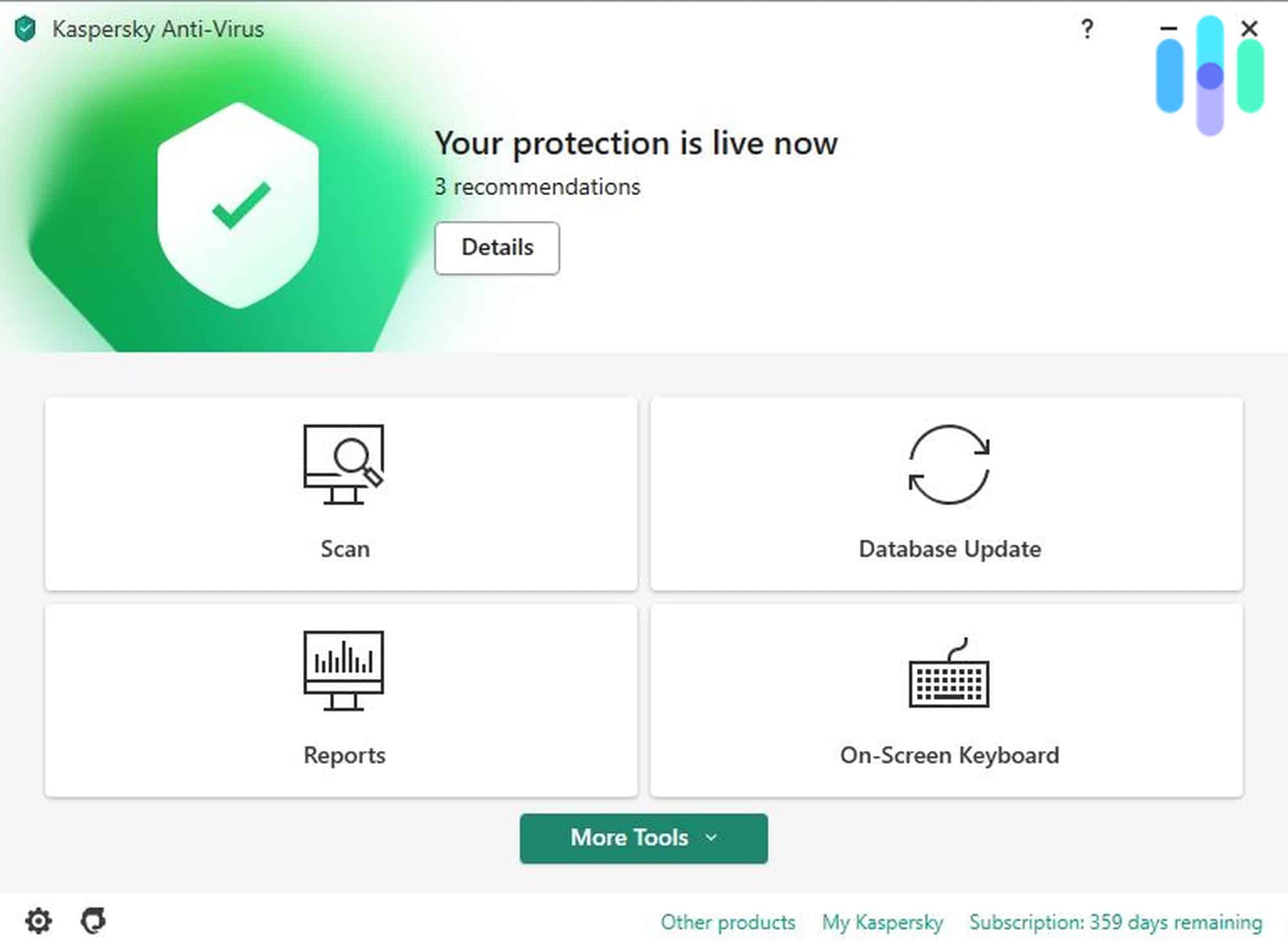
KES features a modernized user interface that enhances usability and user experience. The intuitive design allows administrators and users to navigate through security settings, monitor threat statuses, and manage security policies with ease.
Unified Management Console
The unified client-server UI experience streamlines security management across the organization. Administrators can monitor and control all endpoints from a centralized console, simplifying oversight and ensuring consistent policy enforcement.
Licensing and Support
Flexible Licensing Options
KES offers straightforward licensing models that cater to organizations of varying sizes. Whether opting for perpetual licenses or subscription-based models, businesses can select the option that best fits their budget and scalability requirements.
Comprehensive Support
Kaspersky provides extensive support resources, including detailed documentation, online forums, and direct customer support channels. This ensures that organizations can resolve issues promptly and maintain optimal security configurations.
Integration with Other Kaspersky Solutions
Kaspersky Sandbox Integration
The integration with Kaspersky Sandbox enhances threat analysis capabilities by allowing suspicious files and activities to be analyzed in a controlled environment. This deepens the understanding of potential threats and improves the overall efficacy of threat detection mechanisms.
Cloud Intelligence
KES leverages cloud intelligence to stay updated with the latest threat information. By continuously syncing with Kaspersky’s cloud services, KES ensures that its threat definitions and security measures are always current, providing real-time protection against emerging threats.
Compliance and Regulatory Support
Data Protection and Privacy
KES includes features that help organizations comply with data protection regulations such as GDPR. File encryption, secure communications, and robust access controls ensure that sensitive data is protected and privacy standards are met.
Audit and Reporting
Comprehensive audit logs and reporting tools allow organizations to track security events, monitor compliance status, and generate reports for regulatory purposes. This facilitates transparency and accountability in security management.
Future Developments
AI and Machine Learning Enhancements
Kaspersky is continuously enhancing KES with advanced AI and machine learning capabilities. These enhancements aim to improve threat prediction, automate responses, and adapt to evolving cyber threats more effectively.
Expansion of Platform Support
Future updates are expected to expand support for additional Windows platforms and versions, ensuring that KES remains compatible with the latest operating systems and technologies adopted by organizations.
Conclusion
Kaspersky Endpoint Security for Windows stands out as a comprehensive and versatile security solution tailored for modern Windows environments. With its extensive range of features, seamless integration capabilities, and continuous updates, KES provides robust protection against a wide spectrum of cyber threats. The migration from KSWS to KES further simplifies security management for organizations, consolidating essential security functionalities into a single, unified platform. Whether it's safeguarding against ransomware, optimizing system performance, or ensuring compliance with regulatory standards, Kaspersky Endpoint Security for Windows offers the tools and support necessary to maintain a secure and efficient IT infrastructure.
References
 robertsmit.wordpress.com
Last updated January 22, 2025