
Unlock the World of Code: Your Journey to Mastering Python Starts Here!
Embark on a step-by-step adventure to learn Python, one of the most versatile and beginner-friendly programming languages.
Welcome to your comprehensive guide to learning Python! Whether you're a complete novice to programming or looking to add a new language to your skillset, Python offers a gentle learning curve coupled with powerful capabilities. This guide will walk you through the essentials, from setting up your environment to understanding core concepts, all designed to get you coding effectively and confidently.
Essential Python Insights: Key Takeaways
- Beginner-Friendly Syntax: Python is renowned for its readable and simple syntax, which closely resembles plain English, making it easier to learn compared to many other programming languages.
- Versatile Applications: From web development and data science to artificial intelligence and automation, Python's extensive libraries and frameworks support a vast array of applications.
- Strong Community & Resources: A large, active global community and a wealth of online resources, tutorials, and libraries mean you're never alone on your learning journey.
Why Python Should Be Your First (or Next) Programming Language
Discover the Advantages of Learning Python
Python has consistently ranked among the most popular and in-demand programming languages globally. Its widespread adoption is not accidental. Here's why Python stands out:
- Ease of Learning: Python's syntax is designed for readability and simplicity. It uses indentation to define code blocks rather than relying on semicolons or brackets, which is often a hurdle for beginners in other languages.
- Vast Libraries and Frameworks: Python boasts an extensive collection of pre-written code (libraries) and frameworks that simplify complex tasks. Whether it's web development (Django, Flask), data analysis (Pandas, NumPy), or machine learning (Scikit-learn, TensorFlow), Python has you covered.
- Cross-Platform Compatibility: Python code can run on various operating systems like Windows, macOS, and Linux without requiring significant changes.
- Strong Community Support: A massive and active global community means ample tutorials, forums (like Reddit's r/learnpython), and documentation are readily available.
- Career Opportunities: Proficiency in Python opens doors to numerous career paths in software engineering, data science, web development, automation scripting, and more.
- Free and Open-Source: Python is free to use, distribute, and modify, which has fostered its growth and widespread adoption.
Python's simplicity makes it an excellent language for learners of all ages.
Setting Up Your Python Playground
Installation and Your First Program
Getting started with Python involves a few simple steps to set up your development environment.
1. Installing Python
First, you'll need to download and install Python on your computer. As of May 2025, it's recommended to install the latest stable version of Python 3 (e.g., Python 3.13 or newer).
- Visit the official Python website: python.org/downloads.
- Download the installer appropriate for your operating system (Windows, macOS, or Linux).
- During installation, especially on Windows, ensure you check the box that says "Add Python to PATH." This will allow you to run Python from your command line or terminal easily.
2. Choosing a Code Editor or Integrated Development Environment (IDE)
While you can write Python code in a simple text editor, using a dedicated code editor or IDE can significantly enhance your productivity with features like syntax highlighting, code completion, and debugging tools.
- IDLE: Comes bundled with the standard Python installation. It's simple and good for absolute beginners.
- Visual Studio Code (VS Code): A popular, free, and highly extensible code editor with excellent Python support.
- PyCharm: A powerful IDE specifically for Python, with a free Community Edition.
- Online Editors: Platforms like Replit allow you to write and run Python code directly in your web browser without any installation.
3. Your First Python Program: "Hello, World!"
It's a tradition in programming to start with a "Hello, World!" program. This simple program will print the text "Hello, World!" to your screen.
- Open your chosen code editor or IDE.
- Create a new file and save it with a
.pyextension, for example,hello.py. - Type the following code into the file:
print("Hello, World!") - Save the file.
- To run the program, open your terminal or command prompt, navigate to the directory where you saved the file, and type:
(If you are using an IDE, it will likely have a "Run" button.)python hello.py
If everything is set up correctly, you should see the output: Hello, World!
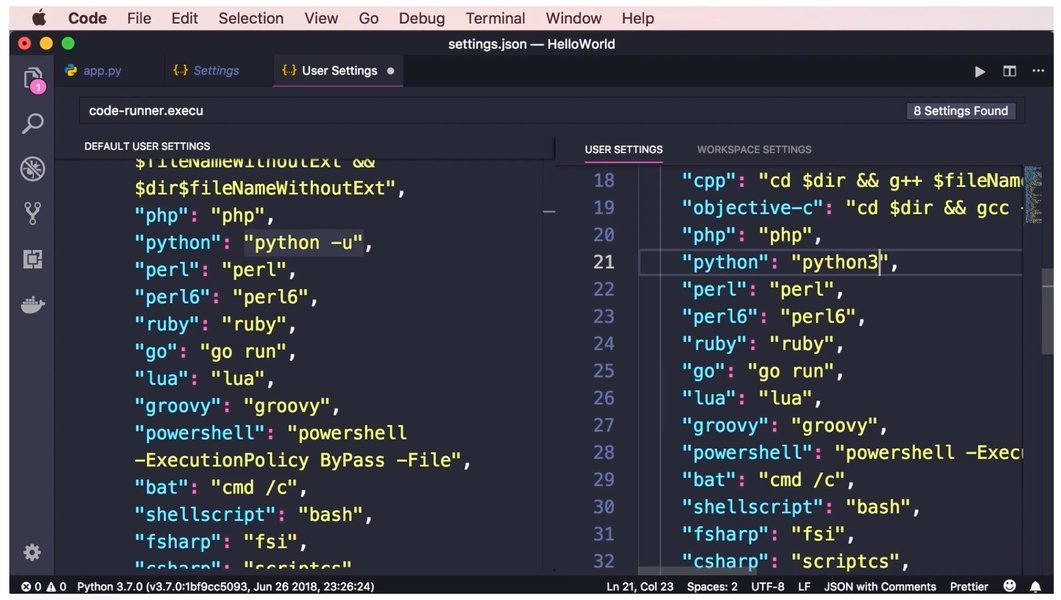
Executing a simple Python script.
Core Python Concepts for Beginners
Building Your Foundational Knowledge
Understanding these fundamental concepts is crucial for writing Python programs.
Python Syntax Essentials
Python's syntax is designed to be clear and readable.
- Indentation: Python uses indentation (typically four spaces) to define blocks of code (e.g., within loops, functions, or conditional statements). Consistent indentation is mandatory.
- Comments: Use the
#symbol to add comments to your code. Comments are ignored by the Python interpreter but are helpful for explaining your code to yourself and others. - Case Sensitivity: Python is case-sensitive, meaning
myVariableandmyvariableare treated as two different variables.
Variables and Data Types
Variables are used to store data values. Python is dynamically typed, meaning you don't need to declare the type of a variable explicitly; Python infers it.
Here are some common data types:
- Strings (
str): Sequences of characters, used for text. Enclosed in single (') or double (") quotes. Example:name = "Alice" - Integers (
int): Whole numbers. Example:age = 30 - Floating-Point Numbers (
float): Numbers with a decimal point. Example:price = 19.99 - Booleans (
bool): Represent truth values, eitherTrueorFalse. Example:is_active = True
# Variable assignment examples
name = "Python Learner"
count = 10
pi_value = 3.14159
is_learning = True

print(name)
print(count)
print(pi_value)
print(is_learning)
Operators
Operators are special symbols used to perform operations on variables and values.
- Arithmetic Operators:
+(addition),-(subtraction),*(multiplication),/(division),//(floor division - rounds down to the nearest whole number),%(modulus - remainder of division),**(exponentiation).x = 10 y = 3 print(x + y) # Output: 13 print(x / y) # Output: 3.333... print(x // y) # Output: 3 print(x % y) # Output: 1 print(x ** y) # Output: 1000 - Comparison Operators:
==(equal to),!=(not equal to),>(greater than),<(less than),>=(greater than or equal to),<=(less than or equal to). These operators return a Boolean value (TrueorFalse). - Logical Operators:
and,or,not. Used to combine conditional statements.
Control Flow Statements
Control flow statements allow you to control the order in which your code is executed.
- Conditional Statements (
if,elif,else): Execute different blocks of code based on whether a condition is true or false.age = 18 if age < 13: print("Child") elif age < 18: print("Teenager") else: print("Adult") - Loops (
for,while): Repeat a block of code multiple times.forloop: Iterates over a sequence (like a list, tuple, string, or range).# Prints numbers from 0 to 4 for i in range(5): print(i) fruits = ["apple", "banana", "cherry"] for fruit in fruits: print(fruit)whileloop: Repeats as long as a condition is true.count = 0 while count < 5: print(count) count += 1 # Equivalent to count = count + 1
Functions
Functions are reusable blocks of code that perform a specific task. They help make your code more organized, modular, and readable.
- Define a function using the
defkeyword, followed by the function name and parentheses(). - Functions can take input values called parameters (or arguments).
- Functions can return a value using the
returnstatement.
# Defining a function
def greet(name):
    return f"Hello, {name}!"

# Calling the function
message = greet("Pythonista")
print(message)  # Output: Hello, Pythonista!

def add_numbers(x, y):
    return x + y

sum_result = add_numbers(5, 3)
print(sum_result)  # Output: 8
Data Structures (Collections)
Python offers several built-in data structures to store collections of data.
The table below summarizes some of the most commonly used Python data structures:
| Data Type | Description | Example Syntax |
|---|---|---|
| List | An ordered, mutable (changeable) collection of items. Items can be of different types. | my_list = [1, "hello", 3.14, True] |
| Tuple | An ordered, immutable (unchangeable) collection of items. Defined using parentheses. | my_tuple = (10, 20, "world") |
| Dictionary | An unordered collection of key-value pairs. Keys must be unique and immutable. Defined using curly braces. | my_dict = {"name": "Alice", "age": 25} |
| Set | An unordered collection of unique items. Defined using curly braces or the set() function. |
my_set = {1, 2, 3, 3, "a"} # Results in {1, 2, 3, "a"} |
Working with these structures:
# List example
colors = ["red", "green", "blue"]
colors.append("yellow")       # Adds "yellow" to the end
print(colors[0])              # Accesses the first item: "red"
print(colors)                 # Output: ['red', 'green', 'blue', 'yellow']

# Dictionary example
student = {"name": "Bob", "major": "Computer Science"}
print(student["name"])        # Accesses value by key: "Bob"
student["age"] = 22           # Adds a new key-value pair
print(student)                # Output: {'name': 'Bob', 'major': 'Computer Science', 'age': 22}
Modules and Packages
Python's power is greatly extended by its modules and packages. A module is a file containing Python definitions and statements. A package is a collection of modules.
- Use the
importstatement to use code from another module. - Python has a vast Standard Library with many built-in modules (e.g.,
mathfor mathematical functions,randomfor generating random numbers,datetimefor working with dates and times).
import math
print(math.sqrt(16))  # Output: 4.0

import random
print(random.randint(1, 10))  # Prints a random integer between 1 and 10
Error Handling (try-except)
Errors (or exceptions) can occur during program execution. Python's try-except blocks allow you to handle these errors gracefully, preventing your program from crashing.
try:
    numerator = 10
    denominator = 0
    result = numerator / denominator
    print(result)
except ZeroDivisionError:
    print("Error: Cannot divide by zero!")
except ValueError:
    print("Error: Invalid value entered!")
finally:
    print("Execution finished.") # This block executes regardless of an error
Visualizing Python's Strengths for Learners
A Comparative Look
Python possesses several attributes that make it particularly appealing for both beginners and experienced developers. The radar chart below provides a visual comparison of these key aspects, rated on a scale where a higher score indicates a more positive attribute for learners.
This chart highlights Python's excellent syntax simplicity, extensive library ecosystem, strong community support, relatively gentle learning curve for core concepts, promising career prospects, and high versatility across various domains. While the learning curve can steepen with advanced topics, the initial entry into Python is widely considered accessible.
Your Python Learning Roadmap
A Mindmap for Your Journey
Learning Python can be broken down into several key stages. This mindmap provides a visual overview of a typical learning path, from initial setup to exploring more advanced topics and specializations. Use it as a guide to structure your learning and track your progress.
(str, int, float, bool)"] id2_2["Operators
(Arithmetic, Comparison, Logical)"] id2_3["Control Flow
(if/elif/else, for/while loops)"] id2_4["Functions
(Define, Call, Parameters, Return)"] id3["Phase 3: Data Structures"] id3_1["Lists
(Mutable, Ordered)"] id3_2["Tuples
(Immutable, Ordered)"] id3_3["Dictionaries
(Key-Value Pairs)"] id3_4["Sets
(Unique Items)"] id4["Phase 4: Intermediate Topics"] id4_1["Modules & Packages
(import, Standard Library)"] id4_2["File Handling
(Read/Write Files)"] id4_3["Error Handling
(try/except)"] id4_4["Object-Oriented Programming (OOP)
(Classes, Objects, Inheritance)"] id5["Phase 5: Practice & Specialization"] id5_1["Coding Exercises & Challenges"] id5_2["Build Small Projects
(Calculator, To-Do List, Simple Game)"] id5_3["Explore Specializations"] id5_3_1["Web Development
(Django, Flask)"] id5_3_2["Data Science & ML
(NumPy, Pandas, Scikit-learn)"] id5_3_3["Automation & Scripting"]
This roadmap emphasizes building a strong foundation in the core concepts before moving on to more specialized areas. Consistent practice and project-based learning are key at every stage.
Watch and Learn: Python Full Course for Beginners
A Video Guide to Kickstart Your Python Education
For those who prefer a visual and auditory learning experience, video tutorials can be an excellent resource. The video embedded below, "Python Full Course for Beginners [2025]" by Programming with Mosh, offers a comprehensive introduction to Python programming. It covers essential topics from installation and basic syntax to more complex concepts, all explained in a beginner-friendly manner. This course is ideal for getting a structured overview and seeing Python in action.
This full course walks you through:
- What Python is and why it's used.
- Setting up your Python environment.
- Understanding the Python interpreter and code editors.
- Fundamental concepts like variables, data types, control flow, functions, and data structures.
- Practical examples and exercises to reinforce learning.
Learning Resources and Effective Study Tips
Tools and Techniques for Successful Python Learning
Leveraging the right resources and adopting effective study habits can significantly accelerate your Python learning journey.
Recommended Online Resources
- Official Python Tutorial: docs.python.org/3/tutorial/ - The definitive guide, comprehensive and authoritative.
- W3Schools Python Tutorial: w3schools.com/python/ - Beginner-friendly with lots of examples and an interactive "Try it Yourself" editor.
- LearnPython.org: learnpython.org - Offers free, interactive Python tutorials.
- freeCodeCamp: freecodecamp.org - Provides extensive free courses, including video tutorials and articles on Python.
- GeeksforGeeks Python Basics: geeksforgeeks.org/python-basics/ - Detailed explanations and examples, suitable for building a strong foundation.
- Google's Python Class: developers.google.com/edu/python - Aimed at those with some programming experience, but excellent for learning Python best practices.
- MOOC Platforms: Websites like Coursera, edX, and Udemy offer a wide range of Python courses, from introductory to advanced specializations.
- Codecademy: codecademy.com/learn/learn-python-3 - Interactive lessons and projects for learning Python 3.
Tips for Learning Python Effectively
- Practice Consistently: Dedicate regular time to coding. Even short, daily sessions are more effective than infrequent long ones.
- Write Code by Hand: Typing out code examples, rather than copy-pasting, helps reinforce syntax and concepts.
- Experiment and Tinker: Modify examples and try to predict the outcome. Understanding why something works (or doesn't) is crucial.
- Build Small Projects: Apply what you learn by creating simple programs, such as a basic calculator, a number guessing game, or a to-do list application.
- Read Others' Code: Explore open-source projects on platforms like GitHub to see how experienced developers structure their code.
- Join a Community: Engage with other learners and developers on forums like Reddit's r/learnpython or Stack Overflow. Asking questions and helping others can solidify your understanding.
- Don't Be Afraid of Errors: Errors are a natural part of programming. Learn to read error messages and debug your code.
- Teach Others: Explaining concepts to someone else is a great way to test and deepen your own understanding.
Consistent practice and hands-on coding are key to mastering Python.
Next Steps: Advancing Your Python Skills
Venturing Beyond the Basics
Once you have a solid grasp of the fundamental Python concepts, you can start exploring more advanced topics and specialized areas. This will allow you to build more complex and powerful applications.
- Object-Oriented Programming (OOP): Learn about classes, objects, inheritance, polymorphism, and encapsulation to write more organized and reusable code.
- File Handling: Understand how to read from and write to files on your computer, which is essential for many applications.
- Advanced Data Structures: Explore more complex data structures and algorithms.
- Working with External Libraries:
- NumPy and Pandas: Essential for numerical computing and data analysis.
- Matplotlib and Seaborn: For data visualization.
- Web Development:
- Flask: A micro-framework for building web applications, great for smaller projects.
- Django: A high-level framework for rapid development of secure and maintainable websites.
- Data Science and Machine Learning:
- Scikit-learn: For machine learning algorithms.
- TensorFlow and PyTorch: For deep learning.
- Automation: Use Python scripts to automate repetitive tasks.
- GUI Development: Build desktop applications with graphical user interfaces using libraries like Tkinter, PyQt, or Kivy.
The path you choose will depend on your interests and career goals. The foundational knowledge you've gained will serve you well in any of these specializations.
Frequently Asked Questions (FAQ)
What is Python primarily used for?
Python is incredibly versatile and used in a wide range of fields, including:
- Web Development: Building server-side applications with frameworks like Django and Flask.
- Data Science: Analyzing data, creating visualizations, and building machine learning models with libraries like Pandas, NumPy, Scikit-learn, and TensorFlow.
- Automation and Scripting: Automating repetitive tasks, system administration, and writing utility scripts.
- Artificial Intelligence (AI) and Machine Learning (ML): Python is a leading language in AI/ML due to its extensive libraries and frameworks.
- Software Development: Creating desktop GUI applications, games, and business applications.
- Scientific Computing: Used in various scientific disciplines for research and computation.
How long does it typically take to learn Python?
The time it takes to learn Python varies greatly depending on your background, learning pace, and the amount of time you dedicate.
- Basics: Most beginners can grasp the fundamental concepts (syntax, variables, control flow, functions, basic data structures) within a few weeks to a couple of months (e.g., 4-8 weeks) with consistent study (e.g., 1-2 hours per day).
- Proficiency for Projects: To become proficient enough to work on small projects independently, it might take 3-6 months.
- Advanced Topics/Specialization: Mastering advanced topics or specializing in areas like web development or data science can take 6 months to a year or more.
Continuous learning is key in programming.
Do I need any prior programming experience to learn Python?
No, prior programming experience is not required to learn Python. It's widely considered one of the best languages for absolute beginners due to its simple, English-like syntax and readability. Many tutorials and courses are specifically designed for individuals with no programming background. If you do have experience with other languages, you'll likely pick up Python even faster.
What are some good beginner-friendly Python projects?
Starting with small, manageable projects is a great way to apply your learning. Some ideas include:
- Simple Calculator: A program that performs basic arithmetic operations.
- Number Guessing Game: The computer picks a number, and the user tries to guess it.
- To-Do List Application: A command-line or simple GUI app to manage tasks.
- Unit Converter: Converts units like Celsius to Fahrenheit, or kilometers to miles.
- Basic Web Scraper: Extracts simple information from a webpage (e.g., headlines from a news site).
- Text-Based Adventure Game: A simple interactive story where the user makes choices.
Is Python free to use?
Yes, Python is free and open-source. You can download it from the official Python website (python.org) at no cost. Its open-source nature means its source code is publicly available, and it can be freely used, modified, and distributed, even for commercial purposes. This has contributed significantly to its large community and wealth of available libraries.
Recommended Next Searches
To deepen your understanding or explore specific areas, consider these related queries:
- What are the best Python libraries for data analysis?
- How to build a simple web application with Python Flask?
- Explore beginner Python projects with source code examples.
- Compare Python with other programming languages like JavaScript or Java for beginners.
References
This response was synthesized using information from the following valuable resources:
Last updated May 14, 2025