
Leonardo AI for Weekly Animation: Web App vs. API - Which Reigns Supreme for Cost and Scale?
Unlock the best Leonardo AI path for consistent, high-volume animated content creation without breaking the bank.
Choosing the right toolset is crucial when embarking on ambitious creative projects like a recurring half-hour weekly animated show. Leonardo AI offers powerful image and video generation capabilities, but accessing these features comes in two distinct forms: a user-friendly web-based application and a flexible, programmable API. Understanding the differences in their features, cost structures, and suitability for large-scale, repetitive tasks is key to making an informed decision that aligns with your production needs and budget.
This analysis delves into the specifics of the Leonardo AI web app and API, comparing them directly in the context of producing consistent animated content weekly. We'll explore scalability, automation potential, cost-effectiveness, and the practical implications for your workflow.
Key Takeaways: Web App vs. API for Animation
- Automation & Scalability: The API version excels for recurring, high-volume tasks like weekly animation due to its automation capabilities, allowing integration into production pipelines and batch processing, which is impractical via the web interface.
- Cost-Effectiveness (Long-Term): While the web app has lower entry costs, the API often proves more cost-effective for large-scale projects. Its API Credits don't expire, unlike web app Tokens, and programmatic usage can be optimized to minimize waste.
- Ease of Use vs. Flexibility: The Web App offers a user-friendly interface ideal for manual creation, prototyping, or smaller projects without coding. The API requires technical expertise but provides unparalleled flexibility, customization, and integration potential for complex workflows.
Exploring the Leonardo AI Web-Based Version
User-Friendly Interface for Direct Creation
The Leonardo AI web-based version provides an accessible graphical user interface (GUI) available through the website or mobile app. It's designed for artists, designers, and creators who prefer a visual, hands-on approach without needing to write code. Key features accessible through the web app include:
- Real-time image generation previews.
- An interactive Canvas for editing and extending images.
- Paint Mode for modifying specific image areas.
- Tools for creating 3D textures.
- The Motion video maker, including the updated Motion 2.0 (as of April 2025), which offers improved video quality and smoother playback for generating short animated sequences.
This version is excellent for exploring ideas, generating concept art, character design, and creating assets for smaller-scale projects.
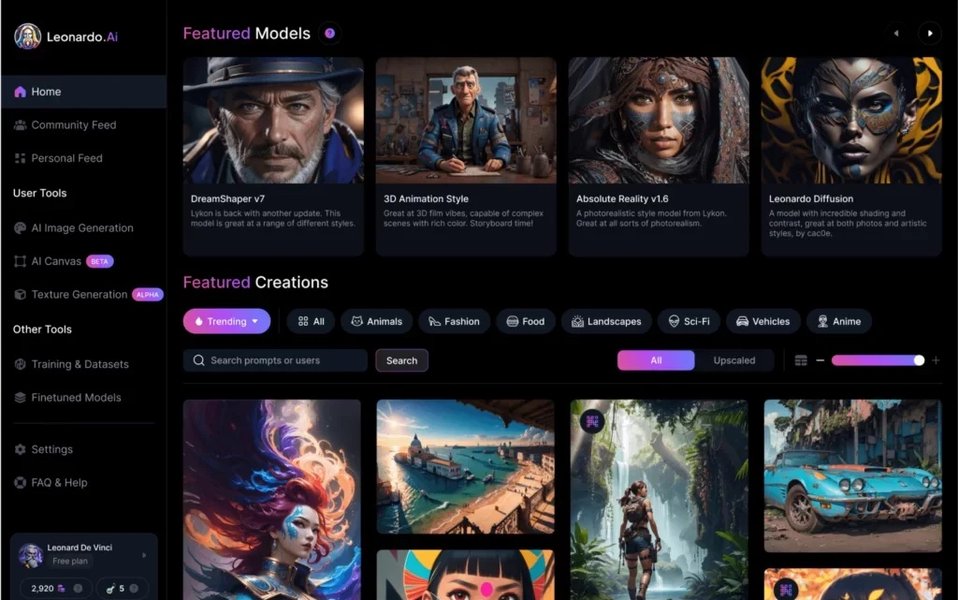
The Leonardo AI web interface provides a visual dashboard for accessing various generation tools.
Pricing and Token System
The web app operates on a subscription model with different tiers (Free, Apprentice, Artisan, Maestro), ranging from $0 to around $60 per month. Each plan provides a specific number of "Tokens" which are consumed when generating images or videos. For example, a single image might cost 5-16 tokens depending on the settings and model used. Video generation typically consumes more tokens.
- Free Plan: Offers a limited number of daily tokens (e.g., 150), suitable for experimentation but insufficient for regular production.
- Paid Plans: Provide larger token allowances, access to premium features, and the ability to generate images privately (essential for commercial projects).
- Token Expiration: A significant drawback for ongoing projects is that subscription tokens typically expire at the end of the billing cycle (usually monthly).
Suitability for Weekly Animation
While the web app includes the Motion feature for animation, its manual nature poses challenges for producing a half-hour show weekly:
- Manual Workflow: Generating the thousands of frames or numerous scenes required for a half-hour animation would involve significant manual effort: inputting prompts, adjusting settings, generating, and downloading assets individually or in small batches.
- Scalability Issues: The process doesn't scale well for high-volume, repetitive tasks characteristic of weekly episode production. Managing token limits and the time required for manual generation can create bottlenecks.
- Cost Accumulation: The token-based system can become expensive quickly when generating a large number of assets consistently. Exceeding the monthly token allowance requires purchasing additional tokens, adding to the cost unpredictability.
The web app is better suited for initial concept development, generating keyframes, or handling smaller, less frequent animation needs rather than the core production of a recurring weekly show.
Leveraging the Leonardo AI API Version
Programmatic Access for Automation and Scale
The Leonardo AI API (Application Programming Interface) provides developers and technically proficient teams with programmatic access to Leonardo's generation models. Instead of using the web interface, you interact with the platform via code, allowing for automation, integration, and customization.
Key features and benefits of the API include:
- Automation: Scripting generation tasks, enabling automated workflows for producing assets weekly without manual intervention.
- Integration: Connecting Leonardo AI capabilities with other software in your production pipeline (e.g., animation software, editing tools, project management systems).
- Batch Processing: Submitting large numbers of generation requests simultaneously, ideal for creating the numerous frames needed for animation.
- Customization: Finer control over generation parameters and workflows compared to the web interface.
- Webhooks: Receiving notifications automatically when generation tasks are complete, streamlining the workflow.
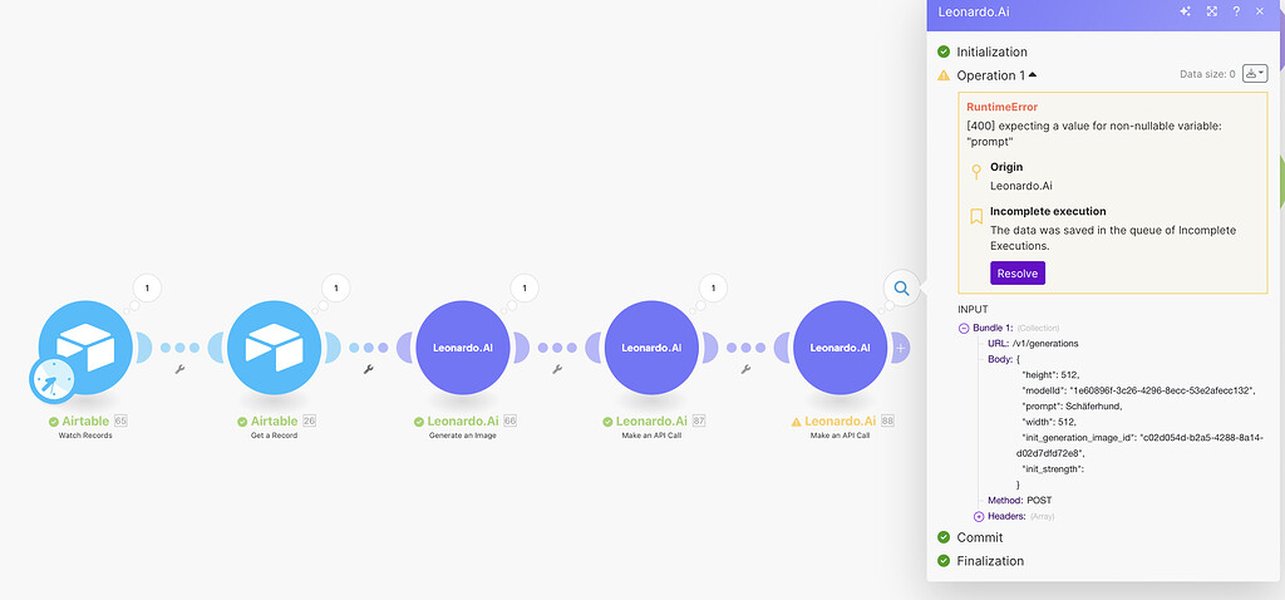
Integrating the Leonardo API with platforms like Make.com allows for complex automated workflows.
Pricing and API Credit System
The API uses a separate pricing structure based on "API Credits" and distinct API plans (e.g., API Basic, Standard, Pro, Custom). API usage is billed based on the number of credits consumed per generation, which varies depending on image size, complexity, model used, and other factors.
- Separate Subscription: An API plan is independent of a web app subscription. You can use the API without paying for the web interface access.
- Non-Expiring Credits: A major advantage is that purchased API credits do not expire, offering greater flexibility for managing budgets over long-term projects with fluctuating needs.
- Scalable Cost: API pricing is often designed to be more economical for high-volume usage compared to the web app's token system, especially when workflows are optimized. Leonardo provides a Pricing Calculator to estimate API costs.
Suitability for Weekly Animation
The API is significantly better suited for the demands of producing a recurring half-hour weekly animated show:
- High Volume Handling: Easily manages the generation of thousands of images or video frames required weekly through automation and batch processing.
- Workflow Efficiency: Integrates seamlessly into a larger production pipeline, automating asset generation, potentially feeding results directly into animation or editing software.
- Consistency: Programmatic control helps ensure consistency in style and quality across episodes.
- Cost Management: Non-expiring credits and potentially lower per-unit costs at scale make budgeting more predictable and potentially lower over the long term.
The main prerequisite for using the API is the availability of technical resources (developers or individuals with coding skills) to set up and maintain the integration and automation scripts. SDKs are available to simplify development.
Visualizing the Differences: Web App vs. API
Capability Radar Chart
This radar chart visually compares the Web-Based Version and the API Version across key factors crucial for producing a recurring weekly animated show. The scores (ranging conceptually from 1 to 10, where higher is better) reflect the suitability of each version for the specific demands of this type of project based on the analysis.
As the chart illustrates, the API version significantly outperforms the web-based version in areas critical for large-scale, recurring production like scalability, automation, integration, and batch processing speed. While the web app scores high on ease of use for non-technical users, this advantage diminishes when faced with the demands of weekly animation production. The API's potentially better cost-effectiveness for high volume, combined with its flexibility, makes it the stronger choice for this scenario.
Mapping the Production Workflow
Web App vs. API Workflow Mindmap
This mindmap outlines the conceptual workflows for generating assets for your weekly animated show using either the Web App or the API. It highlights the fundamental difference: the manual, iterative nature of the web app versus the automated, integrated potential of the API.
Asset Generation"] id1["Web-Based Version Workflow"] id1a["Manual Prompt Input
(Per Asset/Batch)"] id1b["Adjust Settings in UI"] id1c["Generate Assets"] id1d["Review & Download
(Manual)"] id1e["Manage Token Limits
(Manual Check)"] id1f["Repeat for all Assets"] id1g["Limitations:
- Time-Consuming
- Scalability Issues
- Prone to Inconsistency
- Token Expiration Risk"] id2["API Version Workflow"] id2a["Define Asset Requirements
(Programmatically)"] id2b["Develop Script/Integration
(One-time Setup + Maintenance)"] id2c["Automated API Calls
(Batch Processing)"] id2c1["Set Parameters via Code"] id2c2["Trigger Generation"] id2d["Receive Assets
(Automated via Webhooks/Polling)"] id2e["Optional: Integrate Directly
into Animation/Editing Software"] id2f["Manage API Credits
(Monitor Usage Programmatically)"] id2g["Advantages:
- Efficient & Fast
- Highly Scalable
- Consistent Output
- Integrates into Pipeline
- Non-Expiring Credits"]
The mindmap clearly shows the API workflow's suitability for recurring tasks. The initial setup of scripts or integration requires technical effort, but it unlocks significant efficiencies for ongoing production, making the weekly generation process faster, more reliable, and scalable compared to the manual steps required with the web application.
Cost-Effectiveness Deep Dive
Tokens vs. API Credits for High Volume
The choice between expiring Tokens (Web App) and non-expiring API Credits (API) is a major factor in cost-effectiveness for a long-term, recurring project like a weekly animated show.
- Web App Tokens: Purchased as part of a monthly subscription, these tokens expire if unused by the end of the billing period. For a weekly show, usage might fluctuate. If you generate fewer assets one week, unused tokens could be wasted. Conversely, exceeding your allowance requires buying extra tokens, often at a higher per-token rate than the subscription provides. This makes budgeting less predictable and potentially more expensive, especially if production scales up.
- API Credits: Purchased in blocks or via API subscription tiers, these credits do not expire. This allows you to accumulate credits during lighter weeks and use them during heavier production periods, offering much better long-term value and budget flexibility. Furthermore, API generation costs can sometimes be lower per unit for bulk operations, and automation allows for optimizing calls to minimize credit consumption (e.g., avoiding redundant generations).
For the sheer volume of assets likely required for a half-hour animation weekly (potentially hundreds or thousands of frames/images depending on style and complexity), the API's structure is inherently more cost-effective. The ability to automate, batch process, and manage non-expiring credits provides significant advantages over the manual, use-it-or-lose-it token system of the web app for this scale of production.
You can use the official Leonardo AI Pricing Calculator to estimate potential API credit usage and costs based on your anticipated generation needs.
Summary Comparison Table
Web-Based vs. API at a Glance
This table summarizes the key differences between the Leonardo AI Web-Based Version and the API Version in the context of producing a recurring weekly animated show.
| Criteria | Leonardo Web-Based Version | Leonardo API Version |
|---|---|---|
| User Interface | Graphical User Interface (GUI), visual, user-friendly | Programmatic (Code-based), requires technical skills |
| Primary Use Case | Manual generation, prototyping, small projects, individual creators | Automated workflows, high-volume generation, integration, large-scale production |
| Automation Capability | Very limited, primarily manual operations | Full automation potential via scripting and integration |
| Scalability | Limited for high-volume, recurring tasks | Highly scalable for large projects and consistent output |
| Cost Structure | Subscription-based (monthly), uses Tokens | API Plan-based (monthly/custom), uses API Credits |
| Billing Unit Expiry | Tokens typically expire monthly | API Credits do not expire |
| Cost-Effectiveness (Weekly Show) | Potentially higher cost due to token expiry and manual overhead | Likely more cost-effective due to non-expiring credits and optimization potential |
| Integration | Standalone application | Designed for integration into custom applications and workflows |
| Development Required | None | Yes, coding/development expertise needed for setup and maintenance |
| Animation Features (Motion 2.0) | Accessible via UI | Accessible via API calls, enabling scaled usage |
See the API in Action: Integration Example
Automating Image & Video Generation
Understanding how the API facilitates automation can be helpful. While the web interface requires manual clicks for each step, the API allows you to build systems that handle these processes automatically. Tools like Make.com (formerly Integromat) or custom Python scripts can be used to connect Leonardo AI to other services or trigger generations based on schedules or events, perfect for a weekly production cycle.
The following video demonstrates how Leonardo AI's tools can be integrated using Make.com, showcasing the potential for building automated workflows relevant to content creation, which could be adapted for animation asset generation:
This video illustrates integrating Leonardo AI's image and video tools using Make.com. While focused on general integration, the principles apply directly to setting up an automated pipeline for generating animation assets weekly. It shows how API calls can be triggered, managed, and potentially connected to other parts of your workflow (like saving files to cloud storage or notifying team members) without manual intervention through the web app.
Frequently Asked Questions (FAQ)
Do I need both a Web App subscription and an API plan?
No, the API plans are separate from the web app subscriptions. You can subscribe to an API plan and use the API programmatically without needing a paid web app subscription. However, you might choose to have both if you want to use the web interface for experimentation or manual tasks alongside your automated API workflows.
Which version is better for maintaining character consistency in animation?
Both versions can utilize features aimed at consistency (like image guidance or specific model fine-tuning if available), but the API offers more potential here. Through programmatic control, you can precisely manage prompts, seeds, and other parameters across large batches of images, which is crucial for maintaining character appearance frame-to-frame or scene-to-scene in animation. You could script workflows to use reference images consistently via the API.
What level of technical skill is needed for the API version?
Using the API requires programming knowledge. Familiarity with concepts like REST APIs, JSON data format, and a programming language (like Python, JavaScript) is necessary. You'll need to be able to write scripts to make API calls, handle responses, and potentially integrate with other systems. If you don't have this expertise in-house, you would need to hire a developer or use integration platforms like Make.com or Zapier (which might still require some technical understanding).
Can I use assets generated for my animated show commercially?
Yes, according to Leonardo AI's terms, images generated on paid plans (both Web App subscriptions and API plans) grant you full ownership and commercial rights. Even images generated on the free web plan can generally be used commercially, though terms can change, so always check the latest official policy. Generating images privately (not publicly visible) typically requires a paid plan on either the web app or through specific API usage.
Recommended Reading
Explore Further Insights
- How can I accurately estimate the Leonardo AI API costs for producing animation assets?
- What are the best practices for ensuring character consistency when using the Leonardo AI API for animation?
- Can the Leonardo AI API be integrated directly with professional video editing or animation software?
- How does Leonardo AI's Motion 2.0 compare to other AI video generation tools for creating animated sequences?
References
Last updated May 3, 2025