
Mastering Application Lifecycle in .NET Microservices
Discover how to efficiently manage startup and shutdown with IHostApplicationLifetime
Key Highlights
- Lifecycle Event Management: Use IHostApplicationLifetime to register callbacks for ApplicationStarted, ApplicationStopping, and ApplicationStopped events.
- Dependency Injection Ease: Seamless integration through constructor injection into background services and microservices.
- Enhanced Robustness: Ensure graceful shutdowns and proper resource cleanup while enabling tasks such as logging, metrics reporting, and final data persistence.
Understanding IHostApplicationLifetime
The IHostApplicationLifetime interface is an integral part of the Microsoft.Extensions.Hosting namespace in .NET. Its main purpose is to allow developers to register actions or callbacks for important application lifecycle events. In effect, you can efficiently manage what happens when your application starts, is stopping, or has completely stopped. These lifecycle events are crucial in microservice architectures where each service must both initiate tasks properly and release resources without causing downtime or data corruption during shutdown.
Lifecycle Events and Their Role
There are three principal lifecycle events:
- ApplicationStarted: This event is triggered after the entire application has finished starting up. It is useful for tasks that should occur post-initialization, such as health checks or initial data seeding.
- ApplicationStopping: This event is fired as the application begins its shutdown process. It allows developers to sign off on any ongoing processes, flush logs, safely close database connections, or inform other services.
- ApplicationStopped: When the application has completely shut down, this event provides a final opportunity to execute any cleanup actions or confirm that shutdown procedures were completed satisfactorily.
Advantages in a Microservices Architecture
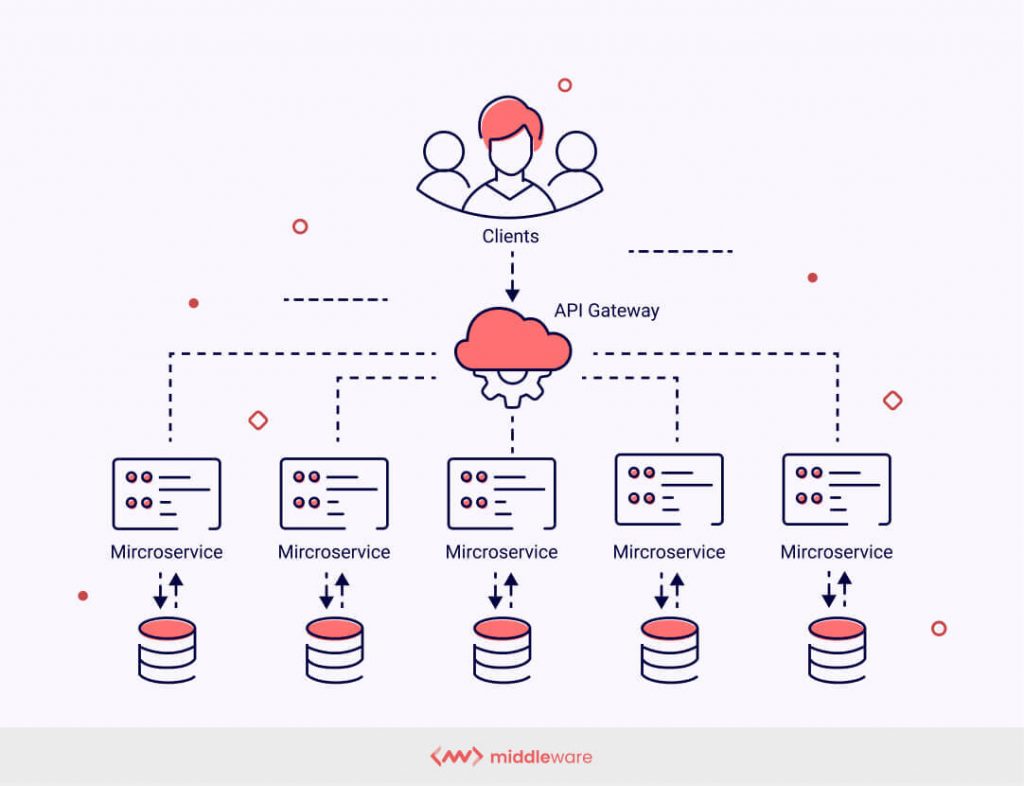
In a microservices architecture, individual services operate autonomously yet must reliably integrate with a larger system. IHostApplicationLifetime offers several advantages:
- Graceful Shutdowns: Each service can individually handle resource cleanup, ensuring that processes such as logging, metric aggregation, or transaction finalization are not abruptly terminated.
- Decoupled Initialization: By registering startup callbacks, initialization tasks can be decoupled from the main application logic, allowing for increased modularity and isolated management of various service components.
- Enhanced Monitoring: With built-in lifecycle events, developers can monitor and react to changes in application states, providing a proactive approach to error handling and system maintenance.
Integrating IHostApplicationLifetime in Microservices
Step 1: Dependency Injection and Service Registration
.NET automatically registers IHostApplicationLifetime in the dependency injection (DI) container. To leverage it, simply inject the IHostApplicationLifetime into any class such as a microservice or a background task service. Typically, this is done in a class that implements IHostedService or IHostedLifecycleService.
Example Service Implementation
Below is an example of integrating IHostApplicationLifetime in a microservice by implementing IHostedService:
// Using necessary namespaces
using Microsoft.Extensions.Hosting;
using Microsoft.Extensions.Logging;
using System.Threading;
using System.Threading.Tasks;

public class MyService : IHostedService
{
    private readonly ILogger<MyService> _logger;
    private readonly IHostApplicationLifetime _lifetime;

    public MyService(ILogger<MyService> logger, IHostApplicationLifetime lifetime)
    {
        _logger = logger;
        _lifetime = lifetime;

        // Register lifecycle event callbacks during construction
        _lifetime.ApplicationStarted.Register(OnStarted);
        _lifetime.ApplicationStopping.Register(OnStopping);
        _lifetime.ApplicationStopped.Register(OnStopped);
    }

    public Task StartAsync(CancellationToken cancellationToken)
    {
        // Add initialization logic if necessary
        return Task.CompletedTask;
    }

    public Task StopAsync(CancellationToken cancellationToken)
    {
        // Add cleanup logic if necessary
        return Task.CompletedTask;
    }

    private void OnStarted()
    {
        _logger.LogInformation("Application has started.");
        // Execute Post-startup tasks (e.g., warm-up caches or validate service dependencies)
    }

    private void OnStopping()
    {
        _logger.LogInformation("Application is stopping.");
        // Execute tasks to prepare for a graceful shutdown (e.g., commit pending transactions)
    }

    private void OnStopped()
    {
        _logger.LogInformation("Application has stopped.");
        // Execute final cleanup tasks (e.g., release resources or notify external systems)
    }
}
Step 2: Registering the Service
After implementing your service that leverages IHostApplicationLifetime, register it in your Dependency Injection (DI) container. This is usually done in your Program.cs or within the Startup class:
// In Program.cs or Startup.cs
builder.Services.AddHostedService<MyService>();
Step 3: Integrating with Other Microservices
When working within a microservices system, it’s essential that each microservice handles its own lifecycle events independently while coordinating with the broader ecosystem. IHostApplicationLifetime allows individual services to hook into messaging pipelines, perform consistent logging, and ensure safe shutdown, thereby preventing abrupt interruptions that may cause data inconsistencies.
You can incorporate additional event handling within each microservice to monitor dependencies, external services, and communication channels, ensuring that each service shuts down gracefully without adversely affecting the system as a whole. For example, tasks such as flushing logging buffers or releasing distributed locks can be coordinated during the ApplicationStopping phase.
Comparison and Integration Aspects
| Aspect | Description | Benefits |
|---|---|---|
| Lifecycle Events | Registers callbacks for ApplicationStarted, ApplicationStopping, and ApplicationStopped to manage custom actions during each phase. | Enables controlled startup and shutdown for resource intensive tasks. |
| Dependency Injection | IHostApplicationLifetime is automatically available via dependency injection, making it simple to inject into any service class. | Improves modularity and ease of unit testing. |
| Graceful Shutdowns | Supports executing cleanup logic before the application is terminated, ensuring that resources such as database connections and logging buffers are managed properly. | Prevents data corruption and ensures reliability during service shutdown. |
| Integration in Microservices | Each microservice can register its startup and shutdown events, allowing independent operation while maintaining overall system harmony. | Facilitates fault isolation and decentralized management of services. |
Advanced Integration Strategies
Implementing IHostedLifecycleService
Beyond the basic IHostedService, newer patterns such as IHostedLifecycleService provide richer lifecycle management hooks. These allow developers to implement methods like StartingAsync, StartedAsync, StoppingAsync, and StoppedAsync to capture more granular control over the application’s lifecycle transitions. In scenarios where initialization must be split into phases (e.g., pre-start validations before main services launch), this approach provides greater flexibility.
Integrating with External Observability Tools
One of the significant benefits of leveraging lifecycle events is the ability to integrate with external observability and monitoring platforms. For instance, during the ApplicationStarted event, you might configure a connection to a metrics aggregator like Prometheus, while the ApplicationStopping event can be utilized to notify external systems about the impending shutdown. This level of integration makes your microservices not just independent agents but part of a coordinated and observable distributed system.
Best Practices
- Register Early: Ensure that lifecycle event handlers are registered as early as possible within your service’s lifecycle to capture all necessary events.
- Decouple Concerns: Separate initialization logic, ongoing background tasks, and graceful shutdown procedures to simplify maintenance and debugging.
- Test Rigorously: Validate that lifecycle events trigger correctly by simulating start and shutdown scenarios. Comprehensive testing helps identify any bottlenecks, race conditions, or resource leaks.
- Document Event Handlers: Clearly document the purpose of each callback to aid future developers in understanding the system’s shutdown and startup behaviors.
Real World Usage Scenarios
Background Task Execution
In many microservices setups, background tasks such as sending notifications, processing queued jobs, or updating caches are common. Using IHostApplicationLifetime, you can ensure that such tasks either complete gracefully or are canceled appropriately during a shutdown, reducing system inconsistencies.
Resource Management
Resource management is a key concern in microservice architectures. When services hold database connections, file handles, or network sockets, failing to clean these up can lead to resource leaks. IHostApplicationLifetime provides hooks that enable developers to release these resources, accordingly optimizing system reliability.
Orchestration and Coordination
In a distributed system, coordination between services is critical. Using lifecycle events, each microservice can communicate its state to an orchestrator or aggregator service. This is particularly useful in dynamic cloud environments, where services need to adapt in real-time, ensuring successful scaling and coordinated shutdowns.
Supplemental Example: IHostedLifecycleService
The following code example illustrates a more advanced integration using IHostedLifecycleService for multi-phase startup and shutdown:
// Implementing IHostedLifecycleService for advanced lifecycle handling
using Microsoft.Extensions.Hosting;
using Microsoft.Extensions.Logging;
using System.Threading;
using System.Threading.Tasks;

public class AdvancedMicroservice : IHostedLifecycleService
{
    private readonly ILogger<AdvancedMicroservice> _logger;
    private readonly IHostApplicationLifetime _lifetime;

    public AdvancedMicroservice(ILogger<AdvancedMicroservice> logger, IHostApplicationLifetime lifetime)
    {
        _logger = logger;
        _lifetime = lifetime;

        // Register additional lifecycle event callbacks if needed
        _lifetime.ApplicationStarted.Register(() => _logger.LogInformation("AdvancedMicroservice started."));
        _lifetime.ApplicationStopping.Register(() => _logger.LogInformation("AdvancedMicroservice is stopping."));
        _lifetime.ApplicationStopped.Register(() => _logger.LogInformation("AdvancedMicroservice has stopped."));
    }

    public Task StartingAsync(CancellationToken cancellationToken)
    {
        _logger.LogInformation("Performing pre-start validations...");
        return Task.CompletedTask;
    }

    public Task StartAsync(CancellationToken cancellationToken)
    {
        _logger.LogInformation("Initializing core components...");
        return Task.CompletedTask;
    }

    public Task StartedAsync(CancellationToken cancellationToken)
    {
        _logger.LogInformation("Startup completed successfully.");
        return Task.CompletedTask;
    }

    public Task StoppingAsync(CancellationToken cancellationToken)
    {
        _logger.LogInformation("Gracefully stopping operations...");
        return Task.CompletedTask;
    }

    public Task StopAsync(CancellationToken cancellationToken)
    {
        _logger.LogInformation("Cleaning up remaining resources...");
        return Task.CompletedTask;
    }

    public Task StoppedAsync(CancellationToken cancellationToken)
    {
        _logger.LogInformation("Shutdown process finalized.");
        return Task.CompletedTask;
    }
}
References
- IHostApplicationLifetime Interface - Microsoft Docs
- Implement Background Tasks in Microservices - Microsoft Learn
- .NET Generic Host - Microsoft Learn
- Working With .NET Console Host Lifetime Events - Khalid Abuhakmeh
- IHostApplicationLifetime in Microservices - Stack Overflow
Recommended
Last updated March 25, 2025