
Maximize Your Reach: Essential LinkedIn Hashtags for Power BI Tutorials
Boost the visibility of your Power BI tutorial content on LinkedIn with strategic hashtag usage.
Key Insights
- Targeted Visibility: Using relevant hashtags on LinkedIn connects your Power BI tutorial content with interested professionals.
- Popular and Niche Tags: A mix of broad and specific hashtags helps reach a wider audience while also connecting with specialized communities.
- Data-Driven Strategy: Analyzing hashtag performance can refine your approach and maximize engagement.
When sharing Power BI tutorials on LinkedIn, strategically using hashtags is crucial for increasing visibility and engaging with the relevant audience. Hashtags act as keywords that allow your content to be discovered by users following those specific topics. By incorporating a mix of popular and niche tags, you can broaden your reach and connect with professionals actively seeking Power BI knowledge.
Popular and Broad Power BI Hashtags
Several hashtags have a wide following within the Power BI and data analytics community on LinkedIn. Including these can expose your tutorials to a large number of interested individuals. These tags often encompass the core concepts and tools related to Power BI.
Core Power BI Tags
The most fundamental hashtag is, naturally, #powerbi. This is the central hub for all Power BI related content on the platform. It is essential to include this tag in every relevant post. Complementing this are tags that represent the broader field and the platform itself.
- #powerbi
- #microsoftpowerbi
- #businessintelligence
- #dataanalytics
Related Technologies and Fields
Power BI often works in conjunction with other Microsoft tools and is part of the larger data ecosystem. Using hashtags related to these connected areas can attract users interested in the broader context of your tutorial.
- #microsoft
- #excel
- #datascience
- #sql
- #python
- #data
- #datavisualization
- #azure
- #powerapps
- #machinelearning
- #bigdata
- #dataanalysis
Including these popular hashtags increases the likelihood of your content appearing in the feeds of users following these topics, thereby boosting the initial visibility of your Power BI tutorials.
Niche and Specific Hashtags for Tutorials
While popular hashtags offer broad reach, incorporating more specific and niche tags can help you connect with a highly targeted audience looking for tutorials on particular Power BI functionalities or applications. These tags are often less crowded, potentially leading to higher engagement from genuinely interested users.
Tutorial-Specific Tags
To specifically indicate that your content is a tutorial, consider using tags that explicitly state this purpose. This helps users searching for learning resources find your posts more easily.
- #powerbitraining
- #powerbitutorial
- #powerbilearning
- #powerbitips
- #powerbitricks
Tags Based on Tutorial Content
Tailor your hashtags to the specific topic covered in your tutorial. If your tutorial is about DAX, data modeling, or a particular visualization, include relevant tags.
- #dax
- #datamodeling
- #datavisualizationtips
- #powerquery
- #powerbidesktop
- #powerbiservice
- #powerbireport
- #powerbidashboard
- #businessanalytics
Industry-Specific Tags (If Applicable)
If your tutorial uses a dataset or example from a specific industry, including relevant industry hashtags can attract professionals in that sector who might find the application of Power BI to their field particularly valuable.
-
#hospitalitydashboard (example)
-
#hotelanalytics (example)
By using a combination of broad and niche hashtags, you create a comprehensive tagging strategy that caters to both general interest and specific learning needs within the Power BI community on LinkedIn.
Analyzing and Refining Your Hashtag Strategy
Simply using hashtags is a good start, but to truly maximize your reach and engagement, it's beneficial to analyze which hashtags perform best for your content and adjust your strategy accordingly. LinkedIn provides some analytics on hashtag performance, and observing engagement on posts with different hashtag combinations can offer valuable insights.
Tracking Hashtag Performance
While detailed analytics might require third-party tools, you can manually observe the visibility and engagement of your posts based on the hashtags used. Pay attention to which posts receive more likes, comments, and shares.
Staying Updated on Trending Hashtags
The popularity of hashtags can change. Regularly check for trending hashtags related to Power BI and data analytics to keep your strategy current.
Experimenting with Combinations
Don't be afraid to experiment with different combinations of popular and niche hashtags to see what resonates best with your target audience. The ideal mix might vary depending on the specific content of your tutorial.
Additional Tips for Sharing Tutorials on LinkedIn
Beyond hashtags, several other factors contribute to the success of sharing your Power BI tutorials on LinkedIn.
Compelling Content Description
Write a clear and engaging description of your tutorial. Highlight what users will learn and the value it provides. Use strong calls to action, encouraging viewers to watch the tutorial or visit a link.
Visual Elements
Include a compelling thumbnail or a short video preview of your tutorial. Visuals are highly effective in capturing attention on LinkedIn.
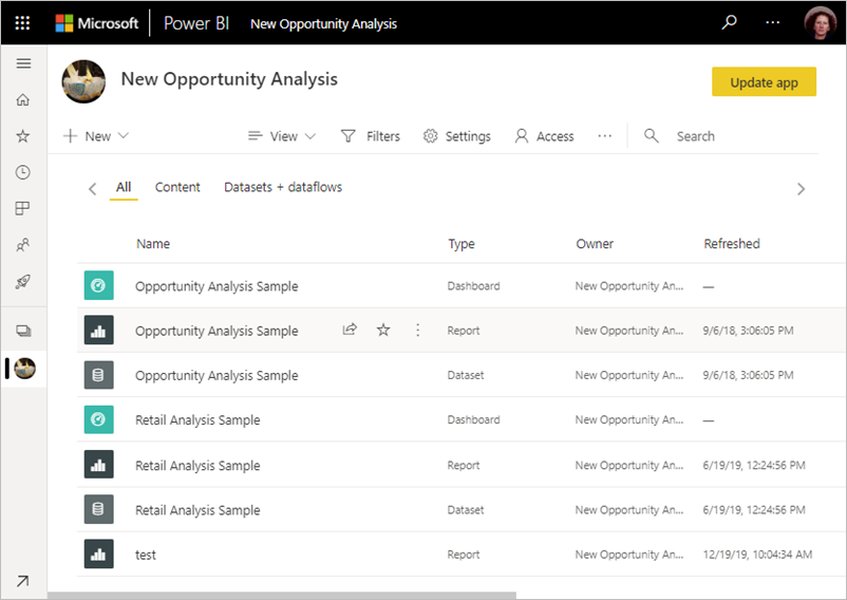
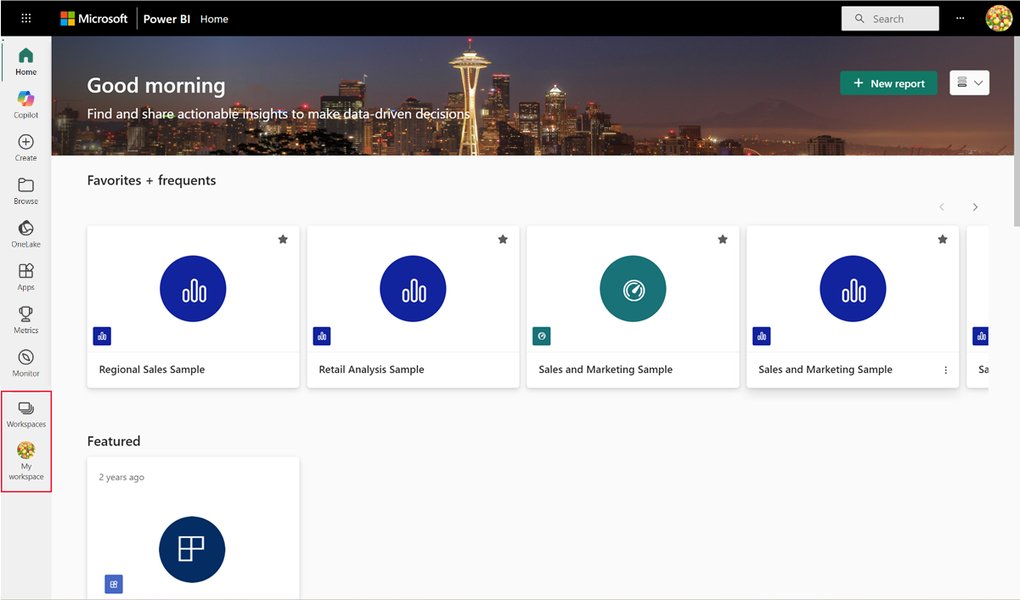
Consider including images that represent Power BI concepts or the output of your tutorial:
A visual representation of Power BI workspaces, relevant for tutorials on collaboration.
An example of how content is organized within Power BI workspaces.
Engaging with the Community
Respond to comments on your posts and engage with other Power BI content on the platform. This helps build your presence and connect with potential viewers.
Cross-Promotion
If your tutorial is hosted on a platform like YouTube or a blog, include a direct link in your LinkedIn post. You can also mention your LinkedIn post when sharing the tutorial on other social media platforms.
Here is a video discussing the use of hashtags on LinkedIn:
This video provides insights into a proven strategy for using hashtags on LinkedIn to increase the reach and engagement of your content, which is highly relevant for anyone sharing tutorials.
Key Hashtags Summary
Here's a table summarizing some of the key hashtags to consider for your Power BI tutorials on LinkedIn:
| Category | Hashtags |
|---|---|
| Popular/Broad | #powerbi, #microsoftpowerbi, #businessintelligence, #dataanalytics, #microsoft, #excel, #datascience, #sql, #python, #data, #datavisualization, #azure, #powerapps, #machinelearning, #bigdata, #dataanalysis |
| Tutorial Specific | #powerbitraining, #powerbitutorial, #powerbilearning, #powerbitips, #powerbitricks |
| Content Specific | #dax, #datamodeling, #datavisualizationtips, #powerquery, #powerbidesktop, #powerbiservice, #powerbireport, #powerbidashboard, #businessanalytics |
| Industry Specific (Example) | #hospitalitydashboard, #hotelanalytics |
Frequently Asked Questions About LinkedIn Hashtags for Power BI Tutorials
How many hashtags should I use on a LinkedIn post?
While there's no strict limit, it's generally recommended to use a moderate number of highly relevant hashtags, typically between 3 and 10. Using too many can appear spammy, while too few might limit your reach. Focus on quality and relevance over quantity.
Should I use the same hashtags for every tutorial?
While you can use a core set of popular Power BI hashtags, it's best to tailor a significant portion of your hashtags to the specific content of each tutorial. This ensures you are reaching users interested in that particular topic.
How can I find trending Power BI hashtags on LinkedIn?
You can search for hashtags directly on LinkedIn to see their follower count and related posts. Observing what hashtags influential Power BI professionals and organizations are using can also provide insights into trending topics.
Do hashtags work differently on LinkedIn compared to other platforms like Instagram or Twitter?
Yes, the way hashtags are used and their impact can vary across platforms. On LinkedIn, hashtags are primarily used to categorize content and connect professionals with relevant discussions and resources. The focus is generally more on professional networking and knowledge sharing compared to the broader discovery on platforms like Instagram or the fast-paced nature of Twitter.
Can I create my own unique hashtag for my tutorial series?
Yes, you can create a unique hashtag for your tutorial series or brand. This can help users easily find all your related content. However, make sure to still include popular and relevant hashtags to reach a wider audience beyond those already familiar with your unique tag.
References
Last updated May 8, 2025