
Wayland Support in Modern Linux Desktop Environments
Exploring the transition from X11 to Wayland and its ecosystem impact
Key Highlights
- Increased Adoption: Major Linux distributions are embracing Wayland as the default, ensuring better security and performance.
- Desktop Environment Transformation: GNOME, KDE Plasma, and Budgie have advanced Wayland support while maintaining compatibility with legacy applications.
- Enhanced Graphics and Security: Wayland offers improved graphics capability, better color management, and modern security features compared to X11.
Introduction to Wayland and Its Significance
Wayland is emerging as a cutting-edge display server protocol that modern Linux desktop environments are adopting as a replacement for the long-standing X11 system. The design philosophy behind Wayland centers on simplicity, streamlined code, and increased performance, making it a natural fit for the power and efficiency required in today's graphical computing environments.
With enhanced security, reduced complexity, and improved rendering capabilities, Wayland is not merely a technical upgrade but a paradigm shift in how graphical interfaces are handled on Linux. Its growing adoption is driven by the continuous evolution of Linux distributions, the collaborative efforts of developers, and the community’s drive to achieve a modern, efficient desktop experience.
Adoption of Wayland in Major Linux Distributions
Transitioning from X11 to Wayland
Leading Linux distributions such as Fedora, Ubuntu, and Red Hat Enterprise Linux have embraced Wayland, some setting it as the default display server in their latest releases. This transition has been carefully managed to ensure a smooth user experience. The adoption is marked by:
Enhanced Security and Stability
Wayland's architecture inherently minimizes common vulnerabilities found in the legacy X11 environment. By streamlining the communication between applications and the graphics hardware, it becomes easier to maintain tighter security controls and reduce attack vectors present in older systems.
Performance and Efficiency
Designed to leverage modern hardware capabilities, Wayland provides superior graphical performance. Its effective resource management contributes to a smoother and more responsive user experience, especially in resource-intensive environments such as gaming and professional graphic design.
Gradual Deployment Strategy
To mitigate issues that might stem from the transition, Linux distributions have implemented compatibility layers like XWayland. This layer bridges legacy X11 applications to the Wayland system, ensuring that users continue to have a seamless experience while developers update their applications.
Desktop Environment Adaptation and Compatibility
Primary Desktop Environments and Their Progress
Several desktop environments have taken significant steps toward full Wayland integration:
GNOME
GNOME's evolution, particularly from version 40 onward, represents a major shift towards native Wayland support. Its design improvements enable smoother window management, more secure session handling, and enhanced graphical capabilities through precise rendering techniques.
KDE Plasma
KDE Plasma has focused on refining its Wayland support in recent releases. The Plasma 6 series, in particular, refines user interactions and brings advanced features that maximize performance on Wayland. KDE Plasma's commitment reflects in its design which capitalizes on modern compositing and reduced latency.
Budgie and Other Environments
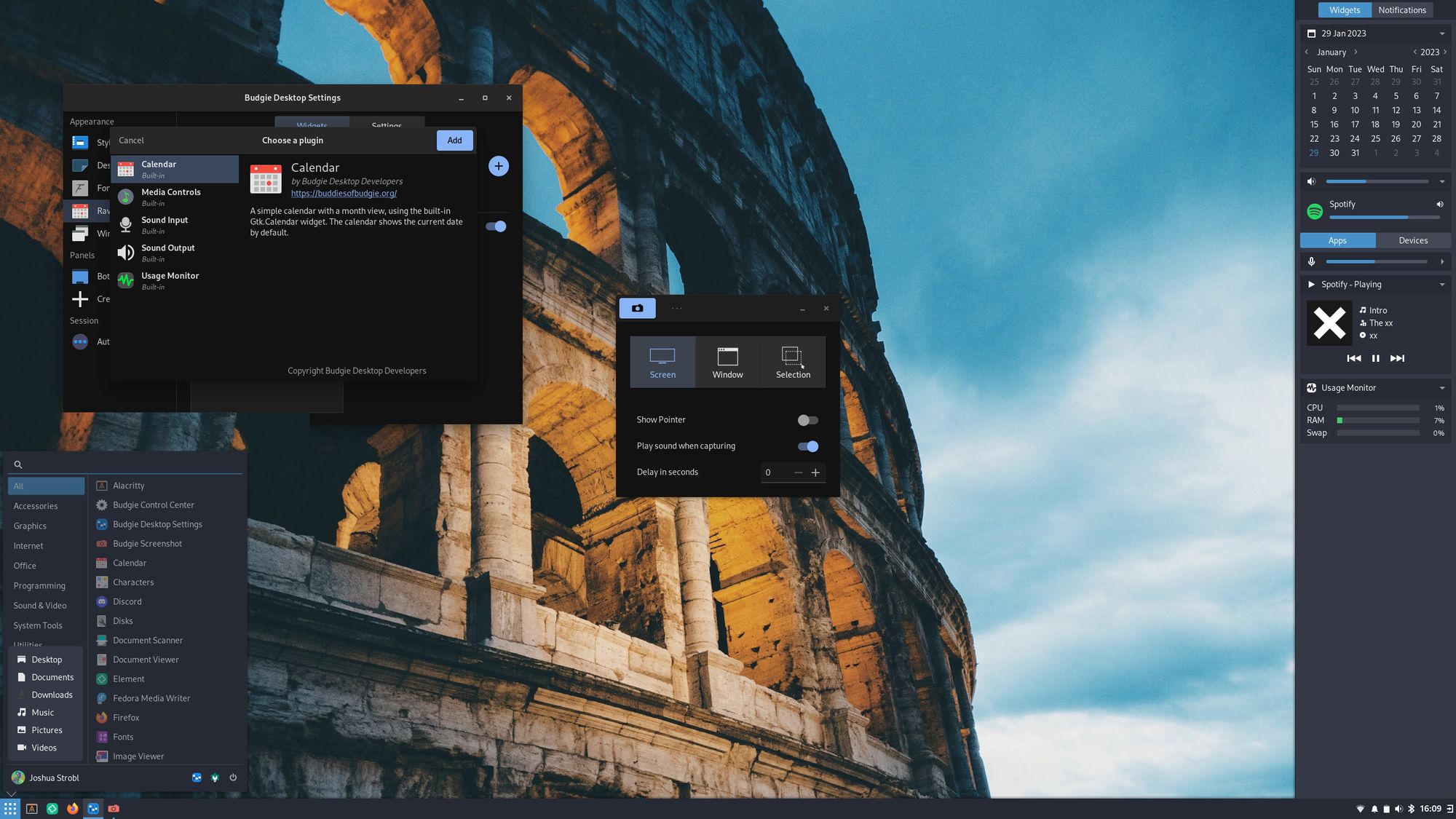
Budgie Desktop is transitioning to a Wayland-only model with future releases, signifying a clear move away from X11. In the case of Linux Mint 22.1 "Xia" and other similar distributions, updated versions of desktop environments, including Cinnamon and LXQt, now incorporate improved support for Wayland, ensuring that users experience the benefits without sacrificing compatibility.
Technical Enhancements and Ongoing Developments
Graphical Capabilities and Modern Features
Wayland's design culminates in significant technical enhancements. Among these are improved support for high dynamic range (HDR) displays and advanced color management systems. The merged protocols such as the Wayland Colour Management and HDR framework provide better visual fidelity, crucial for multimedia applications and gaming.
Security improvements have also been a vital focus. Wayland’s structure minimizes unnecessary exposure to low-level hardware details, reducing potential exploits. This ensures that modern Linux desktops not only look better but also operate in a more secure environment.
Mitigating Compatibility Challenges
While transitioning from X11 to Wayland, developers have faced challenges such as inconsistent application support and variations in performance across certain software. To address these issues, the Linux community has embraced the use of XWayland, a compatibility layer that allows legacy X11 applications to function without major rewriting.
The iterative development cycle, bolstered by community feedback, ensures that compatibility issues are identified and solved swiftly. Continuous testing in real-world scenarios also contributes to a robust environment where both new and legacy applications can co-exist.
Comparative Table: Wayland vs. X11
| Feature | X11 | Wayland |
|---|---|---|
| Security | Less secure, more legacy vulnerabilities | Improved security, minimal exposure to low-level hardware |
| Performance | Good, but slower with modern hardware demands | Optimized for modern systems with smoother rendering |
| Compatibility Layers | Natively supports legacy applications | Relies on XWayland for legacy support |
| Adoption | Mature, widely used in older systems | Rapidly adopted in modern distributions and desktop environments |
| Graphics | Standard rendering with limited modern enhancements | Supports HDR, advanced color management, and compositing |
Future Outlook and Community Impact
Continuous Development
The journey to fully realizing Wayland’s potential is ongoing. The Linux community, including distributions and desktop environment developers, remains committed to refining and expanding Wayland support. As new releases roll out, enhancements are regularly integrated, focusing on:
Fine-Tuning User Experience
Focus on user experience ensures that both experienced users and newcomers to Linux benefit from reduced input latency, smoother animations, and an overall responsive interface. Each update incorporates feedback from real-world usage to tailor improvements that matter most.
Expanding Application Ecosystem
Compatibility for legacy applications remains a central concern, especially during the transition phase. The seamless performance of modern apps alongside older software is set to improve as XWayland continues to evolve, reducing the friction in switching between systems.
Ecosystem Synergy
The adoption of Wayland is a collective endeavor, spurred by the synergy between developers, distribution maintainers, and end-users. This unified direction allows for rapid iteration on crucial aspects such as multicore performance, energy efficiency, and real-time graphics rendering.
The cooperative environment has led to the sharing of innovations across multiple projects and distributions, setting a solid foundation for future enhancements. In this scenario, the move to Wayland is about not only technological progress but also showcasing how collaborative efforts can reshape an entire platform.
References
- What will 2025 bring for Linux PCs? - PCWorld
- Budgie 10.10 Desktop Will Be Wayland-Only as Work Continues on Budgie 11 - 9to5Linux
- Linux Mint 22.1 'Xia' is out now with improved Wayland support - GamingOnLinux
- Wayland Archives - 9to5Linux
- Budgie Desktop in 2025: The End of X11 and the Dawn of Wayland-Only - Linuxiac
Recommended Queries for Further Exploration
Last updated March 6, 2025