
Maximizing Local Coding with RTX 4090: Choose the Ultimate LLM
Discover cutting-edge LLMs that plan, code, and test directly in VSCode
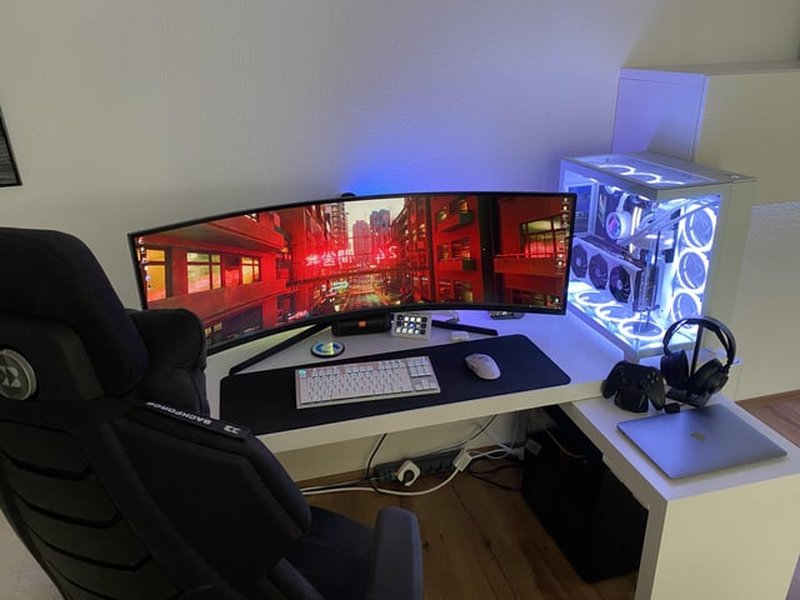
Key Insights for an Effective Local Coding Setup
- Performance Mastery: Advanced models like Codestral 25.01 and Qwen 2.5 Coder offer exceptional speed and accuracy.
- Seamless VSCode Integration: These models support intelligent code completion, error detection, and test generation for a smooth development flow.
- Optimized for RTX 4090: With 24GB VRAM and powerful GPU capabilities, the RTX 4090 runs these models efficiently even with large context sizes and complex tasks.
Overview of Top LLM Options for Local Coding
When setting up a local development environment with an RTX 4090 for a comprehensive coding workflow in VSCode, several local LLMs provide unique advantages for planning, coding, and testing whole applications. The key considerations include performance, language support, integration ease, and efficient memory utilization. This guide synthesizes insights from various reviews and recommendations to help you select the best model based on your coding requirements. Below is an in-depth look at the leading contenders and their specific strengths.
1. Codestral 25.01
Strengths & Features
Codestral 25.01 is widely recognized for its exceptional performance in coding tasks. It is engineered to handle over 80 programming languages, making it a versatile tool in diverse development environments. One of its standout features is the "fill-in-the-middle" (FIM) capability which significantly improves code completion and the generation of test cases. Its large 256k context window allows for managing extensive codebases, enabling the model to understand and operate on large projects seamlessly. Moreover, Codestral excels at error detection and correction, which is crucial when coding complex applications in VSCode.
RTX 4090 Compatibility
The robust 24GB VRAM of the RTX 4090 is optimally leveraged by Codestral 25.01, ensuring that even models with lengthy context windows and detailed operations run efficiently. By allowing quantization techniques, such as Q8, developers can fit larger versions of the model within available memory without sacrificing performance.
2. Qwen 2.5 Coder
Specialization for Coding
Qwen 2.5 Coder is another leading candidate specifically tuned for coding. It has repeatedly demonstrated robust performance that rivals advanced models like GPT-4o in various benchmarks. Its architecture employs a custom attention mechanism that provides superior context handling, crucial for tasks that involve planning complex code structures, debugging, and optimizing performance. Qwen 2.5’s core is designed to assist in coding by integrating smoothly with Visual Studio Code, supporting code generation and coordinated testing processes.
Utilization of RTX 4090 Resources
Like Codestral, Qwen 2.5 Coder works exceptionally well with high-end hardware configurations. The sophisticated models can be deployed locally, ensuring no external data exposure while utilizing the full potential of the RTX 4090’s processing power. Features such as advanced code synthesis and error spotting make this model ideal for developers who require precise performance along with flexibility in handling multiple programming languages and application logic layers.
3. Mistral Nemo Instruct @ Q8
General-Purpose Functionality with a Twist
Mistral Nemo Instruct is popular for its overall versatility. Although it is not exclusively tailored for coding, its ability to process long contexts rapidly and efficiently makes it an excellent fallback option for scenarios where tackling full application development is necessary. It offers a balance between speed and the ability to generate coherent code snippets, making it an ideal backup to specialized models.
Efficient Memory Management
Developers looking to experiment with various quantization options like FP8 or alternate KV cache settings will appreciate Mistral Nemo’s flexibility. On the RTX 4090, its efficient use of VRAM ensures that your development environment stays responsive even under heavy workloads.
Steps to Integration with VSCode
Integrating any of these models into your VSCode environment involves a few key steps. The process is largely uniform regardless of the LLM chosen:
Step 1: Selecting the Right Local Hosting Tool
Tools like LM Studio, Llama.cpp, and Oobabooga WebUI are popular options for hosting local LLMs. These tools offer the required infrastructure to run your chosen model seamlessly while maintaining data privacy.
Step 2: Installing and Configuring a VSCode Extension
There are several VSCode extensions designed to integrate LLMs directly into your coding workflow. Extensions such as “Continue” streamline code completion, error detection, and automatic testing. Configuration usually involves specifying connection parameters, model names, and any required performance tweaks.
Step 3: Experimentation and Benchmarking
After integration, it is recommended to run benchmark tests to determine your settings. Monitor performance metrics like tokens generated per second, latency, and the accuracy of code completions. Adjust the quantization levels if you encounter VRAM constraints. Tools to automate regression testing and unit tests should be integrated into the VSCode setup.
Visualization: Performance and Integration Radar Chart
The following radar chart represents a conceptual evaluation of the coding-focused LLMs across several dimensions: Code Completion Accuracy, Error Detection, Performance Speed, VSCode Integration, and VRAM Efficiency. This visualization provides a comparative perspective, reflecting the strengths of each model in aspects that matter most to a local development setup.
Conceptual Mindmap for Local LLM Integration
This mindmap illustrates the core elements of integrating a local LLM into your RTX 4090-powered development environment. It highlights key areas such as model selection, integration tools, performance tuning, and workflow enhancements, providing a bird’s eye view of the entire process.
Additional Recommendations and Supporting Tools
Beyond choosing the best LLM, consider complementary tools that enhance your development workflow. Many developers have successfully integrated advanced local LLMs with VSCode extensions that provide not only code completion but also automated testing and seamless integration with debugging tools. Deploying these models locally ensures that you retain complete control over your sensitive data while benefiting from the offline capabilities provided by the RTX 4090 hardware.
It is also advisable to experiment with various quantization techniques if you run into VRAM constraints. Techniques like Q8 allow you to balance accuracy and resource usage. Always monitor performance and adjust your configurations to match the specific demands of your application development tasks.
Supplementary Video Walkthrough
For a practical demonstration, the video below provides an insightful walkthrough on setting up a local LLM environment, integrating it with VSCode, and leveraging the power of an RTX 4090. This detailed video supplements the information provided above by walking through each step of the process.
Comparative Analysis Table of Top LLMs
The table below offers a side-by-side comparison of the key features, pros, and potential trade-offs of each recommended LLM. This overview is designed to assist you in making a well-informed decision by highlighting the models' capabilities in relation to your coding demands.
| Model | Programming Language Coverage | Key Strengths | VRAM Efficiency | VSCode Integration |
|---|---|---|---|---|
| Codestral 25.01 | 80+ Languages | Error Detection, FIM, Large Context | High (24GB RTX Optimized; Q8 support) | Excellent |
| Qwen 2.5 Coder | Many Major Languages | Custom Attention, Benchmark Rival to GPT-4o | Very High | Seamless |
| Mistral Nemo Instruct @ Q8 | General-Purpose, Coding Backup | Efficient Context Handling, Versatile | Moderate to High (via quantization) | Good |
Frequently Asked Questions (FAQ)
Q1: Which model is best for performance heavy coding tasks on an RTX 4090?
Q2: Can these models generate test cases for my application?
Q3: What are the benefits of running an LLM locally over cloud-based solutions?
Q4: How important is quantization for running these models?
Q5: What are some recommended tools for hosting a local LLM?
References
- Codestral 25.01 Update - Medium
- Qwen 2.5 Coder Overview - Medium
- Best GPU for Local LLMs - Techtactician
- RTX 4090 Best Local LLM Options - Reddit
- Best Local LLM Tools - GetStream
Related Queries for In-Depth Exploration
Last updated March 31, 2025