
The Art and Science of Logo Refreshes: What AI Can Offer in Logo Graphic Updates
Understanding the capabilities, limitations, and best practices in the modern approach to logo redesign
Key Logo Redesign Insights
- AI assistance vs. professional design: While I can provide detailed guidance, analysis, and inspiration for logo updates, I don't directly create or modify graphic files.
- Logo refresh vs. complete redesign: Most successful brand evolutions involve strategic updates rather than complete overhauls to maintain recognition while modernizing.
- Implementation is crucial: The effectiveness of a logo update depends heavily on consistent implementation across all touchpoints and clear communication with stakeholders.
Understanding My Role in Logo Updates
As an AI assistant, I can provide comprehensive guidance, analysis, and strategy for logo updates, but I don't directly manipulate graphic files. I can assist in several important ways:
- Analyze existing logos to identify areas for improvement
- Provide insights on current design trends and best practices
- Suggest color palettes, typography choices, and design elements
- Offer feedback on proposed redesigns
- Create detailed briefs for professional designers
- Help develop implementation strategies for updated logos
My guidance comes from analyzing trends, design principles, and successful case studies, but the actual graphic creation requires design software like Adobe Illustrator or similar tools operated by a human designer.
Logo Refresh vs. Complete Redesign
When updating a logo, you have two primary approaches to consider:
| Aspect | Logo Refresh | Complete Redesign |
|---|---|---|
| Definition | Subtle modifications to modernize while maintaining recognition | Creating an entirely new logo design |
| When to Use | When core brand elements are still relevant but need updating | When rebranding completely or current logo has major problems |
| Risk Level | Lower risk of losing brand recognition | Higher risk of confusing existing customers |
| Timeline | 2-4 weeks typically | 4-8 weeks or longer |
| Cost | Generally less expensive | Typically more expensive |
Signs Your Logo Needs Updating
- Outdated Aesthetics: Your logo appears old-fashioned compared to competitors
- Poor Scalability: The logo doesn't render well across different sizes and platforms
- Brand Evolution: Your business has pivoted or expanded beyond what the current logo represents
- Complexity Issues: The current logo has too many details making it difficult to recognize
- Merger or Acquisition: Company structure has changed requiring brand alignment
- Negative Associations: The logo has developed unfortunate connotations
The Logo Update Process Visualized
This mindmap outlines the complete process of updating a logo, from initial evaluation through implementation and beyond:
Effective Approaches to Logo Updates
This radar chart compares different approaches to logo updates across several critical dimensions. Each approach has strengths in different areas:
Successful Logo Update Examples
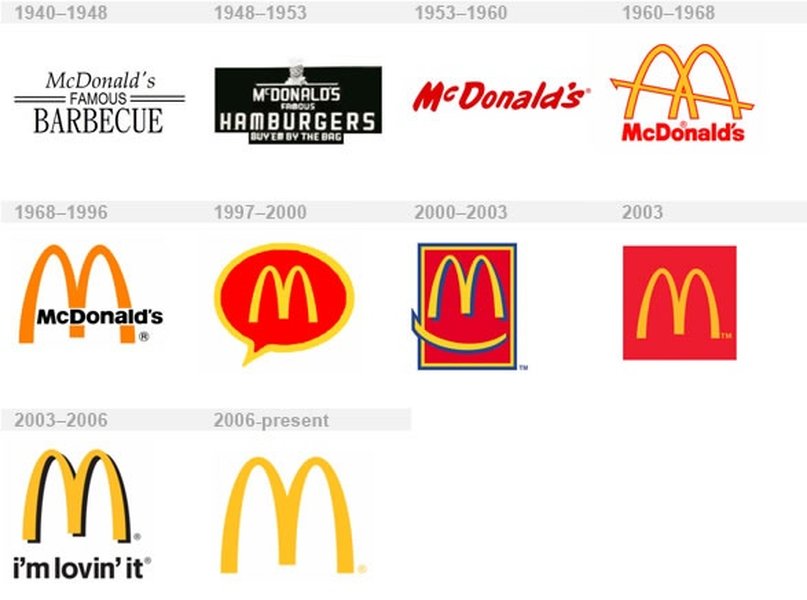
Learning from successful logo redesigns can provide valuable insights into what works and why. Here are some notable examples of effective logo refreshes and redesigns:
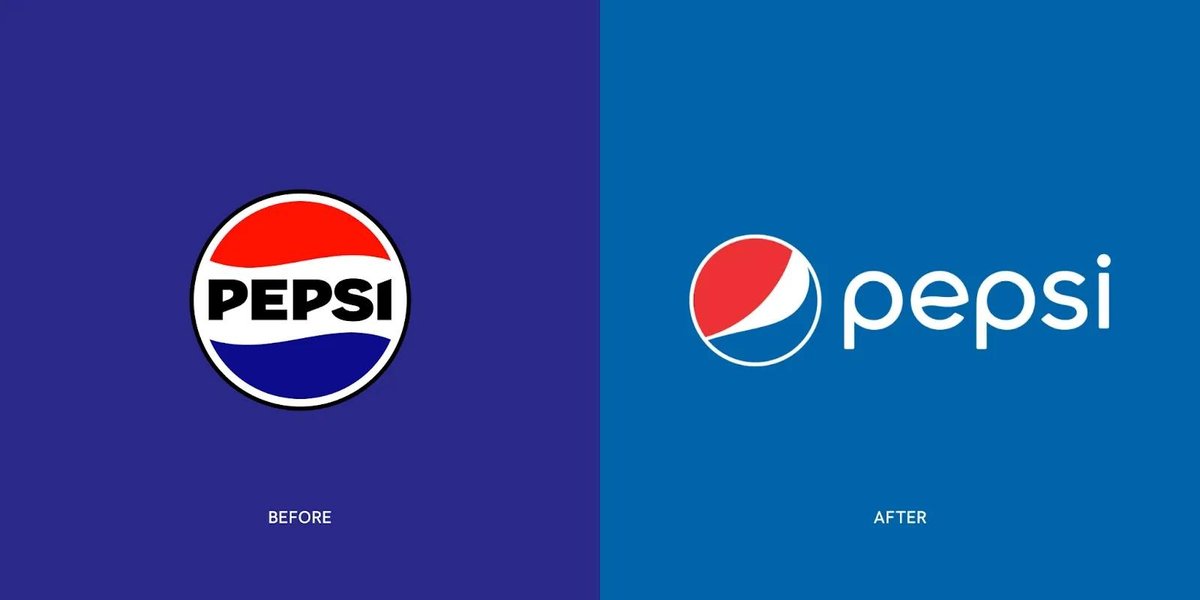
Pepsi's Evolution: The Pepsi logo has undergone several iterations while maintaining its core color scheme and circular motif, demonstrating how gradual evolution can maintain recognition.
Mastercard's Simplification: Mastercard's redesign removed text while keeping the iconic overlapping circles, exemplifying the modern trend toward simpler, more versatile logo designs.
Best Practices for Logo Updates
Design Principles
- Simplification: Modern logos trend toward cleaner, simpler designs that work across all platforms and sizes
- Scalability: Ensure your logo works at all sizes, from favicon to billboard
- Versatility: Create versions that work on different backgrounds and in different contexts
- Timelessness: Avoid extremely trendy elements that may quickly feel dated
- Distinctiveness: Differentiate from competitors while remaining appropriate for your industry
Implementation Strategy
- Create a Style Guide: Document proper usage, spacing, color variants, and minimum sizes
- Prepare Multiple File Formats: Vector files (AI, EPS, SVG) for scalability and raster files (PNG, JPG) for digital use
- Update All Touchpoints: Website, social media, signage, packaging, business cards, email signatures, etc.
- Communicate the Change: Inform customers and stakeholders about the update and its rationale
- Consider a Phased Approach: For major changes, a gradual transition may help maintain brand recognition
Watch This Expert Logo Redesign Walkthrough
This video provides valuable insights into the real-world process of redesigning a logo, covering everything from initial concepts to final implementation:
Frequently Asked Questions
References
- Logo Redesign Unveiled: Strategies, Examples and Best Practices - Studio Flach
-
How to Redesign a Logo - Adobe
- 15 Best Logo Redesign Examples That You Can Learn From - All Time Design
- 25 Logo Redesign Tips and Best Practices - Envato Elements
- Logo Redesign: How to Redesign a Logo - Vistaprint
- Why Does Your Company Need a Logo Redesign? - Intechnic
- 2024 Logo Trend Report - LogoLounge
Recommended Explorations
Last updated April 5, 2025