
Handling Base64 Encoded File Fields from a Third-Party Java API
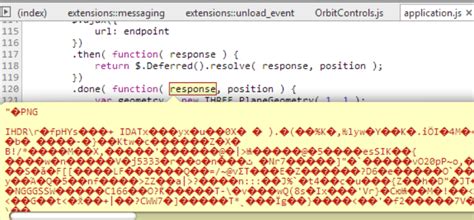
When a third-party Java API returns a file field encoded in Base64, you need to define a receiving field and decode the data to work with the file. Here's a comprehensive guide on how to achieve this, covering various aspects from receiving the data to saving it as a file.
1. Defining the Receiving Field
The Base64 encoded file data will initially be received as a string. Therefore, you should define the receiving field in your Java code as a String:
String base64EncodedFile; // Your receiving field
2. Reading and Decoding Base64 Data
Once you have the Base64 encoded string, you need to decode it to get the original file data. Java provides built-in functionalities and external libraries to achieve this.
a) Using java.util.Base64 (Java 8 and later)
This is the most straightforward method for decoding Base64 data in Java 8 and later versions. The java.util.Base64 class provides encoder and decoder functionalities.
Here's how to decode the Base64 string:
import java.util.Base64;
import java.nio.charset.StandardCharsets;

// ... your code ...

String base64EncodedString = "dGVzdCBpbnB1dA=="; // Example Base64 string
Base64.Decoder decoder = Base64.getDecoder();
byte[] decodedBytes = decoder.decode(base64EncodedString);

// Convert byte array to String if it's text
String decodedString = new String(decodedBytes, StandardCharsets.UTF_8);
System.out.println("Decoded String: " + decodedString);
To save the decoded data to a file, you can use the following code:
import java.io.FileOutputStream;
import java.io.IOException;
import java.nio.file.Files;
import java.nio.file.Path;
import java.nio.file.Paths;

// ... your code ...

byte[] decodedBytes = Base64.getDecoder().decode(base64EncodedFile);
Path filePath = Paths.get("decoded_file.dat"); // or .jpg, .pdf etc. depending on file type
try {
    Files.write(filePath, decodedBytes);
    System.out.println("File saved to: " + filePath);
} catch (IOException e) {
    e.printStackTrace();
}
b) Using Apache Commons Codec
If you are using an older version of Java or need more advanced Base64 handling features, the Apache Commons Codec library is a good alternative. You'll need to add it as a dependency to your project (e.g., using Maven or Gradle).
Here's how to decode the Base64 string using Apache Commons Codec:
import org.apache.commons.codec.binary.Base64;

// ... your code ...

byte[] decodedBytes = Base64.decodeBase64(base64EncodedFile);

// Then proceed to save the file as shown in the previous example.
You can find more information on Apache Commons Codec here: https://commons.apache.org/proper/commons-codec/
3. Handling API Responses and JSON Parsing
Often, the Base64 encoded file data is part of a larger JSON response from the third-party API. You'll need to parse this JSON to extract the Base64 string.
a) Defining a Response Class
Create a Java class to represent the structure of the JSON response. For example, if the JSON contains a field named file with the Base64 encoded string, you can define a class like this:
public class ApiResponse {
    private String file;

    public String getFile() {
        return file;
    }

    public void setFile(String file) {
        this.file = file;
    }
}
b) Using a JSON Parsing Library
Use a JSON parsing library like Jackson or Gson to parse the JSON response and map it to your response class. Here's an example using Jackson:
import com.fasterxml.jackson.databind.ObjectMapper;
import java.io.BufferedReader;
import java.io.InputStreamReader;
import java.net.HttpURLConnection;
import java.net.URL;

// ... your code ...

String apiUrl = "https://api.example.com/endpoint";
URL url = new URL(apiUrl);
HttpURLConnection connection = (HttpURLConnection) url.openConnection();
connection.setRequestMethod("GET");
connection.setRequestProperty("Accept", "application/json");

if (connection.getResponseCode() == 200) {
    BufferedReader in = new BufferedReader(new InputStreamReader(connection.getInputStream()));
    StringBuilder response = new StringBuilder();
    String inputLine;
    while ((inputLine = in.readLine()) != null) {
        response.append(inputLine);
    }
    in.close();

    ObjectMapper objectMapper = new ObjectMapper();
    ApiResponse apiResponse = objectMapper.readValue(response.toString(), ApiResponse.class);
    String base64File = apiResponse.getFile();
    System.out.println("Base64 File: " + base64File);
} else {
    System.out.println("HTTP Error: " + connection.getResponseCode());
}
connection.disconnect();
Make sure to add the Jackson dependency to your project.
4. Determining the File Type
To handle the decoded file correctly, you need to know its original file type. The third-party API's documentation should specify this. You might need to use file extensions or content type headers (if provided) to determine the correct file type. For example, if the API returns a Content-Type header of image/jpeg, you know it's a JPEG image.
5. Error Handling
Always include robust error handling to catch exceptions like IllegalArgumentException (if the Base64 string is invalid) or IOException (during file writing). Here's an example incorporating error handling:
import java.util.Base64;
import java.io.IOException;
import java.nio.file.Files;
import java.nio.file.Path;
import java.nio.file.Paths;

public class Base64FileDecoder {
    public static void decodeAndSave(String base64EncodedFile, String fileName) {
        try {
            byte[] decodedBytes = Base64.getDecoder().decode(base64EncodedFile);
            Path filePath = Paths.get(fileName);
            Files.write(filePath, decodedBytes);
            System.out.println("File decoded and saved successfully to: " + filePath);
        } catch (IllegalArgumentException e) {
            System.err.println("Invalid Base64 string: " + e.getMessage());
        } catch (IOException e) {
            System.err.println("Error writing file: " + e.getMessage());
        }
    }

    public static void main(String[] args) {
        String base64String = "YOUR_BASE64_ENCODED_STRING_HERE"; //Replace with your base64 string.
        decodeAndSave(base64String, "decoded_file.jpg"); // Replace .jpg with appropriate extension
    }
}
6. Complete Example with Third-Party API Call
Here's a complete example demonstrating how to call a third-party API, receive a JSON response containing a Base64 encoded file, decode it, and save it to a file. This example uses OkHttp for making the API call:
import okhttp3.OkHttpClient;
import okhttp3.Request;
import okhttp3.Response;
import java.io.IOException;
import java.nio.file.Files;
import java.nio.file.Path;
import java.nio.file.Paths;
import java.util.Base64;
import com.fasterxml.jackson.databind.ObjectMapper;

public class ThirdPartyApiFileDownloader {
    public static void downloadFileFromApi(String apiUrl, String outputPath) {
        OkHttpClient client = new OkHttpClient();

        Request request = new Request.Builder()
            .url(apiUrl)
            .build();

        try {
            Response response = client.newCall(request).execute();
            if (!response.isSuccessful()) {
                throw new IOException("Unexpected code " + response);
            }

            String jsonResponse = response.body().string();
            ObjectMapper objectMapper = new ObjectMapper();
            ApiResponse apiResponse = objectMapper.readValue(jsonResponse, ApiResponse.class);
            String base64File = apiResponse.getFile();

            byte[] fileBytes = Base64.getDecoder().decode(base64File);
            Path filePath = Paths.get(outputPath);
            Files.write(filePath, fileBytes);
            System.out.println("File saved to: " + outputPath);

        } catch (IOException e) {
            e.printStackTrace();
        }
    }

    public static void main(String[] args) {
        String apiUrl = "https://example.com/api/file"; // Replace with your API endpoint
        String outputFilePath = "downloaded_file.pdf"; // Replace with your desired output path
        downloadFileFromApi(apiUrl, outputFilePath);
    }
}
Make sure to add the necessary dependencies for OkHttp and Jackson to your project.
7. Key Considerations
- File Size: For large files, consider streaming the decoded data to avoid memory issues.
- File Type: Always determine the file type from the API documentation or response headers to handle the file correctly.
- Dependencies: Ensure you have the necessary dependencies (e.g., Jackson, OkHttp, Apache Commons Codec) in your project.
- Security: Be cautious when handling Base64 encoded data, especially if it comes from untrusted sources.
By following these steps, you can effectively handle Base64 encoded file fields returned from third-party Java APIs, decode the data, and save it to a file or process it further as needed.
Last updated January 6, 2025