
Unlock Your Content's Potential with Markdown: The Simple Text Formatting Super-Tool
Master the lightweight markup language that powers everything from GitHub to Reddit in minutes

Why Markdown Matters
- Simplicity: Create beautifully formatted documents using plain text with intuitive symbols
- Versatility: Widely adopted across platforms like GitHub, Reddit, Stack Exchange, and countless note-taking apps
- Efficiency: Write faster without removing your hands from the keyboard to use formatting menus
Markdown is a lightweight markup language created by John Gruber in 2004 as an easy-to-read and easy-to-write way of formatting plain text. Its brilliance lies in its simplicity—using intuitive punctuation characters that visually represent what they do. For example, surrounding text with asterisks to emphasize it just makes sense visually.
Essential Markdown Syntax
Text Formatting
The core of Markdown is how it handles basic text styling:
Emphasis
- Bold: Use double asterisks or underscores:
bold textor__bold text__ - Italic: Use single asterisks or underscores:
*italic text*or_italic text_ - Combined: Mix them for both:
_bold and italic_
Headings
Create hierarchical structure with hash symbols:
# Heading Level 1(largest)## Heading Level 2### Heading Level 3- And so on up to
###### Heading Level 6(smallest)
Lists
Organize information clearly with lists:
- Unordered lists: Use asterisks, plus signs, or hyphens:
* Item 1+ Item 2- Item 3
- Ordered lists: Simply use numbers:
1. First item2. Second item
Links and Images
Connecting to other resources is straightforward:
Links
- Basic link:
[Link text](https://example.com) - Link with title:
[Link text](https://example.com "Title text") - Reference-style:
[Link text][reference]with[reference]: https://example.comelsewhere in the document
Images
- Basic image:
 - Image with title:

Blocks and Code
Blockquotes
Create quoted sections with greater-than symbols:
> This is a blockquote.> Multiple paragraphs need> a > on each line
Code
- Inline code: Use backticks:
`code` - Code blocks: Use triple backticks or indent with four spaces:
function example() { return "code block"; } ``` - Syntax highlighting: Specify the language after the first set of backticks:
```javascript
Markdown Comparison Across Platforms
The radar chart above illustrates how different Markdown variants compare across important dimensions. Standard Markdown excels in ease of learning but offers fewer extended features. GitHub Flavored Markdown shows strong performance across all categories, particularly in platform adoption and documentation quality. CommonMark prioritizes rendering consistency, while Markdown Extra offers the richest feature set but with a steeper learning curve.
Advanced Markdown Features
Extended Syntax
Beyond the basics, many Markdown implementations support extended features:
| Feature | Syntax Example | Supported By | Use Case |
|---|---|---|---|
| Tables | | Header | Header | | ------ | ------ | | Cell | Cell | |
GitHub, GitLab, Reddit | Structured data presentation |
| Strikethrough | ~~strikethrough~~ | Most platforms | Indicating removed content |
| Task Lists | - [x] Completed task - [ ] Incomplete task |
GitHub, GitLab, Notion | Project management, to-do lists |
| Footnotes | Text with a footnote[^1] [^1]: Footnote content |
GitHub, Stack Exchange | Academic writing, references |
| Definition Lists | Term : Definition |
Markdown Extra | Glossaries, term explanations |
| Automatic URL Linking | https://example.com | Most platforms | Quick linking without brackets |
Markdown Flavors
GitHub Flavored Markdown (GFM)
GitHub's implementation adds several useful features like tables, task lists, autolinks, and strikethrough. It's widely used for project documentation, README files, and issue tracking.
CommonMark
A standardized, ambiguity-free specification of Markdown with a comprehensive test suite. It aims to provide a consistent implementation across platforms while remaining compatible with the original Markdown.
Markdown Extra
An extension that adds features like tables, footnotes, and definition lists. It's implemented in PHP Markdown Extra, Python Markdown Extra, and other libraries.
Markdown Tools and Ecosystem
Editors and Converters
There are numerous tools designed specifically for writing and working with Markdown:
- Online Editors: StackEdit, Dillinger, Markdown-it
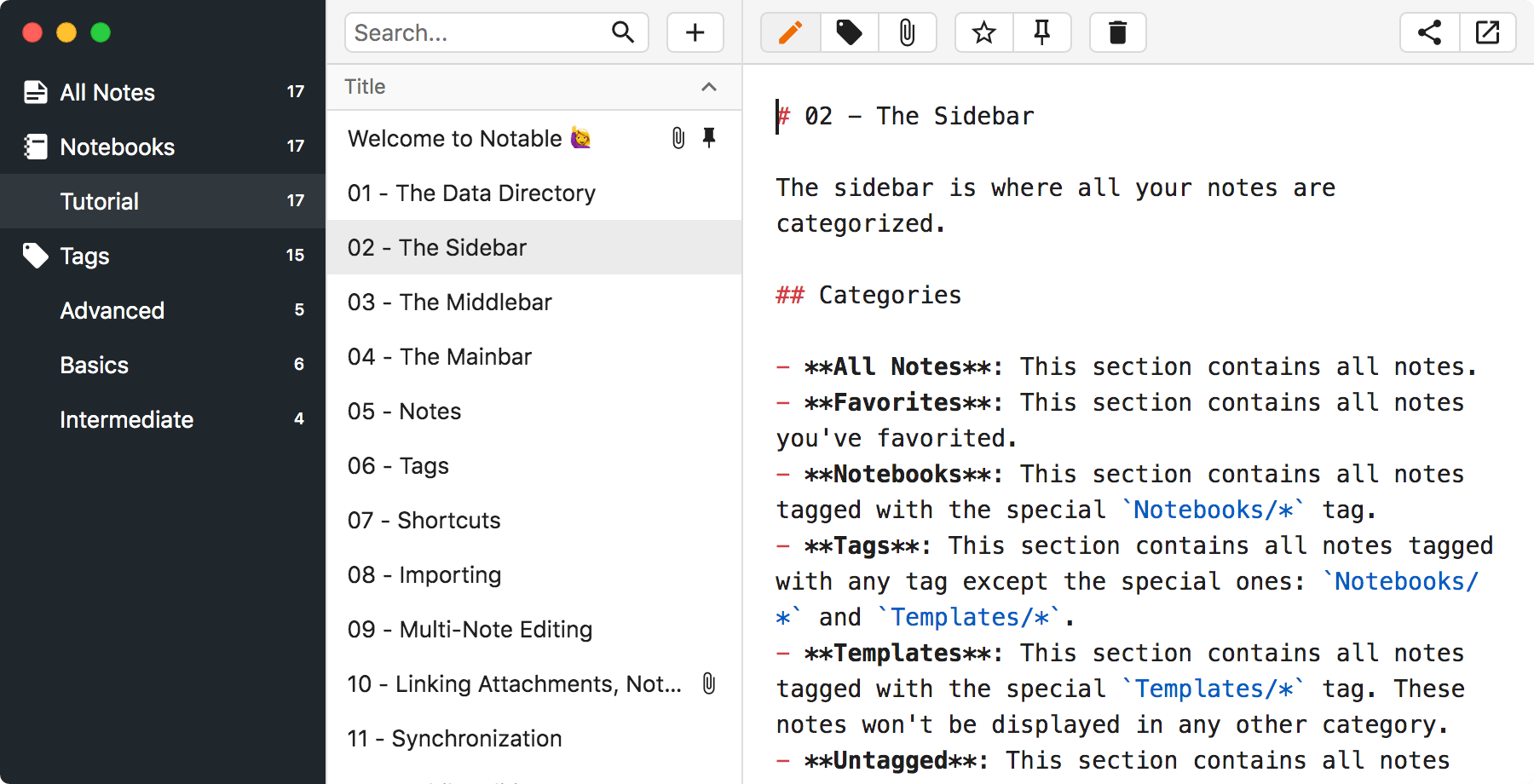
- Desktop Applications: Typora, Mark Text, Obsidian, Notable
- Code Editors with Markdown Support: Visual Studio Code, Sublime Text, Atom (with plugins)
- Converters: Pandoc (converts between multiple formats including Markdown, HTML, PDF, and more)
Platforms Using Markdown
Markdown has been adopted by numerous platforms across the web:
Development Platforms
- GitHub, GitLab, Bitbucket: For documentation, issues, pull requests, and wikis
- Stack Overflow and Stack Exchange: For questions and answers
- Documentation Generators: MkDocs, Docusaurus, Jekyll
Content Platforms
- Reddit: For post formatting
- Discord and Slack: For message formatting
- Blogging Platforms: Ghost, Jekyll, Hugo
- Note-taking Apps: Obsidian, Joplin, Notion, Bear
Frequently Asked Questions
Why should I use Markdown instead of a word processor?
Markdown offers several advantages over traditional word processors:
- Simplicity: Focus on content without distracting formatting options
- Portability: Plain text files that work anywhere and don't require special software
- Version Control: Markdown files work seamlessly with systems like Git
- Future-proof: Plain text will be readable forever, unlike proprietary formats
- Speed: Keep your hands on the keyboard without reaching for the mouse
Does Markdown replace HTML?
No, Markdown doesn't replace HTML entirely. It's designed to be much simpler than HTML for basic formatting needs. However, Markdown supports inline HTML, allowing you to use HTML tags when Markdown's syntax doesn't provide what you need. Most implementations convert Markdown to HTML as an intermediary step before rendering.
How do I learn Markdown quickly?
Markdown is designed to be intuitive and can be learned in under an hour. Start with these approaches:
- Use a cheat sheet for quick reference
- Practice in a live editor like Dillinger that shows previews
- Take an interactive tutorial like markdowntutorial.com
- Start with basic formatting (bold, italic, headings, lists) and gradually add more complex elements
Which Markdown flavor should I use?
The best flavor depends on your use case:
- Standard Markdown: For maximum compatibility across platforms
- GitHub Flavored Markdown (GFM): For GitHub repositories and projects that might be hosted there
- CommonMark: For applications requiring strict standardization
- Markdown Extra: When you need extended features like tables and definition lists
When in doubt, GitHub Flavored Markdown is widely supported and offers a good balance of features and compatibility.
Can I convert my existing documents to Markdown?
Yes, there are several tools for converting documents to Markdown:
- Pandoc: Converts between multiple formats including Word, HTML, and Markdown
- Word-to-Markdown: Specifically converts Microsoft Word documents to Markdown
- HTML-to-Markdown: Converts HTML content to Markdown
Keep in mind that complex formatting may not convert perfectly and might require manual adjustments.
References
- The Markdown Guide - A free and open-source reference guide
- Daring Fireball: Markdown - John Gruber's original Markdown specification
- Basic Syntax - Markdown Guide
- Extended Syntax - Markdown Guide
- GitHub Flavored Markdown Spec
- CommonMark - A strongly defined, highly compatible specification of Markdown
Recommended Searches
Last updated April 3, 2025