
Unraveling Microsoft Tenant Configuration Management: Guarding Against Digital Drift
Mastering your Microsoft 365 environment with native configuration-as-code capabilities.
- 1.Essential Insights into TCM
- 2.What is Microsoft Tenant Configuration Management (TCM)?
- 3.Core Capabilities and Functionality of TCM
- 4.Visualizing TCM's Impact and Scope
- 5.Strategic Advantages and Limitations
- 6.TCM in the Ecosystem: Comparison and Integration
- 7.Getting Started with TCM: A Practical Roadmap
- 8.The Evolution of Microsoft Configuration Management
- 9.TCM and Microsoft Entra Tenant Governance
- 10.Security and Compliance Alignment
- 11.Summary of TCM's Key Components
- 12.Frequently Asked Questions (FAQ)
- 13.Conclusion
- 14.Recommended Searches
- 15.Referenced Search Results
In today's dynamic cloud landscape, maintaining a consistent and secure Microsoft 365 environment is a significant challenge for organizations of all sizes. The constant evolution of services, coupled with human intervention, often leads to what is known as "configuration drift." This drift can compromise security, lead to compliance issues, and introduce operational inefficiencies. Microsoft Tenant Configuration Management (TCM), also known as Unified Tenant Configuration Management (UTCM), emerges as a powerful, native solution designed to address these critical concerns.
TCM provides a sophisticated framework for defining, monitoring, and enforcing desired configurations across a broad spectrum of Microsoft 365 workloads. By embracing a "configuration-as-code" approach, it empowers administrators to establish baselines, track deviations, and proactively manage their digital infrastructure. This comprehensive overview delves into the core functionalities, benefits, and strategic importance of TCM in safeguarding your Microsoft 365 ecosystem.
Essential Insights into TCM
- Native Microsoft Graph Integration: TCM is built directly on Microsoft Graph APIs, offering unparalleled scalability and seamless integration with the Microsoft ecosystem, providing a cloud-native approach to configuration management.
- Proactive Configuration Drift Detection: By enabling the creation of baselines and monitors, TCM automates the process of identifying deviations from desired configurations, significantly reducing security risks and compliance gaps.
- Multi-Tenant Management for MSPs: TCM is a game-changer for Managed Service Providers (MSPs), allowing them to apply consistent security and configuration settings across numerous client tenants from a centralized platform.
What is Microsoft Tenant Configuration Management (TCM)?
Microsoft Tenant Configuration Management (TCM), officially recognized as Unified Tenant Configuration Management (UTCM) APIs, is a native Microsoft Graph-based solution. Its primary purpose is to manage, monitor, and enforce configuration settings across the diverse array of Microsoft 365 workloads. This innovative approach directly tackles the pervasive issue of configuration drift, where the settings within a tenant gradually diverge from their intended state due to various factors like manual changes, system updates, or human error. Launched in preview in late January 2026 and now generally available, TCM signifies a strategic shift towards more proactive and automated tenant governance.
The Foundation: Understanding a Microsoft 365 Tenant
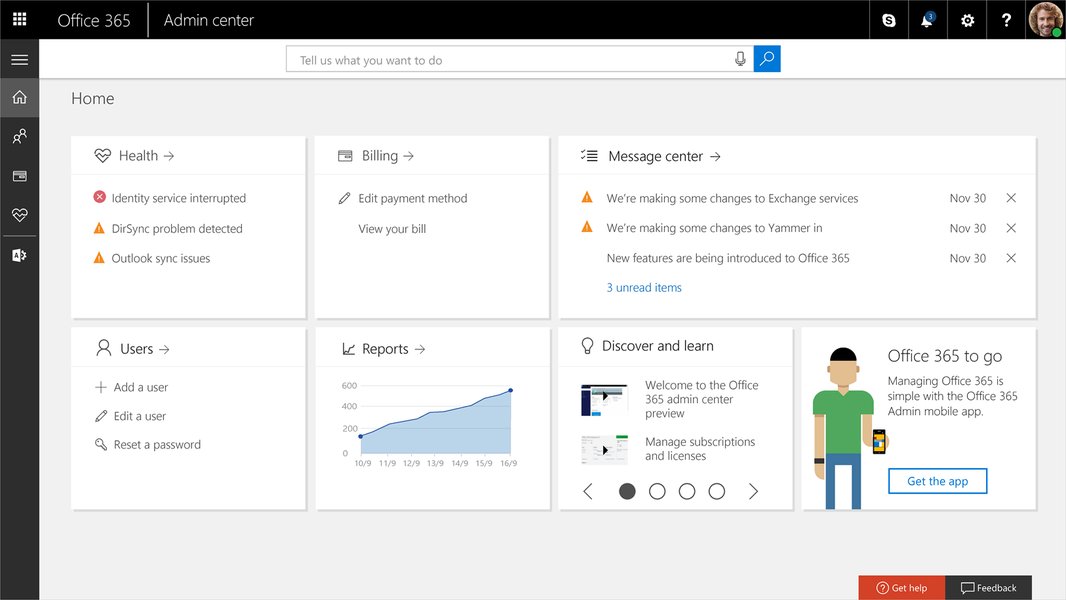
At its core, a Microsoft 365 tenant is a dedicated, isolated instance within the Microsoft cloud that houses an organization's services, licenses, and data. It includes a Microsoft Entra tenant, which is crucial for managing user accounts, groups, and other identity-related objects. Managing the hundreds, if not thousands, of configuration settings across these various services—including Microsoft Entra ID, Exchange Online, Intune, Defender, Purview, and Teams—is where TCM becomes indispensable.
The Imperative: Why TCM Matters
TCM is more than just a management tool; it's a foundational component for robust security and compliance in the cloud. It helps organizations:
- Prevent Misconfigurations: By continuously monitoring for drift, TCM minimizes the risk of unauthorized or accidental changes that could lead to security vulnerabilities or compliance breaches.
- Ensure Consistency: It allows for the standardization of settings across different environments or even across multiple tenants, which is particularly beneficial for MSPs.
- Streamline Audits: With clear baselines and drift reports, organizations can more easily demonstrate adherence to regulatory frameworks like ISO 27001, NIST, or CIS benchmarks.
- Reduce Manual Effort: Automating configuration checks frees up IT teams from tedious manual tasks, allowing them to focus on more strategic initiatives.
Core Capabilities and Functionality of TCM
TCM introduces a suite of powerful capabilities that empower administrators to take control of their Microsoft 365 configurations.
Configuration as Code: A Declarative Approach
A cornerstone of TCM is its adoption of a "configuration as code" paradigm. This means that desired configurations are defined in a structured, human-readable format, typically JSON. This declarative approach allows for version control, easier collaboration, and automated deployment, mirroring practices found in modern software development.
Baselines and Snapshots: Defining and Capturing Desired States
TCM allows for the creation of:
- Baselines: These are essentially configuration templates that define the approved settings for various resources, such as Microsoft Entra Conditional Access policies, Intune device policies, Exchange transport rules, and Teams settings. Baselines can be authored from scratch based on organizational standards or generated from existing, well-configured environments.
- Snapshots: These are point-in-time extractions of a tenant's current configuration settings. Snapshots are invaluable for seeding baselines, validating current configurations, or assisting in recovery efforts. Microsoft provides certain limitations on snapshots, such as a retention period of 7 days and a monthly resource extraction quota (e.g., up to 20,000 resources per tenant per month).
Monitors and Drift Detection: The Watchful Eye
Once a baseline is established, TCM utilizes "monitors" to continuously compare the live tenant configuration against that baseline. These monitors are scheduled engines that detect any deviations, or "drift," from the desired state. Examples of drift could include a Conditional Access policy moving from "ReportOnly" to "Enabled" or an Exchange mail flow rule being modified. When drift is detected, TCM flags these changes, enabling administrators to investigate and remediate proactively. This continuous monitoring is a significant advancement over reactive, manual auditing.
Native Integration with Microsoft Graph APIs
A key differentiator for TCM is its native integration with Microsoft Graph APIs. This provides a robust, cloud-native pathway to programmatically control and manage configuration settings across various workloads. This direct integration ensures better scalability, performance, and alignment with Microsoft's evolving ecosystem compared to older, script-heavy approaches like Microsoft365DSC.
Supported Workloads
TCM offers extensive coverage across critical Microsoft 365 workloads, including:
- Microsoft Entra ID (including Conditional Access, authentication methods)
- Microsoft Exchange Online
- Microsoft Intune
- Microsoft Defender
- Microsoft Purview
- Microsoft Teams
While coverage is continually expanding, it's worth noting that some workloads, such as SharePoint Online and OneDrive, might still have emerging or limited support.
Visualizing TCM's Impact and Scope
To further illustrate the multifaceted nature of Microsoft Tenant Configuration Management, we can examine its strengths and the breadth of its workload coverage through visual aids.
This radar chart illustrates the comparative advantages of TCM over traditional script-based methods, particularly in areas like native API integration and multi-tenant support.
This bar chart provides an opinionated assessment of TCM's current coverage across key Microsoft 365 workloads as of May 2026, on a scale of 0 to 10 (10 being full coverage).
Strategic Advantages and Limitations
While TCM offers significant advantages, it's also important to understand its current scope and any areas where it might require augmentation with other tools or practices.
Unpacking the Benefits
The implementation of TCM brings a multitude of benefits to organizations managing Microsoft 365 environments:
- Reduced Configuration Drift: This is the most direct and impactful benefit, leading to more stable and predictable environments.
- Enhanced Security Posture: Consistent configurations reduce attack surfaces and ensure critical security settings are not inadvertently altered.
- Improved Compliance Adherence: By providing a clear, auditable trail of configuration states and changes, TCM significantly aids in meeting regulatory and internal compliance requirements.
- Automation and Efficiency: Automating drift detection reduces the burden on IT staff and minimizes the potential for human error.
- Centralized Visibility and Control: TCM offers a unified view of configurations across disparate workloads, simplifying management.
- Support for Multi-Tenant Operations: Essential for MSPs, it enables consistent policy application and monitoring across many client tenants, scaling governance efforts.
- Disaster Resilience: While not a backup solution, TCM's ability to snapshot and baseline configurations is vital for understanding and recreating desired states after an incident.
Current Limitations and Considerations
Despite its strengths, TCM has specific limitations that organizations should be aware of:
- No Native Backup/Restore: TCM is primarily focused on monitoring and drift detection, not full configuration backup and recovery. Organizations still need to leverage third-party solutions for comprehensive backup and restore capabilities of tenant configurations.
- Remediation Focus: Currently, TCM excels at detecting and reporting drift but does not natively provide automated remediation or enforcement. Automated fixes might still require custom scripts or integration with other tools.
- Permissions Management: Proper functioning of TCM requires assigning specific Graph permissions (e.g.,
ConfigurationMonitoring.Read.AllorConfigurationMonitoring.ReadWrite.All) to the TCM service principal, along with workload-specific permissions for comprehensive monitoring. - Workload Coverage Gaps: While extensive, coverage is not exhaustive for all Microsoft 365 services, with some like SharePoint Online and OneDrive still having emerging or limited support.
- Quota and Retention Limits: Snapshots have a limited retention period (7 days) and monthly extraction quotas (e.g., 20,000 resources per tenant), necessitating external storage and management of baseline data for long-term needs.
TCM in the Ecosystem: Comparison and Integration
TCM operates within a broader ecosystem of tools and practices. Understanding its relationship with other solutions is crucial for a holistic configuration management strategy.
TCM vs. Microsoft365DSC
For a long time, Microsoft365DSC (Desired State Configuration) was a popular community-driven, PowerShell-based solution for managing Microsoft 365 configurations as code. While powerful for enforcement, it required self-hosted agents, ongoing maintenance, and was script-heavy. TCM, on the other hand, is Microsoft's native, API-driven solution, built directly into Microsoft Graph. It runs as a Microsoft service, offering superior scalability and ease of management. While Microsoft365DSC could enforce state, TCM's current focus is primarily on monitoring and drift detection, with enforcement often requiring complementary tools.
Complementing Third-Party Solutions
Third-party tools from vendors like CoreView or Hornetsecurity often provide features that complement TCM, such as:
- Full configuration backup and restore
- Tenant cloning across environments
- Automated rollbacks of configurations
- Enhanced reporting and user interfaces
Organizations may find that combining TCM's native monitoring capabilities with specialized third-party solutions creates a more comprehensive and robust configuration management strategy.
Multi-Tenant Management for MSPs
TCM is especially valuable for Managed Service Providers (MSPs). It enables them to apply standardized security and configuration settings (baselines) consistently across all client environments, simplifying user management, security enforcement, and reporting at scale. Tools like Microsoft 365 Lighthouse and Partner Center, alongside specialized third-party platforms, further facilitate centralized multi-tenant administration, with TCM providing the critical layer of configuration integrity monitoring.
Getting Started with TCM: A Practical Roadmap
Implementing TCM involves a series of logical steps to prepare your environment, define your desired state, and initiate continuous monitoring.
This mindmap outlines the key phases and steps involved in successfully implementing and operationalizing Microsoft Tenant Configuration Management within an organization.
Step-by-Step Implementation Guide
- Prepare Access:
- Register or enable the Unified Tenant Configuration Management service principal in your tenant.
- Assign the necessary Graph app permissions (e.g.,
ConfigurationMonitoring.Read.All) and relevant Microsoft Entra roles, along with any workload-specific permissions required for the resources you intend to monitor.
- Create an Initial Baseline:
- Option A (Snapshot): Take a snapshot of a well-configured environment or specific resources and convert this into your baseline JSON.
- Option B (Author): Directly author your baseline JSON based on organizational standards, security policies, or compliance frameworks.
- It is highly recommended to store your baselines in a version control system like GitHub or Azure DevOps for change tracking and collaboration.
- Set Up Monitoring:
- Create one or more monitors that reference your defined baseline JSON.
- Configure the monitors to run on a schedule, continuously checking for drift across the selected resources.
- Operationalize Changes:
- When intentional and approved changes are made to your tenant, update the corresponding baseline and ensure proper versioning.
- If unintentional drift is detected, remediate the change in the live workload. Subsequently, reconcile the baseline to reflect the corrected state.
- Govern and Report:
- Utilize drift findings for alerting mechanisms, integrating them into dashboards for quick visibility.
- Leverage the audit trail and drift reports to demonstrate continuous control for compliance and governance frameworks.
- Integrate TCM into your existing change control and approval processes to ensure baselines remain authoritative and reflective of the approved state.
Practical Tips for Effective TCM Adoption
- Prioritize High-Impact Areas: Begin by monitoring critical and high-risk areas such as Microsoft Entra Conditional Access policies, authentication methods, privileged roles, Exchange transport rules, Intune device compliance, Microsoft Defender policies, and Teams external access settings.
- Manage Quotas: Be mindful of monthly snapshot extraction limits and snapshot retention policies. Export and store essential baseline data externally for long-term availability.
- Version Control Baselines: Treat baselines as code. Store them in version control systems and implement code review processes (e.g., pull requests) for any baseline modifications.
- Least Privilege Principle: Always assign the minimum necessary permissions to the TCM service principal and review these assignments regularly.
- Multi-Tenant Integration: For MSPs or multi-tenant organizations, combine TCM with Microsoft Entra Tenant Governance capabilities (especially in preview) to scale baseline monitoring effectively across related tenants.
The Evolution of Microsoft Configuration Management
The introduction of TCM represents a significant evolution in how Microsoft approaches configuration management within its cloud services. This shift is highlighted by key discussions and presentations from Microsoft experts.
This video features Nik Charlebois, Principal Program Manager at Microsoft, discussing the new Unified Tenant Configuration Management (UTCM) and its evolution from earlier approaches. It provides valuable context on why TCM was developed and its intended role in the Microsoft 365 ecosystem.
The video above provides a deep dive into the origins and capabilities of UTCM, directly from one of Microsoft's key architects for the solution. Nik Charlebois explains how TCM addresses the limitations of previous methods, such as Microsoft365DSC, by offering a native, scalable, and API-driven platform. This is critical for organizations looking to standardize their approach to configuration management, moving away from fragmented, script-based solutions to a more integrated and officially supported framework.
The discussion emphasizes that TCM is not merely a replacement but an evolution, offering features designed to meet the demands of complex, modern cloud environments. It underscores the importance of a "configuration-as-code" philosophy, which allows for greater control, automation, and auditability—all crucial for maintaining a secure and compliant Microsoft 365 tenant in 2026 and beyond.
TCM and Microsoft Entra Tenant Governance
TCM is an integral component of the broader Microsoft Entra Tenant Governance framework. This umbrella initiative aims to provide enhanced scalability and features, particularly for managing complex multi-tenant scenarios and ensuring consistent security postures across interconnected environments.
The Role of Governance Premium
For organizations with advanced needs, Tenant Governance Premium offers enhanced capabilities. These premium features are typically available to tenants with Microsoft Entra ID Governance or Microsoft Entra Suite SKUs, providing a more robust set of tools for managing connections between governing and receiving tenants, and for implementing more sophisticated governance policies.
The integration of TCM within this governance framework underscores Microsoft's commitment to providing comprehensive tools for managing the entire lifecycle of tenant configurations, from initial deployment to ongoing monitoring and enforcement.
Security and Compliance Alignment
TCM plays a pivotal role in strengthening an organization's security posture and ensuring adherence to compliance standards. By continuously verifying that configurations align with established baselines, TCM acts as an automated guardrail against potential vulnerabilities and regulatory infractions.
Demonstrating Continuous Control
With TCM, organizations can:
- Provide Audit Evidence: Generate clear reports demonstrating that critical settings are continuously controlled and monitored, which is essential for compliance frameworks like ISO 27001 or Cyber Essentials.
- Enforce Security Baselines: Ensure that configurations adhere to internal security baselines, new 2026 controls, or industry best practices, such as those for Baseline Security Mode, external access restrictions, and authentication hardening.
- Prioritize Critical Drifts: Focus immediate attention on changes that could significantly weaken security controls, such as those affecting multi-factor authentication (MFA), Conditional Access policies, external sharing settings, or anti-phishing/anti-spam rules.
Summary of TCM's Key Components
To summarize, TCM is composed of several interlocking components that work together to provide a comprehensive configuration management solution for Microsoft 365. The table below outlines these key elements and their functions.
| Component | Description | Primary Function | Key Attributes/Limitations |
|---|---|---|---|
| Tenant (Microsoft 365) | A dedicated, isolated instance of Microsoft cloud services. | Hosts organization's data, services, and licenses. | Includes a Microsoft Entra tenant for identity management. |
| Baseline (JSON) | A declarative representation of desired configuration settings. | Defines the approved "golden state" for resources. | Can be authored or generated from snapshots; recommended for version control. |
| Snapshot | A point-in-time extraction of live tenant configuration settings. | Used to create baselines or validate current states. | Retained for 7 days; monthly resource extraction quota (e.g., 20,000 resources/tenant). |
| Monitor | A scheduled engine that compares live configurations against a defined baseline. | Detects and reports deviations (drift). | Requires specific Graph and workload permissions; runs periodically. |
| Drift | Any detected deviation of a live setting from its baseline definition. | Highlights unauthorized or unintended configuration changes. | Triggers alerts; requires investigation and remediation. |
| Microsoft Graph APIs | The underlying programmatic interface for TCM. | Enables native, scalable control and management of configurations. | Powers TCM's cloud-native architecture. |
| Workloads Supported | Various Microsoft 365 services whose configurations can be managed. | Ensures consistent settings across the enterprise. | Includes Entra ID, Exchange, Intune, Defender, Purview, Teams; SharePoint/OneDrive coverage is emerging. |
Frequently Asked Questions (FAQ)
Conclusion
Microsoft Tenant Configuration Management (TCM) represents a pivotal advancement in managing the complex and ever-changing landscape of Microsoft 365 environments. By providing a native, Graph-API-driven, "configuration-as-code" approach, TCM empowers organizations to proactively combat configuration drift, thereby enhancing security, ensuring compliance, and optimizing operational efficiency. While it excels in monitoring and drift detection, it also highlights the continued need for complementary third-party solutions for comprehensive backup and automated remediation. As cloud environments become increasingly intricate, TCM serves as an indispensable tool for maintaining control, consistency, and resilience across your entire Microsoft 365 tenant.
Recommended Searches
- Explore Microsoft Graph APIs for Tenant Configuration Management
- Discover best practices for managing Microsoft 365 configuration drift
- Learn multi-tenant management strategies for MSPs using TCM
- Understand integrating TCM with Microsoft Entra Tenant Governance