
Does Mobile Vikings Have a Secondary DNS?
A comprehensive look at Mobile Vikings' DNS configuration and redundancy practices
Key Takeaways
- Automatic DNS Assignment: Mobile Vikings typically provides DNS settings automatically via DHCP, meaning the DNS server addresses are handed out to your device without manual intervention.
- Limited User Configuration: The service does not expose a traditional dual-setting where you can differentiate between a “primary” and “secondary” DNS, and manual override on the provided equipment is often restricted.
- Underlying Redundancy: Although not explicitly labeled, redundancy is generally maintained through network design; providers often implement backup DNS servers internally to ensure continuous service in case one server fails.
Overview of DNS and Mobile Vikings
The Domain Name System (DNS) translates human-friendly domain names to IP addresses, which are essential for locating and accessing websites and other services on the Internet. For most internet users, the configuration and management of DNS are handled automatically by their service provider. Mobile Vikings, like many other Internet Service Providers (ISPs) and Mobile Virtual Network Operators (MVNOs), relies on DNS to ensure that data requests reach the correct servers.
In many networks, a concept of primary and secondary DNS is used to provide redundancy. When DNS queries are made, your device typically contacts a primary DNS server. If that server is unreachable, it falls back to a secondary (or even tertiary) DNS server to resolve the domain names. This layered approach is a standard reliability measure to minimize downtime.
What is DNS?
DNS stands for Domain Name System, and it functions as the Internet’s directory service. In simple terms, it converts user-friendly domain names (for example, www.example.com) into IP addresses (like 93.184.216.34) so that your computer can locate the servers where websites are hosted. The process is pivotal for the smooth operation of the Web, as it simplifies navigation and resource retrieval.
DNS Configuration in Mobile Vikings
Mobile Vikings, as an MVNO, delivers its DNS settings primarily through automatic configuration. When you connect your device or router, the Dynamic Host Configuration Protocol (DHCP) assigns you network parameters—including DNS server addresses. This method is designed not only for ease of use but also to ensure that any redundancy built into the network infrastructure is hidden from end users.
Automatic Configuration with DHCP
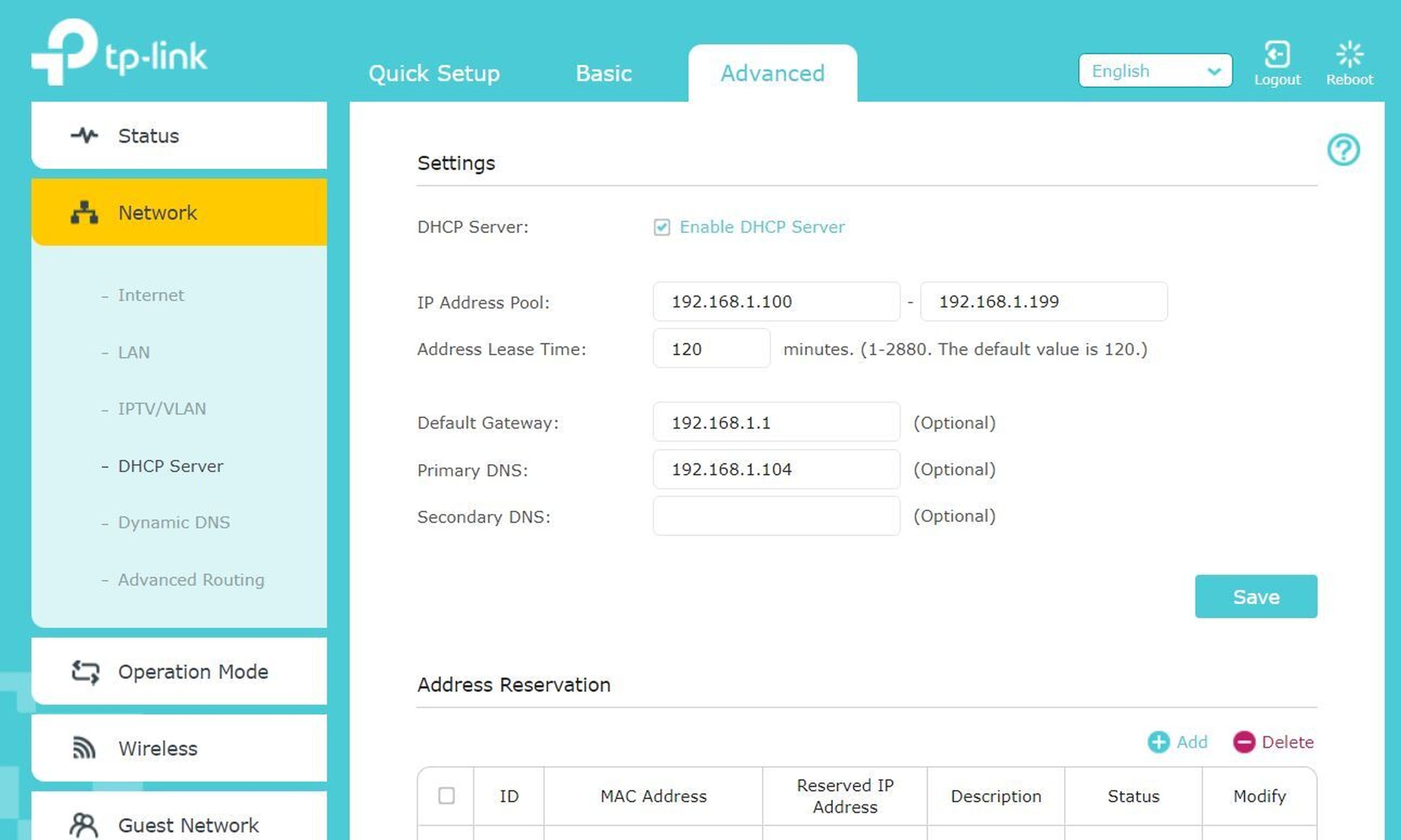
With DHCP enabled, your devices receive a set of DNS server addresses automatically. This seamless process means that any backup DNS servers integrated into Mobile Vikings’ network infrastructure are used implicitly. Even if there is an internal design that includes both primary and secondary DNS servers, the end user receives a unified configuration without the ability to manage or distinguish between them explicitly.
Manual Configuration and Limitations
When it comes to manual DNS configuration, many users have reported difficulties, especially when using the provided BBOX equipment from Mobile Vikings. The settings for DNS are often “hardcoded” or configured in such a way that even advanced or expert modes do not reveal the underlying primary/secondary distinctions. Attempts to manually designate alternative DNS servers—such as those provided by Google (8.8.8.8) or Cloudflare (1.1.1.1)—have met with mixed results, with some users noticing minimal differences in performance and others experiencing issues with certain applications.
Primary vs. Secondary DNS Concepts
In the context of networking, most ISPs design their DNS architecture with redundancy in mind. This typically involves having at least two DNS servers: a primary server that handles the majority of queries and a secondary server that takes over if the primary is unavailable. However, from a customer perspective, not all providers offer clear “primary” or “secondary” DNS identifiers.
Industry Standard Practice for DNS Redundancy
It is common for ISPs and mobile operators to design their systems with secondary DNS servers to maintain service continuity. This approach ensures that if one server encounters issues—be it due to overload, maintenance, or unexpected downtime—the DNS resolution process can continue using the backup server. This redundancy, however, is often managed internally by the network with little visibility on the user interface.
Mobile Vikings Implementation
Mobile Vikings’ DNS configuration does not surface the concept of a secondary DNS server in a manner that a user can readily observe or modify. Instead, when you connect with Mobile Vikings and obtain your network settings via DHCP, your system is assigned the DNS addresses it needs to function. Behind the scenes, there is almost certainly an implementation of redundant DNS servers maintained for service reliability, yet these are not labeled or configurable as “primary” or “secondary” from the end user’s perspective.
For example, if you experience disruptions with DNS resolution, your device might naturally fall back on the built-in redundancy. Still, if you require knowledge of the specific server addresses or wish to override them manually for troubleshooting purposes, you are often left with limited options because the device’s interface or the provided BBOX typically does not allow modifications. This has been repeatedly discussed in user forums, where members share experiences regarding the inability to alter DNS settings on their Mobile Vikings equipment.
User Experiences and Forum Reports
Many discussions on community forums point out that Mobile Vikings does not offer a straightforward method for discerning or changing the DNS servers. Users have made several observations, including the following:
- The DNS servers provided by Mobile Vikings are generally handed out automatically via DHCP without the explicit identification of “primary” and “secondary” roles.
- Attempts to manually configure devices such as smart TVs or streaming devices have sometimes resulted in performance discrepancies, suggesting that DNS behavior under Mobile Vikings might affect application performance.
- Some users reported that for streaming apps like Amazon Prime Video, buffering and slow startup times were observed when the device used the default DNS settings. Changing the DNS settings manually on those devices (to alternatives like Google DNS or Cloudflare DNS) did not always resolve the performance issues, indicating that the issue may be more complex than simply switching DNS servers.
- There appears to be an inherent design choice in Mobile Vikings’ networking equipment (such as their BBOX series) where the DNS settings are “hardcoded”. This design means that even advanced or administrative settings on the device do not expose these configuration files for simple modifications.
Given this scenario, if an end user is keen to know the details—particularly if they wish to use an alternative DNS for potential performance improvements or increased privacy—the most advisable course of action is to contact Mobile Vikings’ customer support directly. They can provide the definitive answer regarding whether a distinct secondary DNS is offered on their network and whether it is possible to configure a device manually to use a specific secondary server.
Technical Analysis of DNS Behavior
When evaluating the performance and configuration of DNS on a network like Mobile Vikings’, several aspects come into play:
Automatic Versus Manual DNS Settings
Devices leveraging automatic DNS configuration (via DHCP) generally inherit the settings that the network operator has optimized for overall performance and reliability. While this is convenient, it leaves little room for user-driven fine-tuning. When users try to override these settings—particularly on hardware where the firmware locks down DNS adjustments—the expected benefits of alternative DNS servers might not materialize. Although alternative DNS services like Google DNS (8.8.8.8 and 8.8.4.4) or Cloudflare DNS (1.1.1.1 and 1.0.0.1) are popular choices and often improve latency or security in many cases, such changes might conflict with the operational parameters of a closed system like a dedicated MVNO router.
The Role of DNS Redundancy in Network Reliability
Redundancy in DNS is a critical factor for keeping network services uninterrupted. Even if a user cannot see distinct “primary” and “secondary” settings on their device, the network infrastructure is typically designed to handle failover automatically. In a well-engineered system, if the primary DNS server is unavailable, the secondary server takes over without noticeable disruption. This internal handling helps maintain seamless connectivity for web browsing, streaming, and other online activities.
Comparative Analysis: DNS Settings Across Providers
To provide further context, it can be helpful to compare Mobile Vikings’ approach with that of other service providers. The following table summarizes some common DNS configurations reported by users exploring network settings across various providers.
| Service | DNS IP Addresses | Configuration Flexibility |
|---|---|---|
| Mobile Vikings | Automatically assigned via DHCP; details not explicitly managed (often opaque setup) | Limited or no manual override, especially on provided equipment (e.g., BBOX) |
| Google DNS | 8.8.8.8, 8.8.4.4 | Easily configurable on most devices, manually adjustable |
| Cloudflare DNS | 1.1.1.1, 1.0.0.1 | Easily configurable on most devices, manually adjustable |
| Other ISPs (e.g., Proximus) | Some users report addresses like 195.238.2.21 and 195.238.2.22 | May require manual setup but often provided by default through DHCP |
The table above illustrates that while many public DNS servers are available for manual configuration, Mobile Vikings tends to rely on a behind-the-scenes mechanism wherein end users are not given direct control over DNS server assignments. This inherent design approach means that the underlying infrastructure likely uses redundancy (i.e., secondary DNS servers) to maintain service quality, even though these details are abstracted from the customer.
Troubleshooting and Alternative Solutions
Some users have encountered performance issues, particularly with streaming applications such as Amazon Prime Video. In such cases, there have been discussions about whether DNS resolution speed could be affecting app performance. A few notable troubleshooting measures include:
- Switching from DHCP to Static IP Configuration: By manually assigning an internal static IP and specifying DNS servers (often opting for third-party DNS such as Google or Cloudflare), some users have reported improved responsiveness in streaming applications. However, this solution is sometimes only partially effective, as other network variables may also affect performance.
- Forcing DNS Traffic via a Router: In networks where the provided equipment does not allow for DNS change, some technically inclined users have implemented strategies using a separate router or firewall (for example, employing solutions like AdGuard Home) to redirect DNS traffic through an alternative path.
- Contacting Customer Support: When configuration changes or performance issues persist, the most reliable course of action is to reach out to Mobile Vikings support. Their knowledge base and customer service can clarify whether the DNS settings are proprietary or if there are alternative settings that can be adjusted for specific use cases.
It is important to note that troubleshooting efforts must consider that DNS is only one component of the network’s performance. Other factors, such as routing protocols, overall network congestion, and the specific design of the hardware (such as the BBOX), also play significant roles.
The Bigger Picture: DNS, Redundancy, and Network Design
While the superficial question may be “Does Mobile Vikings have a secondary DNS?”, the answer invites a deeper exploration of how modern network architectures are designed. In many cases, redundancy is not something exposed to end users; instead, it is an internal safeguard to ensure that service continuity is maintained. Providers like Mobile Vikings typically manage these aspects on their servers, meaning that even if a specific “secondary DNS” address is not visible in your device settings, there is almost always a backup mechanism in place.
This design philosophy reflects broader trends in telecommunications where simplicity for the end user is prioritized, while the complexity of network safeguards remains within the control of the service provider. In practical terms, messages in user forums and technical discussions consistently emphasize that, despite the inability to manually choose or view secondary DNS addresses, the underlying system is built to handle failures gracefully. Therefore, while you won’t often find a distinct secondary DNS setting in the typical administrative interface, you can be confident that redundancy is achieved through internal network configurations.
Customer Guidance and Recommendations
If you are contemplating modifications to your DNS settings or troubleshooting issues that you believe are related to DNS behavior on Mobile Vikings, here are several recommendations:
- Keep DHCP Enabled Unless Necessary: For most users, the automatic DNS configuration provided by Mobile Vikings is sufficient. Disabling DHCP and switching to a static IP, while sometimes beneficial for specific applications (like certain streaming issues), should be done only if you are comfortable with network configuration.
- Test Alternative DNS Servers: If you experience slow resolution times or performance inconsistencies, consider testing alternative DNS servers on devices where it is possible. For instance, setting devices such as computers or smartphones to use Google DNS or Cloudflare DNS can provide insights into whether DNS resolution speed is impacting your usage.
- Consult the Provider’s Support: Since Mobile Vikings’ hardware may have limitations regarding DNS customization, it is valuable to reach out directly to their customer support or consult their official documentation. They can confirm whether internal DNS redundancy exists, provide specific IP addresses if available, and advise on any potential adjustments.
- Monitor Network Performance: Use network diagnostic tools such as traceroute and ping tests to detect if DNS resolution timing is contributing to overall latency. This step can help differentiate DNS issues from other network factors.
Ultimately, the common thread in user experiences is that while Mobile Vikings does not explicitly provide a user-configurable secondary DNS, this does not mean that the network is lacking resilience. Instead, the redundancy is built into the system, and most users will remain unaffected. The nuances often become noticeable only in specialized scenarios, such as when streaming applications exhibit buffering delays or when users attempt manual DNS overrides on devices that do not permit such changes.
Conclusion
In summary, Mobile Vikings employs a DNS configuration approach that distributes DNS server addresses automatically via DHCP. The system does not traditionally expose distinct “primary” and “secondary” DNS settings for customer intervention. Instead, redundancy is integrated internally within the network design to ensure continuous and reliable DNS resolution. While some advanced users have attempted manual configuration—and in certain cases observed differences in performance—the overarching setup favors simplicity and reliability through internal management rather than user-controlled settings.
If you encounter issues that seem related to DNS, such as delayed streaming on specific applications, it may not be solely due to the lack of an explicitly labeled secondary DNS but could involve broader network routing or hardware limitations. For definitive details or tailored troubleshooting tips, contacting Mobile Vikings’ support is recommended.
References
- Mobile Vikings Forum Discussion - Userbase BE
- Mobile Vikings DNS Discussion - Userbase BE
- Mobile Vikings DNS Experiences - Reddit
- Mobile Vikings DNS Configuration Issues - Userbase BE
- Speedtest Result Example - Speedtest.net
More
Last updated February 18, 2025