
Unlock Multilingual Learning Fun: Your Interactive Educational Website Code Inside!
Explore a fully functional code base for a children's educational app featuring 9 categories, 3 languages, pronunciation, and interactive tests.
Creating a comprehensive educational website requires careful planning and integration of various web technologies. This response provides a complete, self-contained HTML document featuring embedded CSS and JavaScript to build an interactive learning platform for children. It addresses your requirements for multiple categories, language support (English, Malay, Arabic), correct pronunciation with enhanced voices, a child-friendly interface, interactive features like sound effects, star ratings, and a test mode.
Key Highlights
- Multilingual Core: Seamlessly switch between English, Malay, and Arabic, with content and pronunciation adapting instantly.
- Interactive Learning: Engage children with high-quality images, clear audio pronunciation (using enhanced Text-to-Speech where available), animal sounds, tap effects, and a fun test mode.
- Ready-to-Use Code: A single HTML file containing structured code, clear explanations, and placeholders for your specific images and audio files.
Building Your Educational Platform: The Code
Below is the complete code for your educational website. It includes HTML for structure, CSS for styling, and JavaScript for interactivity, language switching, pronunciation, and other features. Simply save this code as an HTML file (e.g., learning_app.html) and open it in a modern web browser.
Understanding the Structure
The code utilizes a tabbed interface for easy navigation between categories. A language switcher allows users to select their preferred language. Each item within a category is presented as a card containing an image, the item's name in the selected language, a pronunciation button, and (for animals) an animal sound button. JavaScript manages the dynamic content loading, language changes, audio playback, and interactive features.
Important Notes on Implementation:
- Content Placeholders: The code uses placeholder URLs (like
images/placeholder.jpgoraudio/placeholder.mp3) for images and audio files. You must replace these with your actual high-quality image files and accurately pronounced audio files for each item in every language. - Pronunciation Engine: The primary method for pronunciation is the browser's built-in Web Speech API (Text-to-Speech), aiming for "enhanced" or natural voices. However, browser support and voice availability (especially for Malay and Arabic) can vary significantly. If suitable TTS voices aren't found, the system is designed to fall back to trying to play audio files you provide (e.g.,
audio/en/dog.mp3). Sourcing high-quality, correctly pronounced audio recordings for all items/languages is highly recommended for consistency. - Animal Sounds: Specific animal sounds are included using placeholder URLs; replace these with actual sound files.
- Scalability: While functional, adding significantly more content might require optimizations or a more complex data management strategy (like using a database or external JSON files) rather than embedding all data directly in the JavaScript.
<!DOCTYPE html> <html lang="en"> <head> <meta charset="UTF-8" /> <meta name="viewport" content="width=device-width, initial-scale=1.0" /> <title>Kids Educational Learning App</title> <style> /* Reset and base styles */ * { box-sizing: border-box; margin: 0; padding: 0; } body { font-family: 'Comic Sans MS', 'Arial Rounded MT Bold', cursive, sans-serif; /* Child-friendly font */ background: linear-gradient(to bottom right, #e0f7fa, #fffde7); /* Soft gradient background */ color: #333; line-height: 1.6; } h1, h2 { text-align: center; color: #00796b; /* Teal color */ margin: 20px 0; text-shadow: 1px 1px 2px rgba(0,0,0,0.1); } #app { max-width: 1200px; margin: 20px auto; padding: 15px; background: rgba(255, 255, 255, 0.8); /* Slightly transparent white background */ border-radius: 15px; box-shadow: 0 5px 15px rgba(0,0,0,0.1); } /* Language Switcher */ #lang-switcher { text-align: center; margin-bottom: 25px; } .lang-btn { background: #ffca28; /* Amber color */ color: #5d4037; /* Brown text */ border: none; border-radius: 20px; padding: 10px 18px; margin: 0 8px; font-weight: bold; cursor: pointer; box-shadow: 0 2px 5px rgba(0,0,0,0.2); transition: transform 0.2s ease, background-color 0.3s; font-size: 1em; } .lang-btn:hover { background: #ffa726; /* Lighter orange */ transform: translateY(-2px); } .lang-btn.active { background: #f57c00; /* Darker orange for active */ color: white; } /* Tabs */ .tabs { display: flex; justify-content: center; flex-wrap: wrap; margin-bottom: 20px; padding-bottom: 10px; border-bottom: 3px solid #b2dfdb; /* Light teal border */ } .tab { background: #4db6ac; /* Medium teal */ border: none; border-radius: 10px 10px 0 0; padding: 12px 20px; margin: 5px; cursor: pointer; font-weight: bold; color: white; font-size: 1.1em; transition: background-color 0.3s; box-shadow: 0 -2px 4px rgba(0,0,0,0.1) inset; } .tab:hover { background: #26a69a; /* Darker teal */ } .tab.active { background: #00796b; /* Darkest teal for active */ color: #ffffff; box-shadow: none; } /* Content Area */ .category-content { display: none; /* Hidden by default */ } .category-content.active { display: grid; grid-template-columns: repeat(auto-fit, minmax(180px, 1fr)); /* Responsive grid */ gap: 25px; padding: 20px; } /* Item Card */ .item-card { background: #ffffff; border-radius: 15px; box-shadow: 0 4px 8px rgba(0,0,0,0.15); padding: 15px; text-align: center; cursor: pointer; transition: transform 0.2s ease, box-shadow 0.3s ease; position: relative; overflow: hidden; /* For potential effects */ } .item-card:hover { transform: translateY(-5px) scale(1.02); box-shadow: 0 8px 16px rgba(0,0,0,0.2); } .item-card img { width: 100%; max-height: 120px; object-fit: contain; border-radius: 10px; margin-bottom: 10px; background-color: #f8f9fa; /* Light background for image */ border: 1px solid #eee; } .item-label { font-size: 1.2em; font-weight: bold; color: #004d40; /* Dark teal */ margin-bottom: 10px; min-height: 40px; /* Ensure space for longer words */ display: flex; align-items: center; justify-content: center; } /* Buttons within card */ .card-buttons button { background-color: #80cbc4; /* Lighter teal */ border: none; color: #004d40; padding: 8px 12px; margin: 5px; border-radius: 15px; font-weight: bold; cursor: pointer; transition: background-color 0.3s; font-size: 0.9em; } .card-buttons button:hover { background-color: #4db6ac; color: white; } .card-buttons button .icon { /* Style for emoji/icon */ font-size: 1.2em; margin-right: 5px; } /* Star Rating */ .star-rating { margin-top: 10px; user-select: none; } .star { font-size: 24px; color: #e0e0e0; /* Light grey stars */ cursor: pointer; transition: color 0.2s; margin: 0 2px; } .star:hover { color: #ffeb3b; /* Yellow on hover */ } .star.filled { color: #fdd835; /* Bright yellow for filled */ } /* Test Mode */ #test-mode-section { display: none; /* Hidden by default */ background: #e8f5e9; /* Light green background */ border: 2px dashed #a5d6a7; border-radius: 15px; padding: 25px; margin: 30px auto; max-width: 700px; box-shadow: 0 5px 10px rgba(0,0,0,0.1); text-align: center; } #test-mode-section h2 { color: #388e3c; /* Green header */ } .test-question { font-size: 1.3em; margin-bottom: 20px; color: #1b5e20; /* Dark green */ } .test-options button { background-color: #66bb6a; /* Green options */ border: none; color: white; padding: 12px 20px; border-radius: 10px; margin: 8px; cursor: pointer; font-weight: bold; font-size: 1.1em; transition: background-color 0.3s; min-width: 120px; } .test-options button:hover { background-color: #43a047; /* Darker green */ } .test-result { font-weight: bold; margin-top: 20px; font-size: 1.2em; } #test-feedback { margin-top: 15px; font-style: italic; color: #555; } #test-score { margin-top: 15px; font-size: 1.4em; color: #d81b60; /* Pink score */ } /* Bottom Controls (Test Mode Button) */ #bottom-controls { text-align: center; margin-top: 30px; padding-top: 20px; border-top: 1px solid #eee; } #start-test-btn, #exit-test-btn { background: #ef5350; /* Red */ color: white; font-weight: bold; border: none; border-radius: 25px; padding: 15px 30px; box-shadow: 0 3px 8px rgba(0,0,0,0.2); cursor: pointer; font-size: 1.2em; transition: background-color 0.3s, transform 0.2s; } #start-test-btn:hover, #exit-test-btn:hover { background: #e53935; /* Darker red */ transform: scale(1.05); } #exit-test-btn { background: #757575; /* Grey exit button */ margin-left: 15px; display: none; /* Initially hidden */ } #exit-test-btn:hover { background: #616161; } /* Basic sound effect animation (optional) */ @keyframes tap-effect-anim { 0% { transform: scale(1); opacity: 1; } 100% { transform: scale(1.5); opacity: 0; } } .tap-effect { position: absolute; top: 50%; left: 50%; width: 20px; height: 20px; background: rgba(0, 150, 136, 0.5); /* Teal pulse */ border-radius: 50%; transform: translate(-50%, -50%); pointer-events: none; opacity: 0; animation: tap-effect-anim 0.4s ease-out; } </style> </head> <body> <div id="app"> <h1>Interactive Learning World</h1> <!-- Language Switcher --> <div id="lang-switcher" role="navigation" aria-label="Language selection"> <button class="lang-btn active" data-lang="en" aria-pressed="true">English</button> <button class="lang-btn" data-lang="ms" aria-pressed="false">Malay</button> <button class="lang-btn" data-lang="ar" aria-pressed="false">العربية</button> </div> <!-- Category Tabs --> <nav class="tabs" role="tablist" aria-label="Learning categories"> <button class="tab active" data-category="animals" role="tab" aria-selected="true" aria-controls="animals-panel" id="tab-animals">Animals</button> <button class="tab" data-category="fruits" role="tab" aria-selected="false" aria-controls="fruits-panel" id="tab-fruits">Fruits</button> <button class="tab" data-category="vegetables" role="tab" aria-selected="false" aria-controls="vegetables-panel" id="tab-vegetables">Vegetables</button> <button class="tab" data-category="shapes" role="tab" aria-selected="false" aria-controls="shapes-panel" id="tab-shapes">Shapes</button> <button class="tab" data-category="colors" role="tab" aria-selected="false" aria-controls="colors-panel" id="tab-colors">Colors</button> <button class="tab" data-category="tools" role="tab" aria-selected="false" aria-controls="tools-panel" id="tab-tools">Tools</button> <button class="tab" data-category="numbers" role="tab" aria-selected="false" aria-controls="numbers-panel" id="tab-numbers">Numbers</button> <button class="tab" data-category="groceries" role="tab" aria-selected="false" aria-controls="groceries-panel" id="tab-groceries">Groceries</button> <button class="tab" data-category="clothes" role="tab" aria-selected="false" aria-controls="clothes-panel" id="tab-clothes">Clothes</button> </nav> <!-- Content Panels (Dynamically Filled) --> <main> <section id="animals-panel" class="category-content active" role="tabpanel" aria-labelledby="tab-animals"></section> <section id="fruits-panel" class="category-content" role="tabpanel" aria-labelledby="tab-fruits"></section> <section id="vegetables-panel" class="category-content" role="tabpanel" aria-labelledby="tab-vegetables"></section> <section id="shapes-panel" class="category-content" role="tabpanel" aria-labelledby="tab-shapes"></section> <section id="colors-panel" class="category-content" role="tabpanel" aria-labelledby="tab-colors"></section> <section id="tools-panel" class="category-content" role="tabpanel" aria-labelledby="tab-tools"></section> <section id="numbers-panel" class="category-content" role="tabpanel" aria-labelledby="tab-numbers"></section> <section id="groceries-panel" class="category-content" role="tabpanel" aria-labelledby="tab-groceries"></section> <section id="clothes-panel" class="category-content" role="tabpanel" aria-labelledby="tab-clothes"></section> </main> <!-- Test Mode Section --> <section id="test-mode-section" role="region" aria-live="polite"> <h2 id="test-mode-title">Test Your Knowledge!</h2> <div id="test-question-container"> <!-- Test question and options will appear here --> </div> <div id="test-feedback"></div> <div id="test-score"></div> </section> <!-- Bottom Controls --> <div id="bottom-controls"> <button id="start-test-btn" aria-label="Start Test Mode">Start Test</button> <button id="exit-test-btn" aria-label="Exit Test Mode">Exit Test</button> </div> </div> <!-- End of #app --> <script> (() => { // --- DATA STRUCTURE --- // IMPORTANT: Replace placeholders with actual paths to your high-quality images and audio files. // Audio files should be correctly pronounced for each language. const contentData = { animals: [ { id: 'dog', image: 'images/animals/dog.jpg', audioBase: 'audio/animals/dog', animalSound: 'audio/animals/dog_bark.mp3', words: { en: 'Dog', ms: 'Anjing', ar: 'كلب' } }, { id: 'cat', image: 'images/animals/cat.jpg', audioBase: 'audio/animals/cat', animalSound: 'audio/animals/cat_meow.mp3', words: { en: 'Cat', ms: 'Kucing', ar: 'قطة' } }, { id: 'lion', image: 'images/animals/lion.jpg', audioBase: 'audio/animals/lion', animalSound: 'audio/animals/lion_roar.mp3', words: { en: 'Lion', ms: 'Singa', ar: 'أسد' } }, { id: 'elephant', image: 'images/animals/elephant.jpg', audioBase: 'audio/animals/elephant', animalSound: 'audio/animals/elephant_trumpet.mp3', words: { en: 'Elephant', ms: 'Gajah', ar: 'فيل' } }, ], fruits: [ { id: 'apple', image: 'images/fruits/apple.jpg', audioBase: 'audio/fruits/apple', words: { en: 'Apple', ms: 'Epal', ar: 'تفاح' } }, { id: 'banana', image: 'images/fruits/banana.jpg', audioBase: 'audio/fruits/banana', words: { en: 'Banana', ms: 'Pisang', ar: 'موز' } }, { id: 'orange', image: 'images/fruits/orange.jpg', audioBase: 'audio/fruits/orange', words: { en: 'Orange', ms: 'Oren', ar: 'برتقال' } }, { id: 'grapes', image: 'images/fruits/grapes.jpg', audioBase: 'audio/fruits/grapes', words: { en: 'Grapes', ms: 'Anggur', ar: 'عنب' } }, ], vegetables: [ { id: 'carrot', image: 'images/vegetables/carrot.jpg', audioBase: 'audio/vegetables/carrot', words: { en: 'Carrot', ms: 'Lobak Merah', ar: 'جزر' } }, { id: 'broccoli', image: 'images/vegetables/broccoli.jpg', audioBase: 'audio/vegetables/broccoli', words: { en: 'Broccoli', ms: 'Brokoli', ar: 'بروكلي' } }, { id: 'tomato', image: 'images/vegetables/tomato.jpg', audioBase: 'audio/vegetables/tomato', words: { en: 'Tomato', ms: 'Tomato', ar: 'طماطم' } }, { id: 'potato', image: 'images/vegetables/potato.jpg', audioBase: 'audio/vegetables/potato', words: { en: 'Potato', ms: 'Kentang', ar: 'بطاطس' } }, ], shapes: [ { id: 'circle', image: 'images/shapes/circle.png', audioBase: 'audio/shapes/circle', words: { en: 'Circle', ms: 'Bulatan', ar: 'دائرة' } }, { id: 'square', image: 'images/shapes/square.png', audioBase: 'audio/shapes/square', words: { en: 'Square', ms: 'Segi Empat Sama', ar: 'مربع' } }, { id: 'triangle', image: 'images/shapes/triangle.png', audioBase: 'audio/shapes/triangle', words: { en: 'Triangle', ms: 'Segi Tiga', ar: 'مثلث' } }, { id: 'rectangle', image: 'images/shapes/rectangle.png', audioBase: 'audio/shapes/rectangle', words: { en: 'Rectangle', ms: 'Segi Empat Tepat', ar: 'مستطيل' } }, ], colors: [ { id: 'red', image: 'images/colors/red.png', audioBase: 'audio/colors/red', words: { en: 'Red', ms: 'Merah', ar: 'أحمر' } }, { id: 'blue', image: 'images/colors/blue.png', audioBase: 'audio/colors/blue', words: { en: 'Blue', ms: 'Biru', ar: 'أزرق' } }, { id: 'yellow', image: 'images/colors/yellow.png', audioBase: 'audio/colors/yellow', words: { en: 'Yellow', ms: 'Kuning', ar: 'أصفر' } }, { id: 'green', image: 'images/colors/green.png', audioBase: 'audio/colors/green', words: { en: 'Green', ms: 'Hijau', ar: 'أخضر' } }, ], tools: [ { id: 'hammer', image: 'images/tools/hammer.jpg', audioBase: 'audio/tools/hammer', words: { en: 'Hammer', ms: 'Tukul', ar: 'مطرقة' } }, { id: 'wrench', image: 'images/tools/wrench.jpg', audioBase: 'audio/tools/wrench', words: { en: 'Wrench', ms: 'Sepana', ar: 'مفتاح ربط' } }, { id: 'screwdriver', image: 'images/tools/screwdriver.jpg', audioBase: 'audio/tools/screwdriver', words: { en: 'Screwdriver', ms: 'Pemutar Skru', ar: 'مفك براغي' } }, { id: 'saw', image: 'images/tools/saw.jpg', audioBase: 'audio/tools/saw', words: { en: 'Saw', ms: 'Gergaji', ar: 'منشار' } }, ], numbers: [ { id: 'one', image: 'images/numbers/one.png', audioBase: 'audio/numbers/one', words: { en: 'One', ms: 'Satu', ar: 'واحد' } }, { id: 'two', image: 'images/numbers/two.png', audioBase: 'audio/numbers/two', words: { en: 'Two', ms: 'Dua', ar: 'اثنان' } }, { id: 'three', image: 'images/numbers/three.png', audioBase: 'audio/numbers/three', words: { en: 'Three', ms: 'Tiga', ar: 'ثلاثة' } }, { id: 'four', image: 'images/numbers/four.png', audioBase: 'audio/numbers/four', words: { en: 'Four', ms: 'Empat', ar: 'أربعة' } }, { id: 'five', image: 'images/numbers/five.png', audioBase: 'audio/numbers/five', words: { en: 'Five', ms: 'Lima', ar: 'خمسة' } }, ], groceries: [ { id: 'bread', image: 'images/groceries/bread.jpg', audioBase: 'audio/groceries/bread', words: { en: 'Bread', ms: 'Roti', ar: 'خبز' } }, { id: 'milk', image: 'images/groceries/milk.jpg', audioBase: 'audio/groceries/milk', words: { en: 'Milk', ms: 'Susu', ar: 'حليب' } }, { id: 'eggs', image: 'images/groceries/eggs.jpg', audioBase: 'audio/groceries/eggs', words: { en: 'Eggs', ms: 'Telur', ar: 'بيض' } }, { id: 'cheese', image: 'images/groceries/cheese.jpg', audioBase: 'audio/groceries/cheese', words: { en: 'Cheese', ms: 'Keju', ar: 'جبن' } }, ], clothes: [ { id: 'shirt', image: 'images/clothes/shirt.png', audioBase: 'audio/clothes/shirt', words: { en: 'Shirt', ms: 'Baju', ar: 'قميص' } }, { id: 'pants', image: 'images/clothes/pants.png', audioBase: 'audio/clothes/pants', words: { en: 'Pants', ms: 'Seluar', ar: 'سروال' } }, { id: 'hat', image: 'images/clothes/hat.png', audioBase: 'audio/clothes/hat', words: { en: 'Hat', ms: 'Topi', ar: 'قبعة' } }, { id: 'shoes', image: 'images/clothes/shoes.png', audioBase: 'audio/clothes/shoes', words: { en: 'Shoes', ms: 'Kasut', ar: 'أحذية' } }, ], }; // UI Text Translations const uiTexts = { pronounce: { en: 'Pronounce', ms: 'Sebut', ar: 'نطق' }, animalSound: { en: 'Sound', ms: 'Bunyi', ar: 'صوت' }, rateLearning: { en: 'Rate Your Learning:', ms: 'Nilai Pembelajaran Anda:', ar: 'قيّم تعلمك:' }, startTest: { en: 'Start Test', ms: 'Mula Ujian', ar: 'ابدأ الاختبار' }, exitTest: { en: 'Exit Test', ms: 'Keluar Ujian', ar: 'خروج من الاختبار' }, testTitle: { en: 'Test Your Knowledge!', ms: 'Uji Pengetahuan Anda!', ar: 'اختبر معرفتك!' }, testQuestion: { en: 'Which one is', ms: 'Yang manakah', ar: 'أي واحد هو' }, correct: { en: 'Correct! 🎉', ms: 'Betul! 🎉', ar: 'صحيح! 🎉' }, incorrect: { en: 'Try again! 😊', ms: 'Cuba lagi! 😊', ar: 'حاول مرة أخرى! 😊' }, testComplete: { en: 'Test Complete!', ms: 'Ujian Selesai!', ar: 'اكتمل الاختبار!' }, yourScore: { en: 'Your Score:', ms: 'Markah Anda:', ar: 'نتيجتك:' }, categoryNames: { animals: { en: 'Animals', ms: 'Haiwan', ar: 'حيوانات' }, fruits: { en: 'Fruits', ms: 'Buah-buahan', ar: 'فواكه' }, vegetables: { en: 'Vegetables', ms: 'Sayur-sayuran', ar: 'خضروات' }, shapes: { en: 'Shapes', ms: 'Bentuk', ar: 'أشكال' }, colors: { en: 'Colors', ms: 'Warna', ar: 'ألوان' }, tools: { en: 'Tools', ms: 'Alatan', ar: 'أدوات' }, numbers: { en: 'Numbers', ms: 'Nombor', ar: 'أرقام' }, groceries: { en: 'Groceries', ms: 'Barangan Runcit', ar: 'بقالة' }, clothes: { en: 'Clothes', ms: 'Pakaian', ar: 'ملابس' }, } }; // --- STATE VARIABLES --- let currentLang = 'en'; let currentCategory = 'animals'; let ratings = {}; // Store ratings in memory for this example { 'category_itemId': rating } let synth = window.speechSynthesis; let voices = []; let testModeActive = false; let testQuestions = []; let currentTestQuestionIndex = 0; let testScore = 0; // Preload tap sound const tapSound = new Audio('audio/effects/tap.mp3'); // Replace with your tap sound effect tapSound.volume = 0.3; // --- DOM REFERENCES --- const langButtons = document.querySelectorAll('.lang-btn'); const tabs = document.querySelectorAll('.tab'); const testModeSection = document.getElementById('test-mode-section'); const testQuestionContainer = document.getElementById('test-question-container'); const startTestBtn = document.getElementById('start-test-btn'); const exitTestBtn = document.getElementById('exit-test-btn'); const testFeedback = document.getElementById('test-feedback'); const testScoreDisplay = document.getElementById('test-score'); const categoryPanels = document.querySelectorAll('.category-content'); const mainContentSections = document.querySelectorAll('main section'); // Content panels // --- FUNCTIONS --- // Load available TTS voices function loadVoices() { voices = synth.getVoices(); // console.log("Voices loaded:", voices); } // Play Sound Effect (Tap) function playTapSound() { tapSound.currentTime = 0; // Rewind to start tapSound.play().catch(e => console.log("Tap sound error:", e)); // Play and catch potential errors } // Function to create tap visual effect function createTapEffect(x, y, parentElement) { const effect = document.createElement('div'); effect.className = 'tap-effect'; effect.style.left = <code>${x}px; effect.style.top =${y}px; parentElement.appendChild(effect); // Remove the effect element after the animation ends effect.addEventListener('animationend', () => { effect.remove(); }); } // Speak Word using TTS or Audio Fallback function speakWord(word, lang, audioBase) { playTapSound(); // Play tap sound on interaction synth.cancel(); // Cancel any previous speech const langCode = lang === 'ms' ? 'ms-MY' : (lang === 'ar' ? 'ar-SA' : 'en-US'); const audioFile =${audioBase}_${lang}.mp3; // Construct potential audio file path // Try TTS first let utterance = new SpeechSynthesisUtterance(word); utterance.lang = langCode; // Attempt to find a suitable 'enhanced' voice let selectedVoice = voices.find(voice => voice.lang === langCode && voice.localService && (voice.name.includes('Google') || voice.name.includes('Natural') || voice.name.includes('Female'))); if (!selectedVoice) { selectedVoice = voices.find(voice => voice.lang === langCode && voice.localService); // Broader local match } if (!selectedVoice) { selectedVoice = voices.find(voice => voice.lang === langCode); // Any match for the language } if (selectedVoice) { // console.log("Using voice:", selectedVoice.name); utterance.voice = selectedVoice; utterance.rate = 0.9; // Slightly slower for clarity utterance.pitch = 1.0; synth.speak(utterance); } else { // console.log("No suitable voice found for", langCode, "Trying audio file:", audioFile); // Fallback to audio file if no voice found or TTS fails const audio = new Audio(audioFile); audio.play().catch(e => { console.error(Error playing audio file ${audioFile}:, e); // Optional: alert user if audio cannot be played // alert(Could not play pronunciation for ${word}. Audio file missing or browser issue.); }); } } // Play specific sound (e.g., animal sound) function playSound(soundUrl, element) { playTapSound(); if(element) { // Add visual tap effect if element provided const rect = element.getBoundingClientRect(); createTapEffect(rect.width / 2, rect.height / 2, element); } const audio = new Audio(soundUrl); audio.play().catch(e => console.error(Error playing sound ${soundUrl}:, e)); } // Update Star Rating UI function updateStars(starContainer, rating) { const stars = starContainer.querySelectorAll('.star'); stars.forEach((star, index) => { star.classList.toggle('filled', index < rating); }); } // Set Rating function setRating(category, itemId, rating, starContainer) { const key =${category}_${itemId}; ratings[key] = rating; updateStars(starContainer, rating); // In a real app, you'd save 'ratings' to localStorage or a server // localStorage.setItem('eduAppRatings', JSON.stringify(ratings)); // console.log("Ratings:", ratings); } // Render Content for a Category function renderCategory(category) { const container = document.getElementById(${category}-panel); if (!container) return; container.innerHTML = ''; // Clear previous content contentData[category].forEach(item => { const card = document.createElement('article'); card.className = 'item-card'; card.setAttribute('tabindex', '0'); // Make card focusable card.setAttribute('role', 'button'); // Semantics card.setAttribute('aria-label',${item.words[currentLang]}. Click to hear pronunciation.); // Image const img = document.createElement('img'); img.src = item.image; img.alt = item.words[currentLang]; img.onerror = () => { img.src = 'images/placeholder.jpg'; }; // Fallback image card.appendChild(img); // Label const label = document.createElement('div'); label.className = 'item-label'; label.textContent = item.words[currentLang]; card.appendChild(label); // Buttons Container const btnContainer = document.createElement('div'); btnContainer.className = 'card-buttons'; // Pronounce Button const pronounceBtn = document.createElement('button'); pronounceBtn.textContent = uiTexts.pronounce[currentLang]; pronounceBtn.setAttribute('aria-label',Pronounce ${item.words[currentLang]}); pronounceBtn.onclick = (e) => { e.stopPropagation(); // Prevent card click event speakWord(item.words[currentLang], currentLang, item.audioBase); createTapEffect(e.clientX - card.getBoundingClientRect().left, e.clientY - card.getBoundingClientRect().top, card); }; btnContainer.appendChild(pronounceBtn); // Animal Sound Button (if applicable) if (category === 'animals' && item.animalSound) { const soundBtn = document.createElement('button'); soundBtn.innerHTML =<span class="icon">🔊</span> ${uiTexts.animalSound[currentLang]}; soundBtn.setAttribute('aria-label',Hear ${item.words[currentLang]} sound); soundBtn.onclick = (e) => { e.stopPropagation(); playSound(item.animalSound, soundBtn); }; btnContainer.appendChild(soundBtn); } card.appendChild(btnContainer); // Star Rating const starDiv = document.createElement('div'); starDiv.className = 'star-rating'; starDiv.setAttribute('aria-label', uiTexts.rateLearning[currentLang]); const ratingKey =${category}_${item.id}; const currentRating = ratings[ratingKey] || 0; for (let i = 1; i <= 5; i++) { const star = document.createElement('span'); star.className = 'star'; star.innerHTML = '★'; star.dataset.value = i; star.onclick = (e) => { e.stopPropagation(); setRating(category, item.id, i, starDiv); playTapSound(); }; star.onmouseover = () => { // Preview rating on hover const previewRating = parseInt(star.dataset.value); const stars = starDiv.querySelectorAll('.star'); stars.forEach((s, index) => { s.style.color = index < previewRating ? '#ffeb3b' : '#e0e0e0'; }); }; star.onmouseout = () => { // Restore actual rating on mouse out updateStars(starDiv, ratings[ratingKey] || 0); } starDiv.appendChild(star); } card.appendChild(starDiv); updateStars(starDiv, currentRating); // Set initial stars // Card click listener (pronounce) card.onclick = (e) => { speakWord(item.words[currentLang], currentLang, item.audioBase); createTapEffect(e.clientX - card.getBoundingClientRect().left, e.clientY - card.getBoundingClientRect().top, card); }; container.appendChild(card); }); } // Switch Language function switchLanguage(lang) { if (lang === currentLang) return; // Do nothing if language is already active playTapSound(); currentLang = lang; // Update language button states langButtons.forEach(btn => { const isActive = btn.dataset.lang === lang; btn.classList.toggle('active', isActive); btn.setAttribute('aria-pressed', isActive ? 'true' : 'false'); }); // Update UI texts (Tabs, Buttons) tabs.forEach(tab => { const categoryKey = tab.dataset.category; tab.textContent = uiTexts.categoryNames[categoryKey][currentLang]; }); startTestBtn.textContent = uiTexts.startTest[currentLang]; exitTestBtn.textContent = uiTexts.exitTest[currentLang]; document.getElementById('test-mode-title').textContent = uiTexts.testTitle[currentLang]; document.documentElement.lang = lang; // Update HTML lang attribute document.body.dir = lang === 'ar' ? 'rtl' : 'ltr'; // Set text direction for Arabic // Re-render the current category renderCategory(currentCategory); } // Switch Tab function switchTab(category) { if (category === currentCategory && !testModeActive) return; // Avoid re-rendering same tab unless exiting test mode playTapSound(); currentCategory = category; // Update tab button states tabs.forEach(tab => { const isActive = tab.dataset.category === category; tab.classList.toggle('active', isActive); tab.setAttribute('aria-selected', isActive ? 'true' : 'false'); }); // Update content panel visibility categoryPanels.forEach(panel => { panel.classList.toggle('active', panel.id ===${category}-panel); }); // Render the content for the newly selected tab renderCategory(category); } // --- Test Mode Functions --- function shuffleArray(array) { for (let i = array.length - 1; i > 0; i--) { const j = Math.floor(Math.random() * (i + 1)); [array[i], array[j]] = [array[j], array[i]]; } } function startTest() { playTapSound(); testModeActive = true; testScore = 0; currentTestQuestionIndex = 0; testFeedback.textContent = ''; testScoreDisplay.textContent = ''; // Prepare questions from the current category testQuestions = [...contentData[currentCategory]]; shuffleArray(testQuestions); // Limit to e.g., 5 questions for brevity, or use all if fewer than 5 testQuestions = testQuestions.slice(0, Math.min(5, testQuestions.length)); if (testQuestions.length === 0) { alert("No items in this category to test!"); // Or handle more gracefully exitTest(); return; } // Hide main content, show test section mainContentSections.forEach(sec => sec.style.display = 'none'); testModeSection.style.display = 'block'; startTestBtn.style.display = 'none'; exitTestBtn.style.display = 'inline-block'; // Show exit button document.querySelector('.tabs').style.pointerEvents = 'none'; // Disable tabs during test displayTestQuestion(); } function exitTest() { playTapSound(); testModeActive = false; testModeSection.style.display = 'none'; startTestBtn.style.display = 'inline-block'; exitTestBtn.style.display = 'none'; document.querySelector('.tabs').style.pointerEvents = 'auto'; // Re-enable tabs // Show the current category content again mainContentSections.forEach(sec => sec.style.display = (sec.id ===${currentCategory}-panel) ? 'grid' : 'none'); switchTab(currentCategory); // Re-render active tab } function displayTestQuestion() { if (currentTestQuestionIndex >= testQuestions.length) { showTestResults(); return; } const questionItem = testQuestions[currentTestQuestionIndex]; const correctAnswer = questionItem.words[currentLang]; // Create prompt (e.g., "Which one is [Word]?") testQuestionContainer.innerHTML =<div class="test-question">${uiTexts.testQuestion[currentLang]} "${correctAnswer}"?</div>; // Speak the word for the question speakWord(correctAnswer, currentLang, questionItem.audioBase); // Prepare options (1 correct, 3 wrong from the same category) let options = [questionItem]; let allItemsInCategory = [...contentData[currentCategory]]; shuffleArray(allItemsInCategory); for(let item of allItemsInCategory) { if (options.length >= 4) break; if (item.id !== questionItem.id) { options.push(item); } } // Ensure we have 4 options if possible, duplicate if necessary (edge case for small categories) while (options.length < 4 && allItemsInCategory.length > 0) { options.push(allItemsInCategory[Math.floor(Math.random() * allItemsInCategory.length)]); } shuffleArray(options); // Display options (images) const optionsDiv = document.createElement('div'); optionsDiv.className = 'test-options'; // Using grid layout from CSS options.forEach(optItem => { const btn = document.createElement('button'); const img = document.createElement('img'); img.src = optItem.image; img.alt = optItem.words[currentLang]; // Alt text for accessibility img.style.width = '100px'; // Smaller images for options img.style.height = '80px'; img.style.objectFit = 'contain'; img.onerror = () => { img.src = 'images/placeholder.jpg'; }; btn.appendChild(img); btn.onclick = () => handleTestAnswer(optItem.id === questionItem.id); optionsDiv.appendChild(btn); }); testQuestionContainer.appendChild(optionsDiv); testFeedback.textContent = ''; // Clear previous feedback } function handleTestAnswer(isCorrect) { playTapSound(); if (isCorrect) { testScore++; testFeedback.textContent = uiTexts.correct[currentLang]; testFeedback.style.color = 'green'; } else { testFeedback.textContent = uiTexts.incorrect[currentLang]; testFeedback.style.color = 'red'; // Optionally speak the correct word again const correctItem = testQuestions[currentTestQuestionIndex]; setTimeout(() => speakWord(correctItem.words[currentLang], currentLang, correctItem.audioBase), 500); } currentTestQuestionIndex++; // Add a small delay before showing the next question setTimeout(displayTestQuestion, 1500); } function showTestResults() { testQuestionContainer.innerHTML =<h2>${uiTexts.testComplete[currentLang]}</h2>; testScoreDisplay.textContent =${uiTexts.yourScore[currentLang]} ${testScore} / ${testQuestions.length}; testFeedback.textContent = ''; // Clear feedback // Add stars based on score let starsEarned = Math.ceil((testScore / testQuestions.length) * 5); let starsHTML = ''; for (let i=0; i<5; i++) { starsHTML +=<span class="star ${i < starsEarned ? 'filled' : ''}">★</span>; } testScoreDisplay.innerHTML +=<div style="margin-top:10px;">${starsHTML}</div>; // Optionally, suggest exiting or retrying } // --- INITIALIZATION --- function initializeApp() { // Load voices for TTS (async) loadVoices(); if (synth.onvoiceschanged !== undefined) { synth.onvoiceschanged = loadVoices; } // Attach event listeners langButtons.forEach(button => { button.addEventListener('click', () => switchLanguage(button.dataset.lang)); }); tabs.forEach(tab => { tab.addEventListener('click', () => switchTab(tab.dataset.category)); }); startTestBtn.addEventListener('click', startTest); exitTestBtn.addEventListener('click', exitTest); // Initial render switchLanguage(currentLang); // Set up initial language UI switchTab(currentCategory); // Render the default category } // Run initialization when the DOM is ready document.addEventListener('DOMContentLoaded', initializeApp); })(); </script> </body> </html>
Feature Deep Dive
Multilingual Capabilities
The core strength of this application lies in its multilingual support. The JavaScript code manages a data structure (contentData, uiTexts) containing translations for item names and interface elements. When a language is selected:
- The relevant text is fetched and displayed.
- The correct language code (
en-US,ms-MY,ar-SA) is passed to the Web Speech API for pronunciation. - Text direction (
ltrorrtl) is adjusted for Arabic using thedirattribute on the<body>tag.
This ensures a localized experience for users in English, Malay, and Arabic.
Enhanced Pronunciation
The code actively tries to select higher-quality, more natural-sounding voices provided by the browser's Text-to-Speech engine, often labeled with terms like "Google," "Natural," or "Female." If such voices aren't available for the selected language, it attempts to find any voice for that language. As a final fallback, it's crucial to have pre-recorded audio files (.mp3) correctly named (e.g., audio/animals/dog_en.mp3, audio/animals/dog_ms.mp3, audio/animals/dog_ar.mp3) in the specified paths within your project structure.
Interactive Elements
Visual Appeal and Usability
The CSS aims for a bright, colorful, and engaging design suitable for children. Large clickable tabs, rounded corners, clear fonts (like Comic Sans MS or similar playful fonts), and responsive card layouts contribute to a user-friendly experience. High-quality images are essential for visual learning.
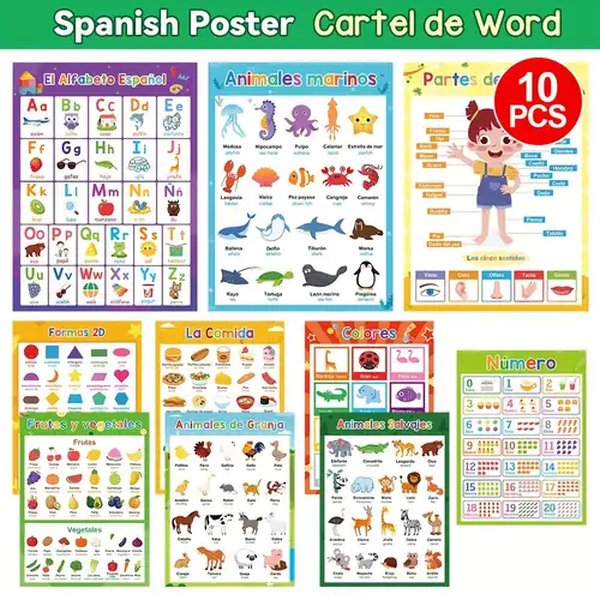
Example of a colorful educational chart, illustrating the visual style goal.
Sound Effects & Audio Feedback
A subtle tap sound effect (`audio/effects/tap.mp3` - replace with your file) provides auditory feedback on interaction. Each item has a clear "Pronounce" button, and animal items include an additional button to play their specific sound (e.g., a bark, meow, roar).
Star Rating System
Beneath each item, a 5-star rating allows users (or parents/teachers) to visually assess familiarity or learning progress for that specific item. Clicking a star sets the rating. This implementation stores ratings in a JavaScript variable; for persistence across sessions, you would typically use `localStorage`.
Test Mode
The test mode provides a simple quiz functionality:
- It selects items from the currently active category.
- It presents a question, usually asking the user to identify an item based on its name (spoken aloud).
- It displays several images as options (the correct item plus distractors).
- It provides immediate feedback (Correct/Incorrect) and tracks a score.
- At the end, it shows the final score and a star rating reflecting performance.
This offers a basic way to measure comprehension within each category.
App Structure Overview
This mindmap visualizes the hierarchical structure of the educational application, showing the relationship between languages, categories, individual items, and their associated features.
(High Quality)"] id3_2["Label
(Current Language)"] id3_3["Pronunciation Button
(TTS / Audio File)"] id3_4["Animal Sound Button
(Animals Only)"] id3_5["Star Rating
(1-5 Stars)"] id4["Global Features"] id4_1["Language Switching"] id4_2["Tab Navigation"] id4_3["Tap Sound Effects"] id4_4["Test Mode
(Category Specific Quiz)"] id4_4_1["Question Generation"] id4_4_2["Image Options"] id4_4_3["Scoring & Feedback"]
Feature Comparison
The following radar chart provides a visual comparison of the different aspects integrated into this educational app design. It highlights the focus areas based on the provided code and features.
This chart illustrates that the application has strong foundations in multilingual support, user interface design, and basic interactivity. Areas like audio quality are dependent on external factors (TTS voices, provided files), and the content depth/test features are functional but can be expanded significantly.
Language Learning Tools & Technology
Developing effective multilingual educational tools often involves leveraging modern technologies. AI tools, for instance, can assist in generating content, checking grammar, or even providing pronunciation guidance during development. The video below discusses some AI tools relevant to language teachers, which shares concepts applicable to creating rich educational content like this application aims to provide.
Exploring AI tools for language education.
While the provided code uses browser-based TTS, integrating more advanced external speech synthesis APIs or carefully curated audio recordings remains the best approach for guaranteeing the highest quality and most accurate "enhanced" pronunciation across all target languages.
Content Category Summary
This table provides a quick overview of the educational categories included in the application and key considerations for each.
| Category | Content Focus | Key Feature | Language Complexity Notes |
|---|---|---|---|
| Animals | Common animal recognition | Specific animal sounds included | Names generally distinct across languages. |
| Fruits | Basic fruit identification | Visual recognition focus | Some names are cognates (e.g., Orange/Oren), others differ. |
| Vegetables | Common vegetable identification | Visual recognition focus | Similar to fruits regarding name variations. |
| Geometric Shapes | Basic shape recognition | Simple, clear visuals | Mathematical terms, often consistent translation patterns. |
| Colors | Basic color identification | Requires clear color swatches/images | Fundamental vocabulary, generally straightforward. |
| Household Tools | Common tool recognition | Relatability to everyday objects | Names can vary significantly. |
| Numbers | Counting and number recognition (1-5 shown) | Visual representation of quantity | Number systems have distinct names per language. Arabic numerals visually standard. |
| Groceries | Common food/drink items | Relatability to shopping/eating | Common vocabulary, some variation. |
| Clothes | Basic clothing items | Visual identification | Common vocabulary, generally distinct names. |
Frequently Asked Questions (FAQ)
How do I add more items or categories?
To add more items, locate the `contentData` JavaScript object. Within the desired category array (e.g., `animals: [...]`), add a new object following the existing structure: `{ id: 'newItemId', image: 'path/to/image.jpg', audioBase: 'path/to/audio/base', words: { en: 'EnglishName', ms: 'MalayName', ar: 'ArabicName' } }`. Remember to create the corresponding image and audio files.
To add a new category, you'll need to:
- Add a new button in the HTML `<nav class="tabs">...</nav>` section.
- Add a new empty `<section id="newCategory-panel" class="category-content" ...></section>` in the HTML `<main>` section.
- Add the category key and item array to the `contentData` object in JavaScript.
- Add the category name translations to the `uiTexts.categoryNames` object.
Why isn't the pronunciation working for some languages?
Pronunciation relies primarily on the Web Speech API (Text-to-Speech) built into the user's browser. Support for specific languages (especially Malay and Arabic) and the availability of high-quality "enhanced" voices can vary greatly between browsers (Chrome, Firefox, Safari, Edge) and operating systems.
If TTS fails or no suitable voice is found, the code attempts to play an MP3 audio file (e.g., `audio/category/item_ms.mp3`). Ensure these fallback audio files exist at the correct paths and contain accurate recordings. Check your browser's developer console (usually F12) for error messages related to voice loading or audio file playback.
Can I change the appearance (colors, fonts)?
Yes. All styling is controlled by the CSS rules within the `<style>...</style>` tags in the `` section of the HTML document. You can modify colors, fonts, sizes, layout (grid properties), borders, shadows, etc., by editing these CSS rules. For example, to change the main background, modify the `background` property in the `body` selector.
How is the Test Mode score calculated?
The current Test Mode randomly selects up to 5 items from the active category. For each item, it speaks the word and presents four images as options (one correct, three incorrect). The score (`testScore`) simply increments by one for each correctly identified image. The final score is displayed as `Correct Answers / Total Questions`. The star rating in the results is calculated based on the percentage score (e.g., 80-100% = 5 stars, 60-79% = 4 stars, etc.).
Recommended Next Steps & Further Exploration
- How can I source high-quality multilingual audio recordings for educational apps?
- What are the best practices for designing user interfaces for children's educational websites?
- Explore advanced JavaScript techniques for managing large amounts of content in a web app.
- Learn how to implement persistent user data storage (like ratings and progress) using localStorage.
References
 newhorizon-nhcollegkasturinagar.s3.ap-south-1.amazonaws.com
Last updated April 28, 2025