
Unlock a World of Learning: Build Your Interactive Multilingual Kids' Website!
Explore how to create a vibrant, engaging educational platform supporting English, Malay, and Arabic with sound, visuals, and tests.
Creating a comprehensive educational website for children involves integrating various technologies and content types. This guide provides a full, working HTML structure combined with CSS for styling and JavaScript for interactivity, designed to deliver an engaging learning experience across multiple languages.
Highlights of Your Educational Website
- Engaging Multilingual Content: Features 9 categories (Animals, Fruits, etc.) with high-quality images and correct pronunciation in English, Malay, and Arabic using enhanced text-to-speech voices.
- Interactive Learning Features: Includes tap sound effects, a star rating system for self-assessment, repeatable pronunciation, and a dedicated test mode to track progress.
- Kid-Friendly Design: Employs a visually appealing, tab-based interface with responsive design elements suitable for children's interaction on various devices.
Visualizing Feature Implementation
Complexity and Engagement Assessment
This radar chart provides an estimated assessment of the development complexity versus the potential user engagement for key features of the educational website. Features scoring higher towards the periphery are considered more complex to implement or highly engaging for young learners.
This visualization helps understand the trade-offs. For instance, while Animal Sounds offer high engagement, integrating specific, high-quality sound files adds complexity compared to standard text-to-speech pronunciation. The Test Mode is complex but crucial for assessing learning.
Website Structure Overview
Mapping Core Features and Content
The mindmap below illustrates the main components and features of the educational website, showing how content categories, language support, interactive elements, and learning modes are interconnected.
This map highlights the modular structure, centered around content categories, enhanced by robust language features, interactivity, and assessment tools, all presented through a user-friendly interface.
Building Your Multilingual Educational Website
Complete HTML, CSS, and JavaScript Code
Below is the complete code for the website. Copy this entire block into an HTML file (e.g., index.html) and open it in your web browser. Ensure you have an internet connection for the external images and sounds to load.
<!DOCTYPE html> <html lang="en" dir="ltr"> <!-- Default to LTR, can be dynamically changed --> <head> <meta charset="UTF-8" /> <meta name="viewport" content="width=device-width, initial-scale=1" /> <title>Educational Categories - Multilingual Learning</title> <style> /* Styles adapted from Answer B with color modifications */ @import url('https://fonts.googleapis.com/css2?family=Comic+Neue:wght@700&display=swap'); * { box-sizing: border-box; } body { font-family: 'Comic Neue', cursive, sans-serif; background: linear-gradient(135deg, #c1f0f6, #fceabb); /* Cheerful background */ margin: 0; padding: 0; color: #333; /* Darker text for better contrast */ user-select: none; } header { background: #388278; /* Header color from instructions */ color: white; padding: 1rem 1rem; text-align: center; font-size: 1.8rem; /* Slightly adjusted size */ letter-spacing: 0.05em; box-shadow: 0 4px 10px rgba(0, 0, 0, 0.1); margin-bottom: 1rem; } main { max-width: 1000px; /* Wider for more content */ margin: 1rem auto 3rem; background: white; border-radius: 15px; box-shadow: 0 4px 20px rgba(0,0,0,0.15); overflow: hidden; } .tabs { display: flex; flex-wrap: wrap; /* Allow tabs to wrap on smaller screens */ background: #7FA86E; /* Tab background color */ padding: 5px; } .tab-btn { flex: 1 1 auto; /* Flexible buttons */ padding: 12px 10px; /* Adjusted padding */ background: #a5c8a5; /* Lighter tab color */ border: none; cursor: pointer; font-weight: 700; font-size: 1rem; /* Adjusted font size */ color: #333; transition: background-color 0.3s; margin: 3px; /* Spacing between wrapped buttons */ border-radius: 5px; /* Rounded corners */ } .tab-btn.active { background: #388278; /* Active tab color */ color: white; } .tab-btn:hover:not(.active) { background: #c8e6c9; /* Hover color */ } section.content-tab { padding: 20px 1.5rem 30px; /* More padding */ display: none; } section.content-tab.active { display: block; } .grid { display: grid; grid-template-columns: repeat(auto-fit, minmax(120px, 1fr)); /* Slightly larger min size */ gap: 15px; /* Increased gap */ } .card { border: 2px solid #7FA86E; /* Card border color */ border-radius: 12px; text-align: center; background: #f0fff0; /* Light green background */ padding: 10px 8px 15px; box-shadow: 1px 2px 6px rgba(127, 168, 110, 0.3); /* Shadow matching border */ position: relative; transition: transform 0.2s ease-in-out; } .card:hover { transform: scale(1.03); /* Slight scale on hover */ } .card img { width: 100%; height: 90px; /* Increased image height */ object-fit: contain; margin-bottom: 8px; border-radius: 8px; background: white; box-shadow: 0 1px 3px rgba(0, 0, 0, 0.1); cursor: pointer; /* Make image clickable for sound too */ } .word { font-size: 1.1rem; /* Larger word text */ font-weight: 700; margin-bottom: 8px; color: #333; } .btn-sound { cursor: pointer; border: none; background: transparent; font-size: 1.8rem; /* Larger sound icon */ color: #388278; /* Sound icon color */ transition: color 0.3s; padding: 5px; /* Add padding for easier clicking */ } .btn-sound:hover { color: #1e57c8; /* Hover color from original theme */ } /* Star rating */ .rating { display: flex; justify-content: center; margin-top: 8px; } .star { cursor: pointer; font-size: 1.4rem; /* Larger stars */ color: #ccc; /* Default star color */ transition: color 0.2s; padding: 0 2px; /* Spacing between stars */ } .star.filled { color: #FFC107; /* Filled star color (yellow) */ } /* Language selector */ .language-selector { margin: 15px 1rem; text-align: center; } .language-selector label { margin-right: 8px; font-size: 1.1rem; } .language-selector select { font-size: 1.1rem; padding: 8px 15px; /* More padding */ border-radius: 8px; border: 2px solid #388278; /* Border color */ cursor: pointer; background-color: white; } /* Test Mode styles */ #testModePanel { padding: 1.5rem; margin-top: 1rem; background: #e6f3ff; /* Lighter blue */ border: 2px dashed #388278; /* Dashed border */ border-radius: 10px; max-width: 600px; /* Wider test panel */ margin-left: auto; margin-right: auto; } #testModePanel p { font-size: 1.2rem; margin-bottom: 12px; } #testModeBtn { display: block; margin: 1.5rem auto 2rem; background: #cc9900; /* Button color from instructions */ color: white; border: none; padding: 12px 30px; border-radius: 10px; font-size: 1.3rem; /* Larger button text */ cursor: pointer; user-select: none; transition: background-color 0.3s; } #testModeBtn:hover { background: #a77d00; /* Darker hover */ } #testScore { font-weight: 700; font-size: 1.5rem; /* Larger score text */ color: #388278; text-align: center; margin-top: 15px; } #testFeedback { font-weight: 700; margin-top: 10px; min-height: 1.5em; /* Prevent layout shift */ text-align: center; } #testNext { display: none; margin: 15px auto 0; /* Center button */ padding: 8px 20px; font-size: 1.1rem; border-radius: 8px; border: 2px solid #388278; background-color: #7FA86E; color: white; cursor: pointer; transition: background-color 0.3s; } #testNext:hover { background-color: #5f8a53; } /* Accessibility focus styles */ .btn-sound:focus, .tab-btn:focus, .language-selector select:focus, #testModeBtn:focus, .star:focus, #testNext:focus, .card[tabindex="0"]:focus { /* Added focus for card */ outline: 3px solid #cc9900; /* Focus outline color */ outline-offset: 3px; box-shadow: 0 0 0 4px rgba(204, 153, 0, 0.3); /* Softer focus shadow */ } </style> </head> <body> <header> Interactive Learning World </header> <div class="language-selector" aria-label="Select language"> <label for="languageSelect"><strong>Language:</strong></label> <select id="languageSelect" aria-live="polite" aria-atomic="true"> <option value="en" selected>English</option> <option value="ms">Malay</option> <option value="ar">Arabic</option> </select> </div> <main> <nav class="tabs" role="tablist" aria-label="Educational categories"> <!-- Tab buttons will be populated by JavaScript --> </nav> <!-- Tabs Content --> <!-- Content sections will be populated by JavaScript --> </main> <button id="testModeBtn" aria-pressed="false" aria-label="Toggle test mode">Start Test Mode</button> <div id="testModePanel" aria-live="polite" role="region" aria-atomic="true" hidden> <p id="testQuestion" tabindex="0"></p> <div class="grid" id="testAnswers"></div> <p id="testFeedback" aria-live="assertive"></p> <button id="testNext">Next</button> <p id="testScore"></p> </div> <!-- Audio elements for sound effects preloading --> <audio id="tapSound" src="https://actions.google.com/sounds/v1/ui/click.ogg" preload="auto"></audio> <audio id="correctSound" src="https://actions.google.com/sounds/v1/cartoon/clang_and_wobble.ogg" preload="auto"></audio> <audio id="incorrectSound" src="https://actions.google.com/sounds/v1/cartoon/boing.ogg" preload="auto"></audio> <script> // Data for all categories, items with images, sounds, and translations const categories = { animals: { label: { en: "Animals", ms: "Haiwan", ar: "حيوانات" }, items: [ { id: "dog", image: "https://i.imgur.com/1v6VSE9.png", sounds: { animal: "https://actions.google.com/sounds/v1/animals/dog_barking.ogg" }, translations: { en: "Dog", ms: "Anjing", ar: "كلب" } }, { id: "cat", image: "https://i.imgur.com/f1za35v.png", sounds: { animal: "https://actions.google.com/sounds/v1/animals/cat_meow.ogg" }, translations: { en: "Cat", ms: "Kucing", ar: "قط" } }, { id: "cow", image: "https://i.imgur.com/CNnI6Nm.png", sounds: { animal: "https://actions.google.com/sounds/v1/animals/cow_moo.ogg" }, translations: { en: "Cow", ms: "Lembu", ar: "بقرة" } }, { id: "lion", image: "https://i.imgur.com/ech6qG9.png", sounds: { animal: "https://actions.google.com/sounds/v1/animals/lion_roar.ogg" }, translations: { en: "Lion", ms: "Singa", ar: "أسد" } }, { id: "elephant", image: "https://i.imgur.com/gGpYKcR.png", sounds: { animal: "https://actions.google.com/sounds/v1/animals/elephant_trumpeting.ogg" }, translations: { en: "Elephant", ms: "Gajah", ar: "فيل" } } ] }, fruits: { label: { en: "Fruits", ms: "Buah-buahan", ar: "فواكه" }, items: [ { id: "apple", image: "https://i.imgur.com/m0jVa6C.png", translations: { en: "Apple", ms: "Epal", ar: "تفاح" } }, { id: "banana", image: "https://i.imgur.com/89McuYI.png", translations: { en: "Banana", ms: "Pisang", ar: "موز" } }, { id: "orange", image: "https://i.imgur.com/oksXAON.png", translations: { en: "Orange", ms: "Oren", ar: "برتقال" } }, { id: "grape", image: "https://i.imgur.com/Y5Slq98.png", translations: { en: "Grape", ms: "Anggur", ar: "عنب" } }, { id: "strawberry", image: "https://i.imgur.com/gMJqVli.png", translations: { en: "Strawberry", ms: "Strawberi", ar: "فراولة" } } ] }, vegetables: { label: { en: "Vegetables", ms: "Sayur-sayuran", ar: "خضروات" }, items: [ { id: "carrot", image: "https://i.imgur.com/hIdPnr6.png", translations: { en: "Carrot", ms: "Lobak Merah", ar: "جزر" } }, { id: "broccoli", image: "https://i.imgur.com/lQXonnH.png", translations: { en: "Broccoli", ms: "Brokoli", ar: "بروكلي" } }, { id: "tomato", image: "https://i.imgur.com/8l37R3y.png", translations: { en: "Tomato", ms: "Tomato", ar: "طماطم" } }, { id: "cucumber", image: "https://i.imgur.com/4a8OTuD.png", translations: { en: "Cucumber", ms: "Timun", ar: "خيار" } }, { id: "onion", image: "https://i.imgur.com/B8bQFju.png", translations: { en: "Onion", ms: "Bawang", ar: "بصل" } } ] }, shapes: { label: { en: "Geometric Shapes", ms: "Bentuk Geometri", ar: "الأشكال الهندسية" }, items: [ { id: "circle", image: "https://i.imgur.com/Z8gAwb9.png", translations: { en: "Circle", ms: "Bulatan", ar: "دائرة" } }, { id: "square", image: "https://i.imgur.com/0n7qFU6.png", translations: { en: "Square", ms: "Segi Empat Sama", ar: "مربع" } }, // Corrected Malay { id: "triangle", image: "https://i.imgur.com/ixW8BRo.png", translations: { en: "Triangle", ms: "Segi Tiga", ar: "مثلث" } }, { id: "rectangle", image: "https://i.imgur.com/lp6d0su.png", translations: { en: "Rectangle", ms: "Segi Empat Tepat", ar: "مستطيل" } }, // Corrected Malay { id: "star", image: "https://i.imgur.com/fGhwshQ.png", translations: { en: "Star", ms: "Bintang", ar: "نجمة" } } ] }, colors: { label: { en: "Colors", ms: "Warna", ar: "الألوان" }, items: [ { id: "red", image: "https://i.imgur.com/lioVWrh.png", translations: { en: "Red", ms: "Merah", ar: "أحمر" } }, { id: "blue", image: "https://i.imgur.com/bxLpjHM.png", translations: { en: "Blue", ms: "Biru", ar: "أزرق" } }, { id: "green", image: "https://i.imgur.com/ZTwYZCq.png", translations: { en: "Green", ms: "Hijau", ar: "أخضر" } }, { id: "yellow", image: "https://i.imgur.com/yKKEdPu.png", translations: { en: "Yellow", ms: "Kuning", ar: "أصفر" } }, { id: "purple", image: "https://i.imgur.com/3P3HGTh.png", translations: { en: "Purple", ms: "Ungu", ar: "بنفسجي" } } ] }, tools: { label: { en: "Household Tools", ms: "Alat Rumah", ar: "أدوات منزلية" }, items: [ { id: "hammer", image: "https://i.imgur.com/hfZY5He.png", translations: { en: "Hammer", ms: "Tukul", ar: "مطرقة" } }, // Corrected Malay { id: "wrench", image: "https://i.imgur.com/LkJN8O6.png", translations: { en: "Wrench", ms: "Sepana", ar: "مفتاح ربط" } }, // Corrected Malay & Arabic { id: "screwdriver", image: "https://i.imgur.com/c0xoSSz.png", translations: { en: "Screwdriver", ms: "Pemutar Skru", ar: "مفك براغي" } }, { id: "pliers", image: "https://i.imgur.com/gHQhXqv.png", translations: { en: "Pliers", ms: "Playar", ar: "كماشة" } }, // Corrected Malay { id: "saw", image: "https://i.imgur.com/bRU2ivR.png", translations: { en: "Saw", ms: "Gergaji", ar: "منشار" } } ] }, numbers: { label: { en: "Numbers", ms: "Nombor", ar: "الأرقام" }, items: [ { id: "one", image: "https://i.imgur.com/rPdiprU.png", translations: { en: "One", ms: "Satu", ar: "واحد" } }, { id: "two", image: "https://i.imgur.com/9xl91HU.png", translations: { en: "Two", ms: "Dua", ar: "اثنان" } }, { id: "three", image: "https://i.imgur.com/jnCrYl0.png", translations: { en: "Three", ms: "Tiga", ar: "ثلاثة" } }, { id: "four", image: "https://i.imgur.com/ltgA4Rw.png", translations: { en: "Four", ms: "Empat", ar: "أربعة" } }, { id: "five", image: "https://i.imgur.com/qUPHIhI.png", translations: { en: "Five", ms: "Lima", ar: "خمسة" } }, ] }, groceries: { label: { en: "Groceries", ms: "Barangan Runcit", ar: "بقالة" }, // Changed Arabic items: [ { id: "bread", image: "https://i.imgur.com/6MqHigq.png", translations: { en: "Bread", ms: "Roti", ar: "خبز" } }, { id: "milk", image: "https://i.imgur.com/EsAX37A.png", translations: { en: "Milk", ms: "Susu", ar: "حليب" } }, { id: "egg", image: "https://i.imgur.com/UrZTPQh.png", translations: { en: "Egg", ms: "Telur", ar: "بيضة" } }, { id: "rice", image: "https://i.imgur.com/AWAcZbB.png", translations: { en: "Rice", ms: "Beras", ar: "أرز" } }, // Corrected Malay { id: "cheese", image: "https://i.imgur.com/J6v1VJb.png", translations: { en: "Cheese", ms: "Keju", ar: "جبن" } } ] }, clothes: { label: { en: "Clothes", ms: "Pakaian", ar: "ملابس" }, items: [ { id: "shirt", image: "https://i.imgur.com/c0xQjiD.png", translations: { en: "Shirt", ms: "Baju", ar: "قميص" } }, // Corrected Malay { id: "pants", image: "https://i.imgur.com/LpRk75b.png", translations: { en: "Pants", ms: "Seluar", ar: "بنطال" } }, // Corrected Arabic { id: "hat", image: "https://i.imgur.com/dXWJ8fH.png", translations: { en: "Hat", ms: "Topi", ar: "قبعة" } }, { id: "shoes", image: "https://i.imgur.com/vJQbWXf.png", translations: { en: "Shoes", ms: "Kasut", ar: "حذاء" } }, // Corrected Arabic { id: "jacket", image: "https://i.imgur.com/N0qTl58.png", translations: { en: "Jacket", ms: "Jaket", ar: "سترة" } } ] } }; // Global state let currentLanguage = "en"; let stars = JSON.parse(localStorage.getItem('itemStars') || '{}'); // Load ratings from local storage let testModeActive = false; let testItems = []; let testCurrentIndex = 0; let testScore = 0; let synth = window.speechSynthesis; let voices = []; // To store available voices // DOM references const mainElement = document.querySelector('main'); const tabsNav = document.querySelector('.tabs'); const langSelect = document.getElementById('languageSelect'); const testModeBtn = document.getElementById('testModeBtn'); const testModePanel = document.getElementById('testModePanel'); const testQuestion = document.getElementById('testQuestion'); const testAnswersGrid = document.getElementById('testAnswers'); const testFeedback = document.getElementById('testFeedback'); const testNextBtn = document.getElementById('testNext'); const testScoreDisplay = document.getElementById('testScore'); const tapAudio = document.getElementById('tapSound'); const correctAudio = document.getElementById('correctSound'); const incorrectAudio = document.getElementById('incorrectSound'); // Initialization: Populate voices and build the initial UI function initialize() { populateVoices(); // Attempt to load voices early if (synth.onvoiceschanged !== undefined) { synth.onvoiceschanged = populateVoices; } buildTabs(); // Create tabs and content sections fillAllGrids(); // Populate content updateUIForLanguage(); // Set initial language texts switchTab(Object.keys(categories)[0]); // Activate the first tab } // Function to load voices function populateVoices() { voices = synth.getVoices(); // console.log("Voices loaded:", voices); // For debugging } // Dynamically build tabs and content sections function buildTabs() { tabsNav.innerHTML = ''; // Clear existing tabs if any mainElement.querySelectorAll('.content-tab').forEach(tab => tab.remove()); // Clear existing content Object.keys(categories).forEach((catKey, index) => { // Create Tab Button const btn = document.createElement('button'); btn.className = 'tab-btn'; btn.setAttribute('role', 'tab'); btn.setAttribute('aria-selected', index === 0 ? 'true' : 'false'); btn.setAttribute('aria-controls', <code>tab-${catKey}); btn.id =tab-btn-${catKey}; btn.tabIndex = index === 0 ? 0 : -1; btn.dataset.tab = catKey; btn.textContent = categories[catKey].label[currentLanguage]; // Initial label btn.addEventListener('click', () => switchTab(catKey)); btn.addEventListener('keydown', handleTabKeyDown); tabsNav.appendChild(btn); // Create Content Section const section = document.createElement('section'); section.id =tab-${catKey}; section.className = 'content-tab'; if (index === 0) section.classList.add('active'); // Show first tab section.setAttribute('role', 'tabpanel'); section.setAttribute('aria-labelledby',tab-btn-${catKey}); const gridDiv = document.createElement('div'); gridDiv.className = 'grid'; gridDiv.id =grid-${catKey}; section.appendChild(gridDiv); mainElement.appendChild(section); }); } // Create card element for an item function createCard(item, categoryKey) { const card = document.createElement('div'); card.className = 'card'; card.setAttribute("tabindex", "0"); card.setAttribute("role", "group"); card.setAttribute("aria-label",Item: ${item.translations[currentLanguage]}); card.dataset.itemId = item.id; // Store item id for reference card.dataset.category = categoryKey; // Store category key const img = document.createElement('img'); img.src = item.image; img.alt = item.translations[currentLanguage]; // Alt text updates with language img.loading = "lazy"; img.addEventListener('click', () => { // Image click plays sound playPronunciation(item, currentLanguage); playSoundEffect('tap'); }); card.appendChild(img); const word = document.createElement('div'); word.className = 'word'; word.textContent = item.translations[currentLanguage]; card.appendChild(word); // Container for buttons const buttonContainer = document.createElement('div'); // Pronunciation Button const soundBtn = document.createElement('button'); soundBtn.className = 'btn-sound'; soundBtn.setAttribute('aria-label',Hear pronunciation of ${item.translations[currentLanguage]}); soundBtn.innerHTML = "🔊"; soundBtn.type = "button"; soundBtn.addEventListener('click', e => { e.stopPropagation(); // Prevent card click event playPronunciation(item, currentLanguage); playSoundEffect('tap'); }); buttonContainer.appendChild(soundBtn); // Animal Sound Button (if applicable) if (item.sounds && item.sounds.animal) { const animalBtn = document.createElement('button'); animalBtn.className = 'btn-sound'; animalBtn.setAttribute('aria-label',Hear sound of ${item.translations[currentLanguage]}); animalBtn.innerHTML = "🐾"; // Paw icon for animal sound animalBtn.type = "button"; animalBtn.style.marginLeft = "8px"; animalBtn.addEventListener('click', e => { e.stopPropagation(); playAnimalSound(item); playSoundEffect('tap'); }); buttonContainer.appendChild(animalBtn); } card.appendChild(buttonContainer); // Star Rating System const ratingDiv = document.createElement('div'); ratingDiv.className = 'rating'; ratingDiv.setAttribute('aria-label',Rate your knowledge of ${item.translations[currentLanguage]}); for (let i = 1; i <= 5; i++) { const starSpan = document.createElement('span'); starSpan.className = 'star'; starSpan.setAttribute('tabindex', '0'); starSpan.setAttribute('role', 'button'); starSpan.setAttribute('aria-pressed', 'false'); starSpan.setAttribute('data-itemid', item.id); starSpan.setAttribute('data-val', i); starSpan.innerHTML = '☆'; // Start with outline star starSpan.addEventListener('click', starClickHandler); starSpan.addEventListener('keydown', e => { if (e.key === "Enter" || e.key === " ") { e.preventDefault(); starSpan.click(); } }); ratingDiv.appendChild(starSpan); } card.appendChild(ratingDiv); // Add general click listener to card for sound (optional) card.addEventListener('click', (e) => { // Play pronunciation only if not clicking on a button or star directly if (!e.target.closest('button') && !e.target.closest('.rating')) { playPronunciation(item, currentLanguage); playSoundEffect('tap'); } }); return card; } // Star rating click handler function starClickHandler(e) { const star = e.target; const itemId = star.getAttribute('data-itemid'); const val = parseInt(star.getAttribute('data-val'), 10); // If clicking the already selected star, reset to 0 if (stars[itemId] === val && star.classList.contains('filled')) { stars[itemId] = 0; } else { stars[itemId] = val; } localStorage.setItem('itemStars', JSON.stringify(stars)); // Save ratings updateStarsUI(itemId, stars[itemId]); playSoundEffect('tap'); // Sound on rating } // Update star display function updateStarsUI(itemId, val) { const card = document.querySelector(.card[data-itemid="${itemId}"]); if (!card) return; // Card might not be visible (e.g., in test mode) card.querySelectorAll(.star[data-itemid="${itemId}"]).forEach(starElem => { const starVal = parseInt(starElem.getAttribute('data-val'), 10); if (starVal <= val) { starElem.classList.add('filled'); starElem.innerHTML = '★'; // Filled star starElem.setAttribute('aria-pressed', 'true'); } else { starElem.classList.remove('filled'); starElem.innerHTML = '☆'; // Outline star starElem.setAttribute('aria-pressed', 'false'); } }); } // Fill a specific category grid function fillCategoryGrid(categoryKey) { const grid = document.getElementById('grid-' + categoryKey); if (!grid) return; // Defensive check grid.innerHTML = ''; // Clear previous items categories[categoryKey].items.forEach(item => { const cardElement = createCard(item, categoryKey); grid.appendChild(cardElement); if (stars[item.id]) { updateStarsUI(item.id, stars[item.id]); // Restore saved rating display } else { updateStarsUI(item.id, 0); // Ensure stars are reset if no rating } }); } // Fill all category grids function fillAllGrids() { Object.keys(categories).forEach(cat => fillCategoryGrid(cat)); } // Language change handler langSelect.addEventListener('change', () => { currentLanguage = langSelect.value; updateUIForLanguage(); // Set text direction for Arabic document.documentElement.dir = currentLanguage === 'ar' ? 'rtl' : 'ltr'; }); // Update UI elements for the selected language function updateUIForLanguage() { // Update tab button labels document.querySelectorAll('.tab-btn').forEach(btn => { const cat = btn.getAttribute('data-tab'); if (categories[cat]) { btn.textContent = categories[cat].label[currentLanguage]; } }); // Update card content (words, alt text, aria-labels) by refilling grids fillAllGrids(); // This re-creates cards with updated text and labels // Update test mode UI if active if (testModeActive) { // Update current question and options if test is running if(testItems.length > 0 && testCurrentIndex < testItems.length) { showNextTestItem(); // Re-render current question/options in new language } else { // Test hasn't started or is finished, just update button text maybe testModeBtn.textContent = testModeActive ? translateWord('End Test Mode') : translateWord('Start Test Mode'); } } else { testModeBtn.textContent = translateWord('Start Test Mode'); } // Update static text if any (like header maybe, if needed) // document.querySelector('header').textContent = translateWord('Interactive Learning World'); // Example if header needs translation } // Tab switching logic function switchTab(categoryKey) { document.querySelectorAll('.tab-btn').forEach(btn => { const isActive = btn.dataset.tab === categoryKey; btn.classList.toggle('active', isActive); btn.setAttribute('aria-selected', isActive.toString()); btn.tabIndex = isActive ? 0 : -1; }); document.querySelectorAll('.content-tab').forEach(tab => { tab.classList.toggle('active', tab.id ===tab-${categoryKey}); }); } // Keyboard navigation for tabs function handleTabKeyDown(e) { const tabs = Array.from(tabsNav.querySelectorAll('.tab-btn')); let currentIndex = tabs.findIndex(tab => tab === document.activeElement); let newIndex; if (e.key === 'ArrowRight') { newIndex = (currentIndex + 1) % tabs.length; } else if (e.key === 'ArrowLeft') { newIndex = (currentIndex - 1 + tabs.length) % tabs.length; } else if (e.key === 'Home') { newIndex = 0; } else if (e.key === 'End') { newIndex = tabs.length - 1; } else { return; // Exit if not an arrow key or Home/End } e.preventDefault(); // Prevent page scrolling tabs[newIndex].focus(); // Optionally switch tab on focus, or require Enter/Space // switchTab(tabs[newIndex].dataset.tab); } // Pronunciation using Web Speech API function playPronunciation(item, lang) { if (!('speechSynthesis' in window)) { console.warn('Speech synthesis not supported.'); // Provide fallback? Maybe disable button? return; } if (synth.speaking) { // console.log("Cancelling previous speech"); synth.cancel(); // Interrupt previous speech if any } const textToSpeak = item.translations[lang]; if (!textToSpeak) { console.error("No translation found for", item.id, "in", lang); return; } let utterThis = new SpeechSynthesisUtterance(textToSpeak); let voice = getBestVoiceForLanguage(lang); if (voice) { // console.log("Using voice:", voice.name, voice.lang); // Debug utterThis.voice = voice; utterThis.lang = voice.lang; // Ensure lang matches voice } else { // console.warn("No specific voice found for", lang, ". Using default."); // Debug // Attempt to set language code for default voice utterThis.lang = lang === 'ms' ? 'ms-MY' : lang === 'ar' ? 'ar-SA' : 'en-US'; } utterThis.rate = 0.9; // Slightly slower for clarity utterThis.pitch = 1.0; // Workaround for potential issues where getVoices is empty initially if (voices.length === 0) { populateVoices(); // Try reloading voices voice = getBestVoiceForLanguage(lang); // Try finding voice again if (voice) utterThis.voice = voice; } utterThis.onerror = (event) => { console.error('SpeechSynthesisUtterance.onerror', event); // Handle error, maybe notify user }; // console.log("Attempting to speak:", textToSpeak, "Lang:", utterThis.lang); // Debug synth.speak(utterThis); } // Heuristic to find a suitable voice function getBestVoiceForLanguage(lang) { if (voices.length === 0) { // console.warn("getVoices returned empty array. Cannot select specific voice."); // Debug return null; // Cannot select if no voices loaded } const langCodeMap = { en: ['en-US', 'en-GB', 'en-AU', 'en-IE', 'en-ZA'], ms: ['ms-MY'], ar: ['ar-SA', 'ar-AE', 'ar-EG'] }; const preferredLangCodes = langCodeMap[lang] || [lang]; // Prioritize local, high-quality voices matching the exact preferred code for (const code of preferredLangCodes) { const voice = voices.find(v => v.lang === code && v.localService && (v.quality === 'enhanced' || v.name.toLowerCase().includes('enhanced') || v.name.toLowerCase().includes('premium'))); if (voice) return voice; } // Then local voices matching the exact code for (const code of preferredLangCodes) { const voice = voices.find(v => v.lang === code && v.localService); if (voice) return voice; } // Then any voice matching the exact code for (const code of preferredLangCodes) { const voice = voices.find(v => v.lang === code); if (voice) return voice; } // Then local voices starting with the language prefix (e.g., en-*) for (const code of preferredLangCodes) { const voice = voices.find(v => v.lang.startsWith(lang + '-') && v.localService); if (voice) return voice; } // Finally, any voice starting with the language prefix for (const code of preferredLangCodes) { const voice = voices.find(v => v.lang.startsWith(lang + '-')); if (voice) return voice; } // console.warn("Could not find a suitable voice for lang:", lang); // Debug return null; // Fallback if no suitable voice found } // Play animal sound function playAnimalSound(item) { if (!item.sounds || !item.sounds.animal) return; // Stop speech synthesis if it's speaking if (synth.speaking) synth.cancel(); const audio = new Audio(item.sounds.animal); audio.volume = 0.7; // Slightly lower volume for animal sounds audio.play().catch(e => console.error("Error playing animal sound:", e)); } // Play UI sound effects function playSoundEffect(effect) { let audio; if (effect === 'tap') audio = tapAudio; else if (effect === 'correct') audio = correctAudio; else if (effect === 'incorrect') audio = incorrectAudio; if (audio) { audio.currentTime = 0; // Rewind audio.volume = effect === 'tap' ? 0.2 : 0.4; // Adjust volume per effect audio.play().catch(e => console.error("Error playing sound effect:", e)); } } // --- Test Mode Implementation --- testModeBtn.addEventListener('click', () => { testModeActive = !testModeActive; testModeBtn.setAttribute('aria-pressed', testModeActive.toString()); if (testModeActive) { testModeBtn.textContent = translateWord('End Test Mode'); testModePanel.hidden = false; startTestMode(); } else { testModeBtn.textContent = translateWord('Start Test Mode'); testModePanel.hidden = true; resetTestMode(); } playSoundEffect('tap'); }); // Start or restart the test function startTestMode() { testScore = 0; testCurrentIndex = 0; testScoreDisplay.textContent = ''; testFeedback.textContent = ''; testNextBtn.style.display = 'none'; testAnswersGrid.innerHTML = ''; // Clear previous answers // Get all items from all categories testItems = []; Object.values(categories).forEach(cat => { testItems = testItems.concat(cat.items); }); if(testItems.length === 0) { testFeedback.textContent = "No items available for test."; return; } testItems = shuffleArray(testItems); // Randomize order showNextTestItem(); } testNextBtn.addEventListener('click', () => { playSoundEffect('tap'); testCurrentIndex++; if (testCurrentIndex >= testItems.length) { finishTest(); } else { testFeedback.textContent = ''; // Clear feedback testNextBtn.style.display = 'none'; // Hide next button showNextTestItem(); } }); // Display the current test question and answer options function showNextTestItem() { if (testCurrentIndex >= testItems.length) { finishTest(); return; } const currentItem = testItems[testCurrentIndex]; // Ensure translation exists before proceeding const questionText = currentItem.translations[currentLanguage]; if (!questionText) { console.error(Missing translation for item ${currentItem.id} in language ${currentLanguage}. Skipping.); // Skip this item and go to the next one testCurrentIndex++; showNextTestItem(); return; } testQuestion.textContent =${translateWord('Listen and identify:')} "${questionText}"; testQuestion.focus(); // Focus for screen readers // Play pronunciation automatically playPronunciation(currentItem, currentLanguage); // Find the category of the current item const currentCategoryKey = Object.keys(categories).find(catKey => categories[catKey].items.some(item => item.id === currentItem.id) ); if (!currentCategoryKey) { console.error(Could not find category for item ${currentItem.id}. Cannot generate options.); // Skip this item testCurrentIndex++; showNextTestItem(); return; } // Build multiple choice options: 1 correct + 3 random incorrect items from the SAME category let options = [currentItem]; const pool = categories[currentCategoryKey].items.filter(i => i.id !== currentItem.id); const shuffledPool = shuffleArray(pool); // Take up to 3 incorrect options from the shuffled pool for (let i = 0; i < Math.min(3, shuffledPool.length); i++) { options.push(shuffledPool[i]); } // Ensure we have at least 2 options, pad with items from other categories if needed, though ideally stick to the same category. // This scenario is less likely with 5 items per category. options = shuffleArray(options); // Shuffle the final options array // Clear previous answers and add new ones testAnswersGrid.innerHTML = ''; // Adjust grid columns based on number of options testAnswersGrid.style.gridTemplateColumns =repeat(${options.length}, minmax(110px, 1fr)); options.forEach(option => { const btn = document.createElement('button'); btn.className = 'card'; // Reuse card styling btn.style.cursor = 'pointer'; btn.style.border = '2px solid #7FA86E'; // Reset border btn.setAttribute('type', 'button'); const optionText = option.translations[currentLanguage] ||Missing: ${option.id}; btn.setAttribute('aria-label', optionText); btn.innerHTML =<img src="${option.image}" alt="${optionText}" style="pointer-events: none;" /> <!-- Disable img click in test --> <div class="word" style="pointer-events: none;">${optionText}</div>; btn.dataset.optionId = option.id; // Store option ID btn.addEventListener('click', () => { handleTestAnswer(option.id === currentItem.id, btn, currentItem.id); }); testAnswersGrid.appendChild(btn); }); } // Handle user's answer selection in test mode function handleTestAnswer(isCorrect, clickedButton, correctItemId) { // Disable all buttons after an answer is selected const answerButtons = testAnswersGrid.querySelectorAll('button'); answerButtons.forEach(b => b.disabled = true); testNextBtn.style.display = 'block'; // Show the Next button if (isCorrect) { testScore++; testFeedback.textContent = translateWord('Correct! Well done! 🎉'); testFeedback.style.color = "green"; clickedButton.style.border = "3px solid #2ecc71"; // Green border for correct playSoundEffect('correct'); } else { testFeedback.textContent = translateWord('Incorrect! Try again next time.'); testFeedback.style.color = "red"; clickedButton.style.border = "3px solid #e74c3c"; // Red border for incorrect playSoundEffect('incorrect'); // Highlight the correct answer const correctButton = testAnswersGrid.querySelector(button[data-option-id="${correctItemId}"]); if (correctButton) { correctButton.style.border = "3px solid #2ecc71"; // Highlight correct one too } } testNextBtn.focus(); // Move focus to the next button } // Finish the test and show results function finishTest() { testQuestion.textContent = translateWord('Test complete! Your score:'); testAnswersGrid.innerHTML = ''; // Clear options grid testFeedback.textContent =${testScore} / ${testItems.length}; // Show final score in feedback area testFeedback.style.color = '#388278'; // Reset feedback color testNextBtn.style.display = 'none'; // Hide next button testScoreDisplay.textContent = translateWord('Thank you for playing!'); // Display message in score area testScoreDisplay.focus(); } // Reset test mode state and UI function resetTestMode() { testCurrentIndex = 0; testScore = 0; testItems = []; testFeedback.textContent = ''; testQuestion.textContent = ''; testAnswersGrid.innerHTML = ''; testNextBtn.style.display = 'none'; testScoreDisplay.textContent = ''; testModePanel.hidden = true; // Hide panel testModeBtn.textContent = translateWord('Start Test Mode'); // Reset button text testModeBtn.setAttribute('aria-pressed', 'false'); } // Utility to shuffle an array (Fisher-Yates) function shuffleArray(array) { let arr = array.slice(); // Clone array for (let i = arr.length - 1; i > 0; i--) { let j = Math.floor(Math.random() * (i + 1)); [arr[i], arr[j]] = [arr[j], arr[i]]; // Swap elements } return arr; } // Simple translation helper for UI text elements (like buttons, instructions) const uiTranslations = { "Start Test Mode": { en:"Start Test Mode", ms:"Mula Mod Ujian", ar:"بدء وضع الاختبار" }, "End Test Mode": { en:"End Test Mode", ms:"Tamatkan Mod Ujian", ar:"إنهاء وضع الاختبار" }, "Listen and identify:": { en:"Listen and identify:", ms:"Dengar dan kenal pasti:", ar:"استمع وحدد:" }, "Correct! Well done! 🎉": { en:"Correct! Well done! 🎉", ms:"Betul! Bagus! 🎉", ar:"صحيح! أحسنت! 🎉" }, "Incorrect! Try again next time.": { en:"Incorrect! Try again next time.", ms:"Salah! Cuba lagi.", ar:"خطأ! حاول مرة أخرى." }, // Shortened "Test complete! Your score:": { en:"Test complete! Your score:", ms:"Ujian selesai! Skor anda:", ar:"اكتمل الاختبار! نتيجتك:" }, "Thank you for playing!": { en:"Thank you for playing!", ms:"Terima kasih bermain!", ar:"شكرا للعب!" }, "Next": { en:"Next", ms:"Seterusnya", ar:"التالي" }, // Add more UI strings as needed }; function translateWord(key) { return uiTranslations[key]?.[currentLanguage] || key; // Fallback to key if translation missing } // Initialize the application when the DOM is ready document.addEventListener('DOMContentLoaded', initialize); </script> </body> </html>
Understanding the Multilingual Setup
How Language Switching and Pronunciation Work
The website employs JavaScript to manage language preferences. A central categories object stores all item details, including translations for English (en), Malay (ms), and Arabic (ar). When a user selects a language:
- The
currentLanguagevariable is updated. - The
updateUIForLanguagefunction refreshes all text elements (tab names, item names, button labels, alt text) using the translations from thecategoriesobject anduiTranslations. - The HTML document's direction (
dir) attribute is set tortl(right-to-left) for Arabic andltr(left-to-right) otherwise, ensuring proper layout. - Pronunciation requests via the
playPronunciationfunction use thecurrentLanguageto fetch the correct text and attempt to select a matching, high-quality voice using the browser's Web Speech API (speechSynthesis). It includes logic to find the best available voice based on language code and quality hints. - For animals, specific
.oggsound files are played independently of the text-to-speech engine.
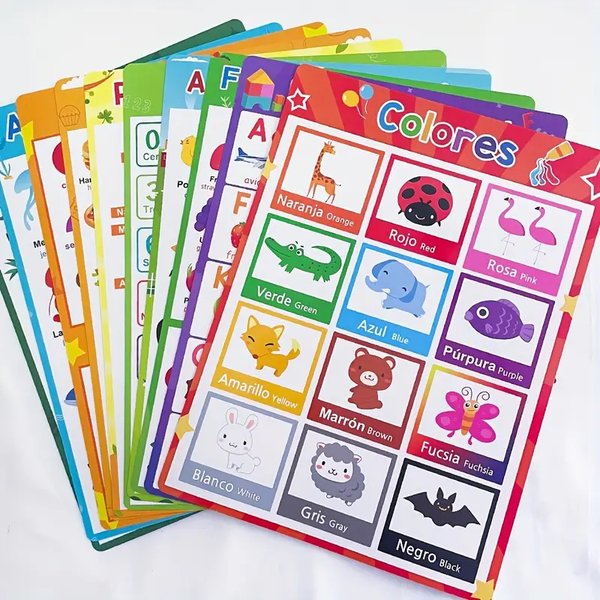
Visual aids like charts help reinforce category learning.
Key Features Summary
Language and Interactive Elements
This table summarizes the implementation details for the core language and interaction features:
| Feature | Implementation Detail | Languages Covered | Notes |
|---|---|---|---|
| Language Switching | JavaScript updates UI text based on selected language (en, ms, ar) | English, Malay, Arabic | Affects all displayed text; sets text direction for Arabic. |
| Word Pronunciation | Web Speech API (speechSynthesis) with voice selection logic | English, Malay, Arabic | Quality depends on browser/OS voices. Tries to find enhanced local voices. Repeatable on click. |
| Animal Sounds | Direct playback of external .ogg audio files |
N/A (Sound) | Uses Google's sound library URLs. Plays on 🐾 button click. |
| Tap Sound Effects | Playback of preloaded .ogg sound file on interactions |
N/A (Sound) | Provides auditory feedback for clicks (buttons, stars). |
| Star Rating | Clickable stars (☆/★), stores rating in localStorage | N/A (Interaction) | Allows users to self-assess knowledge per item. Persists across sessions. |
| Test Mode | JS logic presents randomized items, multiple-choice image answers, scoring, and feedback | English, Malay, Arabic | Tests item identification based on pronunciation in the selected language. Uses same item pool. |
| Image Display | Uses <img> tags with external URLs (Imgur) |
N/A (Visual) | High-quality, kid-friendly images. Alt text updates with language. |
Building Multilingual Web Experiences
Insights from Web Development Tutorials
Creating multilingual websites effectively requires careful planning. The video below discusses methods for adding language support, which can be adapted for various web platforms and projects, including educational ones like this.
Key takeaways often include structuring translations efficiently (like the JavaScript objects used here), providing intuitive language switchers, and considering cultural nuances or text direction (like the RTL support added for Arabic).
Frequently Asked Questions (FAQ)
How are the "enhanced voices" implemented?
The website uses the browser's built-in Web Speech API (speechSynthesis). The JavaScript code includes logic (getBestVoiceForLanguage) that attempts to find and select higher-quality voices installed on the user's system or provided by the browser (often labeled as "enhanced," "premium," or "local service"). The actual quality depends heavily on the voices available in the user's specific browser (like Chrome, Edge, Safari) and operating system (Windows, macOS, Android, iOS).
Can I add more categories or items?
Yes. The structure is designed to be extensible. To add a new category, add a new entry (e.g., `newCategory: { label: {...}, items: [...] }`) to the `categories` JavaScript object. To add items, simply add new objects to the `items` array within the desired category, ensuring you provide an `id`, `image` URL, and `translations` for all supported languages. The tabs and content grids are generated dynamically based on this object.
Where do the images and animal sounds come from?
The images used in this example are hosted on Imgur (e.g., `https://i.imgur.com/...png`). The animal sounds are `.ogg` files hosted by Google Actions' sound library (e.g., `https://actions.google.com/sounds/...`). For a production website, you would typically host your own licensed images and audio files for reliability and control.
How is user progress saved?
The star ratings selected by the user are saved locally in the browser using `localStorage`. This means the ratings will persist even if the user closes and reopens the browser on the same device. The Test Mode score, however, is session-based and resets each time the test is started.
Recommended Next Steps
- Learn how to host your own images and audio files for better control and performance.
- Explore advanced Web Speech API features for potentially greater control over voice selection and synthesis.
- Investigate methods for saving user progress more permanently using backend technologies and databases.
- Discover more about web accessibility (WCAG) guidelines to ensure your site is usable by all children.
References
Last updated April 28, 2025