
Mastering NetApp Shelf Log Collection: Your Key to Rapid Issue Resolution
Unlock the precise method for gathering DS4246 shelf logs in ONTAP 9.12.1, ensuring NetApp Support gets exactly what they need.
When troubleshooting issues with your NetApp DS4246 shelf on an ONTAP 9.12.1 system, providing accurate and comprehensive shelf logs to NetApp Support is crucial. Among the choices provided, one action stands out as the most effective and recommended method.
The correct action to collect the shelf logs as requested by NetApp Support is: C. Invoke a diagnostic AutoSupport with the subsystem storage.
Key Takeaways: The Essentials of Shelf Log Collection
- Optimal Method: Invoking a diagnostic AutoSupport specifically targeting the
storagesubsystem is the preferred approach for comprehensive log collection for shelf-related issues. - Comprehensive Data: This method ensures that NetApp Support receives not only the raw shelf log files but also crucial contextual hardware information and other related diagnostic data.
- Efficiency for Support: Providing a complete diagnostic bundle through AutoSupport streamlines the troubleshooting process, enabling NetApp engineers to diagnose the problem more effectively.
Understanding Shelf Logs in Your ONTAP Environment
Shelf logs are vital records that detail the operational status, events, and potential errors related to your disk shelves, such as the DS4246. In an ONTAP 9.12.1 system, these logs are indispensable for diagnosing hardware malfunctions, connectivity problems, or performance degradation linked to the storage shelves.
The primary shelf log file is typically located at /etc/log/shelflog on the ONTAP nodes. Commands like environment shelf_log (often run from the nodeshell) can be used to ensure the latest shelf status is written to this log file. However, for submission to NetApp Support, simply providing this single file is often insufficient.
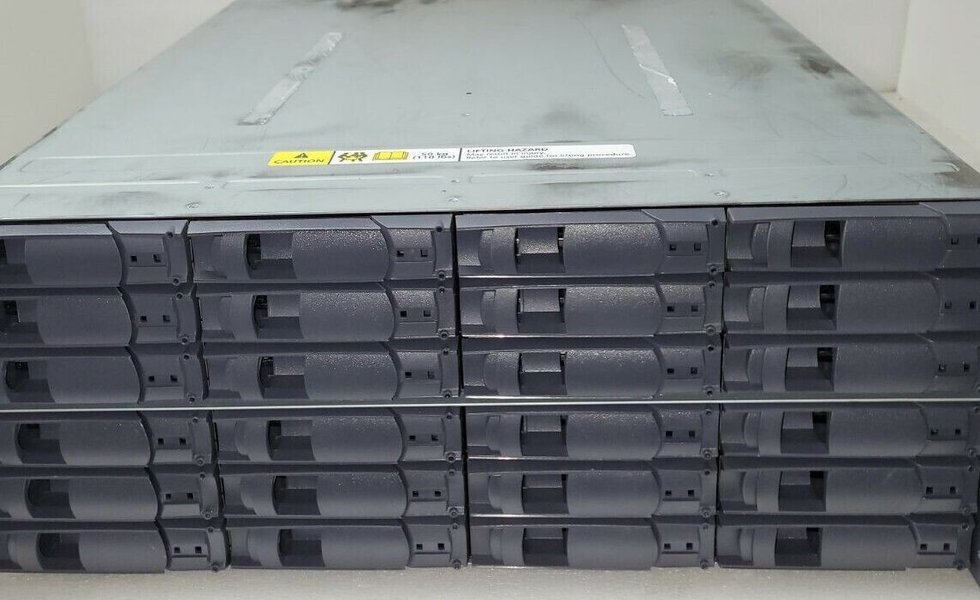
A NetApp DS4246 Disk Array Shelf, for which accurate log collection is critical during troubleshooting.
The Gold Standard: Invoking a Diagnostic AutoSupport for the 'storage' Subsystem
When NetApp Support requests shelf logs, they are typically looking for a complete diagnostic picture. Invoking a diagnostic AutoSupport with the storage subsystem (Option C) fulfills this requirement effectively.
Why This Method Prevails
A diagnostic AutoSupport targeted at the storage subsystem collects a curated set of information specifically relevant to storage components, including:
- The contents of
/etc/log/shelflog. - Detailed hardware configuration and status for shelves, disks, and adapters.
- Relevant Event Management System (EMS) messages.
- Performance data and error counters related to the storage infrastructure.
How to Execute the Command
To invoke this type of AutoSupport, you would typically use a command similar to the following from the ONTAP command-line interface (CLI) at the admin privilege level:
cluster::> autosupport invoke -node <node_name> -type diagnostic -subsystem storage -uri <NetApp_Support_Upload_URL_or_Mail_Recipient>Alternatively, if AutoSupport is configured to send to NetApp automatically, the URI might not be needed, or you might use -transport https and allow it to go to the default NetApp destination if a case is open.
Replace <node_name> with the specific node connected to the problematic shelf or use * for all nodes if appropriate for the issue scope. This command compiles the necessary logs and information and transmits it to NetApp or prepares it for manual upload.
Evaluating Alternative Log Collection Options
Let's consider why the other options presented are generally less suitable for fulfilling NetApp Support's request for shelf logs:
Option A: Provide the output of the nodeshell command rdfile /etc/log/shelflog
Direct but Limited
Accessing the /etc/log/shelflog file directly using the rdfile command (typically from the nodeshell: system node run -node <node_name> rdfile /etc/log/shelflog) will indeed provide you with the raw shelf log messages.
However, this method has drawbacks:
- Lack of Context: It only provides the log text, missing other critical system information (hardware state, configuration, related errors) that a diagnostic AutoSupport bundle includes.
- Support Preference: NetApp Support generally prefers the comprehensive data from an AutoSupport for efficient diagnosis.
Option B: Invoke an AutoSupport of type all using Active IQ Unified Manager
Potentially Too Broad
An AutoSupport of type all collects a vast amount of information from the entire system. While comprehensive, it might be an overkill for a specific shelf issue and can result in a very large data package.
- Lack of Focus: It doesn't specifically prioritize or necessarily gather the most granular details related to the storage subsystem in the same way a targeted diagnostic AutoSupport does.
- Tool Specificity: While Active IQ Unified Manager can trigger AutoSupports, the key is the *type* and *subsystem* of the AutoSupport, not just the triggering tool. For specific diagnostic needs, CLI often provides more granular control.
Option D: Invoke a diagnostic AutoSupport with the subsystem log_files
Not Specific Enough for Shelf Hardware
Invoking a diagnostic AutoSupport with the subsystem log_files will gather a collection of various log files from the system. While it would likely include /etc/log/shelflog, it's not as tailored for a storage hardware issue as the storage subsystem.
- Missing Hardware Context: The
storagesubsystem trigger is designed to pull detailed hardware configuration, status, and specific error counters related to storage components, which might be missed or less emphasized with a genericlog_filescollection.
storage subsystem is the more precise and effective choice.
Visualizing Log Collection Method Effectiveness
To better understand the suitability of different log collection approaches for addressing a DS4246 shelf issue with NetApp Support, the following radar chart compares them across key criteria. The ideal method (Diagnostic AutoSupport - storage) aims for high scores in most categories, especially "Comprehensiveness for Support" and "Targeting Shelf Issue." Data points are on a scale of 1 (Low) to 10 (High), based on typical NetApp support requirements.
This chart illustrates that invoking a diagnostic AutoSupport with the storage subsystem provides the most balanced and effective approach for delivering the necessary information to NetApp Support for shelf-related troubleshooting.
Workflow for ONTAP Shelf Log Management
The following mindmap outlines the general workflow involved in identifying a shelf issue, generating the logs, collecting them, and submitting them to NetApp Support, emphasizing the recommended collection method.
(DS4246, ONTAP 9.12.1)"] id1["Issue Identification"] id1a["Symptoms Observed (e.g., errors, performance)"] id1b["NetApp Support Case Opened"] id2["Log Generation & Storage"] id2a["
environment shelf_log command (nodeshell)"]
id2aa["Updates/Flushes current shelf status to log file"]
id2b["Log File: /etc/log/shelflog"]
id2ba["Contains raw shelf event messages"]
id2bb["Rotated periodically"]
id3["Log Collection for NetApp Support"]
id3a["Recommended Method:Diagnostic AutoSupport"] id3aa["Command:
autosupport invoke -node <node> -type diagnostic -subsystem storage"]
id3ab["Benefits:"]
id3aba["Comprehensive (logs + hardware context)"]
id3abb["Targeted for storage issues"]
id3abc["Preferred by NetApp Support"]
id3b["Alternative/Supplementary Methods"]
id3ba["rdfile /etc/log/shelflog"]
id3baa["Use: Quick view, specific file extraction"]
id3bab["Limitation: Lacks full diagnostic context"]
id3bc["Other AutoSupport types (e.g., 'all', 'log_files')"]
id3bca["Use: General system state or broader log issues"]
id3bcb["Limitation: Less specific for shelf hardware"]
id4["Submission to NetApp Support"]
id4a["Via automatic AutoSupport transmission"]
id4b["Via manual upload if necessary"]
This mindmap visually represents the process, highlighting the central role of a targeted diagnostic AutoSupport in the log collection phase for effective troubleshooting with NetApp Support.
Manually Collecting Logs in Clustered Data ONTAP
For a broader understanding of log collection in NetApp ONTAP environments, including the role of AutoSupport and how various logs contribute to troubleshooting, the following video provides a helpful overview. While it covers general log collection, the principles apply to gathering specific logs like shelf logs for support cases.
This video, "How to manually collect logs from a Clustered Data ONTAP system for NetApp Support," demonstrates procedures for log collection which are foundational for providing data to NetApp.
The video discusses how logs might be requested by NetApp support for troubleshooting various components, including shelves. It underscores the importance of providing the correct set of logs to expedite the resolution process. AutoSupport messages are a key mechanism for this, bundling relevant information for NetApp's analysis.
Comparative Overview of Log Collection Methods
The table below summarizes the key characteristics of the discussed log collection methods, reinforcing why a diagnostic AutoSupport with the storage subsystem is typically the best choice for shelf-related issues.
| Feature | Diagnostic AutoSupport (subsystem storage) |
rdfile /etc/log/shelflog |
AutoSupport (type all) |
Diagnostic AutoSupport (subsystem log_files) |
|---|---|---|---|---|
| Primary Purpose | Comprehensive diagnostic package for storage hardware issues. | Directly view or extract the content of the shelf log file. | General system health snapshot and broad log collection. | Collection of various system log files. |
| Data Inclusiveness for Shelf Issue | Very High (shelf logs, hardware status, config, related EMS). | Low (only the text of shelflog). |
High (overall system), but potentially unfocused for shelf. | Medium (includes shelflog among other logs, less hardware context). |
| Specificity for Shelf Hardware | Very High. Tailored for storage component diagnostics. | High for the log file itself, but no surrounding context. | Low. Not specifically targeted at shelf hardware details. | Medium. Gathers logs but not as focused on hardware as storage subsystem. |
| NetApp Support Preference | Highly Preferred for shelf issues. | Supplementary; rarely sufficient on its own for complex cases. | May be requested for general issues, less so for specific component diagnostics initially. | Less preferred than storage subsystem for specific shelf hardware issues. |
| Typical Invocation | CLI: autosupport invoke -type diagnostic -subsystem storage ... |
Nodeshell: rdfile /etc/log/shelflog |
UI (e.g., Active IQ Unified Manager) or CLI: autosupport invoke -type all ... |
CLI: autosupport invoke -type diagnostic -subsystem log_files ... |
This comparison highlights that for a DS4246 shelf issue requiring log submission to NetApp Support, invoking a diagnostic AutoSupport with the storage subsystem offers the most complete and targeted data set.
Frequently Asked Questions (FAQ)
What is a NetApp DS4246 shelf?
The NetApp DS4246 is a disk array expansion shelf that provides additional storage capacity to NetApp FAS (Fabric-Attached Storage) and AFF (All-Flash FAS) systems. It can house 24 SAS or SATA disk drives in a 4U chassis and connects to NetApp controllers via SAS (Serial Attached SCSI) interfaces. It's known for its density and reliability in enterprise storage environments.
What is ONTAP 9.12.1?
ONTAP 9.12.1 is a specific release version of NetApp's data management software. ONTAP is the operating system that powers NetApp's storage systems, providing features for storage provisioning, data protection, efficiency, and cloud integration. Each version, like 9.12.1, includes specific features, enhancements, and bug fixes. As of my last update on May 12, 2025, this would be a relatively recent version.
Why are shelf logs so important for troubleshooting?
Shelf logs contain detailed information about the status, events, errors, and environmental conditions (like temperature and voltage) of disk shelves and their components (IOMs, power supplies, disks). This information is critical for diagnosing hardware failures, connectivity issues, performance problems, or other anomalies related to the storage shelves. Without these logs, identifying the root cause of a shelf-related problem can be significantly more challenging and time-consuming for support engineers.
What is an AutoSupport in NetApp ONTAP?
AutoSupport is a proactive support technology built into NetApp ONTAP systems. It automatically collects system configuration, status, performance data, and event logs, then sends this information as a package (an "AutoSupport message" or "bundle") to NetApp Support. This allows for proactive monitoring, faster troubleshooting, and automated case creation for certain critical events. Diagnostic AutoSupports are manually triggered versions that collect more detailed information for specific troubleshooting scenarios.
Can I view shelf logs myself without sending them to NetApp Support?
Yes, you can view the contents of the primary shelf log file using the rdfile /etc/log/shelflog command from the nodeshell of the relevant ONTAP node. This allows administrators to perform initial checks or look for obvious error messages. However, interpreting these logs fully often requires specialized knowledge, and for comprehensive analysis or official support, the complete AutoSupport bundle is usually necessary.
Recommended Further Exploration
- How can I learn to interpret common error messages found in NetApp shelf logs?
- What are the best practices for configuring AutoSupport on an ONTAP 9.12.1 system for optimal support?
- What are common troubleshooting steps for DS4246 shelf connectivity issues in an ONTAP environment?
- Are there other advanced ONTAP commands that can help diagnose storage shelf problems beyond basic log collection?
References
Last updated May 12, 2025