
Is Your Father's Old Web Server a Ticking Time Bomb? Unveiling Critical Vulnerabilities
A comprehensive security assessment of IIS 10.0, Adobe GoLive 4, ASP.NET, Plesk, and Windows Server.
Understanding the security posture of an older web server is crucial. Based on the technologies you've listed (Microsoft-IIS/10.0, Adobe GoLive 4, Microsoft ASP.NET, Plesk, and Windows Server), there are several areas of concern. This analysis will break down the potential vulnerabilities for each component and offer insights into the overall risk.
Key Security Highlights
- Outdated Software: The presence of Adobe GoLive 4, a long-discontinued product, represents a significant unpatchable vulnerability.
- Interdependent Risks: Vulnerabilities in one component, like an unpatched Windows Server or IIS, can create attack vectors for others, including ASP.NET applications and Plesk.
- Privilege Escalation: Older configurations of Plesk on certain Windows Server versions are susceptible to critical privilege escalation exploits, potentially giving attackers full control.
Deep Dive into Component Vulnerabilities
Each piece of software on the server contributes to its overall attack surface. Older, unpatched, or misconfigured components are prime targets for malicious actors.
Microsoft IIS 10.0 (Internet Information Services)
Microsoft IIS 10.0, while a relatively modern version of Microsoft's web server software, is not without its vulnerabilities, especially if it hasn't been consistently updated with the latest security patches. Known issues include:
- Denial of Service (DoS): Certain vulnerabilities, some related to how HTTP.sys (a core Windows component used by IIS) processes specific HTTP/2 requests, could allow attackers to cause service disruptions or even 100% CPU usage spikes. A high-severity DoS vulnerability in HTTP.sys affecting IIS 10.0 was noted as recently as April 2025.
- Remote Code Execution (RCE) and Tampering: Historically, IIS versions have had vulnerabilities that could lead to RCE or allow attackers to tamper with server responses if specific conditions are met or if third-party modules interacting with IIS are compromised (e.g., breaches via related applications like Cityworks).
- Information Disclosure: The presence of the default IIS 10.0 installation page can be detected by security scanners. While often an informational finding, it can provide attackers with version information that aids in targeted attacks if known vulnerabilities for that version exist and are unpatched.
Importance of Patching IIS
Regularly applying security patches released by Microsoft is paramount. Many documented vulnerabilities for IIS 10.0 have fixes available. Failure to patch leaves the server exposed to known exploits.
Adobe GoLive 4
Adobe GoLive is a web design software that was discontinued by Adobe around 2008. Version 4 is exceptionally old (dating back to the early 2000s) and represents a critical security risk.
- No Security Updates: Being end-of-life for many years, Adobe GoLive 4 receives no security patches. Any vulnerabilities discovered (or already existing) will remain unaddressed.
- Legacy Code and Components: Websites or web components built or managed with GoLive 4 likely contain outdated code, scripts, or rely on deprecated technologies that are inherently insecure and could be exploited (e.g., for arbitrary code execution or cross-site scripting).
Why Outdated Software is Dangerous
Unsupported software like GoLive 4 is a prime target for attackers because known vulnerabilities are publicly documented, and no fixes will be forthcoming. It can serve as an easy entry point into the server.
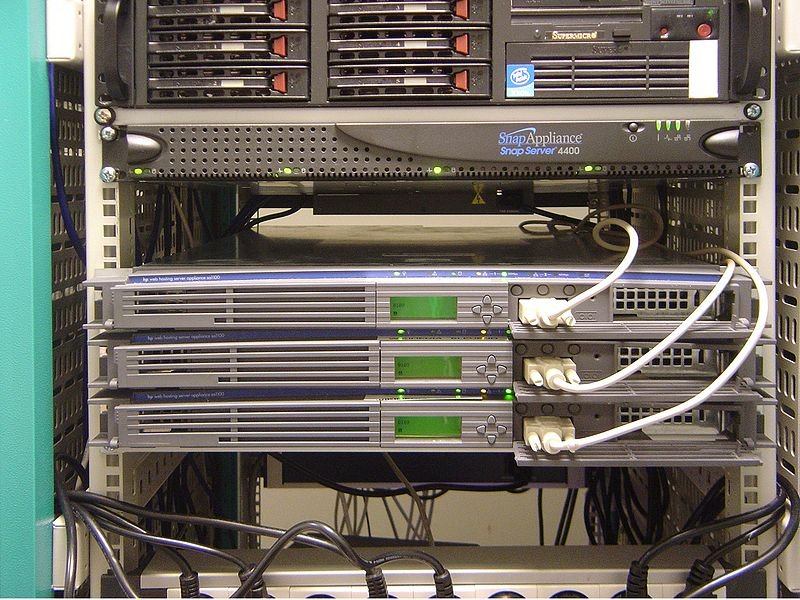
An old server, much like the one described, can house outdated software, increasing its vulnerability.
Microsoft ASP.NET
Microsoft ASP.NET is a server-side web application framework. Its security depends heavily on the specific version of the .NET Framework being used, the quality of the custom application code, and the security of the underlying IIS and Windows Server.
- Framework Vulnerabilities: Older, unpatched versions of the ASP.NET framework can be susceptible to common web application vulnerabilities like SQL injection, cross-site scripting (XSS), and remote code execution.
- Integration Risks: Vulnerabilities in IIS (e.g., improper request handling) can directly impact the security of ASP.NET applications hosted on it.
Code Quality and Framework Updates
Ensuring that the ASP.NET framework is updated to a supported version and that the application code follows secure coding practices is essential for mitigating risks.
Plesk Control Panel
Plesk is a popular web hosting control panel. If not kept up-to-date and properly secured, it can introduce significant vulnerabilities:
- Privilege Escalation: A critical vulnerability, sometimes referred to in relation to exploits like "Juicy Potato," can affect Plesk installations on older Windows Server versions (e.g., Server 2008R2, 2012, 2012R2, 2016) in their default configurations. This could allow a compromised user account (like a website owner on a shared server) to gain Administrator-level privileges on the entire server.
- Outdated Components: Older Plesk versions might use outdated components or have known vulnerabilities (e.g., XSS in versions up to 18.0.31). For instance, Plesk instances on Windows still using the BIND DNS server (which is deprecated in Plesk for Windows) might be unable to upgrade to newer, more secure Plesk versions (like Obsidian 18.0.70) until they transition to Microsoft DNS.
- Configuration Weaknesses: Default or weak configurations, such as not using a non-standard RDP port, failing to disable unused programming languages, or allowing customers to override critical handlers via
web.configfiles, can increase the attack surface.
Plesk Hardening Essentials
Updating Plesk to the latest version, implementing security best practices recommended by Plesk (like using strong passwords, MFA, and secure configurations), and ensuring the underlying OS is secure are vital steps.
Windows Server (Underlying Operating System)
The security of the entire server stack heavily relies on the underlying Windows Server operating system. The specific version and its patch level are critical determinants of its vulnerability.
- Unpatched OS Vulnerabilities: Microsoft regularly releases security patches for Windows Server. If the server is running an old, unsupported version (e.g., Windows Server 2008 R2 without Extended Security Updates) or a supported version that is not regularly patched, it is exposed to a multitude of known vulnerabilities. Microsoft disclosed a record 1,360 vulnerabilities in 2024, with risks shifting towards Elevation of Privilege (EoP).
- End-of-Life Risks: Operating systems approaching or past their end-of-life (EOL) date (e.g., Windows 10 EOL in October 2025, which shares architectural elements with some server versions) cease to receive regular security updates, making them increasingly vulnerable over time.
- System-Level Exploits: Vulnerabilities in core Windows components (like the aforementioned HTTP.sys) can lead to severe consequences, including full system compromise.
OS Lifecycle and Support
It's crucial to run a version of Windows Server that is still within its support lifecycle and to apply all security updates promptly after appropriate testing.
Visualizing the Risk Landscape
To better understand the relative risks posed by each component on your father's server, the following radar chart provides an opinion-based assessment across several security dimensions. A higher score (closer to the edge, max 10) indicates a higher risk or concern in that category. The scale for data points is from 3 (lower risk/concern) to 10 (higher risk/concern).
This chart illustrates that Adobe GoLive 4 is a major concern across most categories due to its obsolescence. An old/unpatched Windows Server and Plesk also present significant risks, particularly concerning known exploits and the potential impact of a breach.
Interconnected Risks and Potential Attack Paths
The various software components on a server do not exist in isolation. Vulnerabilities in one can be chained together by attackers to achieve deeper system access. The mindmap below illustrates some of these potential interconnections and common attack vectors.
No Patches"] id2b["Outdated Scripts"] id2c["Known Unfixed Bugs"] id2d["Easy Entry Point"] id3["Microsoft ASP.NET"] id3a["IIS Vulnerabilities"] id3b["Outdated .NET Framework"] id3c["SQL Injection in App Code"] id3d["XSS in App Code"] id4["Plesk Control Panel"] id4a["Outdated Version"] id4b["Privilege Escalation
(e.g., Juicy Potato)"] id4c["XSS Vulnerabilities"] id4d["Weak Configurations"] id4e["Deprecated BIND DNS"] id5["Windows Server (Old/Unpatched)"] id5a["OS-Level Exploits"] id5b["Missing Security Patches"] id5c["End-of-Life Risks"] id5d["Component Vulnerabilities
(e.g., HTTP.sys)"] id6["Combined Risks"] id6a["Attack Chaining"] id6b["Data Breach"] id6c["Full Server Compromise"]
This mindmap shows how a vulnerability in, for example, the outdated Adobe GoLive 4 could provide an initial foothold, which an attacker might then leverage against weaknesses in an unpatched IIS or Windows Server, potentially escalating privileges through a Plesk vulnerability to gain full control.
Actionable Security Recommendations
Addressing the vulnerabilities on your father's server requires a multi-faceted approach. The table below summarizes key issues and recommended actions for each component.
Vulnerability and Mitigation Summary
| Component | Key Potential Vulnerabilities | Recommended Actions |
|---|---|---|
| Microsoft IIS 10.0 | Denial of Service (DoS), Remote Code Execution (RCE), Tampering, Information Disclosure. Vulnerabilities in HTTP.sys, HTTP/2 handling. | Apply all Microsoft security patches for IIS and Windows Server. Regularly scan for misconfigurations. Monitor logs. |
| Adobe GoLive 4 | Extremely high risk due to obsolescence. No security patches available. Likely contains numerous unpatched vulnerabilities. Potential for arbitrary code execution, XSS. | Immediately remove or migrate any websites/content built with GoLive 4 to a modern, supported platform. This software should not be used. |
| Microsoft ASP.NET | Inherits risks from IIS. Vulnerabilities in outdated .NET Framework versions (SQLi, XSS, RCE). Insecure custom application code. | Ensure ASP.NET framework is updated. Conduct security code reviews for custom applications. Apply all relevant patches. |
| Plesk | Privilege escalation (e.g., "Juicy Potato" on older Windows Server versions). XSS in older Plesk versions. Misconfigurations. Risks from deprecated components like BIND DNS. | Update Plesk to the latest supported version (e.g., Obsidian 18.0.70+). Switch from BIND to Microsoft DNS if on Windows. Implement Plesk security best practices (strong passwords, MFA, disable unused services, firewall). |
| Windows Server (Underlying OS) | Unpatched OS vulnerabilities leading to EoP, RCE. Risks from EOL versions. Vulnerabilities in core components. | Ensure the Windows Server OS is a supported version and fully patched with all security updates. Plan for migration if OS is nearing EOL. Implement general OS hardening. |
General Security Best Practices
- Prioritize Patch Management: Regularly update all software – OS, web server, control panel, frameworks, and applications.
- Remove Obsolete Software: Uninstall any software that is no longer supported or used, especially Adobe GoLive 4.
- Network Security: Implement a properly configured firewall, closing all unnecessary ports. Use a non-standard port for RDP if RDP access is required.
- Strong Authentication: Enforce strong, unique passwords for all accounts. Implement Multi-Factor Authentication (MFA) wherever possible, especially for Plesk and server administration.
- Regular Backups: Maintain regular, tested backups of all server data, stored securely off-site.
- Monitoring and Logging: Implement comprehensive logging and regularly monitor logs for suspicious activity. Consider intrusion detection/prevention systems (IDS/IPS).
- Vulnerability Scanning: Perform regular vulnerability scans to identify and address potential weaknesses.
- Principle of Least Privilege: Ensure services and user accounts operate with the minimum necessary permissions.
Understanding IIS Vulnerabilities Further
Microsoft IIS, being a popular web server, is a common target for attackers. Understanding how these vulnerabilities are exploited can provide better insight into the importance of security measures. The following video provides a general overview of hacking techniques related to IIS, which can help illustrate the types of threats an unpatched or misconfigured IIS server might face.
This video discusses various aspects of IIS security and common attack vectors.
Frequently Asked Questions (FAQ)
What are the first steps I should take to secure this server?
1. Backup: Take a full backup of the server immediately before making any changes.
2. Isolate (if possible): If feasible, temporarily take the server offline or restrict access while you assess and patch.
3. Identify Critical Systems: Determine which services are absolutely essential to keep running.
4. Patch OS & Plesk: Prioritize updating Windows Server and Plesk to their latest stable, patched versions.
5. Remove Adobe GoLive 4: This is a critical vulnerability. Any content generated by it should be migrated to a modern system and GoLive itself removed.
6. Update IIS and ASP.NET: Apply all relevant patches.
7. Review Configurations: Check Plesk and IIS configurations against security best practices.
Is it truly unsafe to continue using Adobe GoLive 4?
Yes, absolutely. Adobe GoLive 4 was discontinued many years ago (around 2008). This means it has not received any security updates for over a decade. Any vulnerabilities discovered since then (and there are likely many, given its age) are unpatched and potentially publicly known. Running such outdated software, especially if it processes web input or manages web content, is a severe security risk and makes the server an easy target for automated attacks looking for known, unpatched flaws.
How often should server software be updated?
Security patches, especially for critical vulnerabilities, should be applied as soon as possible after they are released by vendors and after appropriate testing in a non-production environment if applicable. Many organizations follow a monthly patching cycle (e.g., "Patch Tuesday" for Microsoft products). For critical, actively exploited zero-day vulnerabilities, patches should be applied almost immediately. A regular schedule for checking and applying updates for all server software (OS, web server, control panel, applications, etc.) is essential.
What is a "privilege escalation" vulnerability?
A privilege escalation vulnerability allows an attacker who has already gained some level of limited access to a system to elevate their privileges to a higher level, often to "administrator" or "root" access. For example, an attacker might initially compromise a low-privilege web user account. If a privilege escalation vulnerability exists in the operating system or a control panel like Plesk (as with the "Juicy Potato" class of exploits on certain Windows Server versions), the attacker can exploit this flaw to gain full control over the server. This is a very dangerous type of vulnerability because it can turn a minor breach into a complete system compromise.
Recommended Further Exploration
- What are the detailed steps to migrate a website from Adobe GoLive to a modern CMS?
- How can I perform a security audit on a Windows Server running IIS and Plesk?
- What are current best practices for securing ASP.NET web applications in 2025?
- Explore the 'Juicy Potato' exploit and its mitigations for Windows Server environments with Plesk.
References
Last updated May 8, 2025