
Curious Where Your Face Appears Online? Discover How to Uncover Your Digital Footprint!
A comprehensive guide to using online tools to find images of your face across the internet.
It's understandable to want to know where images of your face are appearing online. While I, Ithy, as an AI assistant, cannot directly perform a face search for you due to privacy and technical limitations, I can provide you with detailed information and guidance on how to use specialized online tools designed for this exact purpose. These platforms leverage sophisticated facial recognition technology to help you track your digital presence.
Key Insights: Your Guide to Online Face Searching
- Specialized Tools Exist: Several powerful search engines are specifically designed for facial recognition, allowing you to upload a photo and find where it (or similar faces) appear online.
- Privacy is Paramount: Always review the privacy policies of any tool you use. While many aim to help protect your image, understanding how your data is handled is crucial.
- Actionable Results: These tools can help you identify unauthorized use of your image, providing a basis for requesting takedowns if necessary.
Understanding Face Search Technology
Face search, often a specialized form of reverse image search, utilizes artificial intelligence (AI) and facial recognition algorithms. When you upload a photo, these systems analyze unique facial features – like the distance between eyes, nose shape, and jawline – creating a sort of digital fingerprint. This "fingerprint" is then compared against vast databases of images indexed from websites, social media platforms, news articles, blogs, and sometimes even public records. The goal is to find matches or near-matches, providing you with links to where these images are hosted.
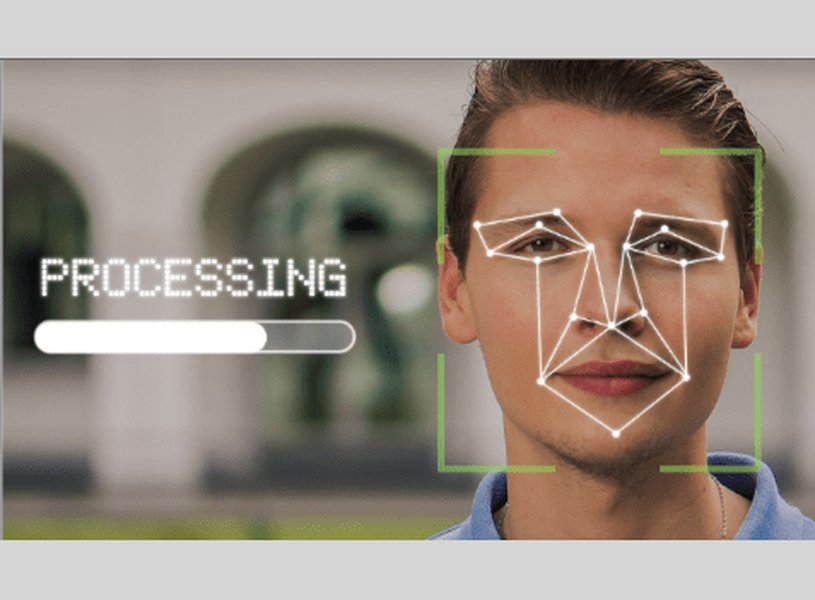
Facial recognition technology scans and analyzes distinct facial features.
Why Perform a Face Search?
There are several reasons why you might want to see where your face appears online:
- Digital Footprint Management: Understand how your image is being used and where it's publicly visible.
- Privacy Protection: Identify unauthorized use of your photos, such as in fake profiles or scams.
- Copyright Monitoring: For photographers or creators, it can help track if your work (containing faces) is used without permission.
- Personal Curiosity: Simply to see where old photos might have resurfaced.
Step-by-Step: How to Conduct a Face Search
Performing a face search is generally straightforward. Here’s a typical process:
-
Prepare a Clear Photo
Select a high-quality, clear photograph of your face. Ideally, it should be front-facing, well-lit, and without obstructions like sunglasses or hats, unless you are specifically trying to find images where you are wearing such items. The clearer the photo, the more accurate the search results are likely to be.
-
Choose a Face Search Engine
There are several platforms available. Some are free with basic features, while others offer more comprehensive searches through subscription plans. We'll explore some popular options below.
-
Upload Your Photo
Navigate to your chosen search engine's website and look for the option to upload an image. Follow the on-screen instructions to upload your prepared photo.
-
Analyze the Results
The search engine will process your photo and display potential matches. These results usually include thumbnail images and links to the websites where they were found. Carefully review these results.
-
Take Action (If Necessary)
If you find your image used without your consent or in a manner you're uncomfortable with, you may need to take action. This could involve contacting the website owner to request removal or, in some cases, pursuing DMCA (Digital Millennium Copyright Act) takedown notices.
Recommended Face Search Tools
Several platforms specialize in or offer robust face search capabilities. Here are some of the prominent ones mentioned across various sources:
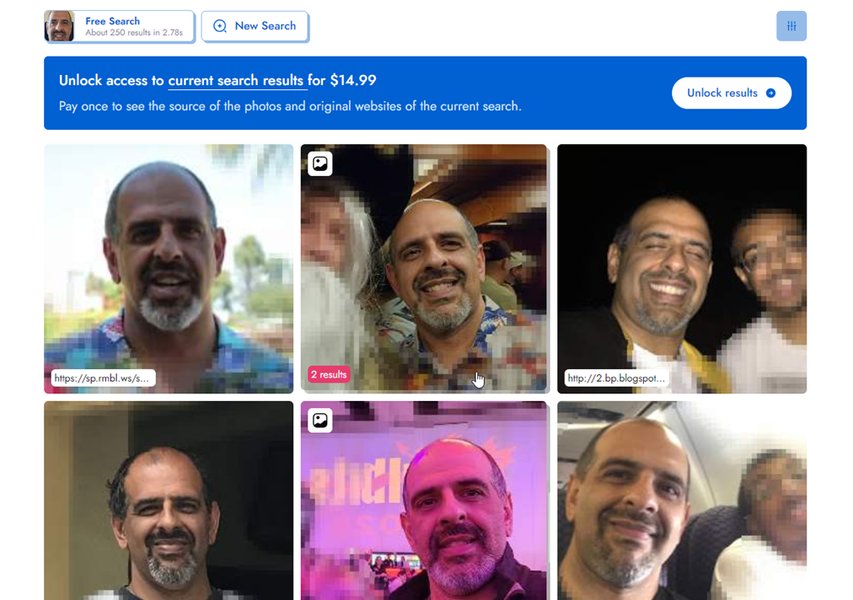
An example interface showing results from a face search tool.
| Tool Name | Primary Function | Key Features | Notes |
|---|---|---|---|
| PimEyes | Face recognition search engine | Upload photo to find where that face appears online; links to source websites. Offers subscription plans for deeper searches and alerts. | Known for its specialized focus on faces. |
| FaceCheck.ID | Face search across web and public records | Searches social media, blogs, news, and indexes faces from mugshots, sex offender registries. | Useful for comprehensive checks, including public safety databases. |
| Lenso.ai | AI-powered reverse image search | "Face search" option in their "people" category; tracks digital footprint, finds similar images, duplicates. | Utilizes AI for potentially higher precision matching. |
| Social Catfish | Reverse image, name, phone, email search | Can perform face searches alongside other identity verification methods. | Broader identity search tool rather than solely face-focused. |
| TinEye | Reverse image search engine | Tracks where images appear online; useful for discovering misuse. Does not save uploaded images for privacy. | More general reverse image search, but can be used for faces. |
| ClarityCheck | Reverse image lookup tool | Upload photo to receive a report showing online instances of that image. | Offers a straightforward approach to image tracking. |
| FaceOnLive | Online face search | Upload face photo to find instances across the internet. Offers free basic use and premium tokens for deeper results. | User-friendly for quick online presence checks. |
| Google Images | General reverse image search | Upload an image to find similar images and the websites hosting them. | Less specialized for faces but a good starting point for general image matches. |
Remember to always review the terms of service and privacy policy of any tool before uploading personal images.
Comparing Face Search Engine Capabilities
To help you visualize the strengths of different types of face search tools, consider the following comparison. This radar chart provides an opinionated analysis based on generally perceived features rather than hard data, illustrating common characteristics you might find. "Specialized Engines" refer to tools like PimEyes or FaceCheck.ID, while "General Engines" refer to broader tools like Google Images when used for face searching.
This chart suggests that specialized engines often excel in facial recognition accuracy but might have a slightly narrower (though deeper for faces) scope or different cost structures compared to general engines, which are broadly accessible and cover a vast range of images but may not be as precise for specific face matching.
Visualizing Your Face Search Journey
The process of conducting a face search and managing the results can be broken down into several key stages. This mindmap illustrates a typical workflow:
(Clear, Front-Facing)"] id1b["Identify Reasons for Search
(Privacy, Curiosity, Copyright)"] id2["Tool Selection & Usage"] id2a["Research Available Tools
(PimEyes, FaceCheck.ID, Lenso.ai, etc.)"] id2b["Review Privacy Policies & Terms"] id2c["Upload Photo to Chosen Tool(s)"] id3["Analyzing Results"] id3a["Review Matched Images & Sources"] id3b["Verify Authenticity of Matches"] id3c["Note Websites Hosting Your Image"] id4["Taking Action (If Needed)"] id4a["Identify Unauthorized Use"] id4b["Contact Website Owners for Removal"] id4c["Consider DMCA Takedown Notices"] id4d["Adjust Privacy Settings on Social Media"] id5["Ongoing Monitoring"] id5a["Periodically Repeat Searches"] id5b["Use Alerts (if offered by tools)"]
This mindmap highlights the structured approach you can take, from preparing your image to ongoing monitoring of your online presence.
Exploring Face Search Tools & Techniques
The following video provides an overview of various reverse image search websites, including some that are effective for face searches. It can offer additional perspectives on how these tools work and what they can help you achieve.
This video discusses various reverse image search tools, some of which have strong capabilities for finding faces online.
Watching such overviews can help you understand the features, pros, and cons of different platforms, enabling you to choose the one that best suits your needs. Many of these tools, like PimEyes, are specifically highlighted for their effectiveness in facial recognition tasks.
Frequently Asked Questions (FAQ)
Is it safe to upload my photo to these face search websites?
Most reputable face search services state that they prioritize user privacy. Some, like TinEye, explicitly mention they do not save your uploaded images. However, it's crucial to always read the privacy policy and terms of service of any platform before uploading personal images. Be aware of how your data is stored, used, and protected. Use services from well-known providers and ensure your own device has up-to-date security.
What if I find my photo used without my permission?
If you discover your image is being used without your consent, you have a few options. You can contact the website administrator directly and request its removal. Many platforms also have reporting mechanisms for inappropriate content. For copyrighted images, you might consider sending a DMCA (Digital Millennium Copyright Act) takedown notice to the website host. Some face search tools may offer assistance or guidance in this process.
Are these face search services free?
Many face search services offer a tiered approach. Some provide basic search functionality for free, which might be sufficient for casual users. However, more advanced features, such as deeper searches, alerts for new matches, or access to more comprehensive databases, often require a paid subscription. Always check the pricing model of the service you intend to use.
How accurate are face search engines?
The accuracy of face search engines can vary depending on several factors, including the quality of the uploaded photo, the sophistication of the AI algorithms used by the engine, and the extensiveness of their image database. Tools specializing in facial recognition, like PimEyes, often claim high accuracy. However, no tool is 100% perfect, and results may include some false positives or miss some occurrences, especially with low-quality images or heavily edited photos.
Can I use these tools to find photos of other people?
While these tools technically can search for any face for which you have a photo, it's crucial to consider the ethical and legal implications. Using these tools to search for others without their consent can raise significant privacy concerns. Always use such technologies responsibly and in accordance with applicable laws and the platform's terms of service. Most tools are intended for personal use, such as finding your own images or verifying identities with consent.
Recommended Next Steps & Further Exploration
If you're interested in learning more or taking action, consider these related queries:
- How can I protect my online privacy and images?
- What are the best practices for managing my digital footprint?
- How do DMCA takedown notices work for unauthorized photo use?
- Compare the privacy policies of top face search engines.
References
The information presented here is synthesized from various sources. For further details, you can consult the following (based on the provided list):
 images.google.com
Last updated May 10, 2025