
Understanding Optical Receivers and Digital TV
Exploring the Role of Optical Receivers in Modern Digital Television Systems
Key Highlights
- Optical receivers play a crucial role in fiber-optic cable TV networks by converting optical signals back into electrical RF signals suitable for digital TV.
- The primary function of an optical receiver in digital TV setups is to facilitate the transmission of high-quality audio signals between devices using fiber optic cables.
- While primarily used in fiber-optic networks, optical connections offer advantages like minimizing electrical interference and ensuring high-quality audio in home theater systems.
The Role of Optical Receivers in Digital TV
Optical receivers are integral to digital TV systems, particularly in fiber-optic networks. Their main function is to convert optical signals, which are transmitted through fiber optic cables, back into electrical Radio Frequency (RF) signals. This conversion is essential for delivering digital TV content to homes and other viewing locations. In essence, optical receivers facilitate the transmission of digital TV signals over long distances with minimal signal loss and interference.
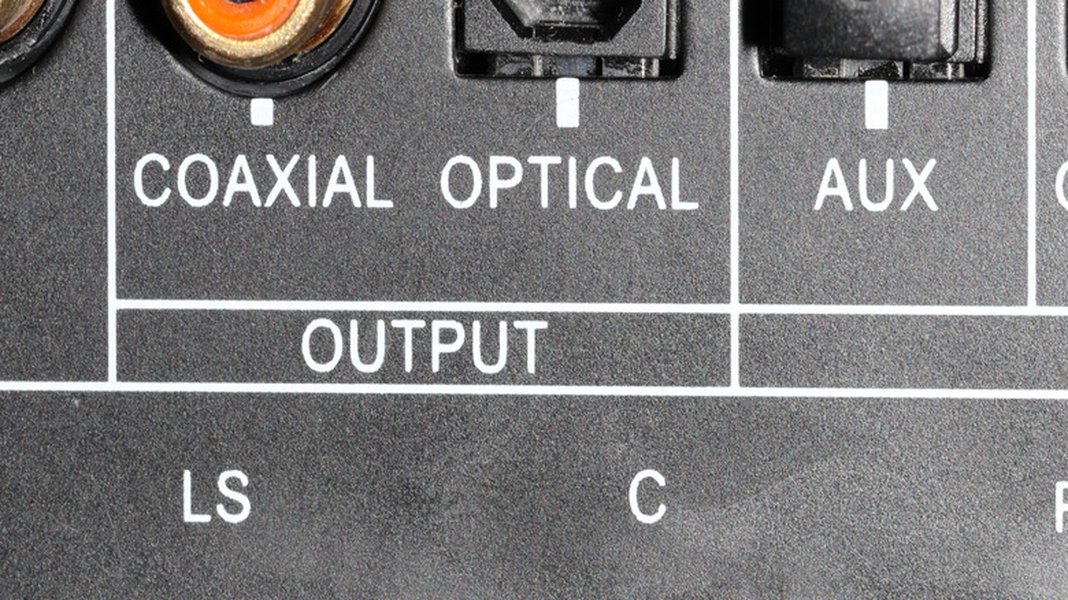
An optical port on a TV, used for audio output.
How Optical Receivers Function in Digital TV Networks
In fiber-optic cable TV networks, optical receivers are key components. They receive optical signals sent from an RF optical transmitter and convert these signals back into electrical RF signals on coax cables. This process ensures that digital TV signals can be effectively distributed and displayed on television sets. These receivers are designed to handle a wide range of optical power, provide high output levels, and consume low power, making them ideal for modern digital TV networks.
Specific Applications and Benefits
Optical receivers are particularly useful in Fiber To The Home (FTTH) networks. They offer excellent linearity and flatness, converting optical signals to electrical RF signals across a broad frequency range (45-1000 MHz). This capability supports various digital TV formats, including QAM (Quadrature Amplitude Modulation) and ATSC (Advanced Television Systems Committee), as well as analog NTSC/PAL formats. The receivers typically provide a 20dBmV RF output power at an optical input of -0 dBm and feature dual coaxial outputs for easy deployment to multiple devices. Their design emphasizes ultra-low noise technology, compact size, and ease of installation, making them suitable for reliable digital video, frequency, and data transmission in HFC (Hybrid Fiber-Coaxial) networks.
Understanding Optical Audio Connections
Optical audio connections, also known as TOSLINK (Toshiba Link), use fiber optic cables to transmit digital audio signals between devices. This method is favored for its ability to deliver high-quality sound while minimizing electrical interference. Unlike copper cables, optical cables transmit audio as light pulses, which are immune to electromagnetic interference, ensuring a cleaner and more accurate audio signal.
Advantages of Optical Audio
The primary advantage of using optical audio connections is the reduction of signal degradation and interference. This results in a clearer and more immersive audio experience, particularly in home theater systems. Optical cables support various audio formats, including 5.1 Dolby Digital and DTS, making them suitable for connecting TVs to soundbars, receivers, and other audio equipment.
Setting Up Optical Audio Connections
To connect your TV to an external audio system using an optical cable, follow these steps:
- Locate the digital audio output (optical) on your TV and the corresponding input on your audio device.
- Connect one end of the optical cable to the TV's optical output and the other end to the audio device's optical input.
- In your TV's settings, set the audio output to "Optical Out" or a similar option. You may also need to disable the TV's internal speakers.
- On your audio device, select the appropriate input source (e.g., "Optical 1" or "TV").
By following these steps, you can ensure that the audio from your TV is routed to your external audio system, providing an enhanced listening experience.
Optical vs. HDMI ARC
While both optical and HDMI ARC (Audio Return Channel) connections can transmit digital audio, they have different capabilities. HDMI ARC supports more advanced audio formats like Dolby Digital Plus, Dolby True HD, DTS-HD Master Audio, Dolby Atmos, and DTS:X, which optical cables cannot handle. However, optical connections are still valuable in scenarios where HDMI ARC is not available or encounters compatibility issues. Many older receivers and sound systems lack HDMI ARC support, making optical the go-to option for high-quality audio transmission.

Close up of an optical audio input.
Troubleshooting Optical Audio Connections
If you encounter issues with your optical audio connection, consider these troubleshooting steps:
-
Ensure the optical cable is securely connected to both the TV and the audio device.
-
Check the TV's audio settings to confirm that the optical output is enabled and the internal speakers are disabled.
-
Verify that the audio device is set to the correct input source.
-
Inspect the optical cable for any damage or debris that may be blocking the light signal.
-
Try a different optical cable to rule out a faulty cable.
By systematically checking these points, you can often resolve common issues with optical audio connections and restore proper audio output.
Practical Applications and Scenarios
Optical receivers and connections are utilized in various scenarios to enhance audio and video experiences. Here are some practical applications:
Home Theater Systems
In home theater setups, optical connections are commonly used to link TVs to AV receivers or soundbars. This setup allows users to enjoy high-fidelity audio from their favorite movies, TV shows, and games. The optical connection ensures that the audio signal is transmitted without interference, providing a clear and immersive sound experience.
Connecting Older Receivers
For users with older stereo receivers that lack HDMI inputs, optical connections offer a convenient solution. By connecting the TV's optical output to the receiver's optical input, users can enjoy digital audio through their existing sound systems without needing to upgrade to newer equipment. This is particularly useful for those who have invested in high-quality vintage audio equipment and want to continue using it with modern TVs.
Bypassing TV Audio Processing
In some cases, TVs may not output the full audio quality through their internal speakers or HDMI ARC connection. By using an optical connection directly from the source device (e.g., Blu-ray player, cable box) to the audio receiver, users can bypass the TV's audio processing and ensure that the audio signal is delivered in its original quality. This is especially beneficial for audiophiles who want to experience the purest possible sound.
Key Differences: Optical vs. HDMI
Optical cables and HDMI cables both serve the purpose of transmitting audio signals, but they differ in several key aspects. Understanding these differences can help you choose the best connection method for your specific needs.
| Feature | Optical Cable (TOSLINK) | HDMI Cable |
|---|---|---|
| Signal Type | Digital Audio (light pulses) | Digital Audio and Video |
| Audio Formats Supported | 5.1 Dolby Digital, DTS | Dolby Digital Plus, Dolby TrueHD, DTS-HD Master Audio, Dolby Atmos, DTS:X |
| Simultaneous Video Transmission | No | Yes |
| Interference Resistance | High (immune to electromagnetic interference) | Moderate (susceptible to electromagnetic interference) |
| Common Use Cases | Connecting TVs to older receivers, soundbars | Connecting Blu-ray players, game consoles, and other devices to TVs and receivers |
| ARC Support | No | Yes (HDMI ARC) |
A comparison of optical cables versus HDMI cables.
As shown in the table, HDMI cables offer broader support for advanced audio formats and video transmission, making them suitable for modern home theater systems. However, optical cables remain a reliable option for transmitting high-quality audio, particularly in scenarios where HDMI ARC is not available or compatible.
FAQ
What is the main advantage of using an optical audio cable?
The primary advantage of using an optical audio cable is its ability to minimize electrical interference. Since it transmits audio signals as light pulses, it is immune to electromagnetic interference, ensuring a cleaner and more accurate audio signal.
Can I get surround sound using an optical cable?
Yes, optical cables support 5.1 Dolby Digital and DTS audio formats, which are commonly used for surround sound. However, they do not support newer, more advanced surround sound formats like Dolby Atmos or DTS:X, which require an HDMI ARC connection.
How do I connect my TV to a soundbar using an optical cable?
To connect your TV to a soundbar using an optical cable, locate the optical output on your TV and the optical input on your soundbar. Connect one end of the cable to the TV's output and the other end to the soundbar's input. Then, in your TV's settings, set the audio output to "Optical Out" and select the corresponding input on your soundbar.
What should I do if I'm not getting sound through my optical connection?
If you're not getting sound through your optical connection, first ensure that the cable is securely connected to both devices. Check your TV's audio settings to confirm that the optical output is enabled and the internal speakers are disabled. Also, verify that your audio device is set to the correct input source. If the problem persists, try using a different optical cable to rule out a faulty cable.
Is HDMI ARC better than optical for audio quality?
HDMI ARC is generally considered better for audio quality because it supports more advanced audio formats like Dolby Digital Plus, Dolby TrueHD, DTS-HD Master Audio, Dolby Atmos, and DTS:X. However, the actual difference in audio quality may not be noticeable in all setups, and optical connections remain a viable option for high-quality audio transmission, especially in older systems.
References
 amazon.com
Last updated April 14, 2025