
Optimizing Website Design for Samsung Galaxy A01: Screen Width and CSS Calculations
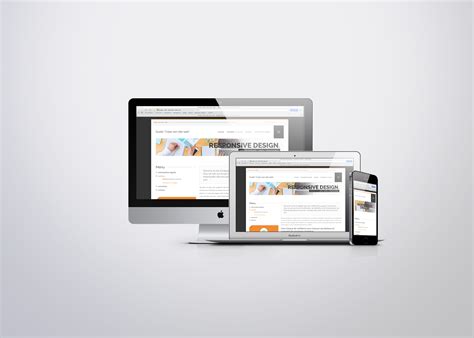
Designing a responsive website that provides an optimal user experience across various devices is crucial in today's diverse digital landscape. The Samsung Galaxy A01, an entry-level smartphone, is a popular choice among users, making it essential for web developers to understand its display characteristics to ensure seamless website performance. This comprehensive guide delves into the Samsung Galaxy A01's screen specifications and offers detailed instructions on how to effectively utilize these details for CSS calculations, ensuring your website adapts perfectly to this device's display.
Samsung Galaxy A01 Screen Specifications
Physical Screen Resolution
The Samsung Galaxy A01 boasts a physical screen resolution of 720 pixels in width and 1520 pixels in height. Understanding these dimensions is the foundation for tailoring your website's layout to fit the device's display.
Device Pixel Ratio (DPR)
The Device Pixel Ratio (DPR) is a critical factor that bridges the gap between a device's physical pixels and its CSS pixels. For the Samsung Galaxy A01, the DPR is typically 2.0. This means that each CSS pixel corresponds to two physical pixels, effectively halving the number of CSS pixels compared to the device's physical resolution.
Calculating CSS Viewport Dimensions
To ensure your website displays correctly on the Samsung Galaxy A01, it's essential to calculate the CSS viewport dimensions based on the device's physical resolution and DPR.
CSS Viewport Width and Height
| Specification | Value |
|---|---|
| Physical Width (pixels) | 720px |
| Physical Height (pixels) | 1520px |
| Device Pixel Ratio (DPR) | 2.0 |
| CSS Viewport Width | 360px |
| CSS Viewport Height | 760px |
The CSS viewport width is calculated by dividing the physical width by the DPR:
CSS Width = Physical Width ÷ DPR

    CSS Width = 720px ÷ 2 = 360px
Similarly, the CSS viewport height is:
CSS Height = Physical Height ÷ DPR

    CSS Height = 1520px ÷ 2 = 760px
Implementing Responsive Design with CSS
Using Media Queries
Media queries allow you to apply CSS styles based on the characteristics of the device, such as its width. For the Samsung Galaxy A01, you can target the device by its CSS viewport width.
Example Media Query for Samsung Galaxy A01
    @media screen and (max-width: 360px) {
        body {
            font-size: 16px;
            margin: 0 auto;
            max-width: 100vw;
        }

        .responsive-container {
            width: calc(100vw - 20px);
            padding: 10px;
        }
    }
This media query ensures that styles are appropriately applied when the viewport width is 360px or less, which corresponds to the Samsung Galaxy A01's CSS viewport width.
Handling Pixel Density
To account for the device's pixel density, you can use media queries that target the DPR. This ensures that high-resolution displays render styles correctly.
Example Media Query Targeting DPR
    @media only screen and (-webkit-min-device-pixel-ratio: 2) {
        /* High-resolution specific styles */
        .high-res-image {
            background-image: url('high-res-image.png');
        }
    }
This media query applies styles only to devices with a pixel density of at least 2, which includes the Samsung Galaxy A01.
Responsive Scaling Techniques
Employing responsive units and functions like percentages, viewport width (vw), and the calc() function can help create flexible layouts that adapt to various screen sizes.
Responsive Box Example
    .responsive-box {
        width: calc(100vw - 20px);
        height: auto;
        padding: 10px;
        background-color: #f0f0f0;
    }
This example demonstrates how to create a box that adjusts its width based on the viewport's width, ensuring it remains proportionate across different devices, including the Samsung Galaxy A01.
Best Practices for Testing and Validation
Dynamic Retrieval of DPR
To ensure that your website accurately targets the device's specifications, you can dynamically retrieve the DPR and viewport dimensions using JavaScript. This allows for more precise adjustments and responsive behavior.
JavaScript Example to Retrieve DPR
    const dpr = window.devicePixelRatio;
    const cssWidth = window.innerWidth / dpr;
    console.log(`CSS Width: ${cssWidth}px`);
Implementing such scripts can help in debugging and verifying that your CSS calculations align with the device's actual display characteristics.
Utilizing Testing Tools
To validate your responsive designs, employ testing tools like BrowserStack or real device testing. These tools allow you to simulate the Samsung Galaxy A01's environment, ensuring that your website renders correctly before deployment.
BrowserStack for Device Testing
BrowserStack provides access to a wide range of devices, including the Samsung Galaxy A01, enabling you to perform real-time testing and identify any responsive design issues.
Adhering to Common Breakpoints
While targeting specific devices is useful, adhering to common CSS breakpoints ensures broader compatibility across various devices. Combine device-specific media queries with standard breakpoints to maintain a consistent and flexible design paradigm.
Advanced CSS Techniques for Enhanced Responsiveness
Flexbox Layouts
Flexbox provides a versatile way to create responsive layouts that adapt seamlessly to different screen sizes. Utilizing Flexbox can help in organizing content dynamically, ensuring optimal display on the Samsung Galaxy A01.
Flexbox Example
    .flex-container {
        display: flex;
        flex-direction: column;
        align-items: center;
        justify-content: center;
    }

    .flex-item {
        flex: 1;
        margin: 10px;
    }
This setup ensures that elements within the container adjust their size and positioning based on the available viewport, providing a harmonious layout on the Samsung Galaxy A01.
Grid Layouts
CSS Grid offers a powerful grid-based layout system, allowing for the creation of complex, responsive designs with ease. Implementing Grid Layouts can enhance the structure and adaptability of your website.
Grid Layout Example
    .grid-container {
        display: grid;
        grid-template-columns: repeat(auto-fit, minmax(100px, 1fr));
        grid-gap: 20px;
    }

    .grid-item {
        background-color: #ccc;
        padding: 20px;
        text-align: center;
    }
This grid setup automatically adjusts the number of columns based on the viewport width, ensuring that the layout remains consistent and visually appealing on the Samsung Galaxy A01.
Conclusion
Understanding the Samsung Galaxy A01's screen dimensions and device pixel ratio is fundamental for crafting responsive websites that deliver a flawless user experience. By accurately calculating the CSS viewport dimensions and implementing strategic media queries, flexbox, and grid layouts, developers can ensure their websites adapt seamlessly to this device's display. Additionally, leveraging dynamic DPR retrieval and comprehensive testing tools fortifies the reliability of your responsive designs. Embracing these practices not only optimizes your website for the Samsung Galaxy A01 but also enhances its adaptability across a multitude of devices, catering to a broader audience with diverse screen characteristics.
Last updated January 8, 2025