
Unlock the Secrets of Oracle HCM Elements: A Definitive Guide to Accurate Replication
Master the art of identifying original setup values and input parameters to flawlessly duplicate any Oracle HCM element.
Accurately replicating an existing element in Oracle Human Capital Management (HCM) is crucial for maintaining consistency and integrity in your payroll and HR processes. This guide provides a comprehensive approach to meticulously identify all original setup values and input parameter configurations, primarily leveraging the Element Summary page and its related sections. Understanding these details is key to overcoming the common challenge of determining initial entries and ensuring your replicated element functions as intended.
Essential Insights: Key Takeaways
- Navigate directly to the Element Summary page via the "Elements" task in the Setup and Maintenance work area for a centralized view of configurations. This page is your primary source for high-level and detailed element information.
- Thoroughly examine Input Values, including their data types (money, date, text, number), units of measure (currency, hours), whether they are required or optional, default settings, and any associated Value Sets. These parameters are critical for defining the element's behavior and data entry requirements.
- Don't overlook Element Eligibility rules and linked Formulas. Eligibility criteria determine which employees or assignments receive the element, while formulas can influence default values, validation logic, or calculation methods, all vital for accurate replication.
Accessing and Navigating Element Configurations
The journey to understanding an element's setup begins with accessing its core configuration details within Oracle HCM.
Locating the Element
The Setup and Maintenance Work Area
Your primary starting point is the Setup and Maintenance work area. This central hub allows you to manage and configure various aspects of Oracle HCM Cloud.
- Sign in to your Oracle Cloud instance.
- Navigate to the Home page.
- Under the "Tools" category in the Navigator, select "Setup and Maintenance."
Utilizing the "Elements" Task
Within Setup and Maintenance:
- Use the search functionality to find and open the "Elements" task (sometimes referred to as "Manage Elements"). This task is essential for viewing, creating, and editing element configurations.
- In the Elements task interface, search or query for the specific element you wish to investigate and replicate. You can typically search by element name or code.
- Select the desired element from the search results to open its Element Summary page.
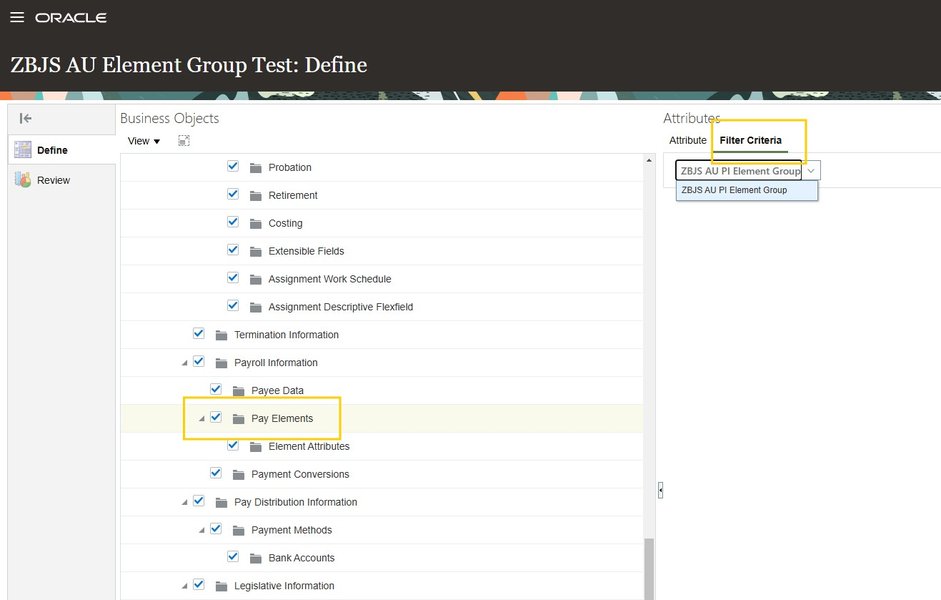
Example of an Element selection interface within Oracle HCM, illustrating how elements might be listed and filtered.
Deconstructing the Element: The Element Summary Page
The Element Summary page is a comprehensive dashboard that provides an overview of the element's setup. It's crucial to meticulously review each section of this page.
Core Element Attributes
On the Element Summary page, identify the fundamental characteristics of the element:
- Element Name and Code: The unique identifiers for the element. The Element Code visibility might need to be enabled (e.g., via View > Columns > Element Code).
- Legislative Data Group (LDG): The specific legislative context for which the element is defined.
- Primary Classification: Categorizes the element (e.g., Standard Earnings, Pre-Statutory Deductions, Information, Taxable Benefit). This impacts processing and reporting.
- Secondary Classification (if applicable): Further refines the primary classification.
- Element Category: A functional grouping for the element.
- Recurrence: Defines if the element is recurring (e.g., monthly salary) or non-recurring (e.g., a one-time bonus).
- Processing Type: Indicates if the element is processed in each payroll run, or only once.
- Attachment Level: Typically "Assignment Level," indicating it applies to an employee's specific assignment.
- Effective Dates: The period during which the element is active. Note the start date carefully, especially for replication.
- Base Element: If the element is a derivative (e.g., a specific type of absence linked to a base absence element), this link is critical.
Deep Dive into Input Values
Input values define the parameters or variables an element accepts when an entry is made for an employee. This is arguably the most critical section for accurate replication. Access this through the "Input Values" folder, tab, or button on the Element Summary page.
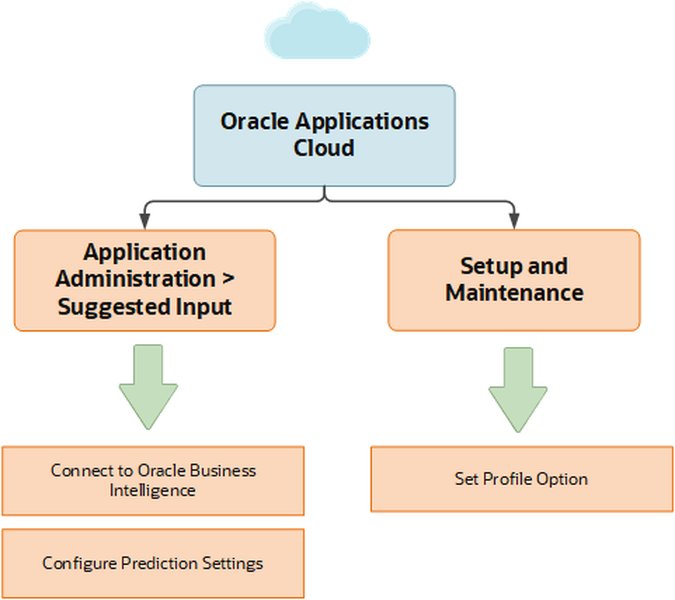
Illustrative interface showing various input fields and configuration options, similar to what you might encounter when setting up element input values.
Key Input Value Details
- Input Value Name: The name of the parameter (e.g., "Amount," "Hours," "Percentage," "Pay Value").
- Display Sequence: The order in which input values appear.
- Data Type: The kind of data accepted (e.g., Money, Date, Text, Number, Time).
- Unit of Measure (UoM): Specifies the unit for the input value (e.g., currency code for Money, Hours, Days).
- Required/Optional: Indicates if a value must be provided for this input. Note the "Allow User Entry" setting.
- Default Value: Any predefined value that will be used if no specific value is entered. Understand if "Apply default at runtime" is selected, as this affects whether updates to the default impact existing entries.
- Validation:
- Minimum/Maximum Values: Defines permissible ranges.
- Lookup Type/Value Set: If an input value is constrained by a predefined list of valid values (e.g., from a dropdown). Identify the specific Value Set used. You might need to navigate to "Manage Value Sets" to examine its details. Be aware of potential system nuances, such as specific Value Set types (e.g., "Table Type Value Sets") being required for element input values.
- Validation Formula: If a formula is used to validate the input or provide dynamic default values.
- Special Purpose: Some input values might have a special system-defined purpose (e.g., "Primary Output Value").
- Database Item Generation: Confirm which input values generate database items, as changes here can have retroactive implications.
Understanding Element Behavior and Dependencies
Beyond basic attributes and input values, other configurations significantly influence how an element functions and applies to employees.
Element Eligibility and Links
Element eligibility defines which employee assignments can receive an entry for this element. This is crucial for ensuring the replicated element applies to the correct population.
- Review eligibility criteria linked to the element, often found in an "Eligibility" or "Conditions" section.
- Criteria can be based on various factors such as payroll, job, grade, location, salary basis, or other employment conditions.
- Note any "non-standard links" which might have specific eligibility criteria.
Calculation Rules and Formulas
How an element's value is determined is defined by its calculation rules or associated formulas.
Calculation Methods
Check the "Calculation Rules" section (if applicable):
- Type: Is it a "Flat Amount," "Factor-based" (e.g., percentage of salary), or derived through a more complex method?
- Formulas: Identify any Oracle Fast Formulas associated with the element. Formulas can be used for:
- Element Input Validation
- Providing default values for multiple entry values
- Defining the element's calculation logic (e.g., Gross-to-Net calculations)
Element Entry Methods
Understand how entries for this element are typically created:
- Manual Entries: Entered directly by users.
- Automated Calculations: Generated by system processes (e.g., based on salary basis configurations).
- Integration Imports: Populated via data loads or integrations (e.g., PBL - Payroll Batch Loader).
This context helps understand how input values are provided or derived in practice.
Predefined Element Dependencies and History
- Base Element Links: If the element is linked to a time element or another base element, this relationship is vital.
- Predefined Elements: If the element uses predefined components (e.g., for tax deductions), note the country-specific templates and eligibility rules applied during its original creation.
- Generated Items: Check for generated items like costing definitions under a "Results" section.
- Element History & Effective Dates: For elements with existing entries, pay close attention to effective dates. Retrospective changes to attributes like "Output Currency" or "Process once per period" might require "correction mode" and must align with the original start date to avoid conflicts.
Visualizing Configuration Complexity
Understanding where to focus your attention can save considerable time. The following radar chart illustrates the typical complexity and impact of different configuration areas when replicating an Oracle HCM element. Areas with higher scores generally require more detailed investigation.
This chart highlights that Input Values and Formulas/Calculation Logic often have the highest impact and complexity, demanding careful scrutiny. While Core Element Attributes are foundational, their investigation might be less complex compared to intricate rule-based configurations.
Structuring Your Investigation: A Mindmap Approach
To ensure a systematic review of all necessary configurations, a structured approach is beneficial. The mindmap below outlines the key areas to investigate when identifying an element's setup for replication.
Element Configuration"] id1["Accessing the Element"] id1_1["Setup & Maintenance Work Area"] id1_2["'Elements' Task"] id1_3["Search/Query for Element"] id2["Reviewing Element Summary Page"] id2_1["Core Attributes
(Name, Code, Classification, LDG, Recurrence)"] id2_2["Effective Dates"] id2_3["Base Element Link (if any)"] id3["Analyzing Input Values"] id3_1["Name, Data Type, UoM"] id3_2["Required/Optional Status"] id3_3["Default Values & Runtime Application"] id3_4["Validation Rules (Min/Max)"] id3_5["Value Sets (Lookup Types)"] id3_6["Validation Formulas"] id3_7["Database Item Generation"] id4["Examining Eligibility & Links"] id4_1["Eligibility Criteria
(Payroll, Job, Grade, etc.)"] id4_2["Element Links & Conditions"] id5["Investigating Formulas & Calculation Rules"] id5_1["Calculation Method (Flat, Factor)"] id5_2["Associated Fast Formulas
(Validation, Calculation, Defaulting)"] id6["Understanding Processing Details"] id6_1["Element Entry Methods
(Manual, Automated, Import)"] id6_2["Frequency & Processing Type"] id6_3["Use in Rate Definitions/Summary Elements"] id7["Checking Dependencies & History"] id7_1["Predefined Element Usage"] id7_2["Costing Definitions"] id7_3["Status Processing for Updates"] id8["Advanced Verification (Optional)"] id8_1["HCM Extracts for Current Usage"] id8_2["SQL Queries/Reports for Auditing"]
This mindmap visually breaks down the process into manageable steps, from initial access to detailed analysis of various configuration aspects, ensuring no critical detail is overlooked.
Advanced Tools for Verification (Optional)
For complex elements or when auditing current data is necessary, Oracle HCM provides additional tools:
- HCM Extracts: Can be configured to extract detailed element and input value data for employees. This is useful for understanding current usage patterns and verifying parameters from production data. You can include attributes like Element Entry Name, Person Number, Input Value Amounts, and Effective Dates.
- SQL Queries and BI Reports: Pre-built or custom queries and reports can help extract element setup details, sum input values for approved entries, or list all configured elements and their attributes for comprehensive review.
Element Replication Checklist
To ensure you gather all necessary information for accurately replicating an element, use the following checklist. This table summarizes the key configuration areas and the specific details to capture.
| Configuration Area | Key Details to Capture | Primary Location in Oracle HCM |
|---|---|---|
| Core Element Attributes | Element Name, Element Code, Legislative Data Group, Primary & Secondary Classifications, Category, Recurrence, Processing Type, Attachment Level, Effective Start/End Dates, Base Element (if applicable). | Element Summary Page |
| Input Values | For each input value: Name, Display Sequence, Data Type, Unit of Measure, Required status (Allow User Entry), Default Value, "Apply default at runtime" setting, Min/Max Values, Associated Value Set/Lookup Type, Validation Formula, Special Purpose, Database Item flag. | Element Summary Page → Input Values section |
| Element Eligibility | All defined eligibility criteria (e.g., based on Payroll, Job, Grade, Location, Bargaining Unit, Salary Basis), link details. | Element Summary Page → Eligibility/Conditions section; Element Eligibility records |
| Calculation Rules & Formulas | Calculation method (e.g., Flat Amount, Factor, Percentage), details of any associated Fast Formulas (type, name, logic if accessible). | Element Summary Page → Calculation Rules section; Setup and Maintenance → Fast Formulas task |
| Processing Information | Standard Entry Method (Manual, Automatic), "Process once per period" setting, use in Rate Definitions or Summary Elements. | Element Summary Page; Related setup areas like Rate Definitions |
| Dependencies | Links to other elements (e.g., time elements via base element attribute), use of predefined elements, generated items like costing definitions. | Element Summary Page; Related configuration areas |
| Value Sets | If input values use Value Sets: Value Set Code, Description, Validation Type (e.g., Table, Independent), and the specific values or table criteria. | Setup and Maintenance → Manage Value Sets task |
By systematically documenting these details, you can confidently use the "Create" option within the Elements task to replicate the element, ensuring all original settings are precisely matched. This meticulous approach is vital as discrepancies can significantly affect payroll processing and reporting accuracy.
Visual Learning: Element Creation in Oracle HCM
Watching a demonstration can often clarify the process of element setup. The following video provides an overview of creating and using elements in Oracle Fusion HCM, which can offer valuable context for understanding the configurations you are investigating.
This video demonstrates creating elements in Oracle Fusion HCM and assigning them to employees, offering insights into the setup process.
While this video focuses on creation, observing the definition of various attributes, input values, and eligibility can reinforce your understanding of what to look for when examining an existing element for replication.
Frequently Asked Questions (FAQ)
What is the first step to find an element's configuration in Oracle HCM?
The first step is to navigate to the Setup and Maintenance work area in your Oracle HCM Cloud instance. From there, use the global search to find and access the "Elements" (or "Manage Elements") task. Within this task, you can search for the specific element you need to investigate.
Why are Input Values so important for element replication?
Input Values are crucial because they define the specific parameters an element accepts when an entry is made for an employee. This includes the data type (e.g., money, date, number), unit of measure, whether a value is required, any default values, and validation rules. Accurately replicating input values ensures the new element behaves identically to the original in terms of data entry and processing.
What are Value Sets in the context of element input values?
Value Sets are predefined lists of valid entries that can be associated with an element's input value. They constrain the data that can be entered, often appearing as dropdown lists or lookups. Identifying the correct Value Set and its configuration (e.g., table-based, independent) is essential for ensuring the replicated element enforces the same data integrity rules as the original.
How do Element Eligibility rules affect replication?
Element Eligibility rules determine which specific employees or assignments are eligible to receive an entry for that element (e.g., based on their job, grade, payroll, or location). Replicating these rules accurately is vital to ensure the new element is distributed to the correct employee population and behaves consistently with the original element's intended scope.
Can I use HCM Extracts to gather element information?
Yes, HCM Extracts can be a powerful tool, especially for complex elements or when you need to audit how an element is currently being used in production. You can configure an extract to pull detailed information about element entries, including specific input values assigned to employees, effective dates, and other relevant data. This can supplement the information found on the Element Summary page.
Recommended Further Exploration
To deepen your understanding of Oracle HCM element configurations, consider exploring these related topics:
- How to configure element eligibility for specific employee groups in Oracle HCM?
- What are the best practices for managing element effective dates in Oracle Payroll?
- Can you explain the different types of element classifications in Oracle HCM and their impact on payroll processing?
- How do Oracle Fast Formulas interact with element input values and calculation rules in Oracle HCM?
References
 oraclemasterminds.blogspot.com
Last updated May 6, 2025