
Unveiling the Creative Process Behind Picture Creation
Discover how to generate, edit, and thoughtfully craft images using a variety of AI tools
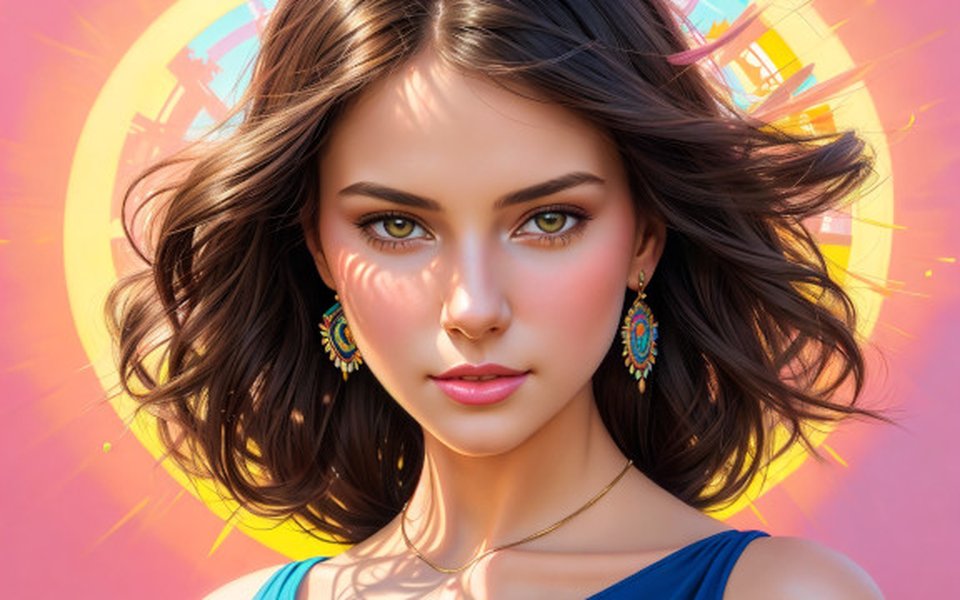
Key Highlights
- Tool Diversity: Many platforms exist to help generate, edit, and creatively express images from text prompts.
- Artistic vs. Functional Perspectives: The debate between “making pictures” and “taking pictures” reflects either the artistic creation process or the capture of spontaneous moments.
- Guidance & Resources: Although a text-based system cannot directly create images, comprehensive guidance and resources on using these tools are readily available.
Understanding Picture Creation
When asked, "Do you make pictures?" it is important to understand the nuances behind this query. The phrase can be interpreted in a couple of key ways:
1. Direct Image Generation
Role of AI in Image Creation
Many modern applications provide artificial intelligence solutions that generate images from text. These AI-driven tools interpret your text prompt and produce visuals that can be used in many contexts. Remarkably, these results are a blend of both creative artistry and computational algorithms. Prominent tools include Canva’s Magic Media™, DALL-E by OpenAI, and Imagen by Google Cloud, among others.
Even though I, as a text-based AI, cannot directly "make" pictures by generating visual files, I can help you understand the process and guide you toward reliable tools for transforming text descriptives into images. I can also elaborate on how to refine prompts to yield better outcomes with these image generators.
2. The Nuance of “Making” vs. “Taking” Pictures
Artistic vs. Functional Creation
The debate around whether one "makes" pictures or "takes" pictures is shaped by context and personal philosophy. In everyday usage, "taking pictures" is often understood as capturing moments with a camera. In contrast, professionals or artistic photographers might refer to their process as "making pictures" to emphasize the creative and deliberate nature behind their work. The act of “making” pictures involves choices regarding composition, lighting, editing, and the integration of post-processing techniques.
This conceptual differentiation is important because it draws attention to the fact that while the physical act of capturing an image might appear simple, the underlying creative process requires intentional design, careful planning, and sometimes, the supportive function of AI-powered tools to enhance or even fully generate these visuals.
Popular Tools for Creating and Enhancing Images
Numerous platforms have been developed to cater to the needs of both amateurs and professionals. These tools range from online photo editors, AI image generators, and design interfaces that incorporate text-to-image capabilities. Below is a comprehensive table summarizing some of the most notable tools, which can help you whether you’re looking to create images from scratch or enhance pre-existing visuals.
| Tool | Description | Key Feature | Free/Paid |
|---|---|---|---|
| Canva | An intuitive design platform offering design templates and AI image generators. | Magic Media™, DALL-E, and Imagen integration. | Both Free and Premium options |
| Microsoft Designer | Utilizes DALL-E 3 for powerful AI image generation via text prompts. | Unlimited free image creation with a Microsoft account. | Free |
| Pixlr | An online photo editor with advanced features and intuitive usability. | Robust editing tools similar to Photoshop. | Free/Paid (depending on features) |
| Picsart | Photo editor and creative design platform ideal for social media professionals. | Dedicated AI image generator with creative filters. | Free/Paid |
| Adobe Firefly | An artist-focused solution for generating high-quality text-to-image outputs. | Seamless integration into Adobe’s ecosystem. | Paid |
| Craiyon | A free AI-driven tool for generating art from text inputs. | Accessible and creative AI-generated art. | Free |
| PicMonkey | An easy-to-use tool offering extensive editing and design capabilities. | User-friendly interface with extensive design options. | Free Trial/Paid |
The table above presents an overview of these resources, emphasizing both the creative capabilities and the differing access models (free or paid) available to users.
Technical Insights & Radar Chart Analysis
To visually convey the range of capabilities of these various image creation tools, below is a radar chart. This chart provides an opinionated evaluation across several key parameters: Creativity, Ease of Use, Customization, AI Reliability, and Integration. These ratings are subjective syntheses based on the general consensus from various user experiences and expert evaluations.
Guidance Towards Your Creative Endeavors
While I do not directly create images in the manner a human artist or specialized AI image generator might, I am here to guide you through the process. Whether your interest is in generating brand-new images from detailed text descriptions or modifying existing visuals through advanced photo-editing software, the digital landscape is filled with powerful tools. I can help you with:
- Optimizing Prompts: Suggestions and examples of effective prompts to yield better outputs when using text-to-image generators.
- Tool Comparison: Detailed insights into the various platforms that best suit your needs, whether you prioritize creative freedom or speedy editing.
- Technical Setup: Step-by-step guides and popular tutorials that walk you through the image creation process using AI-driven tools.
Importantly, the choice between "making" or "taking" pictures depends on the context. For instance, if you’re looking to capture real-world moments, using a camera to "take" pictures might be the best approach. Conversely, when you wish to craft an image that perfectly encapsulates your envisioned concept, utilizing AI image generators and graphic design tools enables you to "make" a picture thoughtfully.
Embedded Visual Tutorial
For an interactive learning experience, you may find the following video particularly useful. This tutorial provides practical insights into using AI image generators effectively:
The video titled "How to Create AI Images for Free" walks you through a step-by-step approach to using one of the prominent AI image generation tools. It is a helpful resource if you are new to the process or want to explore the creative possibilities that come with generating images from text.
Frequently Asked Questions
Do you personally create images?
As a text-based assistant, I do not directly generate visual images. However, I can provide detailed descriptions and step-by-step guidance on using various AI image generators and editing tools that allow you to create the visual content you need.
What are some popular tools for AI image generation?
Popular AI image generation tools include Canva’s Magic Media™, DALL-E by OpenAI, Microsoft Designer, Adobe Firefly, and Craiyon. Each offers unique features in generating detailed images from text prompts.
What is the difference between "taking" and "making" pictures?
"Taking pictures" usually refers to capturing real moments with a camera, whereas "making pictures" implies a more creative and deliberate image creation process involving artistic choices in composition, lighting, and editing, often aided by digital or AI tools.
Can these tools be used for professional work?
Yes, many of these tools are designed for professional applications. Platforms such as Canva, Adobe Firefly, and Microsoft Designer offer advanced features suitable for creating marketing materials, professional presentations, and high-quality artistic images.
References
- Canva AI Image Generator - Canva
- Microsoft Designer AI Image Generator - Microsoft
- Pixlr - Pixlr
- Picsart Photo Editor - Picsart
-
Adobe Firefly - Adobe
- Craiyon - Craiyon
Recommended Related Queries
Last updated April 2, 2025