

Essential Insights into PostgreSQL Database Access
- Roles are foundational: PostgreSQL unifies users and groups under the concept of "roles," which define login capabilities and inherited privileges.
- System catalogs are your window: Detailed information about roles, their attributes, and granted permissions is stored in PostgreSQL's system catalogs (e.g.,
pg_roles,pg_database), accessible via SQL queries orpsqlmeta-commands. - Active connections reveal current state: The
pg_stat_activityview is crucial for monitoring real-time user connections, their current queries, and the state of their sessions on a specific database.
Understanding user and role permissions, as well as active connections, is paramount for maintaining the security, integrity, and performance of any PostgreSQL database. This comprehensive guide will walk you through the essential queries and tools to effectively audit and manage access for a specific database within your PostgreSQL instance. We'll explore how to identify all roles, determine their explicit and implicit permissions, and monitor active user sessions, providing a holistic view of your database's access landscape.
The unified concept of roles for users and groups.
In PostgreSQL, the distinction between users and groups is abstracted into a single entity: the "role." A role can have login privileges, act as a superuser, create databases, and more. Understanding these attributes is the first step in comprehending who has access to your system.
Listing All Defined Roles
To get a comprehensive list of all roles within your PostgreSQL cluster and their basic attributes, you can query the pg_roles system catalog directly. This provides insights into each role's capabilities, such as whether it can log in, create databases, or act as a superuser.
SELECT
    rolname,
    rolsuper,
    rolcreaterole,
    rolcreatedb,
    rolcanlogin
FROM pg_roles
ORDER BY rolname;
Alternatively, the psql command-line interface offers convenient meta-commands. The \du command, or its more verbose variant \du+, provides a quick summary of roles and their attributes, including descriptions where available.
\du
-- or for more details
\du+
Understanding Role Memberships
Roles can inherit privileges from other roles through membership. This hierarchical structure is a powerful feature for managing complex permission sets. To understand which roles are members of other roles, you can query the pg_auth_members system catalog.
SELECT
    pg_get_userbyid(member) AS member_role,
    pg_get_userbyid(roleid) AS granted_role
FROM pg_auth_members
ORDER BY granted_role, member_role;
Determining who can connect and what they can do on your target database.
Identifying roles is only half the battle; understanding their specific privileges on a given database is crucial. This involves examining connection rights and various access control lists (ACLs).
A mindmap illustrating the interconnected components of PostgreSQL access control.
Checking Connection Privileges
The most fundamental privilege for any role concerning a database is the ability to connect to it. You can check this explicitly for each role using the has_database_privilege function.
SELECT
    r.rolname AS role_name,
    has_database_privilege(r.rolname, 'your_database_name', 'CONNECT') AS can_connect
FROM pg_roles r
ORDER BY r.rolname;
Remember to replace 'your_database_name' with the actual name of your target database.
Inspecting Database ACLs (Access Control Lists)
Database-level privileges, beyond just CONNECT, are stored in the datacl column of the pg_database catalog. This column contains a string representation of the ACLs. While parsing this string directly can be complex, it provides a raw insight into who has permissions like CREATE or TEMPORARY on the database.
SELECT
    datname,
    datacl
FROM pg_database
WHERE datname = 'your_database_name';
For a more granular breakdown of ACLs, you can use functions like pg_catalog.aclexplode() to expand the ACL string into individual grantee and privilege types.
SELECT
    (acl.privs).grantee::regrole AS role_name,
    (acl.privs).privilege_type,
    (acl.privs).is_grantable
FROM pg_database d, pg_catalog.aclexplode(d.datacl) acl
WHERE d.datname = 'your_database_name';
Object-Level Privileges Within the Database
Once a role can connect to a database, its actual capabilities often depend on privileges granted on objects *within* that database, such as tables, schemas, or functions. The information_schema.table_privileges view is useful for checking table-level permissions.
SELECT
    grantee,
    table_schema,
    table_name,
    privilege_type
FROM information_schema.table_privileges
WHERE table_catalog = 'your_database_name'
AND table_schema NOT IN ('information_schema', 'pg_catalog');
This query helps identify roles with SELECT, INSERT, UPDATE, DELETE, or other specific privileges on tables within your database. Similar views exist in information_schema for other object types, or you can use the \dp meta-command in psql to list privileges for various objects.
Real-time insights into who is currently using your database.
Beyond knowing who *can* connect, it's essential to understand who *is* connected at any given moment. The pg_stat_activity system view provides a powerful snapshot of all active and idle sessions, including the connecting user, the database they are connected to, and their current query.
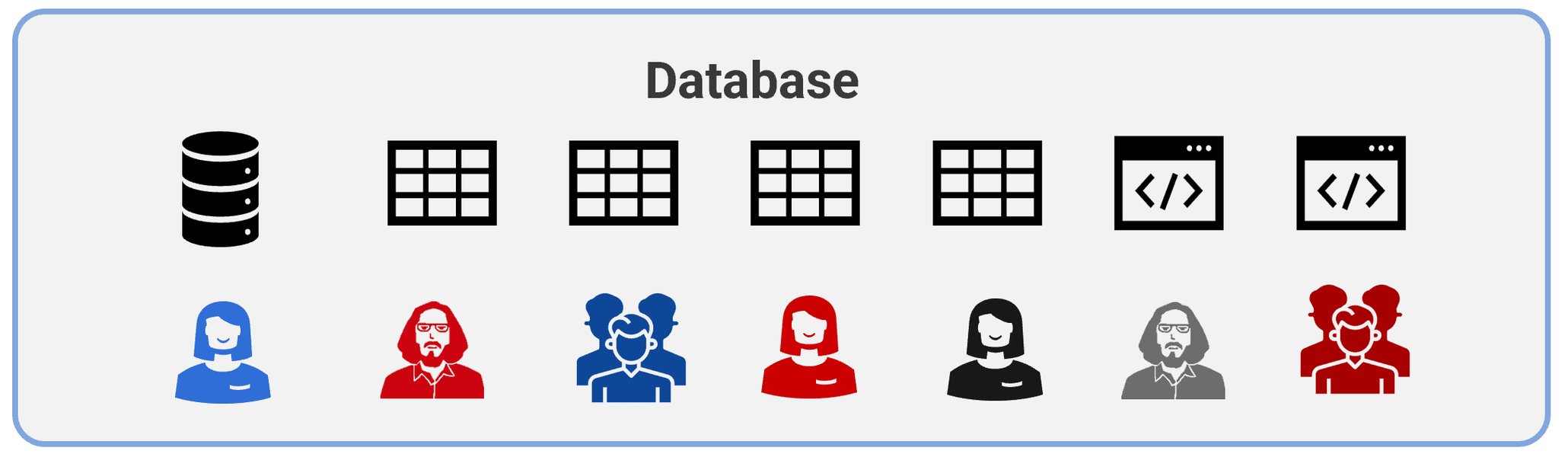
A diagram illustrating the flow of privileges and roles in a PostgreSQL setup.
Querying pg_stat_activity for a Specific Database
To filter active connections for your target database, use a query similar to this:
SELECT
    pid AS process_id,
    usename AS username_role,
    application_name,
    client_addr AS client_ip,
    state AS connection_state,
    query_start AS query_start_time,
    now() - query_start AS duration,
    query
FROM pg_stat_activity
WHERE datname = 'your_database_name'
  AND state != 'idle' -- Optionally exclude idle connections
ORDER BY query_start DESC;
This query provides a wealth of information: the process ID (pid), the role connected (usename), the application making the connection, the client's IP address, the state of the connection (e.g., 'active', 'idle in transaction'), when the current query started, its duration, and the query text itself. This is invaluable for troubleshooting, performance monitoring, and security audits.
A consolidated view of roles, permissions, and connection types.
Combining the insights from roles, explicit database privileges, and active connections allows for a truly comprehensive understanding of access to your PostgreSQL database. The following table summarizes key aspects:
| Aspect | Description | Primary Source/Command | Relevance to Specific Database |
|---|---|---|---|
| Role Existence & Attributes | Login status, superuser, create DB, create role capabilities. | pg_roles, \du, \du+ |
Global roles, but attributes determine potential database interaction. |
| Role Membership | Which roles inherit privileges from others. | pg_auth_members |
Implicitly affects permissions on the database through inherited roles. |
| Database Connection Privilege | Ability to establish a session with the specified database. | has_database_privilege(), pg_database.datacl |
Directly specifies if a role can connect to 'your_database_name'. |
| Database-Level Privileges | Permissions like CREATE, TEMPORARY on the database itself. | pg_database.datacl, aclexplode() |
Determines actions a role can perform on the database structure. |
| Object-Level Privileges | Permissions on tables, schemas, functions within the database. | information_schema.*_privileges, \dp |
Defines what operations (SELECT, INSERT, etc.) a role can perform on objects inside 'your_database_name'. |
| Active Connections | Users currently connected, their queries, and session state. | pg_stat_activity |
Shows real-time usage and activities related to 'your_database_name'. |
Overview of PostgreSQL access control components and their relevance.
This table highlights how different pieces of information come together to form a complete picture of access. It's crucial to examine all these facets for a thorough security audit or access management task.
Simplifying management and deepening understanding.
While SQL queries and psql commands offer precise control and detailed information, graphical user interface (GUI) tools can simplify the process of viewing and managing users, roles, and permissions, especially for those less familiar with the command line.
Popular GUI Tools for PostgreSQL
- pgAdmin: A comprehensive and popular open-source administration and development platform for PostgreSQL. It provides a visual interface for managing roles, databases, tables, and permissions.
- DBeaver: A universal database tool for developers, database administrators, and analysts. It supports PostgreSQL and offers robust features for browsing database objects, executing queries, and managing security.
- DataGrip: An intelligent IDE for databases and SQL from JetBrains, offering advanced features for database management, query execution, and object exploration.
These tools typically allow you to navigate to "Login/Group Roles" or "Users & Roles" sections, where you can visually inspect existing roles, their attributes, and associated privileges on various database objects.
This video, titled "Check Your Privileges: The PostgreSQL Role System," provides an excellent deep dive into the sophisticated role and privilege system within PostgreSQL, offering valuable context on how access control operates. It's particularly relevant as it explains the nuances of user login and granular control, which are central to understanding database permissions.
FAQ
What is the difference between a user and a role in PostgreSQL?
How can I see who is currently connected to my specific database?
pg_stat_activity system view. Specifically, SELECT usename, client_addr, state, query FROM pg_stat_activity WHERE datname = 'your_database_name'; will show active sessions on your specified database.What does \du+ do in psql?
\du+ meta-command in the psql command-line interface lists all roles in the PostgreSQL cluster, along with their attributes (e.g., can login, superuser status) and any associated description. It provides a more detailed output than \du.How do I check a role's permissions on a specific table within a database?
information_schema.table_privileges view, filtering by the table_catalog (which is your database name) and optionally by table_name and grantee (the role name). For example: SELECT grantee, privilege_type FROM information_schema.table_privileges WHERE table_catalog = 'your_database_name' AND table_name = 'your_table_name';Why is it important to understand role memberships?
Conclusion
Managing users, roles, permissions, and connections in PostgreSQL is a fundamental aspect of database administration and security. By utilizing a combination of psql meta-commands, targeted SQL queries against system catalogs like pg_roles, pg_database, and pg_stat_activity, and leveraging GUI tools, administrators can gain a comprehensive and granular understanding of who has access to their specific databases and what actions they are performing. This detailed visibility is critical for maintaining robust security, ensuring compliance, and optimizing database performance.
Recommended Further Reading
- What are the best practices for implementing role-based access control in PostgreSQL?
- How can I effectively audit PostgreSQL database security for compliance?
- What are advanced techniques for monitoring active sessions and performance in PostgreSQL?
- How do PostgreSQL privilege inheritance and GRANT/REVOKE commands work in detail?