

Use pg_dump for one PostgreSQL database. A custom-format dump can be inspected with pg_restore --list and restored with pg_restore. Test the restore on a separate database and capture cluster-wide roles or tablespaces separately if needed.
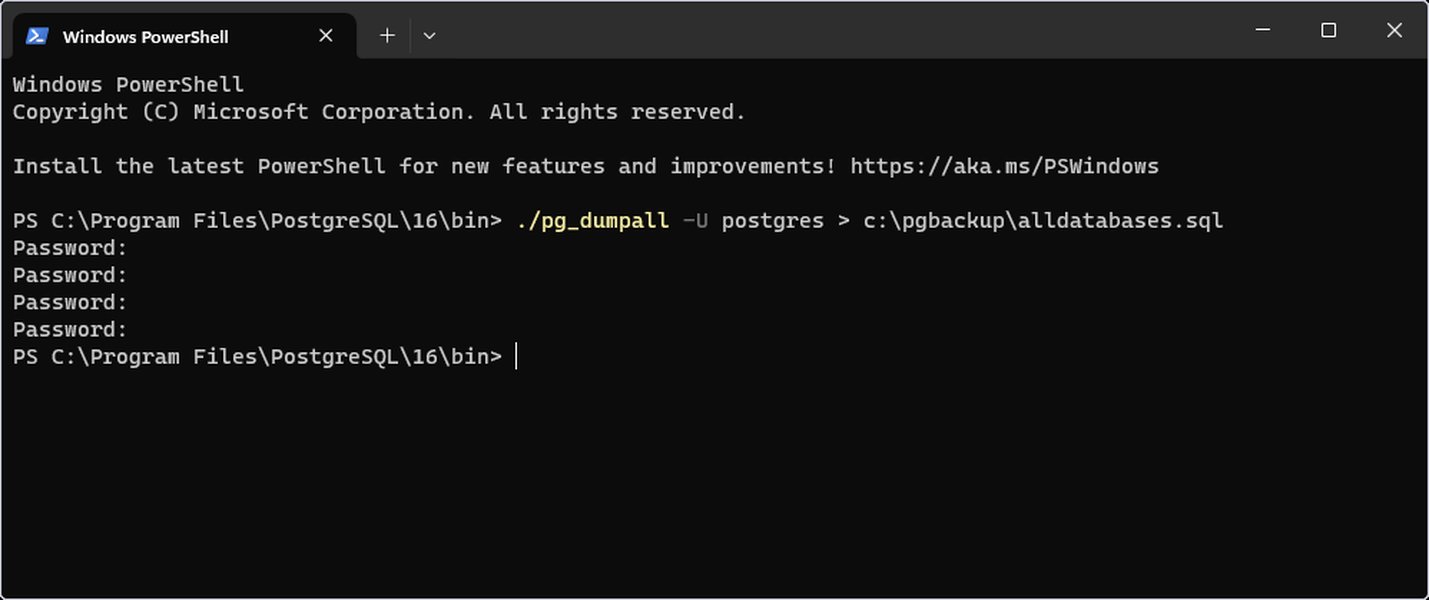
An illustration showcasing the scope of pg_dumpall for multiple databases.
When it comes to backing up PostgreSQL databases, understanding the right tool for the job is paramount. While pg_dumpall might seem like a comprehensive solution, it's primarily designed for cluster-wide backups. For the specific task of dumping a single database while excluding all others, the clear recommendation is to leverage pg_dump. This guide will clarify the distinctions, explore the nuances, and provide practical scripts to ensure your PostgreSQL backup strategy is both efficient and robust.
Key Insights for PostgreSQL Single Database Backups
pg_dumpis the preferred tool for single database backups: Designed specifically for individual databases,pg_dumpoffers direct control and is the most efficient method when you only need to back up one database.pg_dumpallis for cluster-wide backups: Its primary function is to dump all databases, roles, and global objects within a PostgreSQL cluster. While newer versions (PostgreSQL 12+) offer an--exclude-databaseoption, it's cumbersome for isolating a single database.- Filtering
pg_dumpalloutput is an alternative, but less efficient: For older PostgreSQL versions or specific scenarios, you can dump everything withpg_dumpalland then use scripting (e.g.,sed) to extract the desired database, though this is generally not recommended for routine single database backups.
Understanding PostgreSQL Backup Utilities: pg_dump vs. pg_dumpall
The PostgreSQL ecosystem provides two primary command-line utilities for creating database backups: pg_dump and pg_dumpall. While both serve the purpose of data export, their scope and intended use cases differ significantly. Grasping these differences is fundamental to choosing the appropriate tool for your specific backup requirements.
pg_dump: The Precision Tool for Individual Databases
pg_dump is specifically engineered to create a backup of a single PostgreSQL database. It generates a file containing SQL commands that, when restored, will reconstruct the database to its state at the time of the backup. This utility is ideal for:
- Backing up application-specific databases.
- Migrating individual databases between servers.
- Creating logical backups for development and testing environments.
Its focused approach makes it highly efficient and straightforward for single-database operations. It offers various output formats, including plain-text SQL, custom archives, and tar archives, allowing for flexible restoration options with pg_restore.
pg_dumpall: The Comprehensive Solution for Entire Clusters
In contrast, pg_dumpall is designed to dump an entire PostgreSQL database cluster. This includes all user databases, along with global objects such as roles (users), tablespaces, and other cluster-wide configurations. It generates a single script that can recreate the entire cluster's structure and data. pg_dumpall is typically used for:
- Complete system backups.
- Migrating an entire PostgreSQL instance to a new server.
- Ensuring consistency across all databases and global settings.
The output of pg_dumpall is usually a plain-text SQL script, which can then be executed by psql to restore the entire cluster. It does not support custom or tar archive formats.
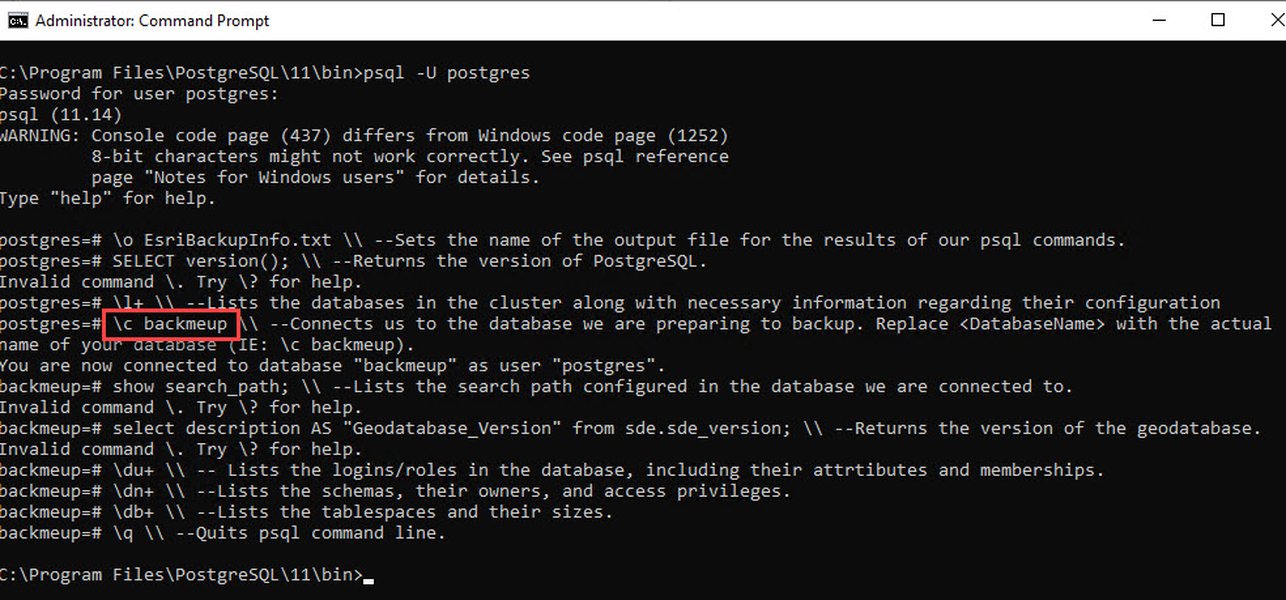
A visual representation of backing up a PostgreSQL geodatabase, demonstrating the broader context of database backup strategies.
Why pg_dump is the Recommended Approach for Single Database Backups
Given the design philosophies of pg_dump and pg_dumpall, using pg_dump for backing up a single database is unequivocally the recommended best practice. Attempting to force pg_dumpall to dump only one database introduces unnecessary complexity and inefficiency.
Efficiency and Simplicity
pg_dump directly targets the specified database, producing a clean, self-contained backup file. This process is inherently more efficient than dumping an entire cluster and then attempting to extract a single database from it. The command syntax is simple and intuitive:
pg_dump -U username -h hostname -d database_name > database_name_backup.sqlThis command directly backs up database_name, requiring no additional scripting or filtering.
Granular Control and Flexibility
pg_dump provides more granular control over the backup process for a single database. You can specify different output formats, compress the output, and even include or exclude specific tables or data subsets within that database. These options are not readily available or are significantly more complicated to achieve when using pg_dumpall.
Practical Implementation: Using pg_dump
To dump a single specific PostgreSQL database, follow this simple and effective method:
#!/bin/bash

# Configuration
DB_USER="your_username"        # Your PostgreSQL username
DB_HOST="your_hostname"        # The hostname or IP of your PostgreSQL server
DB_NAME="your_database_name"   # The specific database you want to dump
OUTPUT_FILE="${DB_NAME}_$(date +%Y%m%d_%H%M%S).sql" # Output file with timestamp

# Execute pg_dump
echo "Starting backup of database: ${DB_NAME} to ${OUTPUT_FILE}..."
pg_dump -U "${DB_USER}" -h "${DB_HOST}" -d "${DB_NAME}" > "${OUTPUT_FILE}"

# Check if the dump was successful
if [ $? -eq 0 ]; then
    echo "Database backup completed successfully: ${OUTPUT_FILE}"
else
    echo "Error: Database backup failed."
    exit 1
fi

echo "To restore this database, use: psql -U ${DB_USER} -h ${DB_HOST} -d ${DB_NAME} -f ${OUTPUT_FILE}"
Replace your_username, your_hostname, and your_database_name with your actual credentials and database details. This script provides a clear, timestamped backup file for your specified database.
Alternative: Using pg_dumpall with Exclusions (PostgreSQL 12+)
For PostgreSQL versions 12 and newer, pg_dumpall introduced the --exclude-database=PATTERN option. While it doesn't offer a direct "include-only" functionality, it allows you to exclude specific databases from the cluster dump. To achieve a single-database dump using this method, you would need to list every other database in your cluster as an exclusion.
When This Approach Might Be Considered
- You have a very small number of databases and want to dump almost all of them, excluding only one or two.
- You are working within a script that primarily uses
pg_dumpallfor other operations and want to maintain consistency, even if it's less efficient for this specific task.
Example Usage
pg_dumpall --exclude-database=other_db_1 --exclude-database=other_db_2 --exclude-database=template0 --exclude-database=template1 > my_target_db_dump.sqlThis command would effectively dump everything except other_db_1, other_db_2, template0, and template1. As you can see, this becomes unwieldy if you have many databases.
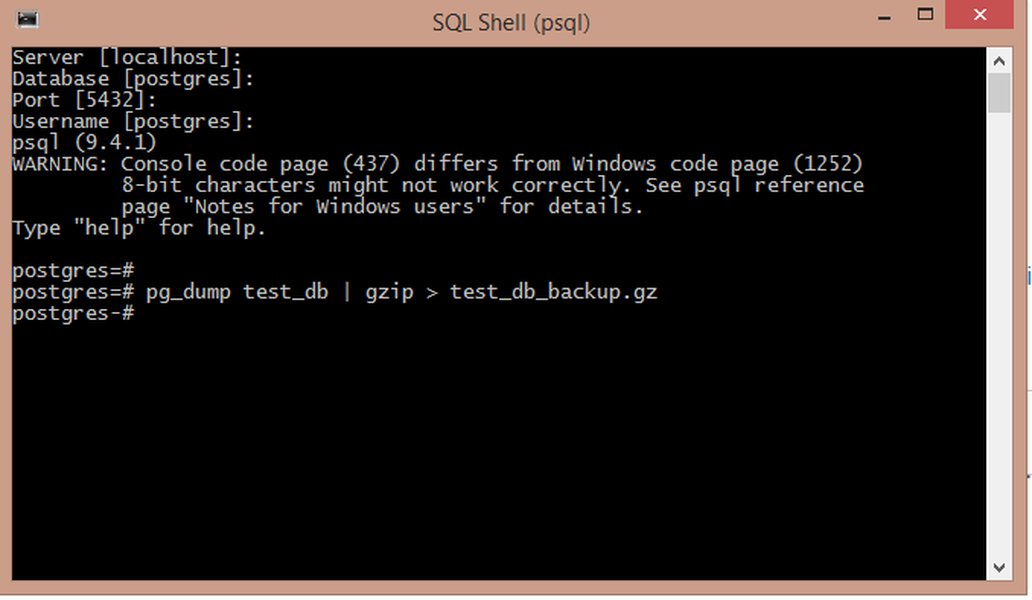
An example of a pgAdmin interface, showing how GUI tools can also facilitate pg_dump operations.
Advanced Technique: Extracting a Single Database from a pg_dumpall Output
In scenarios where you have an existing pg_dumpall output file and need to extract a single database from it (perhaps for a selective restore), shell scripting tools like sed can be used. This method is generally not recommended for creating backups from scratch due to its complexity and potential for errors compared to direct pg_dump usage.
Process Overview
- Perform a full cluster dump using
pg_dumpall. - Use string manipulation tools to identify and extract the section corresponding to your target database.
Example Script for Extraction
#!/bin/bash

# Configuration
FULL_DUMP_FILE="all_databases.sql"  # The full pg_dumpall output file
TARGET_DB_NAME="your_target_database" # The name of the database to extract
EXTRACTED_FILE="${TARGET_DB_NAME}_extracted.sql"

# Check if the full dump file exists
if [ ! -f "${FULL_DUMP_FILE}" ]; then
    echo "Error: Full dump file '${FULL_DUMP_FILE}' not found."
    exit 1
fi

echo "Extracting database '${TARGET_DB_NAME}' from '${FULL_DUMP_FILE}'..."

# Use sed to extract the relevant section
# This command looks for the '\connect' statement for the target database,
# extracts everything up to the next '\connect' statement or the end of the file,
# and then further processes it to remove content after the target DB's dump ends.
sed -n "/^\\connect ${TARGET_DB_NAME}\b/,/^\\connect / {
    /^\\connect ${TARGET_DB_NAME}\b/b
    /^\\connect / {
        s/.*/\n-- End of ${TARGET_DB_NAME} dump section\n/p
        q
    }
    p
}" "${FULL_DUMP_FILE}" > "${EXTRACTED_FILE}"

# Further refinement for removing content after the logical end of dump
# (This step might be necessary if the initial sed command is too broad)
# A simpler approach for the end boundary is often to look for "PostgreSQL database dump complete"
# within the target database's section.

# A more robust sed command might involve looking for the "PostgreSQL database dump complete"
# message that typically marks the end of a single database's content within the pg_dumpall output.
# Example from community sources:
# sed -n "/^\\connect ${TARGET_DB_NAME}/,/\n\\connect /p" "${FULL_DUMP_FILE}" | sed -e '$!d' -e 's/\\connect .*//' > "${EXTRACTED_FILE}"

# Simplified and commonly cited sed approach from community
# This extracts from the connect statement for the target DB until the next connect statement or EOF.
# It then removes the final connect statement if it exists and any content after it.
awk "/^\\connect ${TARGET_DB_NAME}/,/^\\connect /" "${FULL_DUMP_FILE}" | \
    sed '$d' | \
    sed 's/^\\connect .*//' | \
    grep -vE '^\s*$' > "${EXTRACTED_FILE}"


if [ -s "${EXTRACTED_FILE}" ]; then # Check if the extracted file is not empty
    echo "Extraction for '${TARGET_DB_NAME}' completed successfully to '${EXTRACTED_FILE}'."
else
    echo "Error: Extraction failed or produced an empty file. Check database name and dump file content."
    exit 1
fi
This script uses awk and sed to identify the section of the pg_dumpall output corresponding to your_target_database. The complexity arises from accurately defining the start and end markers of a specific database's dump within the monolithic pg_dumpall output. While functional, this method is more prone to breaking if the pg_dumpall output format changes slightly between PostgreSQL versions.
This mindmap illustrates the primary distinctions and recommended use cases for pg_dump and pg_dumpall, emphasizing the best practices for different backup scenarios.
Comparison of Backup Methods
To further clarify the optimal choice, here's a detailed comparison:
| Feature | pg_dump (Single Database) |
pg_dumpall (All Databases) |
pg_dumpall with --exclude-database (PostgreSQL 12+) |
pg_dumpall + Scripted Extraction |
|---|---|---|---|---|
| Target Scope | Single Database | Entire Cluster (All Databases + Globals) | Entire Cluster (excluding specified DBs) | Single Database (extracted from full cluster dump) |
| Efficiency for Single DB | High (Direct and focused) | Low (Dumps unnecessary data) | Moderate (Still processes cluster-wide, but excludes data) | Low (Two-step process, potentially slow for large dumps) |
| Ease of Use for Single DB | Very High (Simple command) | Very Low (Not designed for this) | Low (Requires listing all other databases) | Low (Requires scripting and careful pattern matching) |
| PostgreSQL Version Requirement | All versions | All versions | PostgreSQL 12+ | All versions (scripting flexibility) |
| Output Format | Plain SQL, Custom, Tar | Plain SQL | Plain SQL | Plain SQL (after extraction) |
| Recommended Use | Standard single database backups | Full cluster backups/migrations | Specific cases where only a few databases need exclusion | Recovering a single DB from an existing full cluster dump |
Video: Backing Up a Postgres Database with pg_dump and pg_restore
This video provides a practical walkthrough of using pg_dump and pg_restore, offering visual guidance and detailed explanations on how to effectively back up and restore individual PostgreSQL databases. It covers various aspects, including backing up specific tables and understanding different file formats, which are crucial for a comprehensive backup strategy.
FAQ
Why is pg_dumpall not suitable for dumping a single database?
pg_dumpall is designed to back up an entire PostgreSQL cluster, including all databases and global objects. It does not have a native "include-only" option for a single database. Using it for this purpose would involve either dumping the entire cluster and extracting the desired database (inefficient) or tediously excluding all other databases (cumbersome).What is the recommended tool for backing up a single PostgreSQL database?
pg_dump. It is specifically designed for dumping individual databases and provides direct, efficient control over the backup process, including various output formats and options for compression.Can I use pg_dumpall --exclude-database to dump a single database?
pg_dumpall --exclude-database=PATTERN. However, to dump only one database, you would need to list every other database in your cluster as an exclusion, which can be impractical and error-prone if you have many databases.How can I extract a single database from an existing pg_dumpall output file?
sed or awk to parse the pg_dumpall output file and extract the section corresponding to your target database. This method is generally more complex and less efficient than using pg_dump directly for creating new backups.What are the main differences between pg_dump and pg_dumpall?
pg_dump backs up a single database, offering granular control and multiple output formats. pg_dumpall backs up an entire PostgreSQL cluster, including all databases and global objects, typically producing a single plain SQL script for restoration.Conclusion
In summary, while pg_dumpall is an indispensable tool for comprehensive PostgreSQL cluster backups, it is not the appropriate utility for backing up a single database. For such a task, pg_dump stands out as the most efficient, straightforward, and recommended solution. Its focused design, ease of use, and granular control make it the ideal choice for creating reliable backups of individual PostgreSQL databases. Although workarounds exist for pg_dumpall—such as using the --exclude-database option in newer versions or scripting an extraction from a full dump—these methods introduce unnecessary complexity and are generally less efficient than simply using pg_dump as intended. Always align your backup strategy with the specific capabilities of each tool to ensure optimal performance and data integrity.
Recommended Further Exploration
- How to restore a single database from pg_dump output
- PostgreSQL backup and recovery best practices
- Understanding pg_dump custom format for backups
- Automating PostgreSQL database backups with cron