
Pulsing Audio Record Button
Introduction
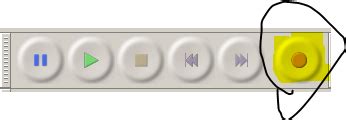
The pulsing audio record button is a widely recognized user interface (UI) element designed to visually indicate that an audio recording is actively taking place. This feature serves both aesthetic and functional purposes, enhancing user experience by providing clear feedback and engagement cues during the recording process.
Design Features
Animated Pulsating Effect
The core characteristic of a pulsing audio record button is its animated pulsating effect. This involves rhythmic expansion and contraction, often resembling a heartbeat or breathing motion. The animation is typically smooth and continuous, ensuring that users can easily recognize the recording state without distraction.
Visual Indicators
These buttons commonly utilize bold colors such as red to signify the recording status. Gradients and shading may also be employed to add depth and make the button more visually appealing. The pulsating motion is usually contrasting against the static elements of the interface, ensuring visibility and immediate recognition.
Shape and Form
Most pulsing record buttons are circular or round in shape, aligning with conventional symbols for recording. This familiarity helps users intuitively understand the button's purpose without requiring additional instruction.
Common Uses
Voice Memo Applications
In voice memo apps, the pulsing record button provides a clear indicator that audio capture is in progress. This reassurance allows users to focus on speaking without worrying about the recording status.
Messaging Platforms
Messaging apps like WhatsApp and Instagram incorporate pulsing record buttons for voice messages and notes. These visual cues enhance user interaction by signaling that the app is actively recording audio.
Web-Based Recording Tools
Online platforms offering audio recording capabilities utilize pulsing buttons to indicate recording status. This is crucial in web environments where feedback needs to be immediate and clear due to the lack of physical indicators.
Voice Comment and Feedback Systems
Systems that allow users to leave voice comments or feedback often include pulsing record buttons. This ensures that users are aware their input is being captured, improving the overall experience and interaction quality.
Design Purposes
Visual Feedback
The primary purpose of a pulsing record button is to provide immediate visual feedback to users, confirming that recording is in progress. This reduces uncertainty and enhances user confidence in the functionality of the application.
User Engagement
Animated elements like pulsing effects add dynamism to the UI, making the interaction more engaging. This can make the experience feel more interactive and responsive, encouraging continued use of the application.
State Communication
By distinctly differentiating between active and inactive states, pulsing record buttons help users understand the current status of the system. This is essential for preventing accidental recordings or interruptions during non-recording periods.
Aesthetic Appeal
Beyond functionality, pulsing record buttons contribute to the overall aesthetic of the application. Thoughtfully designed animations can make the interface more attractive and modern, enhancing the user's visual experience.
Visual Design Techniques
Smooth Animation
Implementing smooth and continuous animations ensures that the pulsing effect is pleasant and non-disruptive. Techniques such as easing functions can be used to create natural-looking movements that are easy on the eyes.
Color Transitions
Gradual color transitions or pulsating color intensity can be employed to indicate different states or levels of activity. For instance, the button might gradually increase in size and brightness during recording, then revert when recording stops.
Size Oscillation
Subtle changes in the button's size during the pulse can add a sense of depth and movement. This technique helps make the button more noticeable and emphasizes the ongoing recording process.
Breathing Effect
A "breathing" or gentle pulse effect mimics natural rhythms, making the animation more organic and less mechanical. This can contribute to a more soothing and user-friendly interface.
Contrast Management
Ensuring that the pulsing button stands out against the rest of the interface is crucial. High contrast between the button and background elements ensures that users can easily identify the recording status at a glance.
Implementation in Popular Applications
Voice Memos (iOS)
The Voice Memos app on iOS devices features a pulsating red record button. The pulsing animation becomes more pronounced as the recording progresses, providing clear visual feedback to the user.
WhatsApp Voice Messages
WhatsApp employs a pulsing microphone icon when users are recording voice messages. The animation reassures users that their message is being captured and indicates the duration of the recording.
Instagram Voice Notes
Instagram's voice note feature includes a pulsing record button that integrates seamlessly with the app's overall aesthetic. The animation is subtle yet effective in signaling active recording.
Google Voice Recorder
Google’s Voice Recorder app utilizes a pulsing red circle to indicate recording. The pulse grows and shrinks rhythmically, providing a familiar and intuitive signal to users.
Web Applications
Many web-based recording tools implement pulsing buttons to maintain consistency with desktop and mobile counterparts. This ensures users have a unified experience across different platforms.
User Experience Considerations
Accessibility
While pulsing animations enhance visual feedback, it's essential to ensure they are not disruptive for users with visual sensitivities. Providing options to adjust or disable animations can improve accessibility.
Performance Optimization
Animations should be optimized to prevent performance issues, especially on lower-end devices. Efficient coding and minimizing resource usage help maintain smooth operation without compromising the recording functionality.
Consistency
Maintaining consistency in the design and behavior of pulsing record buttons across different parts of the application helps users build a reliable mental model of how the app operates.
Feedback Clarity
The pulsing effect should be clear enough to indicate active recording but not so intense that it becomes a distraction. Balancing visibility with subtlety ensures that the feedback serves its purpose effectively.
Technical Implementation
CSS Animations
CSS animations can be utilized to create the pulsing effect. By defining keyframes that adjust properties like transform: scale() and opacity, developers can achieve smooth, repeating pulses.
@keyframes pulse {
  0% {
    transform: scale(1);
    opacity: 1;
  }
  50% {
    transform: scale(1.1);
    opacity: 0.7;
  }
  100% {
    transform: scale(1);
    opacity: 1;
  }
}

.pulse-button {
  animation: pulse 2s infinite;
  background-color: red;
  border-radius: 50%;
  width: 60px;
  height: 60px;
}
JavaScript Enhancements
JavaScript can be used to control the animation based on user interactions. For instance, the pulsing animation can start when the user begins recording and stop when recording ends.
// Start pulsing animation
function startRecording() {
  const button = document.querySelector('.pulse-button');
  button.classList.add('active');
  // Additional recording logic
}

// Stop pulsing animation
function stopRecording() {
  const button = document.querySelector('.pulse-button');
  button.classList.remove('active');
  // Additional recording logic
}
Best Practices
Simplicity and Subtlety
A pulsing effect should be simple and subtle to avoid overwhelming the user. Overly complex or rapid animations can be distracting and detract from the user experience.
Responsive Design
The pulsing record button should be responsive and adapt to different screen sizes and resolutions. Ensuring that the button maintains its functionality and visual clarity across devices is crucial.
User Control
Providing users with control over the animation, such as pausing or adjusting the pulse rate, can enhance accessibility and user satisfaction.
Conclusion
The pulsing audio record button is a powerful UI element that enhances the user experience by providing clear, immediate visual feedback during the recording process. Through thoughtful design and implementation, it serves both functional and aesthetic purposes, ensuring that users are aware of the recording status while engaging with the application in an intuitive and visually appealing manner. By adhering to best practices and considering user experience factors, developers can effectively incorporate pulsing record buttons into their applications, thereby improving usability and overall satisfaction.
Last updated January 3, 2025