
Unlock BIM Power: Structuring Your Dream House Entirely with Python
Discover how Python's versatility and powerful libraries can revolutionize your approach to Building Information Modeling for residential projects.
Building Information Modeling (BIM) is a transformative process for creating and managing information on a construction project throughout its lifecycle. While often associated with specialized software, structuring a house using BIM principles can be powerfully achieved using "pure Python." This typically means leveraging Python's robust ecosystem of libraries to programmatically define, manage, and export BIM data, offering unparalleled flexibility, automation, and customization.
Key Highlights: Your Python BIM Blueprint
- Embrace Object-Oriented Programming (OOP): Model your house and its components (walls, floors, rooms) as Python classes for a clear, organized, and extensible structure. This mirrors real-world building hierarchies and simplifies complex data management.
- Leverage
ifcopenshellfor Standardization: Utilize this powerful Python library to create, read, and write Industry Foundation Classes (IFC) files. This ensures your BIM data is interoperable, adheres to open BIM standards (ISO 16739), and can be shared across various platforms. - Combine Geometric and Semantic Data: Programmatically define not only the 3D shapes and spatial relationships of building elements but also their crucial metadata. This includes materials, structural properties, thermal performance, cost data, and relationships between components, creating a truly intelligent and data-rich model.
The Foundational Pillar: Object-Oriented Design in Python for BIM
Crafting a Digital Twin with Python Classes
The cornerstone of a Python-based BIM structure is Object-Oriented Programming (OOP). By defining classes for each part of your house, you create a logical and hierarchical model that's easy to understand, manage, and extend. Think of it as creating digital blueprints where each component knows what it is, what it's made of, and how it relates to other parts.
Conceptual Python Class Structure:
You would typically start by defining base classes and then more specific ones:
# Conceptual Python code for BIM structure
class BimElement:
    def __init__(self, guid, name):
        self.guid = guid  # Unique identifier
        self.name = name
        self.properties = {} # To store semantic data
        self.geometry = None # To store geometric representation

    def add_property(self, key, value):
        self.properties[key] = value

class Building(BimElement):
    def __init__(self, guid, name, address=""):
        super().__init__(guid, name)
        self.address = address
        self.storeys = []

    def add_storey(self, storey):
        self.storeys.append(storey)

class Storey(BimElement):
    def __init__(self, guid, name, elevation=0.0):
        super().__init__(guid, name)
        self.elevation = elevation
        self.spaces = [] # Rooms, corridors, etc.
        self.elements = [] # Walls, slabs directly associated with storey

    def add_space(self, space):
        self.spaces.append(space)

    def add_element(self, element):
        self.elements.append(element)

class Wall(BimElement):
    def __init__(self, guid, name, length, height, thickness, material="Default"):
        super().__init__(guid, name)
        self.length = length
        self.height = height
        self.thickness = thickness
        self.material = material
        # self.geometry would be defined using a geometry library or custom methods

# Example usage:
# import uuid
# main_building = Building(guid=str(uuid.uuid4()), name="My Python House")
# ground_floor = Storey(guid=str(uuid.uuid4()), name="Ground Floor", elevation=0.0)
# main_building.add_storey(ground_floor)
# exterior_wall = Wall(guid=str(uuid.uuid4()), name="W-01", length=5.0, height=2.8, thickness=0.2, material="Brick")
# ground_floor.add_element(exterior_wall)
This OOP approach allows you to encapsulate both the data (attributes like material, size) and behavior (methods to calculate volume, check connections) of each building component.
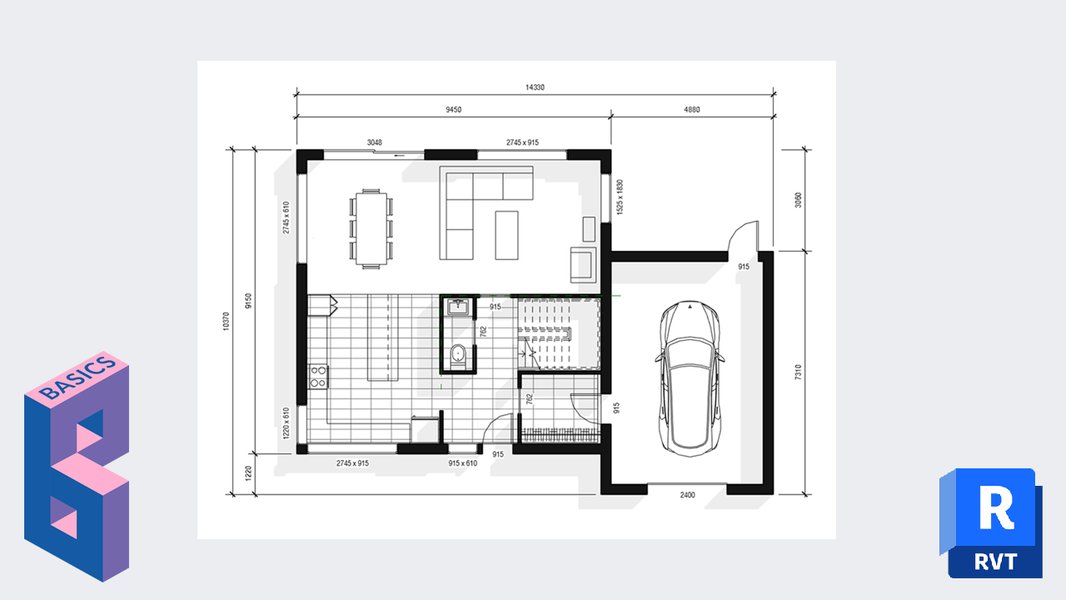
A visual representation of a floor plan, which can be programmatically generated and managed using Python BIM techniques.
Defining Geometry and Managing Data
From Abstract Concepts to Concrete Forms
A BIM model is more than just a list of components; it's a rich database of geometric and semantic information.
Handling Geometry Programmatically
Representing the 3D shapes of building elements in Python can be done in several ways:
- Custom Geometry Classes: For simpler projects or learning purposes, you can define your own classes for points, lines, polygons, and basic solids (e.g., extrusions, cuboids). This gives you full control but can be complex for advanced shapes.
- Geometric Modeling Libraries:
CadQuery: A powerful Python library built on OpenCASCADE Technology (OCCT), excellent for creating parametric 3D CAD models with code. It allows for robust solid modeling operations.Trimesh/PyMesh: Useful for working with mesh-based geometries, importing/exporting various mesh formats, and performing mesh operations.
- Via IFC Entities: When using
ifcopenshell, geometry is often defined implicitly through IFC entities likeIfcExtrudedAreaSolidorIfcPolygonalBoundedHalfSpace, which describe how solids are formed.
Embedding Rich Semantic Data
Beyond shapes, BIM thrives on data. Each Python object representing a building element should store relevant attributes:
- Material Properties: Concrete strength, wood type, insulation U-values.
- Functional Information: Room names, occupancy types, fire ratings.
- Construction Data: Supplier information, cost per unit, installation phases.
- Relationships: How elements are connected (e.g., a window hosted in a wall, a slab supported by beams). These relationships are crucial for model integrity and analysis. IFC provides standardized ways to define these, such as
IfcRelAggregates,IfcRelContainedInSpatialStructure, orIfcRelConnectsElements.
Essential Python Libraries for Your BIM Toolkit
Harnessing the Power of Specialized Tools
While Python's core capabilities are fundamental, several specialized libraries significantly simplify and enhance BIM development:
-
ifcopenshell: This is arguably the most critical library for open BIM workflows in Python. It provides comprehensive tools to:- Create IFC files from scratch by defining project structure, elements, geometry, and properties according to the IFC schema.
- Read existing IFC files, parse their data, and navigate the complex relationships between entities.
- Modify IFC data, allowing for updates, additions, or corrections to BIM models.
- Extract specific information, such as quantities, properties, or geometric data, for analysis or reporting.
-
CadQuery: Ideal for generating complex parametric 3D geometry. You define shapes through a fluent API, making it intuitive to create and modify parts of your house model programmatically. Its output can then be translated into IFC-compatible geometry representations. -
dotbimpy: For projects that might not require the full complexity of IFC,dotbimpyoffers a way to work with the.bimfile format. This format is simpler, JSON-based, and focuses on meshes with associated information, making it lightweight and easy to implement for visualization or simpler BIM exchanges. -
Python APIs in CAD/BIM Software:
- FreeCAD (Arch Workbench): FreeCAD is an open-source parametric 3D CAD modeler. Its Arch Workbench is specifically designed for BIM and offers extensive Python scripting capabilities. You can create and manipulate BIM objects (walls, windows, structures) directly via Python scripts within the FreeCAD environment.
- Blender (with
IfcBlender/BlenderBIM): Blender, known for 3D modeling and animation, becomes a powerful open-source BIM tool with add-ons like BlenderBIM. Its Python API (bpy) allows for extensive scripting of modeling tasks and interaction with IFC data through these add-ons.
This video, "Create a BIM application with python in under 60 minutes," demonstrates how Python, along with libraries like IfcOpenShell and frameworks like Streamlit, can be used to build interactive BIM applications, showcasing the practical power of Python in the BIM domain.
A Step-by-Step Workflow for Python BIM House Modeling
From Code to Construction-Ready Data
Structuring a house BIM model in Python generally follows these steps:
- Environment Setup:
- Install Python (typically version 3.7 or newer).
- Set up a virtual environment (e.g., using `venv` or `conda`) to manage project dependencies.
- Install necessary libraries: `pip install ifcopenshell cadquery numpy pandas` (as needed).
- Define Model Structure (OOP):
- Design your Python classes for `Project`, `Site`, `Building`, `Storey`, `Space` (Room), and various `BuildingElement` types (Wall, Slab, Door, Window, Roof, etc.).
- Establish hierarchical relationships (e.g., a Building contains Storeys, Storeys contain Spaces and Elements).
- Implement Geometry and Semantic Data:
- For each element class, implement methods or attributes to define its 3D geometry (using `CadQuery`, `ifcopenshell` geometry types, or custom logic).
- Add properties (materials, thermal resistance, cost, manufacturer) to these Python objects.
- Define relationships between elements (e.g., how a door is placed within a wall).
- Instantiate and Populate Your Model:
- Write a script that creates instances of your classes to represent the specific house you are modeling.
- Populate these instances with geometric data (coordinates, dimensions) and semantic information.
- Validation (Optional but Recommended):
- Implement checks for geometric clashes, missing data, or invalid relationships.
- Ensure compliance with project-specific or BIM standards.
- Export to a Standard BIM Format:
- Using `ifcopenshell`, serialize your Python object model into an IFC file. This involves mapping your Python classes and their attributes to the corresponding IFC entities and property sets.
- Alternatively, export to simpler formats like `.bim` using `dotbimpy` if full IFC complexity is not needed.
This programmatic approach allows for incredible automation, such as generating multiple design variations, performing automated checks, or integrating with simulation tools.
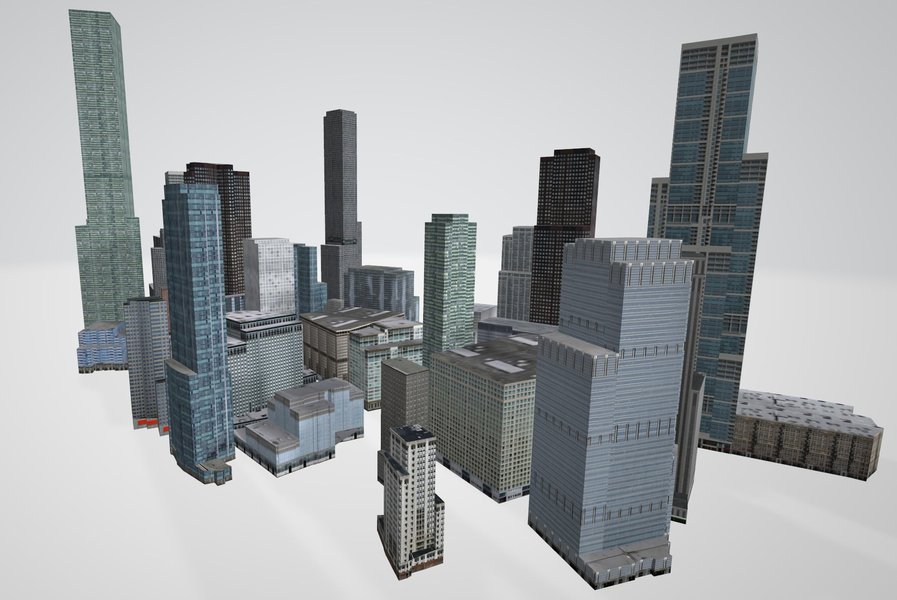
An example of 3D building models, which can be the output of Python-driven BIM processes, ready for visualization and analysis.
Comparative Overview of Pythonic BIM Approaches
Choosing the Right Tools for Your Project
Different Python libraries and workflows offer varying strengths for BIM development. The radar chart below provides a comparative visualization of key approaches based on several factors. A higher score generally indicates better performance or capability in that dimension. For 'Ease of Development', a higher score means it's generally easier or requires less boilerplate to achieve common tasks.
This chart illustrates that tools like FreeCAD and Blender (when scripted with Python and using relevant BIM extensions) offer strong all-around capabilities, especially for geometry and visualization, though with a steeper learning curve for their APIs. A pure `IfcOpenShell` approach excels in IFC compliance and data semantics, while `CadQuery` offers powerful parametric geometry creation.
Visualizing the BIM Hierarchy: A Mindmap Perspective
Understanding the Structure of Your Python BIM House
A Building Information Model is inherently hierarchical. The mindmap below illustrates a typical structural breakdown for a house model created in Python. It shows how a project can be deconstructed from the overall building down to individual components and their associated data. This hierarchical organization is fundamental to how BIM data is structured, particularly within the IFC schema.
This mindmap provides a conceptual overview. In an actual Python implementation using OOP, these entities would be represented by classes and instances, linked together to form the complete BIM data structure. The IFC standard provides specific entities and relationship types (like IfcProject, IfcSite, IfcBuilding, IfcBuildingStorey, IfcSpace, IfcWall, IfcPropertySet, etc.) that formalize this hierarchy.
Feature Comparison: Pythonic BIM Approaches
Choosing the Right Tool for the Task
The table below offers a comparative glance at different Python-centric approaches to BIM, highlighting their primary focus, key libraries, strengths, and typical use cases. This can help you decide which strategy or combination of tools best suits your project requirements when structuring a house BIM model in Python.
| Approach / Library Combination | Primary Focus | Key Python Libraries/APIs Involved | Geometric Modeling Strength | IFC Handling | Typical Use Case |
|---|---|---|---|---|---|
| IFC-centric with Python | BIM data manipulation, IFC creation/editing, interoperability. | ifcopenshell |
Moderate (defined via IFC geometric entities like extrusions, B-Reps). | Native (full read/write/edit). | Data exchange validation, BIM data analysis, custom BIM tools, IFC-native model generation. |
| Parametric CAD with Python | Programmatic 3D solid modeling with high precision. | CadQuery, (underlying OpenCASCADE via Python bindings). |
High (complex solids, feature-based modeling, parametrics). | Export (geometry needs conversion to IFC representations). | Complex custom component generation, parametric families, algorithmic design. |
| Scripting in FreeCAD | Detailed BIM within an integrated open-source CAD environment. | FreeCAD Python API, Arch Workbench, Draft Workbench. | Very High (full CAD capabilities, parametric BIM objects). | Native (FreeCAD has robust IFC import/export). | Full BIM modeling workflow, architectural design, structural detailing within FreeCAD. |
| Scripting in Blender | Architectural modeling, advanced visualization, and custom tool development. | Blender Python API (bpy), IfcBlender / BlenderBIM add-on. |
Very High (flexible mesh and curve modeling, advanced rendering). | Via Add-on (BlenderBIM provides comprehensive IFC support). | Conceptual design, high-quality visualization, creating custom modeling workflows, BIM authoring. |
| Lightweight BIM with Python | Simplified BIM representation, easy data exchange for specific needs. | dotbimpy |
Basic to Moderate (primarily mesh-based geometry with attributes). | N/A (uses .bim format, not IFC directly). |
Simple BIM projects, educational purposes, lightweight viewers, quick exchange of geometric models with basic data. |
Frequently Asked Questions (FAQ)
What does "pure Python" mean in the context of BIM?
In the context of BIM, "pure Python" generally refers to using Python and its ecosystem of libraries to programmatically create, manipulate, and manage BIM data, rather than relying primarily on GUI-based proprietary BIM software. It emphasizes a code-first approach to define geometry, attributes, and relationships. While it doesn't strictly mean avoiding all external libraries (indeed, libraries like ifcopenshell are crucial), it implies that the core logic and model generation are driven by Python scripts.
Why choose Python for BIM over specialized BIM software?
Python offers several advantages for BIM workflows:
- Automation: Automate repetitive modeling tasks, data entry, and report generation.
- Customization: Develop bespoke tools and workflows tailored to specific project needs that might not be available in off-the-shelf software.
- Integration: Seamlessly integrate BIM data with other systems, such as analysis tools, databases, web applications, or machine learning pipelines.
- Openness: Leverage open-source libraries (like
ifcopenshell,CadQuery) and open standards (IFC), reducing vendor lock-in. - Scalability: Handle large datasets and complex operations programmatically.
- Data Analysis: Utilize Python's powerful data science libraries (Pandas, NumPy) to analyze BIM data for insights.
However, specialized BIM software often provides mature GUI, collaboration features, and extensive pre-built component libraries that are beneficial for many users.
What are the main challenges when structuring a house BIM in pure Python?
Key challenges include:
- Geometric Complexity: Creating and managing complex 3D geometry solely through code can be challenging and may require a deep understanding of geometric principles and libraries.
- IFC Schema Implementation: The IFC schema is extensive and complex. Ensuring full compliance and correctly implementing all necessary entities, attributes, and relationships requires significant effort and expertise, though libraries like
ifcopenshellgreatly abstract this. - Visualization: Pure Python itself doesn't offer built-in advanced 3D visualization. You'll typically need to export the model to an IFC viewer, use a Python- interfaced 3D environment (like Blender or FreeCAD), or develop a web-based viewer (e.g., with
three.jsorifcjs). - Performance: For very large and complex models, performance of Python scripts for geometry processing or data manipulation might become a concern, requiring optimization techniques.
- Learning Curve: Mastering Python, relevant BIM concepts, the IFC schema, and specialized libraries can have a steep learning curve.
How can I visualize a BIM model created with Python?
Several methods exist for visualizing Python-generated BIM models:
- Export to IFC and Use Viewers: The most common approach is to export your model as an IFC file and open it in any IFC-compliant viewer (e.g., BIMcollab ZOOM, Solibri Anywhere, FZKViewer, BlenderBIM).
- Integrated Environments: If scripting within FreeCAD or Blender, their respective viewports provide immediate visualization.
- Python Visualization Libraries: For 2D plans, sections, or basic 3D plots, libraries like
matplotlib(with mplot3d) orPlotlycan be used, though they are not full-fledged BIM viewers. - Web-based Viewers: You can develop web applications using libraries like
three.jsdirectly, or more specialized BIM web viewers such asIFC.js. Frameworks like Streamlit or Flask can be used to serve these applications, often parsing IFC data withifcopenshellon the backend. CadQueryViewers:CadQueryhas its own viewers (e.g., CQ-editor) or can export to formats viewable in other CAD software.
Recommended Further Exploration
Dive Deeper into Python for BIM
- How can I automate IFC model checking and validation using Python and IfcOpenShell?
- Could you provide a tutorial on creating parametric BIM components with CadQuery and exporting them to IFC?
- What are the best practices for integrating Python-based BIM workflows with cloud platforms for collaborative projects?
- How can Python be used for performing energy analysis or structural simulations based on BIM data extracted from IFC files?
References
Sources and Further Reading
 2build.wordpress.com
Last updated May 17, 2025