
Unlocking MetaTrader 4 with Python: Your Gateway to Advanced Trading Automation
Discover how to bridge Python's analytical prowess with MT4's trading power for sophisticated strategies and data analysis.
Integrating Python with MetaTrader 4 (MT4) opens up a world of possibilities for traders and developers. While MT4 doesn't offer native Python support like its successor, MetaTrader 5, various robust methods exist to connect these two powerful platforms. This allows you to leverage Python's extensive libraries for data analysis, machine learning, algorithmic trading, and custom strategy development, all while interacting with the familiar MT4 trading environment. This guide explores the common techniques, tools, and best practices to make this integration seamless and effective.
Key Highlights of Python-MT4 Integration
- Enhanced Automation: Use Python scripts to automate complex trading strategies, order management, and real-time decision-making within MT4.
- Advanced Data Analysis: Access Python's rich ecosystem of libraries (like Pandas, NumPy, SciPy, scikit-learn) to perform sophisticated analysis on market data retrieved from MT4.
- Custom Strategy Development: Go beyond MQL4's limitations by developing and backtesting intricate trading algorithms in Python, then executing them through MT4.
Understanding the Integration Landscape
MetaTrader 4 was primarily designed to work with its native MQL4 scripting language. Consequently, direct Python integration isn't built-in. However, the demand for Python's capabilities has led to the development of several workarounds and bridging solutions. These typically involve an intermediary component, often an Expert Advisor (EA) running on MT4, that communicates with an external Python script.
Core Communication Methods
Several techniques facilitate the dialogue between Python and MT4:
- Socket Communication (TCP/IP): This is a common method where an MQL4 EA acts as a server or client, opening a socket connection on the local machine (or network). The Python script then connects to this socket to send commands (e.g., place order, request data) and receive information (e.g., market prices, account status).
- WebSocket Communication: Similar to sockets, WebSockets provide a persistent, two-way communication channel. This is particularly useful for real-time, continuous data streaming and interactive control between Python and an MT4 EA.
- API Connectors and Bridges: Various third-party libraries and tools act as intermediaries. These often bundle an MT4 EA with a Python library, simplifying the setup. Examples include PyTrader and dedicated socket APIs.
- ZeroMQ (ØMQ): A high-performance asynchronous messaging library. An MT4 EA can be configured to use ZeroMQ to publish data or listen for commands, with a Python script acting as the counterpart. This method is favored for its speed and flexibility in complex systems.
- Cloud-Based APIs: Services like MetaApi offer a cloud infrastructure that connects to your MT4 account, providing a REST or WebSocket API for Python (and other languages) to interact with. This abstracts away the need to run an EA or manage local connections.
- Using DLLs (Dynamic Link Libraries): A more advanced method involves writing a DLL in a language like C++ that MT4 can call. This DLL can then interface with Python, for example, through Python's C API or by embedding a Python interpreter. This offers high performance but requires more specialized programming knowledge.
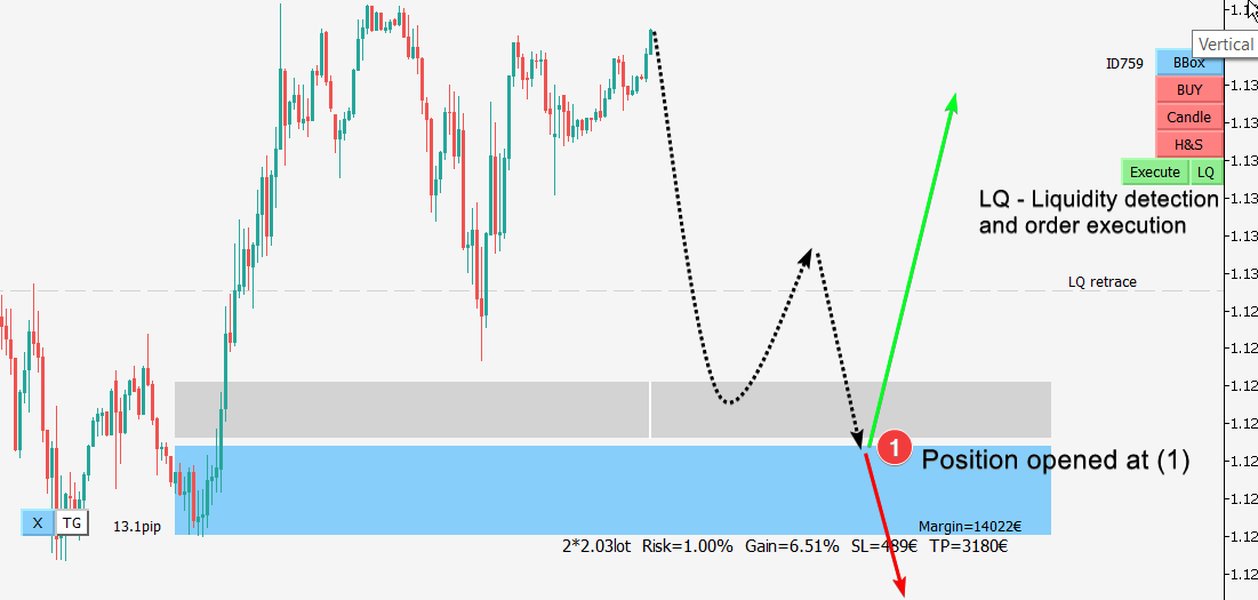
A typical MetaTrader 4 trading terminal interface.
Popular Tools and Libraries for Python-MT4 Connection
A variety of tools and libraries have emerged to streamline the Python-MT4 integration process. Here are some notable options:
PyTrader
Drag-and-Drop Simplicity
PyTrader is an open-source project designed for ease of use. It typically consists of a Python script and a companion Expert Advisor (EA) for MT4 (and MT5). The EA is dragged onto an MT4 chart, establishing a communication channel (often via sockets) with the Python script. PyTrader allows users to fetch account data, retrieve market prices, and send trading orders with minimal setup, focusing on strategy logic within Python.
MTsocketAPI
Socket-Based Interaction
MTsocketAPI provides a framework for Python to communicate with MT4 through socket connections. It involves an MT4 server component (EA or indicator) that listens for commands from a Python client. Communication is often done using JSON messages. Developers can use it to request quotes, send orders, and manage trading positions. It's known for offering direct control and clear examples.
MetaApi
Cloud-Powered Integration
MetaApi is a cloud-based service offering a forex trading API for both MT4 and MT5. It eliminates the need to host an EA or manage local connections yourself. MetaApi provides official REST and WebSocket APIs, along with an open-source Python SDK. This solution is often favored for its reliability, scalability, and ease of deployment, especially for users who don't want to manage the MT4 terminal's uptime themselves.
ZeroMQ-Based Solutions
High-Performance Messaging
Several custom implementations and libraries utilize ZeroMQ for robust, high-speed communication. For example, the `metatrader4-client-python` GitHub repository offers a Python 3 client and API that uses ZeroMQ to connect with an MT4 server EA. This approach is suitable for applications requiring low latency and high throughput of messages, such as high-frequency trading signals or streaming large datasets.
MT4PyCoN
Command-Line Interface Client
MT4PyCoN is a Python CLI client that leverages an Expert Advisor using the MtApi (MetaTrader API bridge). It allows Python scripts to connect to MT4 terminals for fetching data (account info, symbols, indicators) and executing orders. It's an open-source option often appreciated for its straightforward command-line interaction capabilities.
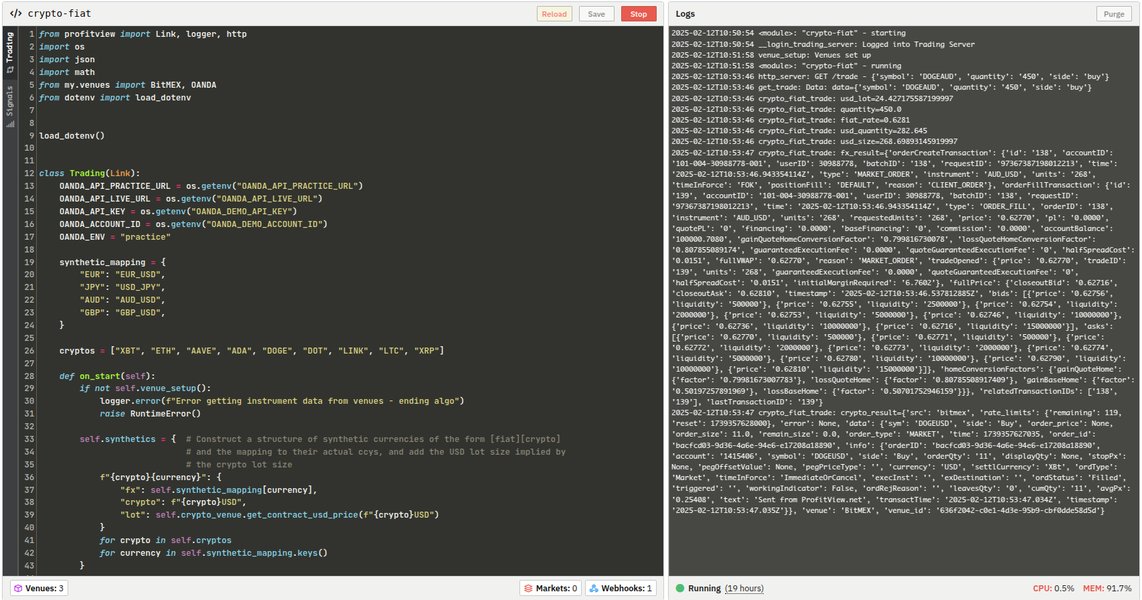
Conceptual representation of an algorithmic trading setup.
Comparing Python-MT4 Integration Methods
Choosing the right integration method depends on your specific needs, Python proficiency, and the complexity of your trading strategy. The radar chart below provides a visual comparison of common approaches based on several key factors. These are generalized assessments and can vary based on specific implementations.
This chart illustrates that tools like PyTrader offer a good balance of ease of setup and functionality, while cloud solutions like MetaApi provide high versatility and performance with managed infrastructure. Direct socket or ZeroMQ implementations offer top performance and flexibility but require more technical expertise.
Capabilities Unlocked by Python-MT4 Integration
Once Python and MT4 are connected, you can perform a wide array of tasks:
- Retrieve Real-Time and Historical Market Data: Fetch current prices, bid/ask spreads, and historical candle data for various instruments directly into Python for analysis.
- Automated Order Execution: Programmatically send buy/sell orders, set stop-loss and take-profit levels, modify existing orders, and close positions based on Python-driven logic.
- Account Monitoring: Access account information such as balance, equity, margin levels, and open positions from your Python scripts.
- Sophisticated Strategy Automation: Implement complex trading strategies that might involve machine learning models, statistical arbitrage, or sentiment analysis using Python libraries, and have MT4 execute the trades.
- Custom Backtesting Frameworks: While MT4 has its own backtester, Python allows for more flexible and detailed backtesting environments, enabling thorough strategy validation.
- Data Visualization: Utilize Python libraries like Matplotlib and Seaborn to create custom charts and visualizations of market data and trading performance.
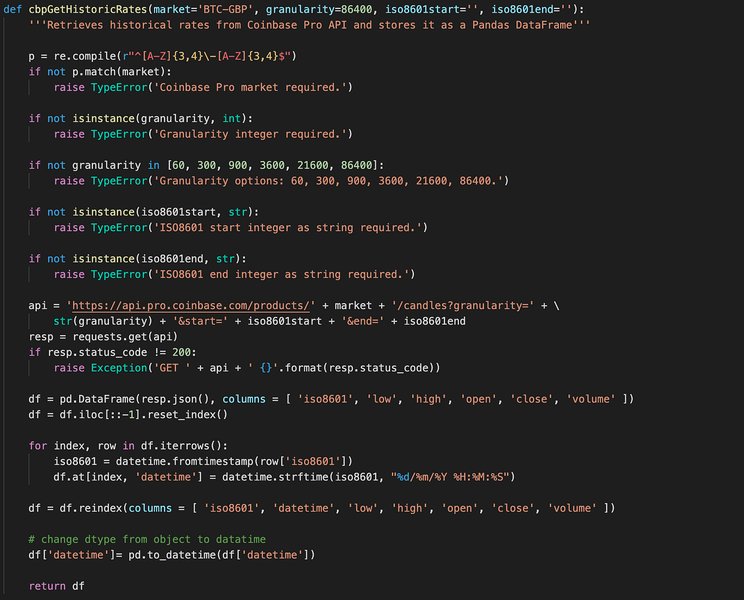
Using Python libraries like Pandas for organizing and analyzing trading data.
Illustrative Mindmap of Python-MT4 Integration
The mindmap below visualizes the key aspects of integrating Python with MetaTrader 4, including the methods, tools involved, benefits, inherent challenges, and common use cases. This provides a holistic overview of the ecosystem.
This mindmap highlights the multifaceted nature of Python-MT4 integration, showing how different components interconnect to empower traders and developers.
Step-by-Step Implementation Guide (General Approach)
While specific steps vary by tool, here’s a general outline for connecting Python to MT4:
1. Prepare Your Environment
Software Installation and Configuration
- Ensure Python (typically version 3.7 or newer) is installed on your system.
- Install any necessary Python libraries specific to your chosen method (e.g., `websockets`, `zmq`, `requests`, or a dedicated SDK). This is usually done via pip:
pip install library_name. - In MetaTrader 4, navigate to `Tools > Options > Expert Advisors`. Check "Allow automated trading" and "Allow DLL imports". The latter is crucial for many EAs that bridge communication.
2. Choose and Set Up Your Integration Tool/Method
Selecting the Right Bridge
- For PyTrader: Download the PyTrader files, copy the EA (`.ex4` or `.mq4`) file to your MT4 `MQL4/Experts` directory. Refresh EAs in MT4's Navigator panel and drag the PyTrader EA onto a chart.
- For MTsocketAPI or custom socket/ZeroMQ solutions: You'll typically need an EA server running in MT4. Compile and run this EA on an MT4 chart. Note the IP address (usually `127.0.0.1` for local) and port number configured in the EA.
- For MetaApi: Create an account with MetaApi, link your MT4 trading account, and use their Python SDK with your API token.
3. Write Your Python Script
Interacting with MT4
Your Python script will act as the client. Below is a conceptual example for fetching a price using a socket-based approach, similar to what MTsocketAPI might use. Note: The exact commands and message formats depend on the specific EA/API implementation.
import socket
import json # Or other relevant parsing library

# Configuration (adjust based on your EA/API)
HOST = "127.0.0.1"  # Localhost
PORT = 7777         # Port configured in the MT4 EA

def get_mt4_price(symbol):
    try:
        with socket.socket(socket.AF_INET, socket.SOCK_STREAM) as s:
            s.connect((HOST, PORT))

            # Example command: structure depends on the EA's protocol
            # For MTsocketAPI, it might be a JSON string:
            # command = {"MSG": "QUOTE", "SYMBOL": symbol}
            # s.sendall(json.dumps(command).encode('utf-8') + b'\r\n')

            # Generic example command for illustration
            message = f"GETPRICE|{symbol}"
            s.sendall(message.encode('utf-8'))

            response_data = s.recv(1024) # Adjust buffer size as needed
            decoded_response = response_data.decode('utf-8')

            print(f"Received from MT4 for {symbol}: {decoded_response}")
            return decoded_response # Process this response

    except ConnectionRefusedError:
        print(f"Connection to MT4 at {HOST}:{PORT} refused. Is the EA running?")
    except Exception as e:
        print(f"An error occurred: {e}")
    return None

# Example usage
eurusd_price_info = get_mt4_price("EURUSD")
if eurusd_price_info:
    # Further process the price information
    pass
To send orders, you would similarly construct a message (e.g., SENDORDER|EURUSD|BUY|0.01|SL_PRICE|TP_PRICE) and send it via the socket. The EA in MT4 would parse this message and execute the trade using MQL4 functions.
4. Testing and Best Practices
Ensuring Reliability and Security
- Start with a Demo Account: Always thoroughly test your integration and trading logic on a demo MT4 account before risking real capital.
- Error Handling: Implement robust error handling in both your Python script and MQL4 EA to manage connection issues, invalid commands, or trading execution errors.
- Security: If connecting over a network (not just localhost), ensure your communication channel is secured (e.g., using SSL/TLS for WebSockets or encrypting ZeroMQ messages). Be cautious with exposing MT4 to external networks.
- Logging: Implement comprehensive logging in both Python and MQL4 to track actions, errors, and data flow for debugging and auditing.
- Resource Management: Ensure your Python scripts and MQL4 EAs are efficient and don't consume excessive CPU or memory, especially if running continuously.
Python-MT4 Tools Comparison
The table below summarizes some of the discussed tools and methods, highlighting their primary communication mechanisms and key characteristics. This can help you decide which approach best fits your project requirements.
| Tool/Method | Primary Communication | Key Features | Pros | Cons/Considerations |
|---|---|---|---|---|
| PyTrader | Sockets (typically) | Drag-and-drop EA, Python script for client, supports MT4/MT5. | Easy setup, good for beginners, open-source. | Relies on local MT4 instance, performance depends on socket implementation. |
| MTsocketAPI | Sockets (TCP/IP) | JSON-based messaging, clear Python examples for quotes/orders. | Direct control, relatively straightforward for developers. | Requires MT4 server EA, local MT4 instance. |
| MetaApi | Cloud API (REST/WebSocket) | Python SDK, no local MT4 needed for Python script, manages connection to broker. | High reliability, scalable, removes local hosting burden, supports MT4/MT5. | Subscription-based service, introduces cloud latency (though often minimal). |
| ZeroMQ Solutions (e.g., metatrader4-client-python) | ZeroMQ Messaging | High-performance, asynchronous, flexible messaging patterns. | Excellent for speed and complex data flows, robust. | Steeper learning curve, requires ZeroMQ setup in MT4 EA and Python. |
| Custom Socket/WebSocket EA | Sockets/WebSockets | Full control over protocol and implementation. | Highly customizable, can be optimized for specific needs. | Requires strong MQL4 and Python networking skills, significant development effort. |
Visualizing the Connection: Python to MetaTrader via ZeroMQ
ZeroMQ is a powerful messaging library often used for creating robust connections between different applications, including Python and MetaTrader. The video below provides insights into how ZeroMQ can be leveraged for algorithmic trading, enabling Python strategies to interface with MetaTrader platforms. It discusses the architecture and benefits of using such a setup for passing trading signals and data.
This video explores using ZeroMQ to bridge Python algorithmic trading strategies with MetaTrader, showcasing a practical application of inter-process communication for trading.
Frequently Asked Questions (FAQ)
Does MetaTrader 4 natively support Python? +
No, MetaTrader 4 (MT4) does not have native, built-in support for Python integration. Unlike MetaTrader 5, which offers an official Python API, MT4 requires intermediary solutions like Expert Advisors (EAs) communicating via sockets, WebSockets, ZeroMQ, or third-party APIs to bridge with Python scripts.
What are the main benefits of using Python with MT4? +
The primary benefits include:
- Advanced Data Analysis: Access to powerful Python libraries like Pandas, NumPy, and SciPy for sophisticated market data analysis.
- Machine Learning: Ability to integrate machine learning models (e.g., from scikit-learn, TensorFlow, PyTorch) for predictive trading.
- Complex Strategy Automation: Develop and automate trading strategies that are too complex or cumbersome to implement solely in MQL4.
- Rapid Prototyping: Python's ease of use can speed up the development and testing of trading ideas.
- Extensive Libraries: Leverage a vast ecosystem of Python libraries for various tasks beyond trading, such as reporting, data visualization, and web integration.
Is it safe to connect Python to MT4? +
Safety depends on the method and implementation. When using local communication (e.g., sockets on `127.0.0.1`), the risk is generally low if your computer is secure. For cloud-based APIs, ensure you are using reputable services with strong security practices. If exposing MT4 to external connections, always use encryption (SSL/TLS) and secure authentication. As with any trading software, thoroughly test with a demo account before deploying with real funds to mitigate financial risks from bugs or errors.
Which Python-MT4 integration method is best for beginners? +
For beginners, tools like PyTrader are often recommended due to their drag-and-drop EA setup and simpler Python client scripts, abstracting away much of the low-level socket programming. Cloud-based solutions like MetaApi can also be user-friendly as they provide well-documented SDKs and manage the server-side complexities, though they might involve a subscription fee.
Can I use Python-MT4 integration for live trading? +
Yes, Python-MT4 integration is widely used for live trading. However, it's crucial to ensure your system is robust, well-tested on a demo account, and includes comprehensive error handling and risk management features. The reliability of your chosen connection method, the stability of your MT4 terminal, and the quality of your Python code are all critical factors for successful live trading.
Recommended Next Steps
To deepen your understanding or explore related topics, consider these queries:
- How to set up a ZeroMQ bridge between Python and an MT4 Expert Advisor?
- Compare Python integration capabilities between MetaTrader 4 and MetaTrader 5.
- Best Python libraries for financial data analysis and backtesting trading strategies?
- Tutorial for building a simple automated trading bot using Python and MT4 with PyTrader.
References
Last updated May 10, 2025