
Reviving Your Code: A Guide to Fixing and Refactoring Broken Python Apps
Transform malfunctioning Python code into a robust, maintainable application with systematic debugging and refactoring.
Highlights: Key Steps to Success
- Stabilize First, Refactor Second: Prioritize fixing the critical errors causing the application to be "broken" before restructuring the code. Refactoring relies on a working baseline.
- Embrace Automated Testing: Implement or enhance unit and integration tests. They are your safety net, ensuring refactoring doesn't introduce new bugs or break existing functionality.
- Use Tools and Incremental Changes: Leverage IDE features, dedicated refactoring tools like
rope, linters, and formatters. Apply changes in small, verifiable steps with version control (Git) to minimize risk.
Phase 1: Understanding and Fixing the "Broken" State
Before you can improve the structure of your code, you must first identify and resolve the issues preventing it from running correctly. A "broken" application usually manifests through various errors.
Identifying Common Python Errors
Python errors can halt execution or lead to unexpected behavior. Recognizing common types is the first step in diagnosis:
- Syntax Errors: Code that violates Python's grammar rules (e.g., missing colons, incorrect indentation). The interpreter catches these before runtime.
- Indentation Errors: A specific type of syntax error crucial in Python, caused by inconsistent spaces or tabs.
- Runtime Errors (Exceptions): Errors occurring during program execution. Examples include:
- NameError: Using an undefined variable or function.
- TypeError: Performing an operation on an incompatible data type.
- IndexError: Accessing a list or sequence element outside its bounds.
- KeyError: Accessing a dictionary key that doesn't exist.
- AttributeError: Trying to access an attribute or method on an object that doesn't have it (e.g.,
'list' object has no attribute 'appendd'). - ImportError / ModuleNotFoundError: Failing to import a module, often due to path issues, typos, or missing dependencies.
- FileNotFoundError: Trying to open a file that doesn't exist or is inaccessible.
- Dependency Issues: Errors arising from incompatible library versions (e.g., a function removed in a newer version of Flask or Werkzeug).
Tools and Techniques for Diagnosis
Effectively diagnosing these errors requires a systematic approach:
- Read Tracebacks Carefully: Python's error messages (tracebacks) pinpoint the file, line number, and type of error. Understand the sequence of calls leading to the failure.
- Run from Command Line: If using a GUI or an executable (like one made with PyInstaller), run the script directly from the terminal (
python your_app.py). This often keeps the error message visible. - Use Logging: Implement logging throughout your application (using Python's built-in
loggingmodule) to track the program's flow and variable states, helping identify where things go wrong. - Debugging Tools: Utilize debuggers available in IDEs (like VS Code, PyCharm) or standalone debuggers (
pdb). Set breakpoints to pause execution, inspect variables, and step through the code line by line. - Isolate the Problem: Try to create a minimal reproducible example that triggers the error. This simplifies debugging by removing irrelevant code.
- Check Dependencies: Ensure all required libraries are installed and compatible. Use
pip freeze > requirements.txtto manage dependencies and check for version conflicts. Sometimes pinning dependencies to specific working versions (library==1.2.3) is necessary. - Error Handling: Implement
try...exceptblocks to gracefully handle potential exceptions, preventing crashes and providing informative messages.
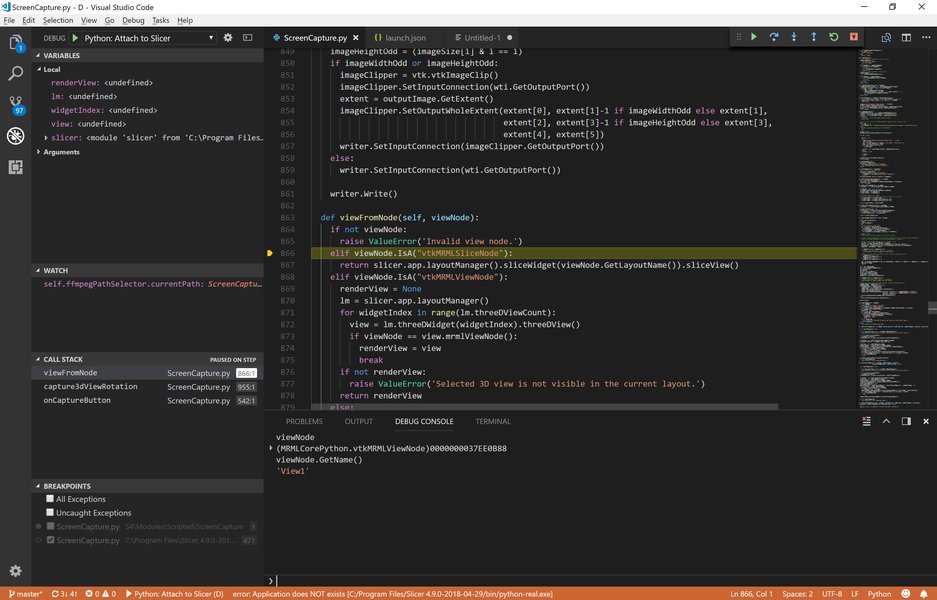
Using an IDE's debugger allows setting breakpoints and inspecting variables to diagnose issues.
Phase 2: Preparing for Refactoring
Once the application is stable and running without critical errors, you can prepare for the refactoring process. This involves setting up a safe environment and planning your approach.
Setting Up a Safe Environment
- Version Control (Git): If not already used, initialize a Git repository. Commit the working (but pre-refactoring) state. Create branches for refactoring tasks. This allows you to experiment safely and revert changes if needed.
- Virtual Environments: Always work within a virtual environment (
venvorconda). This isolates project dependencies, preventing conflicts with other projects or the system Python installation. - Backups: Although Git provides history, maintaining separate backups of critical data or the entire project state before major refactoring offers extra security.
The Crucial Role of Testing
Refactoring aims to improve internal structure *without* changing external behavior. Automated tests are essential to verify this:
- Write Tests First (If Missing): If your application lacks tests, start by writing them, especially for the parts you intend to refactor. Cover critical functionalities. Frameworks like
unittest(built-in) orpytestare standard choices. - Types of Tests:
- Unit Tests: Test individual functions or classes in isolation.
- Integration Tests: Test the interaction between different modules or components.
- Run Tests Frequently: After each small refactoring step, run your test suite. This provides immediate feedback if a change broke something.
- Continuous Integration (CI): Consider setting up a CI pipeline (e.g., using GitHub Actions, GitLab CI) to automatically run tests whenever changes are pushed.
Assessing Code Quality and Planning
Before diving into changes, identify areas needing improvement ("code smells") and plan your refactoring strategy:
- Identify Code Smells: Look for common signs of suboptimal code:
- Duplicated code blocks.
- Long functions or methods (doing too many things).
- Large classes (violating the Single Responsibility Principle).
- Complex conditional logic (deeply nested
ifstatements). - Poor or unclear naming (variables, functions, classes).
- Excessive use of global variables.
- Tight coupling between modules.
- Magic numbers or strings (hardcoded values without explanation).
- Analyze Code Metrics: Tools like
wilyor IDE plugins can measure metrics such as Cyclomatic Complexity (indicates logical complexity) and Maintainability Index. High complexity often points to refactoring candidates. - Prioritize: Focus refactoring efforts on areas that are most complex, error-prone, or frequently changed. Address technical debt strategically.
Phase 3: Core Refactoring Techniques
With a stable baseline, tests, and a plan, you can apply various refactoring techniques. Remember to make small, incremental changes and test after each one.
Naming and Readability
Clear names are fundamental to understandable code.
- Rename Identifiers: Use descriptive names for variables, functions, classes, and modules. Replace ambiguous names like
data,temp,val, or single letters (unless standard convention, likeiin loops) with meaningful ones (e.g.,user_profiles,filtered_records,calculate_tax_rate). IDEs and tools likeropecan automate renaming across the project safely.
Extracting and Simplifying Logic
Break down complex code into smaller, manageable units.
Extract Method/Function
If a function or method is too long or performs multiple distinct tasks, extract parts of its logic into separate, well-named helper functions/methods. This improves readability and promotes reuse.
# Before
def process_order(order_data):
    # Validate order (10 lines)
    validation_errors = []
    if not order_data.get('customer_id'):
        validation_errors.append("Missing customer ID")
    # ... more validation ...
    if validation_errors:
        raise ValueError(f"Invalid order: {validation_errors}")

    # Calculate total (15 lines)
    total_price = 0
    for item in order_data['items']:
        # ... complex pricing logic ...
        total_price += item_price

    # Apply discount if applicable
    if total_price > 100:
        total_price *= 0.9

    # Update inventory (5 lines)
    # ... database calls ...

    return total_price

# After
def _validate_order(order_data):
    validation_errors = []
    if not order_data.get('customer_id'):
        validation_errors.append("Missing customer ID")
    # ... more validation ...
    if validation_errors:
        raise ValueError(f"Invalid order: {validation_errors}")

def _calculate_order_total(order_data):
    total_price = 0
    for item in order_data['items']:
        # ... complex pricing logic ...
        total_price += item_price

    # Apply discount
    if total_price > 100:
        total_price *= 0.9
    return total_price

def _update_inventory(order_data):
    # ... database calls ...
    pass

def process_order(order_data):
    _validate_order(order_data)
    total_price = _calculate_order_total(order_data)
    _update_inventory(order_data)
    return total_price
Extract Variable/Constant
Replace complex expressions or "magic" values with clearly named variables or constants. This makes the code self-documenting.
# Before
if user_age >= 21 and user_country == 'US':
    # ... allow access ...

# After
MIN_LEGAL_DRINKING_AGE_US = 21
is_eligible_us_drinker = user_age >= MIN_LEGAL_DRINKING_AGE_US and user_country == 'US'
if is_eligible_us_drinker:
    # ... allow access ...
Simplifying Conditionals
Deeply nested if/elif/else blocks can be hard to follow. Consider techniques like guard clauses (returning early), polymorphism (using classes and methods), or consolidating conditions.
Reducing Code Duplication
Duplicate code ("Don't Repeat Yourself" - DRY principle violation) increases maintenance effort and bug risk. Identify repeated logic and extract it into reusable functions, classes, or modules.
Managing Scope and Structure
- Minimize Global Variables: Global state makes code harder to reason about and test. Pass data explicitly as function arguments and return values, or encapsulate state within classes.
- Organize Imports: Use clear and consistent import statements (following PEP 8). Remove unused imports (often flagged by linters). Use absolute imports where possible for clarity.
- Modularize Code: Group related functions and classes into separate Python modules (
.pyfiles) or packages (directories with__init__.py). This improves organization and reduces coupling.
Leveraging Pythonic Features
Python offers expressive ways to write common patterns more concisely and readably.
- List Comprehensions/Generator Expressions: Replace simple
forloops used to create lists or iterate over sequences. - Built-in Functions: Use functions like
sum(),any(),all(),map(),filter()where appropriate instead of manual loops. - Context Managers (
withstatement): Ensure resources like files or network connections are properly managed (e.g., automatically closed). - Properties (
@property): Use decorators for computed attributes that look like regular attributes but involve logic.
Visualizing the Refactoring Journey
The process of fixing and refactoring a broken application can be visualized as a structured flow, moving from initial assessment to improved code quality. This mindmap illustrates the key stages and activities involved:
rope Library"]
id4a3["Sourcery"]
id4b["Code Quality Tools"]
id4b1["Linters (pylint, flake8)"]
id4b2["Formatters (black)"]
id4c["Best Practices"]
id4c1["Incremental Changes"]
id4c2["Test After Each Step"]
id4c3["SOLID Principles"]
id4c4["Twelve-Factor App"]
id4c5["Documentation"]
Phase 4: Tools to Aid Refactoring
Manually refactoring can be tedious and error-prone. Leverage tools to automate tasks and enforce standards.
IDEs and Specialized Tools
- Integrated Development Environments (IDEs): PyCharm and VS Code (with Python extensions) offer powerful built-in refactoring commands (e.g., Rename, Extract Method, Extract Variable, Move) that understand Python syntax and project structure.
rope: A dedicated Python refactoring library. It can be used programmatically or via plugins for various editors (VS Code, Emacs, Vim). It provides robust refactoring capabilities.Sourcery: An AI-powered tool that suggests refactoring improvements directly in your IDE, often finding opportunities to simplify code or use more idiomatic Python.
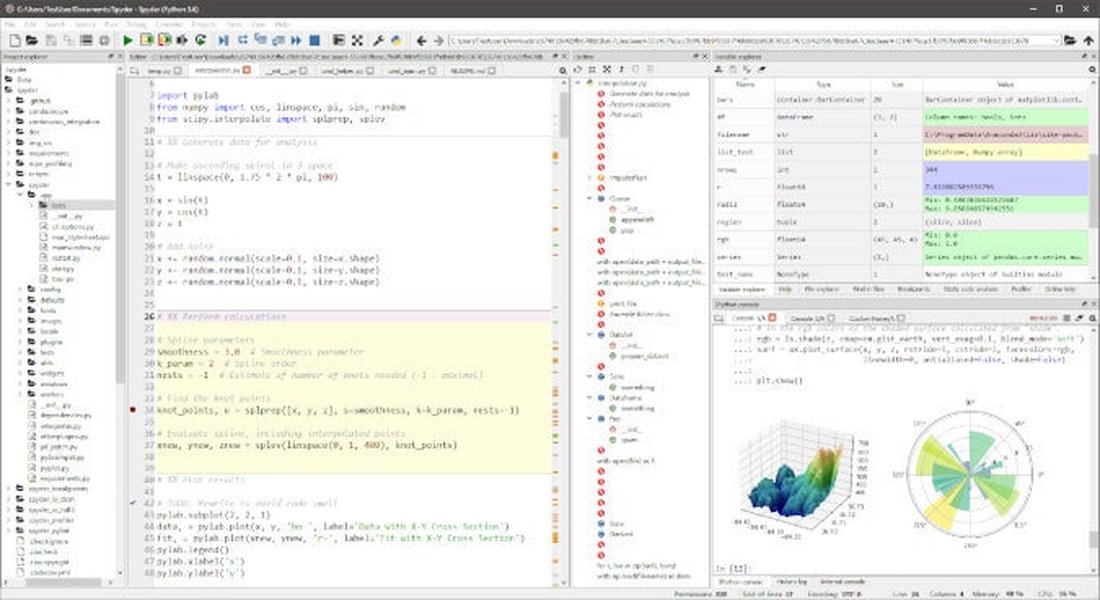
IDEs like Spyder, PyCharm, and VS Code provide integrated tools for debugging and refactoring.
Linters and Formatters
- Linters (
pylint,flake8): Analyze code for potential errors, style violations (PEP 8), unused variables/imports, and code complexity. Running linters regularly helps maintain code quality and catch issues early. - Formatters (
black,autopep8): Automatically reformat code to conform to a consistent style guide (typically PEP 8). This eliminates debates about style and ensures uniformity across the codebase.
Debugging Tools
While primarily used for fixing bugs, debuggers are also invaluable during refactoring to step through modified code and verify its behavior matches the original logic.
Comparing Refactoring Support Across Tools
Different tools offer varying levels of support for different aspects of the refactoring process. This chart provides a conceptual comparison of common tool categories based on their strengths:
This chart suggests that IDEs offer a good balance, rope excels at complex automated changes, linters are key for analysis and error detection, formatters enforce style, and AI tools like Sourcery provide intelligent suggestions integrated into the workflow.
Common Issues and Refactoring Solutions Summary
This table summarizes common problems encountered in Python code and typical refactoring techniques used to address them:
| Issue / Code Smell | Description | Common Refactoring Solution(s) |
|---|---|---|
| Duplicated Code | Identical or very similar code blocks appear in multiple places. | Extract Method/Function, Introduce Class/Module, Use Inheritance/Composition. |
| Long Function/Method | A function tries to do too many things, making it hard to understand and test. | Extract Method/Function, Decompose Conditional, Replace Method with Method Object. |
| Large Class | A class has too many responsibilities, fields, or methods. | Extract Class, Extract Subclass/Superclass, Replace Data Value with Object. |
| Poor Naming | Variables, functions, or classes have unclear or misleading names. | Rename Variable/Function/Class (use IDE/tool). |
| Magic Numbers/Strings | Hardcoded literal values without explanation. | Extract Constant/Variable. |
| Complex Conditionals | Deeply nested if statements or complex boolean logic. |
Decompose Conditional, Replace Conditional with Polymorphism, Introduce Guard Clauses. |
| Global Variables | Over-reliance on global state, making code unpredictable. | Encapsulate Field (in a class), Pass as Parameter/Return Value. |
| Feature Envy | A method seems more interested in a class other than the one it's in. | Move Method to the class it uses most. |
| Unused Code/Imports | Code or imported modules that are no longer needed. | Remove Unused Code/Imports (often detected by linters/IDEs). |
Phase 5: Best Practices for Safe and Effective Refactoring
Adhering to best practices minimizes risks and maximizes the benefits of refactoring.
Incremental Changes and Validation
- Small Steps: Apply one refactoring transformation at a time (e.g., rename one variable, extract one method).
- Test Continuously: Run your automated tests after each small change to confirm you haven't broken anything.
- Commit Frequently: Use version control (Git) to commit changes after each successful refactoring step. This makes it easy to revert if something goes wrong later.
Documentation and Collaboration
- Update Documentation: Keep docstrings, comments, and external documentation (like README files) synchronized with the code changes.
- Clear Commit Messages: Write informative Git commit messages explaining the *why* behind the refactoring, not just the *what*.
- Code Reviews: If working in a team, have refactored code reviewed by peers to catch potential issues and ensure clarity.
Applying Design Principles
- SOLID Principles: Keep principles like Single Responsibility, Open/Closed, Liskov Substitution, Interface Segregation, and Dependency Inversion in mind to guide your refactoring towards more robust and flexible designs.
- Twelve-Factor App Methodology: For web applications or services, consider principles like separating config from code, treating logs as event streams, and explicit dependency declaration to improve scalability and maintainability.
- Avoid Over-Refactoring: Refactor with a purpose, focusing on improving specific aspects like readability, maintainability, or performance. Don't refactor just for the sake of changing code.
Insightful Talk on Python Refactoring
Understanding the 'why' and 'how' of refactoring is crucial. This talk by Brett Slatkin provides valuable insights into restructuring Python code effectively as programs grow in complexity, which is highly relevant when dealing with applications that have become difficult to manage or broken.
The video covers motivations for refactoring, common techniques, and considerations for minimizing disruption, aligning well with the structured approach outlined here.
Frequently Asked Questions (FAQ)
What's the absolute first step when facing a broken Python app?
The first step is diagnosis. Run the application, carefully examine the error messages (tracebacks), and identify the specific errors causing it to fail. Don't start changing code structure until you understand and fix the immediate problems preventing the app from running or behaving correctly.
Are automated tests really necessary before refactoring?
Yes, highly recommended, bordering on essential for safe refactoring. Without a comprehensive test suite, you have no reliable way to verify that your changes haven't inadvertently broken existing functionality. If tests are missing, writing them before or during refactoring is a critical investment.
Which refactoring tool is the best for Python?
There isn't a single "best" tool; it often depends on your workflow and needs. Modern IDEs like PyCharm and VS Code offer excellent integrated refactoring. `rope` is a powerful standalone library favored for complex or scriptable refactoring. Linters (`pylint`, `flake8`) are crucial for identifying areas needing attention, and formatters (`black`) ensure consistency. Using a combination is often most effective.
How do I know when to stop refactoring?
Refactoring should have clear goals, such as improving readability, reducing complexity in a specific module, or making it easier to add a new feature. Stop when you've achieved those goals or when the potential benefits of further changes seem minimal compared to the effort and risk involved. Avoid "refactoring for refactoring's sake." Focus on areas with tangible technical debt or clear maintainability issues.
Recommended Further Exploration
- Discover advanced Python refactoring patterns and techniques for complex scenarios.
- Learn how to effectively use pytest for testing during the refactoring process.
- Explore methods for measuring Python code quality with metrics like cyclomatic complexity.
- Find out how to apply SOLID design principles specifically within Python applications.
References

Last updated May 2, 2025