

- Automatic Guesswork: The Requests library intelligently attempts to determine the response encoding based on HTTP headers (
Content-Type). .textvs..content: Useresponse.textfor decoded (string) content andresponse.contentfor raw (bytes) content, which offers more control over decoding.- Manual Override: You can explicitly set
response.encodingor use.decode()onresponse.contentto handle misidentified encodings.
For a garbled HTTP response, inspect the Content-Type header and response.encoding. If you know the actual character set, assign it before reading response.text. Use response.content when you need the response bytes.
Related reading: check the UTF-8 byte count for a text sample.
When working with HTTP requests in Python, especially for web scraping or API interactions, understanding character encoding is paramount. The Python Requests library, celebrated for its user-friendliness, handles much of this complexity automatically. However, there are scenarios where its default behavior might lead to unexpected results, particularly with non-UTF-8 encodings or improperly configured web servers. This guide delves into how Requests manages character encoding for both sending and receiving data, providing you with the knowledge to troubleshoot and control this crucial aspect of web communication.
The Encoding Landscape in HTTP Requests
HTTP communication relies heavily on proper character encoding to ensure that data, whether sent by the client or received from the server, is interpreted correctly. Without it, you might encounter "gibberish" characters or decoding errors. The Requests library attempts to abstract away many of these details, but it's essential to grasp the underlying mechanisms.
Decoding Server Responses: response.text and response.content
When you make an HTTP request using Requests, the server's response typically contains the data you're interested in. Requests provides two primary ways to access this data: response.text and response.content.
Automatic Encoding Detection with response.text
The response.text attribute returns the server's response content as a Unicode string. Requests makes an educated guess about the encoding of the response based on several factors:
- HTTP
Content-TypeHeader: The primary source for encoding information is thecharsetparameter within the server'sContent-TypeHTTP header (e.g.,Content-Type: text/html; charset=utf-8). Requests prioritizes this information. apparent_encoding: If nocharsetis found in the header, or if the content type is not text, Requests leverages thechardetlibrary (if installed) to intelligently guess the encoding from the content itself. This is exposed via theresponse.apparent_encodingproperty.- Default Encoding: If all else fails, and the
Content-Typeis text-based without a specified charset, Requests defaults to ISO-8859-1 (Latin-1). This can be a common source of issues when dealing with websites that, for instance, use UTF-8 but don't explicitly declare it in their headers.
It's important to note that accessing response.text triggers the decoding process. If you later change response.encoding, accessing response.text again will re-decode the content using the new encoding.
Raw Bytes with response.content
In contrast to response.text, the response.content attribute returns the raw response body as bytes. This is particularly useful when you need direct control over the decoding process or when dealing with non-textual data like images or binary files. When you have response.content, you can manually decode it using a known encoding:
response = requests.get("https://example.com/some_page")
# Access raw bytes
raw_bytes = response.content
# Manually decode using a specific encoding
try:
    decoded_text = raw_bytes.decode('utf-8')
except UnicodeDecodeError:
    decoded_text = raw_bytes.decode('iso-8859-1') # Fallback or specific handling
print(decoded_text)
Controlling Response Encoding
If Requests misidentifies the encoding, leading to garbled text, you can override its guess by explicitly setting the response.encoding attribute before accessing response.text. This forces Requests to use your specified encoding for decoding the content.
import requests

response = requests.get('http://www.qq.com') # Example site known for GB2312
print(f"Initial detected encoding: {response.encoding}")
print(f"First 200 chars (might be garbled): {response.text[0:200]}")

# If the content is actually GB2312 and was misidentified or not explicitly set
response.encoding = 'gb2312'
print(f"After setting encoding to GB2312: {response.text[0:200]}")

# Alternatively, decode content directly
# decoded_content = response.content.decode('gb2312')
# print(f"Decoded content from bytes: {decoded_content[0:200]}")
This approach is crucial when dealing with websites that do not properly specify their character sets in HTTP headers or embed it directly within the HTML/XML body.
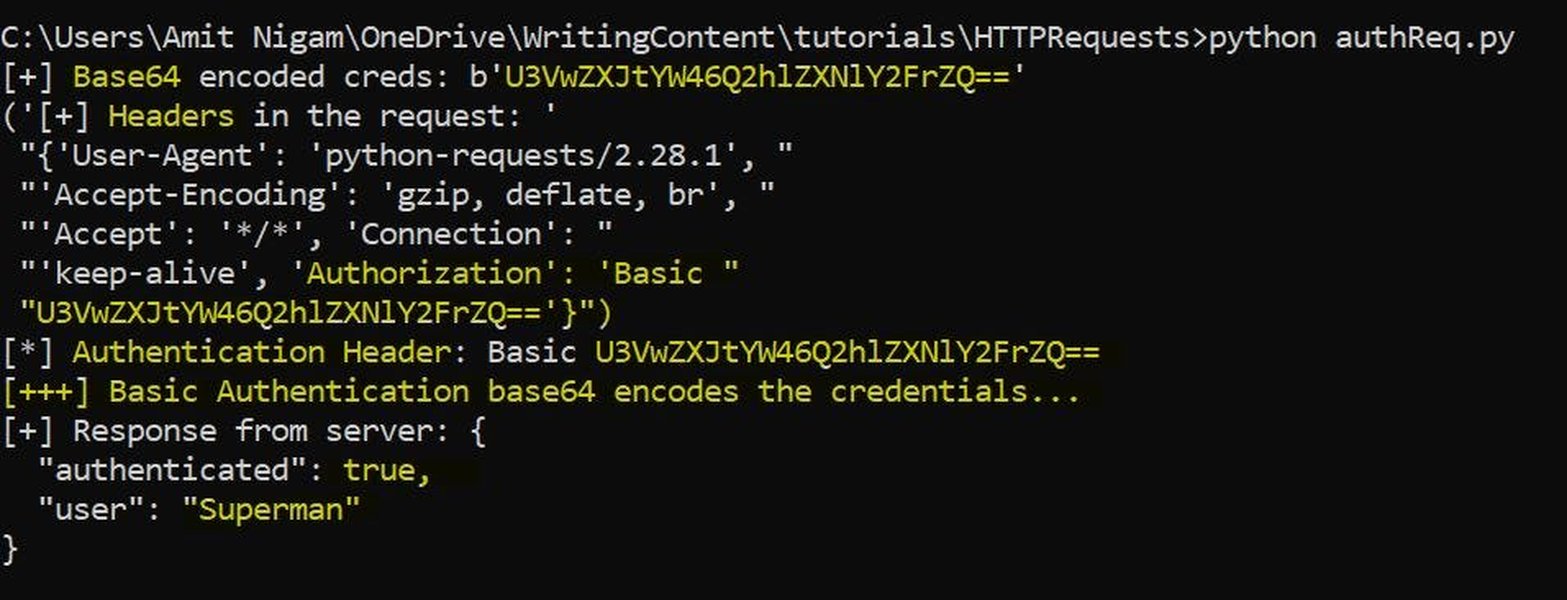
An illustration of the HTTP request-response flow, highlighting the points where encoding and decoding occur.
Encoding Data for Outgoing Requests
Encoding isn't just about receiving data; it's also about sending it. When you send data in a POST request, for example, Requests needs to know how to encode your Python strings into bytes before transmitting them over the network.
Default Encoding for Request Bodies
When you pass a string to the data parameter in a requests.post() call, Requests generally encodes this string to Latin-1 (ISO-8859-1) by default for application/x-www-form-urlencoded content. This can be problematic if your data contains characters outside the Latin-1 range, such as many Unicode characters.
For more control and to ensure UTF-8 encoding (which is generally recommended for modern web applications), you should explicitly encode your data to bytes:
import requests

url = "http://httpbin.org/post"
payload = "Hellö Wörld with special characters"

# Method 1: Explicitly encode the string to bytes
# This is often necessary when sending non-ASCII characters in 'data'
headers = {'Content-Type': 'application/x-www-form-urlencoded; charset=utf-8'}
r = requests.post(url, data=payload.encode('utf-8'), headers=headers)
print(r.request.body) # This will show the UTF-8 encoded bytes

# Method 2: Use the 'json' parameter for JSON data
# Requests automatically handles JSON serialization and sets Content-Type to application/json; charset=utf-8
json_payload = {"message": "Hellö Wörld"}
r_json = requests.post(url, json=json_payload)
print(r_json.request.headers['Content-Type']) # Will be application/json; charset=utf-8
print(r_json.request.body) # Will be UTF-8 encoded JSON
For form-urlencoded data, if you pass a dictionary to the data parameter, Requests will handle the URL encoding and typically apply UTF-8 encoding for the values by default in Python 3. However, explicitly encoding the string to bytes before passing it to data, along with setting the Content-Type header with charset=utf-8, is the most robust approach for non-JSON text data.
URL Encoding for Query Parameters
URL encoding is a distinct concept from character encoding of request bodies, though they are related. It involves converting special characters in URL components (like query parameters) into a format that can be safely transmitted over the internet. Requests automatically handles URL encoding for query parameters when you pass them as a dictionary to the params argument.
import requests
from urllib.parse import quote_plus

# Requests automatically URL-encodes parameters passed via 'params'
params = {'query': 'search term with spaces & symbols'}
response = requests.get('https://example.com/api', params=params)
print(response.url)
# Output: https://example.com/api?query=search+term+with+spaces+%26+symbols

# Manual URL encoding using urllib.parse.quote_plus for specific cases
# For example, if you need to build a URL string manually with specific encoding logic
manual_encoded_query = quote_plus('search term with spaces & symbols', encoding='utf-8')
print(f"Manually encoded: {manual_encoded_query}")
Using the params argument is the recommended way to handle query parameters as it abstracts away the encoding complexities.
A mindmap illustrating the various aspects of encoding within the Python Requests library for both outgoing requests and incoming responses.
Why Encoding Matters: Common Pitfalls and Solutions
Encoding issues can be a significant source of frustration in web development. Here are some common problems and their solutions:
Problem 1: Garbled Text in response.text
This typically occurs when Requests incorrectly guesses the encoding of the server's response. For instance, a server might return UTF-8 content but omit the charset=utf-8 from its Content-Type header. In such cases, Requests might fall back to ISO-8859-1, leading to incorrect characters.
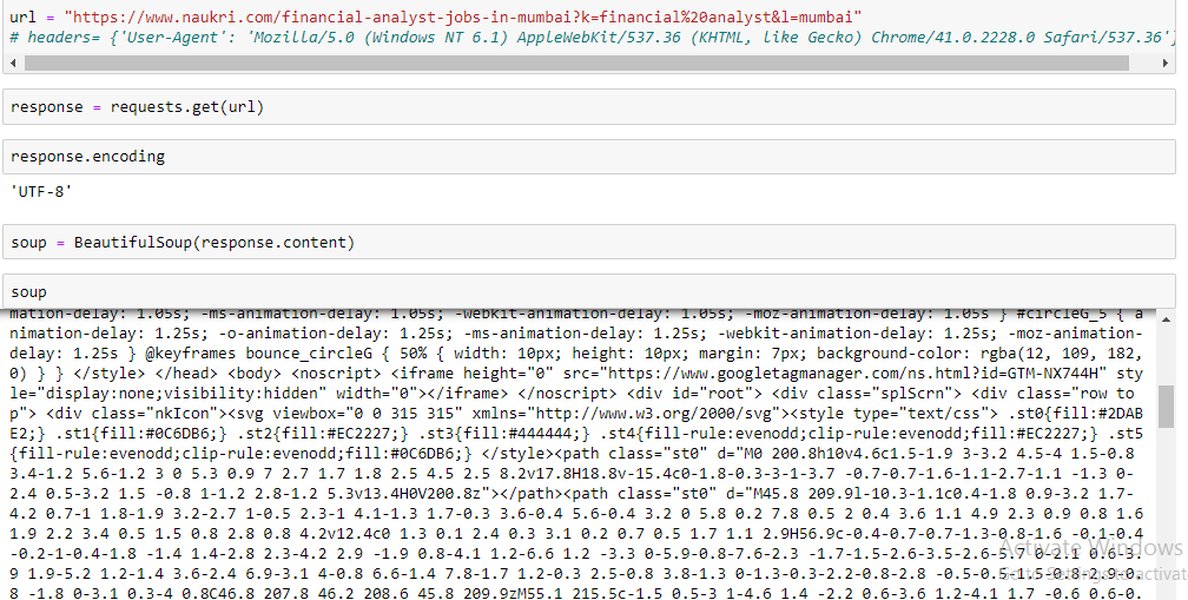
An example of garbled text (mojibake) often seen when character encoding is mishandled.
Solution: Manual Encoding Adjustment
The most straightforward solution is to explicitly set response.encoding to the correct encoding (e.g., 'utf-8') after receiving the response but before accessing response.text:
import requests

url = "http://problematic-site.com"
response = requests.get(url)

# Check the detected encoding
print(f"Requests' detected encoding: {response.encoding}")

# If text looks wrong, try setting it explicitly
response.encoding = 'utf-8' # Or 'gb2312', 'euc-kr', etc.
print(f"Decoded text (after correction): {response.text}")
Alternatively, you can work directly with response.content (bytes) and decode it manually, which gives you complete control:
import requests

url = "http://problematic-site.com"
response = requests.get(url)

# Decode content directly
decoded_content = response.content.decode('utf-8', errors='ignore') # 'ignore' handles un-decodable bytes
print(decoded_content)
Problem 2: Non-ASCII Characters in POST Data Being Corrupted
If you're sending string data containing non-ASCII characters (like 'é', 'ö', 'ñ') in a POST request using the data parameter, and the receiving server expects UTF-8, you might find these characters are corrupted because Requests' default for data strings is often Latin-1.
Solution: Explicitly Encode to UTF-8
To ensure your POST data is sent as UTF-8, you should encode the string to bytes yourself and set the Content-Type header appropriately:
import requests

url = "https://api.example.com/submit"
data_to_send = "Hello, world! España is great."

headers = {
    "Content-Type": "application/x-www-form-urlencoded; charset=utf-8"
}

# Encode the string to bytes explicitly
response = requests.post(url, data=data_to_send.encode('utf-8'), headers=headers)
print(response.status_code)
print(response.text)
For sending JSON data, always use the json parameter, as Requests handles the encoding to UTF-8 and sets the Content-Type header correctly for you:
import requests
import json

url = "https://api.example.com/submit_json"
json_data = {"name": "Español User", "message": "¡Hola!"}

response = requests.post(url, json=json_data)
print(response.status_code)
print(response.text)
Deep Dive: Encoding Headers and Standards
The handling of character encoding is deeply tied to HTTP headers and various web standards.
HTTP Content-Type Header and charset
The Content-Type header is critical because it tells the client (in this case, Requests) what type of data is being sent and, crucially, its character encoding via the charset parameter. For example, text/html; charset=utf-8 indicates an HTML document encoded in UTF-8.
Many servers correctly send this header, allowing Requests to automatically decode the response. Problems arise when servers:
- Omit the
charsetparameter entirely. - Provide an incorrect
charset. - Use a legacy encoding (like GB2312 for Chinese websites) without declaring it, or declaring it improperly.
Content-Encoding vs. Character Encoding
It's important not to confuse character encoding (like UTF-8) with content encoding (like gzip or brotli). Content-Encoding refers to the compression algorithm applied to the body of a message. Requests automatically handles the decompression of commonly used content encodings like gzip and deflate.
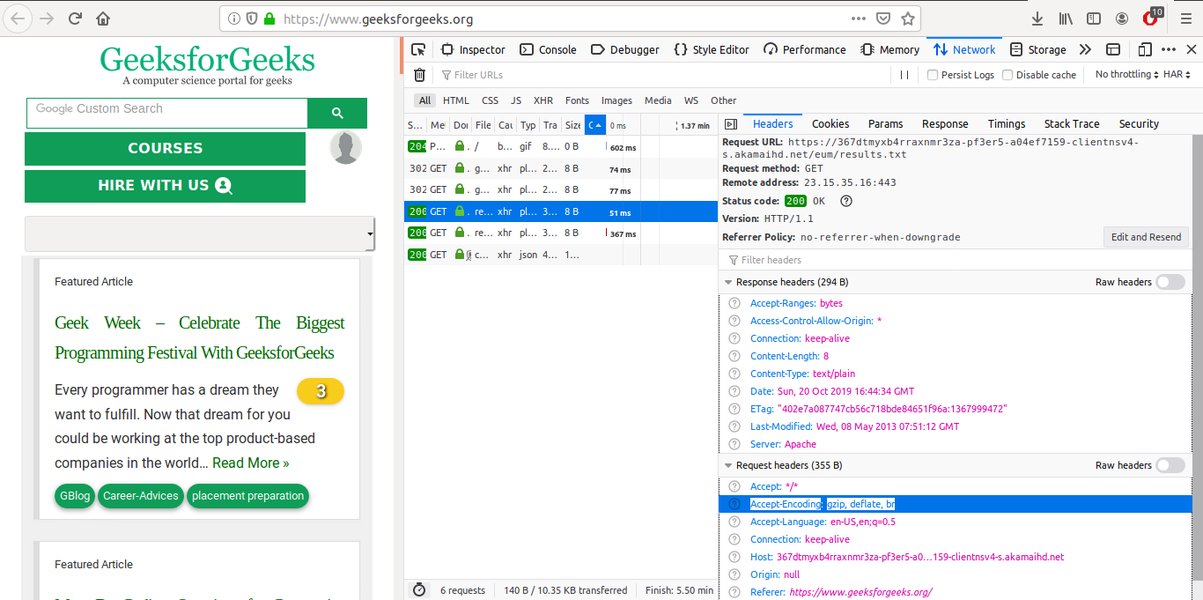
An example illustrating the HTTP Accept-Encoding header, used for content compression.
Key Takeaways for Encoding with Requests
To master encoding with the Python Requests library, keep the following in mind:
| Scenario | Requests' Default Behavior | Recommended Action for Best Practice |
|---|---|---|
| Receiving Text Response | Guesses encoding from Content-Type header or apparent_encoding (chardet), falling back to ISO-8859-1. Returns response.text (str). |
If response.text shows garbled characters, manually set response.encoding = 'utf-8' (or correct encoding) before accessing .text. For binary data or full control, use response.content.decode('your-encoding'). |
| Sending Form-Encoded Data (strings) | Encodes strings in data parameter typically to Latin-1 for application/x-www-form-urlencoded. |
For non-ASCII characters, explicitly encode your string to bytes (e.g., data=my_string.encode('utf-8')) and set headers={'Content-Type': 'application/x-www-form-urlencoded; charset=utf-8'}. |
| Sending JSON Data | Automatically serializes Python dictionaries/lists to JSON strings and encodes them as UTF-8. Sets Content-Type: application/json; charset=utf-8. |
Always use the json parameter (e.g., requests.post(url, json=my_dict)). This is the simplest and most reliable method for JSON. |
| Sending URL Query Parameters | Automatically URL-encodes parameters passed as a dictionary to the params argument. |
Always pass query parameters via the params dictionary; avoid manually constructing URL query strings with special characters. |
| Debugging Encoding Issues | response.encoding shows Requests' guessed encoding. response.apparent_encoding shows chardet's guess. |
Inspect response.encoding and response.apparent_encoding. Use a browser's developer tools to check the actual Content-Type header from the server. Try manual decoding of response.content. |
By following these guidelines, you can effectively manage character encoding and ensure seamless data exchange in your Python applications using the Requests library.
Frequently Asked Questions (FAQ)
What is the default encoding for Python Requests responses?
Content-Type header (specifically the charset parameter). If it's not specified or detectable, Requests uses a fallback mechanism, often defaulting to ISO-8859-1 (Latin-1) for text-based content. It also uses the chardet library to guess the encoding (accessible via response.apparent_encoding).Why do I see strange characters (gibberish) in response.text?
Content-Type header, causing Requests to use a wrong default or guess.How can I force Requests to use UTF-8 for a response?
.text attribute: response.encoding = 'utf-8'. Alternatively, you can use response.content.decode('utf-8') to decode the raw bytes directly.Does Requests automatically URL encode parameters?
params argument for GET requests or the data argument for form-encoded POST requests, Requests automatically handles URL encoding for the keys and values.How should I send non-ASCII characters in a POST request body?
application/x-www-form-urlencoded) with non-ASCII characters, it's best to explicitly encode your string payload to UTF-8 bytes: data=my_string.encode('utf-8'), and set the Content-Type header: headers={'Content-Type': 'application/x-www-form-urlencoded; charset=utf-8'}. If sending JSON, use the json parameter, and Requests will handle UTF-8 encoding automatically.What is the difference between response.text and response.content?
response.text provides the response body as a Unicode string, automatically decoded by Requests. response.content provides the raw response body as bytes, allowing you to manually control the decoding process.Conclusion
The Python Requests library simplifies HTTP communication significantly, handling many intricacies like encoding automatically. While its automatic detection is generally effective, understanding the underlying mechanisms of character encoding, particularly UTF-8, ISO-8859-1, and the role of HTTP headers, empowers you to troubleshoot and resolve encoding-related issues. By knowing when to leverage response.text, response.content, and how to explicitly manage encoding for both incoming and outgoing data, you can build more robust and reliable web-connected applications.
Recommended Further Exploration
- How to handle binary data with Python Requests?
- Understanding HTTP Content-Type and Accept-Encoding headers
- Best practices for encoding data in web scraping with Python
- Python unicode and bytes explained