
Python vs. MicroPython for qBittorrent: Choosing the Right Tool for Automation
Unveiling the best Python variant for supercharging your qBittorrent experience and automating your downloads.
Key Insights: Python Reigns Supreme for qBittorrent
- Full-Featured Python is the Go-To: For interacting with and automating qBittorrent, standard Python (often CPython) is the clear choice due to its extensive libraries, robust networking capabilities, and existing tools for qBittorrent API interaction.
- MicroPython's Niche: MicroPython is a lean Python implementation designed for microcontrollers and embedded systems, making it unsuitable for managing desktop or server applications like qBittorrent.
- Automation Power: Python enables powerful automation for qBittorrent, including managing torrents, organizing downloaded files, setting speed limits, and integrating with other applications via its Web API.
Understanding Python and MicroPython: The Fundamental Differences
Before diving into their specific applications with qBittorrent, it's crucial to understand the core distinctions between Python and MicroPython. While they share a common linguistic heritage, their design goals, capabilities, and target environments diverge significantly.
Python: The Versatile Workhorse
Python is a high-level, general-purpose programming language renowned for its readability, extensive standard library, and vast ecosystem of third-party packages. It runs on a wide array of operating systems, including Windows, macOS, and Linux, making it suitable for desktop applications, web development, data science, scripting, and automation. For applications like qBittorrent, Python provides robust tools for file system manipulation, network communication (essential for API interactions), and process management.
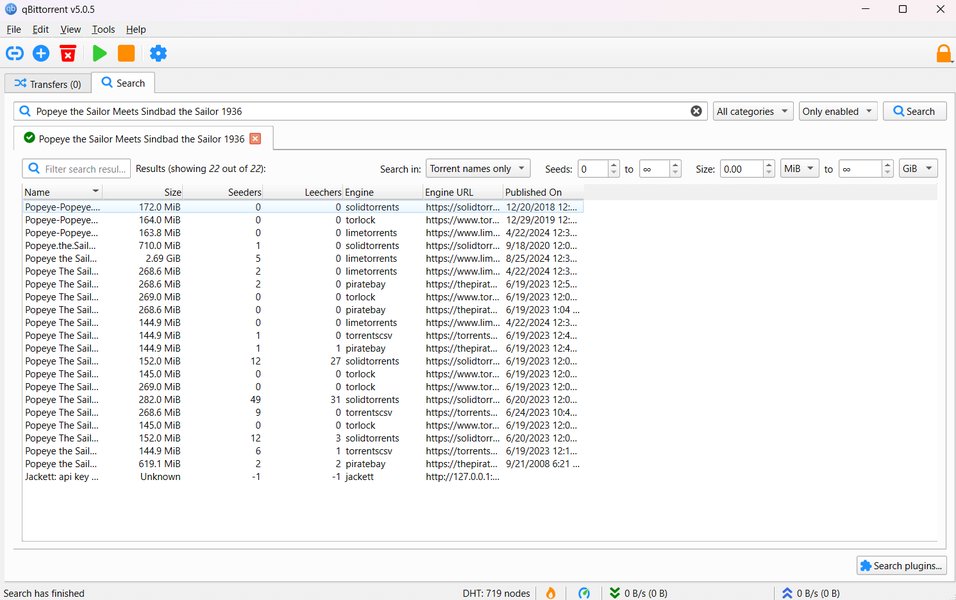
The qBittorrent client interface, which can be automated using Python scripts.
MicroPython: Lean and Mean for Embedded Systems
MicroPython is a re-implementation of Python 3, optimized to run on microcontrollers and in resource-constrained environments. It aims to bring the ease of Python programming to the hardware level. While it includes a subset of Python's standard library, it is significantly stripped down to fit within the limited memory and processing power of devices like ESP32, PyBoard, and Raspberry Pi Pico. Its strengths lie in direct hardware interaction, such as controlling GPIO pins, interfacing with sensors, and managing low-level peripherals. MicroPython does not implement the entire CPython object data model and has limited support for the extensive libraries that make Python so powerful for general-purpose computing.
Video Overview: Python vs. MicroPython
To get a broader understanding of the general differences between Python and MicroPython, the following video provides a helpful comparison:
A video comparing the features and use cases of Python and MicroPython.
Feature Comparison: Python vs. MicroPython for qBittorrent Context
The table below highlights key differences between Python and MicroPython, particularly concerning their suitability for tasks associated with qBittorrent, such as automation and API interaction.
| Aspect | Python (CPython) | MicroPython |
|---|---|---|
| Target Platform | Desktops, servers, powerful embedded systems (e.g., Raspberry Pi running a full OS) | Resource-constrained microcontrollers (e.g., ESP32, PyBoard) |
| Standard Library | Extensive and comprehensive | Subset, optimized for embedded use |
| Third-Party Libraries | Vast ecosystem (e.g., `requests` for HTTP, `python-qbittorrent` for API) | Limited, primarily hardware-focused modules |
| Resource Consumption | Higher (memory, processing power) | Very low, designed for minimal resources |
| File System Access | Full access to host operating system's file system | Limited, often to on-chip flash or SD cards |
| Networking Capabilities | Robust, supports complex protocols (HTTP, Sockets, etc.) | Basic, often focused on Wi-Fi/Ethernet for IoT tasks |
| Suitability for qBittorrent Automation | Excellent, via Web API and scripting | Generally unsuitable due to limitations |
| Primary Use Case | Web development, data analysis, scripting, general application development | Embedded systems, IoT devices, hardware control |
This comparison clearly shows that Python's features align well with the requirements of automating and interacting with a desktop/server application like qBittorrent, while MicroPython is tailored for a completely different domain.
Interactive Comparison: Python vs. MicroPython Strengths
The radar chart below visually contrasts Python and MicroPython across several dimensions relevant to qBittorrent usage and general application. Scores are on a scale where higher values indicate greater suitability or capability in that dimension for typical qBittorrent automation scenarios (except for "Hardware Focus" and "Low Resource Usage" where MicroPython excels by design).
As illustrated, Python excels in areas crucial for qBittorrent automation, such as rich library support, API interaction, and complex file management. MicroPython, conversely, shines in hardware control and low resource usage, which are not primary concerns for qBittorrent scripting on a standard computer.
Automating qBittorrent: Why Python is the Superior Choice
qBittorrent is a powerful BitTorrent client that offers several avenues for automation and integration, primarily through its Web API and the ability to execute external scripts upon torrent completion. Python is exceptionally well-suited to leverage these features.
Leveraging the qBittorrent Web API with Python
qBittorrent provides a comprehensive Web API that allows for remote control and management of the client. Python, with its excellent HTTP libraries (like requests or aiohttp) and JSON handling capabilities, makes interacting with this API straightforward. Several dedicated Python wrappers simplify this process even further:
python-qbittorrent: A popular Python library that provides an easy-to-use interface for the qBittorrent Web API, enabling tasks like adding/removing torrents, pausing/resuming, retrieving torrent information, setting speed limits, and managing categories and tags.qbittorrent-api: Another client library for interacting with the qBittorrent API.
Using these libraries, Python scripts can perform a wide range of automation tasks, such as:
- Automatically tagging torrents based on tracker URLs.
- Applying categories to downloads.
- Monitoring download/upload speeds and adjusting limits dynamically.
- Removing unregistered or completed torrents according to specific rules.
- Integrating qBittorrent with media management tools like Radarr, Sonarr, or Plex.
Scripting on Torrent Completion
qBittorrent allows users to specify an external program or script to run when a torrent finishes downloading. Python scripts are ideal for this purpose, enabling post-download processing such as:
- File Renaming and Organization: Scripts can parse torrent names, extract relevant information (e.g., series name, season, episode number), and rename/move files to appropriate directories. Tools like FileBot's AMC script can often be integrated or triggered by Python.
- Notifications: Sending email or push notifications upon download completion.
- Unpacking Archives: Automatically extracting files from compressed archives.
qBittorrent's core, while written in C++, also features an optional search engine component written in Python, further indicating Python's relevance within the qBittorrent ecosystem.
Why MicroPython Falls Short for qBittorrent
MicroPython, designed for microcontrollers, operates in an entirely different paradigm. Here's why it's not a practical choice for qBittorrent automation:
- Environment Mismatch: qBittorrent runs on desktop operating systems or servers, which are environments where full Python thrives. MicroPython is intended for bare-metal or RTOS environments on microcontrollers.
- Library Limitations: MicroPython has a minimal standard library and lacks access to the extensive Python Package Index (PyPI). Libraries crucial for qBittorrent automation, like robust HTTP clients or qBittorrent-specific API wrappers, are typically not available or practical for MicroPython.
- Resource Constraints: While qBittorrent itself can run on low-power devices like a Raspberry Pi (which can run full Python), MicroPython is designed for even more constrained systems. The complexity of managing a BitTorrent client, even via an API, is generally beyond the scope of typical MicroPython applications.
- File System and Networking: Interacting with a qBittorrent instance often involves managing files on a host computer's file system and making potentially complex network requests. MicroPython's capabilities in these areas are tailored for embedded contexts and are not as rich or flexible as standard Python's.
While one could theoretically devise a convoluted scenario where a microcontroller running MicroPython communicates over a network to a qBittorrent instance, this would be an unnecessarily complex and inefficient approach compared to simply running a Python script on the same machine as qBittorrent or on another networked computer with a full Python environment.
Decision Mindmap: Python or MicroPython for qBittorrent?
This mindmap outlines the thought process for choosing between Python and MicroPython when considering qBittorrent automation or integration tasks.
The mindmap clearly illustrates that standard Python aligns with the requirements for qBittorrent automation, while MicroPython is designed for different applications.
Frequently Asked Questions (FAQ)
Recommended Further Exploration
- How can I use the python-qbittorrent library for qBittorrent automation?
- Can you show examples of Python scripts for managing qBittorrent downloads and uploads?
- What are the best practices for automating file organization with qBittorrent and Python?
- How can I explore advanced qBittorrent Web API features using Python?
References
Last updated May 11, 2025