
Unlocking the Full Potential of Your React Google Maps Project
Transform your application with the right dependencies and advanced map functionality
Key Takeaways
- Your project already has the essential React foundations including React 18, React DOM, React Router, and React Scripts
- Consider using @react-google-maps/api alongside or instead of google-map-react for enhanced features and better TypeScript support
- A Google Maps API key is required to use any Google Maps functionality in your application
Understanding Your Current Dependencies
Your package.json already includes several core dependencies that form a solid foundation for your React project with Google Maps integration:
- google-map-react (^2.2.1): A component that allows you to render any React component on Google Maps
- react (^18.2.0): The core React library for building user interfaces
- react-dom (^18.2.0): Provides DOM-specific methods for React
- react-router-dom (^6.23.1): Handles routing in your React application
- react-scripts (^5.0.1): Scripts and configuration used by Create React App
These dependencies are already in your package.json, so you don't need to install them again. However, you should run npm install or yarn install to ensure all dependencies are properly installed in your node_modules folder.
Essential Google Maps Setup
Getting a Google Maps API Key
Before diving into implementation, you need a Google Maps API key from the Google Cloud Platform. This key is necessary for any Google Maps functionality in your application.
Steps to obtain a Google Maps API key:
- Go to the Google Cloud Console
- Create a new project or select an existing one
- Enable the Maps JavaScript API for your project
- Create credentials to generate an API key
- Set up API restrictions for security (recommended)
For security reasons, store your API key in an environment variable (e.g., in a .env file) and reference it in your application as process.env.REACT_APP_GOOGLE_MAPS_API_KEY.
Google Maps Libraries Comparison
| Library | Strengths | Best For | TypeScript Support |
|---|---|---|---|
| google-map-react | Simple API, render any React component on the map | Basic map implementations with custom markers | Limited |
| @react-google-maps/api | Comprehensive API coverage, official Google support | Advanced features, complex applications | Excellent |
| react-google-maps | Older but stable API | Legacy projects | Limited |
| @vis.gl/react-google-maps | New official Google library, modern React patterns | New projects, performance-focused apps | Excellent |
Recommended Additional Dependencies
Based on your existing setup, here are some recommended installations to enhance your React Google Maps project:
Map-Related Dependencies
- @react-google-maps/api: A more feature-rich alternative to google-map-react with better TypeScript support and a more comprehensive API
npm install @react-google-maps/api - use-places-autocomplete: For implementing Google Places Autocomplete functionality
npm install use-places-autocomplete
Development & Code Quality
- TypeScript: For type checking and improved developer experience
npm install --save-dev typescript @types/react @types/react-dom @types/react-router-dom - ESLint & Prettier: For code linting and formatting
npm install --save-dev eslint prettier
Testing Libraries
- Testing Libraries: For comprehensive testing of your components
npm install --save-dev @testing-library/react @testing-library/jest-dom @testing-library/user-event
Comparing Google Maps React Libraries Performance
Below is a radar chart comparing the performance characteristics of different Google Maps React libraries:
This chart compares key performance metrics for the main React Google Maps libraries. The newer @vis.gl/react-google-maps library shows excellent initial load speed and rendering performance, while @react-google-maps/api excels at feature richness and developer experience.
Implementation Strategy for Google Maps in React
This mindmap outlines the key components and implementation strategy for integrating Google Maps into your React application. Starting with basic setup and gradually adding more complex features ensures a maintainable codebase.
Basic Implementation Example
Here's a basic example of how to implement a Google Map in your React application using @react-google-maps/api:
import React from 'react';
import { GoogleMap, LoadScript, Marker } from '@react-google-maps/api';

const containerStyle = {
  width: '100%',
  height: '400px'
};

const center = {
  lat: 37.7749,
  lng: -122.4194
};

function MapComponent() {
  return (
    <LoadScript googleMapsApiKey={process.env.REACT_APP_GOOGLE_MAPS_API_KEY}>
      <GoogleMap
        mapContainerStyle={containerStyle}
        center={center}
        zoom={10}
      >
        <Marker position={center} />
      </GoogleMap>
    </LoadScript>
  );
}

export default React.memo(MapComponent);
This simple component creates a Google Map centered on San Francisco with a marker at the same location. The React.memo wrapper helps optimize performance by preventing unnecessary re-renders.
Video Tutorial: Google Maps in React
This tutorial demonstrates how to integrate Google Maps with React, including how to implement directions and places autocomplete functionality:
This comprehensive tutorial covers essential aspects of Google Maps integration in React, including setting up your API key, implementing the basic map, and adding advanced features like directions and places autocomplete. The video walks through the implementation step-by-step, making it easy to follow along and apply to your project.
Visual Examples of React Google Maps Components
Here are some visual examples of what you can achieve with Google Maps in your React application:
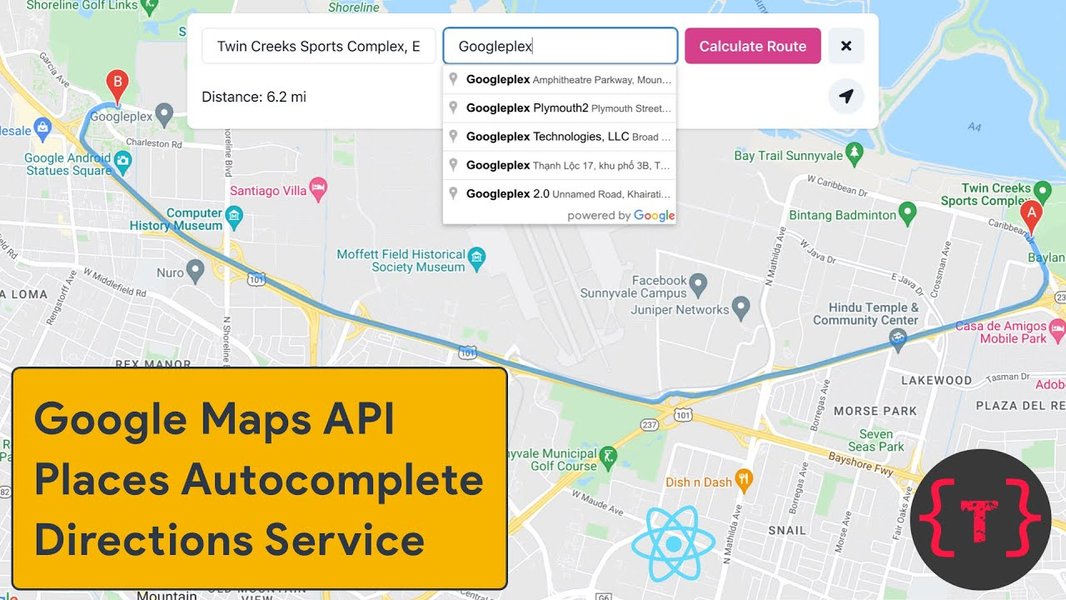
Google Maps with Directions: Implementation of Google Maps with route directions functionality in React
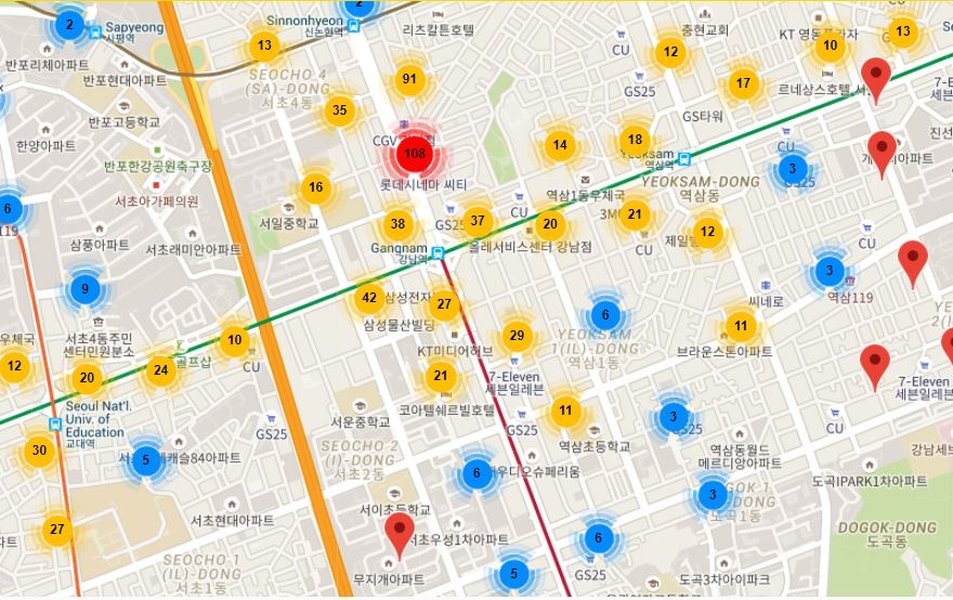
Optimized Markers: Performance-optimized implementation of multiple markers in React Google Maps
These visual examples demonstrate the versatility of Google Maps integration in React applications. With the right libraries and implementation, you can create interactive, feature-rich maps that enhance your user experience.
Frequently Asked Questions
References
- @react-google-maps/api - NPM Package
- google-map-react - NPM Package
- Maps JavaScript API with React - Google Developers
- Getting Started with @vis.gl/react-google-maps
-
React Google Maps API Documentation
- The Best React Map Libraries in 2024 - Retool Blog
- React Map Library Comparison - LogRocket Blog
Related Queries
Last updated April 4, 2025