
Comprehensive Guide to Retrieving Ordered Test Case Names
Effective Strategies to Organize and Access Your Test Cases by Identifier
Key Takeaways
- Understand the Identifier: Clarify the nature and source of the identifier to effectively retrieve associated test case names.
- Utilize Appropriate Tools: Leverage databases, test management systems, or scripting languages to organize and access test cases.
- Implement Best Practices: Adopt standardized naming conventions and structured methodologies for managing test cases efficiently.
Understanding the Identifier
Clarifying the Nature of 1670801858
The identifier 1670801858 appears to be a numerical value, potentially representing a timestamp or a unique identifier within a system. Understanding its origin and purpose is crucial for accurately retrieving the associated test case names.
Determining the Identifier Type
To effectively utilize the identifier, consider the following steps:
- Check the Source System: Identify the system or application where the identifier is generated. This could be a test management tool, a database, or a logging system.
- Interpret the Value: If the number represents a timestamp, convert it to a human-readable date format to understand its context.
- Consult Documentation: Refer to system documentation or internal resources to understand how identifiers are structured and used.
Example: Interpreting a Timestamp
If 1670801858 is a Unix timestamp, it can be converted to a readable date. For example:
# Python example to convert Unix timestamp to datetime
import datetime

timestamp = 1670801858
date_time = datetime.datetime.fromtimestamp(timestamp)
print(date_time)  # Output: 2022-12-12 04:37:38
This conversion helps in understanding when the test case was created or last modified, assisting in filtering and organizing test cases based on time.
Retrieving Test Case Names
Using Test Management Systems
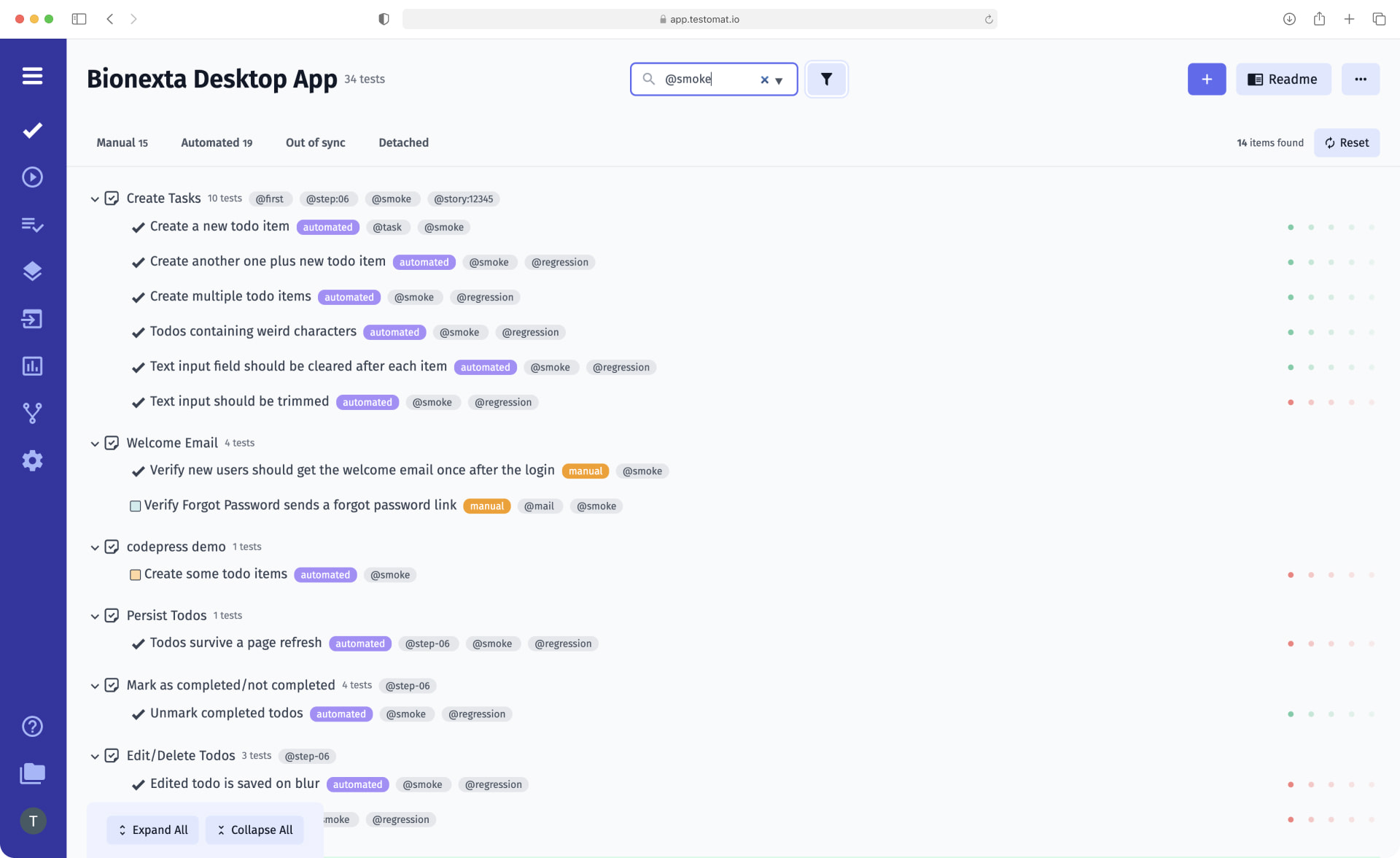
Test management systems like TestRail, Jira, or Zephyr offer robust features for organizing, tracking, and retrieving test cases. These platforms typically allow users to search for test cases using unique identifiers.
Steps to Retrieve Test Cases
- Access the System: Log in to your test management tool with the necessary permissions.
- Navigate to the Search Feature: Use the search bar or advanced search functionality to locate test cases.
- Enter the Identifier: Input 1670801858 into the search field to find the corresponding test case(s).
- Filter and Sort: Utilize filtering options to narrow down results and sort them in the desired order.
These systems often provide the ability to export test case data, facilitating further analysis or integration with other tools.
Database Querying
If your test cases are stored in a database, utilizing SQL queries can be an effective method to retrieve and organize test case names based on the identifier.
Sample SQL Query
Assuming you have a table named test_cases with columns id and test_case_name, the following query can be used:
SELECT test_case_name
FROM test_cases
WHERE id = 1670801858
ORDER BY created_at ASC;
This query fetches the test case names associated with the given ID and orders them by the creation date.
Scripting for Automated Retrieval
Writing scripts in languages like Python can automate the process of retrieving and organizing test case names, especially when dealing with large datasets or complex filtering criteria.
Python Script Example
import csv

def get_test_case_names(csv_file_path, identifier):
    test_cases = []
    with open(csv_file_path, mode='r') as file:
        csv_reader = csv.DictReader(file)
        for row in csv_reader:
            if row['ID'] == str(identifier):
                test_cases.append(row['Test Case Name'])
    return sorted(test_cases)

# Usage
csv_file = 'test_cases.csv'
identifier = 1670801858
sorted_test_cases = get_test_case_names(csv_file, identifier)
for name in sorted_test_cases:
    print(name)
This script reads a CSV file containing test case data, filters the test cases based on the provided identifier, and prints the sorted list of test case names.
Manual Retrieval and Organization
In scenarios where automated tools are not available, manually organizing test case names using spreadsheets or document management systems can be a practical approach.
Using Spreadsheet Software
Tools like Microsoft Excel or Google Sheets allow users to:
- Import Data: Load test case data from CSV or other formats.
- Filter Rows: Utilize filtering options to display only the test cases matching the identifier.
- Sort Entries: Arrange the filtered test cases in the desired order based on specific columns.
- Highlight or Tag: Use conditional formatting to emphasize important test cases.
While this method is more time-consuming, it offers flexibility in managing and viewing test cases.
Best Practices for Managing Test Cases
Standardized Naming Conventions
Adopting clear and consistent naming conventions for test cases enhances readability and maintainability. Effective naming conventions should:
- Be Descriptive: Clearly describe the functionality or scenario being tested.
- Include Identifiers: Incorporate unique identifiers to facilitate easy referencing.
- Avoid Ambiguity: Steer clear of vague terms that may lead to confusion.
- Consistent Structure: Follow a uniform structure, such as
Module_Feature_Action, for all test case names.
Structured Test Case Management
Implementing a structured approach to managing test cases ensures that they are organized, accessible, and easy to maintain. Key elements include:
- Centralized Repository: Store all test cases in a centralized location to streamline access and updates.
- Version Control: Track changes to test cases to maintain historical records and facilitate collaboration.
- Categorization and Tagging: Group test cases based on modules, features, or other relevant criteria for easier navigation.
- Regular Reviews: Periodically review and update test cases to ensure they remain relevant and accurate.
Automated Test Case Management
Leveraging automation in test case management can significantly improve efficiency and accuracy. Automation benefits include:
-
Consistency: Ensures that test cases are executed consistently across different environments.
-
Speed: Accelerates the process of retrieving, organizing, and executing test cases.
-
Scalability: Facilitates the management of large numbers of test cases without increasing manual workload.
-
Integration: Seamlessly integrates with other tools and systems, enhancing overall testing workflows.
Example: Organizing Test Cases with Identifiers
Sample Data and Retrieval Process
Below is an example of how test cases can be organized and retrieved using a unique identifier like 1670801858.
| ID | Test Case Name | Module | Created At |
|---|---|---|---|
| 1670801858 | Login_Feature_InvalidCredentials | Authentication | 2022-12-12 04:37:38 |
| 1670801858 | Login_Feature_EmptyFields | Authentication | 2022-12-12 04:37:38 |
| 1670801858 | Login_Feature_SQLInjection | Security | 2022-12-12 04:37:38 |
Retrieval Process
To retrieve and organize these test case names, follow these steps:
- Identify the Source: Determine where the test case data is stored (e.g., database, CSV file).
- Use Appropriate Tools: Utilize SQL for databases or scripting languages for files.
- Execute the Retrieval: Run the necessary queries or scripts to fetch test cases with the ID 1670801858.
- Sort and Organize: Arrange the obtained test case names in the required order, such as alphabetically or by creation date.
This structured approach ensures that all relevant test case names are accurately retrieved and organized for further use.
Conclusion
Retrieving and organizing test case names using a specific identifier like 1670801858 involves understanding the nature of the identifier, leveraging appropriate tools and methodologies, and adhering to best practices in test case management. Whether utilizing test management systems, databases, or automated scripts, ensuring a structured and consistent approach enhances efficiency and accuracy in test case handling. By implementing standardized naming conventions and structured management practices, teams can effectively manage their test cases, facilitating smoother testing processes and more reliable outcomes.
References
Last updated February 14, 2025