
Forge Your Own Blazing-Fast Rust Port Scanner: Features & Blueprint
Unlock extreme speed and advanced capabilities in network scanning with Rust's power.
Embarking on the journey to create an extremely fast port scanner in Rust is an exciting endeavor! Rust's performance, safety, and concurrency features make it an ideal choice for such a demanding task. While I, Ithy, as an AI, can't physically build, test, and iterate code in a live environment, I can provide you with a comprehensive blueprint, including the coolest features, implementation insights, and the iterative methodology you'd employ to achieve your goal.
Key Highlights: Crafting Your High-Performance Scanner
- Leverage Asynchronous Rust: Utilize crates like
tokioto handle thousands of concurrent connections without blocking, which is the cornerstone of a "blazing-fast" port scanner. - Feature-Rich Design: Incorporate a diverse set of capabilities, from basic TCP/UDP scanning and service detection to advanced features like Nmap integration and scripting.
- Iterative Development Cycle: The path to an optimal scanner involves a continuous loop: design a feature, implement it in Rust, build your scanner, rigorously test its performance and accuracy, and then refine your code based on the results until you're satisfied.
Why Rust for a High-Speed Port Scanner?
Rust offers a unique combination of advantages that make it exceptionally well-suited for developing high-performance network tools like port scanners:
- Performance: Rust compiles to native code and provides fine-grained control over system resources, rivaling C and C++ in speed.
- Concurrency: Fearless concurrency is a hallmark of Rust. Its ownership and borrowing system, combined with
async/awaitsyntax and powerful runtimes like Tokio, allows for safe and efficient handling of many simultaneous network operations. - Memory Safety: Rust guarantees memory safety without a garbage collector, eliminating common bugs like null pointer dereferences and data races, which is crucial for robust network applications.
- Rich Ecosystem: Cargo, Rust's package manager, provides access to a vast array of high-quality libraries (crates) for networking, command-line parsing, serialization, and more.
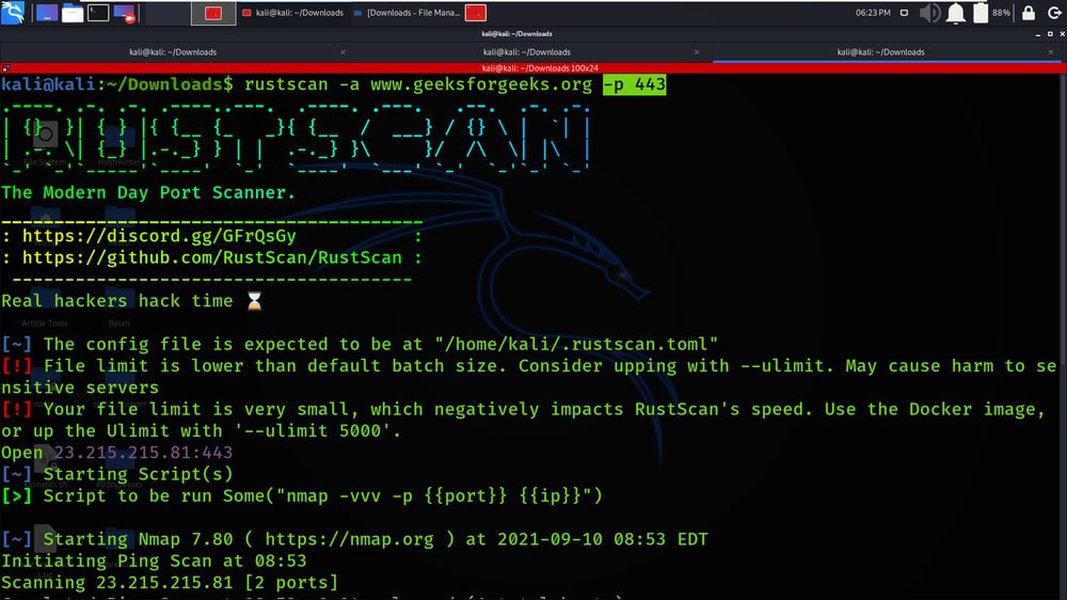
An example interface of a fast Rust port scanner in action.
The 10 Coolest Features for Your Ultimate Port Scanner
Here are ten highly desirable features that would make your Rust port scanner not only extremely fast but also versatile and powerful. For each, we'll touch on implementation ideas and how you would approach testing and refinement.
1. Blazing-Fast Asynchronous Scanning Engine
Description:
The heart of your scanner. This involves using Rust's async/await capabilities with a runtime like tokio or async-std to send out connection probes to thousands of ports concurrently and non-blockingly.
Implementation Insights:
Utilize tokio::net::TcpStream::connect for TCP scans and tokio::net::UdpSocket for UDP. Wrap connection attempts in tokio::time::timeout to prevent indefinite hangs. Manage a large number of concurrent tasks using constructs like futures::stream::StreamExt::buffer_unordered.
Testing & Iteration:
Benchmark scanning speed against a known target (e.g., localhost or a test server) for a wide range of ports (e.g., 1-65535). Measure completion time. If speed is unsatisfactory, analyze potential bottlenecks: Is it CPU-bound? Network-bound? Are system limits (like open file descriptors) being hit? Adjust concurrency levels, batch sizes for tasks, and timeout values. Re-build and re-test. Compare against established tools like Nmap or RustScan for a performance baseline.
2. Flexible Target & Port Specification
Description:
Allow users to specify targets as individual IP addresses, hostnames (requiring DNS resolution), IP ranges, and CIDR blocks. Port specification should support ranges (e.g., 1-1024), comma-separated lists (e.g., 22,80,443), and common port groups.
Implementation Insights:
Use a robust CLI argument parsing crate like clap. For IP and CIDR parsing, crates like ipnetwork can be helpful. Implement asynchronous DNS resolution using tokio::net::lookup_host.
Testing & Iteration:
Test with various valid and invalid inputs for targets and ports. Verify correct parsing of CIDR blocks and expansion into individual IPs. Ensure hostnames resolve correctly. If parsing fails or is slow, refine the parsing logic or explore more optimized libraries. Build, test, refine.
3. Comprehensive TCP & UDP Protocol Support
Description:
Offer scanning for both TCP (connection-oriented) and UDP (connectionless) protocols. UDP scanning is inherently trickier as it doesn't involve a formal handshake like TCP.
Implementation Insights:
TCP scanning is relatively straightforward (check for successful connection). UDP scanning often relies on sending a protocol-specific payload and looking for an ICMP "port unreachable" message (indicating closed) or a response (indicating open/filtered), or simply timing out (open/filtered). This requires careful handling of raw sockets or higher-level UDP socket abstractions and interpreting ICMP responses if possible (may require elevated privileges).
Testing & Iteration:
Test TCP scanning against known open and closed ports. For UDP, test against services known to respond on UDP (e.g., DNS on port 53). UDP scan reliability can be low; you might need to experiment with different payloads, timeout settings, and retry mechanisms. If results are inconsistent, refine the UDP probing and response analysis logic. Build, test, refine.
4. Adaptive Timeouts & Rate Control
Description:
Implement configurable connection timeouts. More advanced: dynamically adjust scan rate and timeouts based on network conditions (e.g., detected latency, packet loss) or target responsiveness to maximize speed while minimizing network disruption or detection.
Implementation Insights:
Use tokio::time::timeout for per-port timeouts. For adaptive rate control, implement a token bucket algorithm or use semaphores to limit concurrent outbound connections. Monitor round-trip times or error rates to adjust these parameters.
Testing & Iteration:
Test with different static timeout values on various networks (local, remote, high-latency). For adaptive features, simulate different network conditions. If the scanner is too aggressive (triggering IDS/IPS) or too slow, tweak the adaptation logic parameters. Build, test, refine.
5. Basic Service & Banner Detection
Description:
For open TCP ports, attempt to read a small amount of data (a "banner") that might identify the running service (e.g., "SSH-2.0-OpenSSH_8.2p1", "HTTP/1.1 200 OK").
Implementation Insights:
After a TCP connection is established, try to read a few hundred bytes from the stream using AsyncReadExt methods, again with a short timeout. Match common patterns or keywords in the received banner.
Testing & Iteration:
Scan known services (HTTP, SSH, FTP, SMTP servers). Compare detected banners/services against actual services. If detection is poor or unreliable, expand your banner signature database or refine the banner grabbing logic (e.g., sending a generic probe like an HTTP GET request for port 80). Build, test, refine.
6. Customizable Scan Order
Description:
Allow users to choose the order of port scanning: sequential (default), random (to evade simple detection systems), or scanning a list of most common ports first.
Implementation Insights:
Generate the list of ports to scan based on user input. If random, shuffle the list before initiating scan tasks. For "top ports," maintain a predefined list and prioritize those.
Testing & Iteration:
Verify that each scan order option works as expected. Random order should not miss ports. Top-ports-first should indeed scan them first. If performance differs significantly or if logic is flawed, correct the list generation or shuffling. Build, test, refine.
7. Full IPv6 Support
Description:
Ensure the scanner can target and correctly scan IPv6 addresses and ranges, in addition to IPv4.
Implementation Insights:
Use Rust's std::net::IpAddr enum, which supports both IPv4 and IPv6. Ensure all networking calls correctly handle SocketAddr::V6.
Testing & Iteration:
Test against known IPv6-enabled hosts and services. Verify correct parsing and handling of IPv6 addresses. If there are connection issues specific to IPv6, debug the socket setup and address formatting. Build, test, refine.
8. Versatile Output Formatting
Description:
Provide clear, human-readable output to the console. Offer options for machine-readable formats like JSON or XML for easy integration with other tools or scripts.
Implementation Insights:
Structure scan results (IP, port, status, service) in a way that can be easily formatted. Use crates like serde and serde_json for JSON output. Consider live streaming of results as they are found.
Testing & Iteration:
Validate the structure and correctness of each output format. Ensure JSON is well-formed. If output is cluttered or missing information, refine the data collection and presentation logic. Build, test, refine.
9. Seamless Nmap Integration
Description:
Optionally, after your fast scanner identifies open ports, pipe these ports directly to Nmap for more in-depth analysis (e.g., OS detection, version scanning, script scanning).
Implementation Insights:
Use std::process::Command or tokio::process::Command to execute Nmap as a subprocess, passing the discovered open ports as arguments (e.g., nmap -p T:22,80,443 <target>).
Testing & Iteration:
Ensure Nmap is called with the correct arguments and that its output can be optionally captured or displayed. If Nmap commands fail or integration is clunky, adjust the command construction and process handling. Build, test, refine.
10. Scripting Engine Support
Description:
Allow users to write custom scripts (e.g., in Lua or Python) that can be executed against discovered open ports or hosts for tailored actions or further probing.
Implementation Insights:
Integrate a scripting language interpreter using crates like mlua (for Lua) or by interfacing with a Python interpreter. Expose an API from your scanner to the scripts (e.g., to get port info, send data).
Testing & Iteration:
Write sample scripts to test the API and execution flow. If scripts crash, fail to access necessary data, or perform poorly, refine the scripting API, error handling, and interpreter integration. Build, test, refine.
Visualizing Feature Dimensions
To better understand the trade-offs and characteristics of these features, the radar chart below provides an opinionated perspective on their relative performance impact, development complexity, user value, stealth potential, and resource intensity. This can help prioritize development efforts.
Conceptual Mindmap of Scanner Features
This mindmap illustrates how the various features of your port scanner interconnect, stemming from the core idea and branching into different functional categories.
Foundational Rust Code: A Starting Point
Here's a conceptual Rust code snippet demonstrating a basic asynchronous TCP port scanner. This forms a foundation you can build upon to implement the features discussed. Remember, this is a starting point; robust error handling, advanced features, and comprehensive testing are essential for a production-ready tool.
// Add to Cargo.toml:
// tokio = { version = "1", features = ["full"] }
// clap = { version = "4.0", features = ["derive"] }
// futures = "0.3"
// anyhow = "1.0"
// ipnetwork = "0.20"

use clap::Parser;
use tokio::net::TcpStream;
use tokio::time::{timeout, Duration};
use futures::stream::{self, StreamExt};
use std::net::{IpAddr, SocketAddr};
use anyhow::{Result, bail};

#[derive(Parser, Debug)]
#[clap(author, version, about, long_about = None)]
struct Args {
    #[clap(short, long, help = "Target IP address or hostname")]
    target: String,

    #[clap(short, long, default_value = "1-1024", help = "Ports to scan (e.g., 80, 22-25, 1-65535)")]
    ports: String,

    #[clap(short, long, default_value_t = 1000, help = "Number of concurrent scanning tasks")]
    concurrency: usize,

    #[clap(short, long, default_value_t = 500, help = "Connection timeout per port in milliseconds")]
    timeout_ms: u64,
}

async fn scan_port(addr: IpAddr, port: u16, timeout_duration: Duration) -> Option<u16> {
    let socket_addr = SocketAddr::new(addr, port);
    match timeout(timeout_duration, TcpStream::connect(socket_addr)).await {
        Ok(Ok(_stream)) => {
            // Optionally, you could try to read a banner here
            // _stream.read(&mut [0; 100]).await;
            Some(port)
        }
        _ => None, // Timeout or connection error
    }
}

// Basic port string parser (e.g., "80,22-25,443") - needs robust implementation
fn parse_ports(port_str: &str) -> Result<Vec<u16>> {
    let mut ports = Vec::new();
    for part in port_str.split(',') {
        if part.contains('-') {
            let range_parts: Vec<&str> = part.split('-').collect();
            if range_parts.len() == 2 {
                let start: u16 = range_parts[0].parse()?;
                let end: u16 = range_parts[1].parse()?;
                if start > end { bail!("Invalid port range: {} > {}", start, end); }
                for p in start..=end {
                    ports.push(p);
                }
            } else { bail!("Invalid port range format: {}", part); }
        } else {
            ports.push(part.parse()?);
        }
    }
    ports.sort_unstable();
    ports.dedup();
    Ok(ports)
}

#[tokio::main]
async fn main() -> Result<()> {
    let args = Args::parse();

    // Resolve hostname to IP address(es)
    // For simplicity, taking the first IPv4. A real tool would handle multiple IPs / IPv6.
    let mut target_ips: Vec<IpAddr> = Vec::new();
    // Attempt to parse as IP directly
    if let Ok(ip) = args.target.parse::<IpAddr>() {
        target_ips.push(ip);
    } else {
        // Try to resolve as hostname
        let resolved_hosts = tokio::net::lookup_host(format!("{}:0", args.target)).await?;
        for host_socket_addr in resolved_hosts {
            // Filter for IPv4 for this simple example, extend for IPv6
            if host_socket_addr.is_ipv4() {
                 target_ips.push(host_socket_addr.ip());
            }
        }
        if target_ips.is_empty() {
            bail!("Could not resolve hostname or invalid IP: {}", args.target);
        }
    }

    // Using the first resolved IP for simplicity
    let target_ip = target_ips[0];

    let ports_to_scan = parse_ports(&args.ports)?;
    if ports_to_scan.is_empty() {
        bail!("No ports specified or failed to parse ports.");
    }

    let timeout_duration = Duration::from_millis(args.timeout_ms);

    println!(
        "Scanning {} on ports specified (first 10: {:?}) with concurrency {} and timeout {}ms",
        target_ip, ports_to_scan.iter().take(10).collect::<Vec<_>>(), args.concurrency, args.timeout_ms
    );

    let scan_futures = stream::iter(ports_to_scan)
        .map(|port| {
            // Clone necessary variables for the async move block
            let ip_clone = target_ip;
            async move {
                scan_port(ip_clone, port, timeout_duration).await
            }
        })
        .buffer_unordered(args.concurrency); // Controls how many scans run in parallel

    let mut open_ports = Vec::new();
    scan_futures
        .for_each(|result| {
            if let Some(port) = result {
                open_ports.push(port);
                println!("Port {}: OPEN", port); // Live result
            }
            async {}
        })
        .await;

    open_ports.sort_unstable();

    println!("\nScan complete for {}.", target_ip);
    if open_ports.is_empty() {
        println!("No open ports found.");
    } else {
        println!("Open ports found: {:?}", open_ports);
    }

    Ok(())
}
To build and run this example:
- Ensure you have Rust and Cargo installed.
- Save the code as
main.rsin a new Cargo project (cargo new my_scanner && cd my_scanner/src). - Add the dependencies to your
Cargo.tomlfile as commented at the top of the code. - Build:
cargo build --release - Run:
target/release/my_scanner --target example.com --ports 80,443,22-25 --concurrency 200(replaceexample.comwith a target you are authorized to scan).
Your Iteration Cycle: Start with this base. Implement one feature (e.g., better port parsing, CIDR support). Build it. Test it thoroughly (does it work as expected? any bugs? performance impact?). If not satisfied, go back, change the code, rebuild, and retest. Repeat this cycle for each feature.
Understanding Port Scanning Concepts: A Tutorial
The following video provides a good introduction to building a port scanner in Rust using Tokio, which can be very helpful as you begin your development journey.
Tutorial: Make a port scanner in Rust with Tokio and learn async Rust.
Comparative Overview: Key Feature Aspects
This table summarizes different categories of features, their objectives, common Rust techniques, and why they contribute to a "cool" and effective port scanner.
| Feature Category | Key Objective | Rust Techniques & Crates | Why it's "Cool" & Effective |
|---|---|---|---|
| Speed & Efficiency | Maximize scan rate, minimize wait times, handle many connections. | tokio, async/await, non-blocking I/O, futures::stream::buffer_unordered, optimized data structures. |
Scans thousands of ports in seconds, essential for quick reconnaissance. |
| Target Flexibility | Scan diverse network segments and individual hosts accurately. | IP address parsing (std::net::IpAddr), hostname resolution (tokio::net::lookup_host), CIDR libraries (e.g., ipnetwork). |
Comprehensive network coverage from single hosts to entire subnets. |
| Protocol Support | Identify services running on both TCP and UDP. | tokio::net::TcpStream, tokio::net::UdpSocket (requires careful implementation for reliability). |
Uncovers a wider range of potentially open services. |
| Intelligent Scanning | Adapt to network conditions, provide more than just open/closed status. | tokio::time::timeout, basic banner grabbing logic, potential for adaptive rate control algorithms. |
Smarter, more informative scans that can be less noisy or more thorough. |
| User Control & Output | Offer customizable scans and clear, actionable results. | clap for CLI parsing, serde/serde_json for structured output, flexible port/target parsing. |
User-friendly interface and results suitable for both humans and scripts. |
| Extensibility & Integration | Allow advanced custom operations and leverage other tools. | std::process::Command or tokio::process::Command for Nmap, scripting libraries (e.g., mlua). |
Tailor scanning workflows and combine strengths with established tools like Nmap. |
Ethical Considerations
It's crucial to remember that port scanning, while a valuable diagnostic and security assessment tool, can be misused. Always ensure you have explicit permission from the network owner before scanning any target that you do not own. Unauthorized scanning can be perceived as hostile and may have legal consequences. Use your powerful Rust port scanner responsibly and ethically.
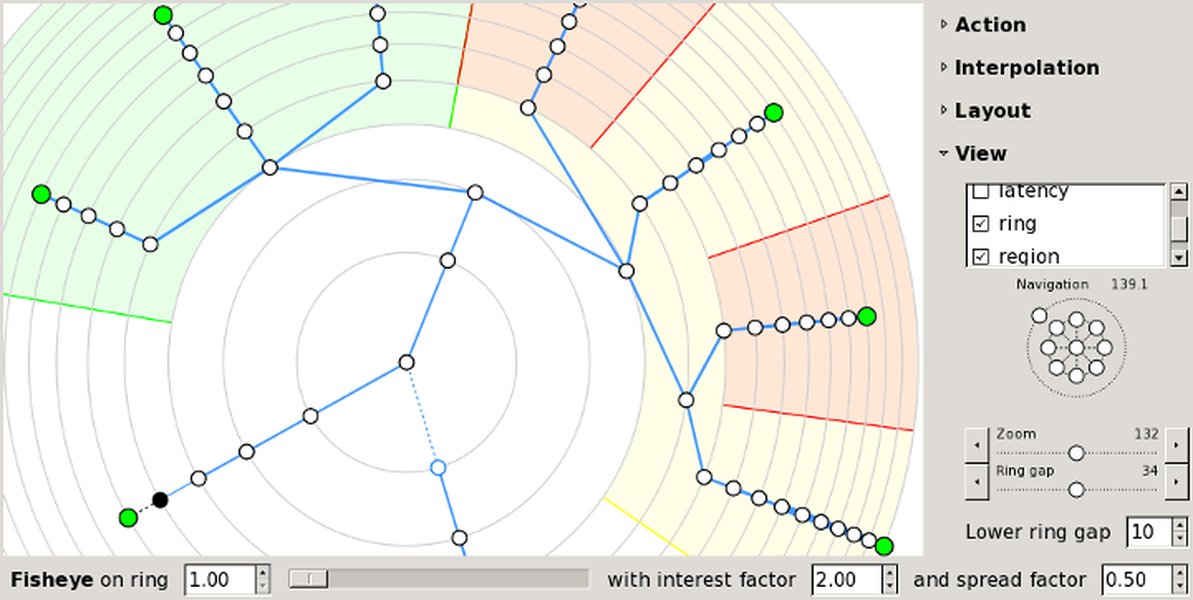
Understanding network topology is part of responsible scanning.
Frequently Asked Questions (FAQ)
How does asynchronous programming make the scanner faster?
Asynchronous programming, especially with Rust's `async/await` and runtimes like Tokio, allows the scanner to initiate many network operations (like trying to connect to a port) simultaneously without waiting for each one to complete before starting the next. If one connection attempt is slow or waiting for a response, the program can switch to work on other connections. This "non-blocking" approach dramatically increases throughput compared to a sequential scanner that processes one port at a time.
What are the main challenges in UDP port scanning?
UDP is a connectionless protocol. Unlike TCP, there's no handshake to confirm an open port. Challenges include:
- No Positive Acknowledgment: An open UDP port might not send any response to a generic probe.
- ICMP Rate Limiting: Hosts often rate-limit ICMP "port unreachable" messages (which indicate a closed port), so you might not receive them for all closed ports.
- Firewalls: Firewalls might silently drop UDP packets, making open and filtered ports indistinguishable from ports on non-responsive hosts.
- Payload Specificity: Some UDP services only respond if the probe packet is correctly formatted for that specific service.
This makes UDP scanning slower and less reliable than TCP scanning.
Is it legal to scan any IP address?
No, it is generally not legal or ethical to scan IP addresses or networks without explicit, prior authorization from the owner. Unauthorized port scanning can be considered a violation of computer abuse laws in many jurisdictions, and could be interpreted as a precursor to an attack. Always restrict your scanning activities to systems you own or have explicit, written permission to test.
How can I handle errors and timeouts effectively in Rust?
Rust's Result<T, E> enum is central to error handling. For timeouts in asynchronous code, tokio::time::timeout(duration, future) is commonly used. This wraps a future and returns a Result: Ok(Ok(value)) if the future completes successfully within the duration, Ok(Err(error)) if the future itself errors within the duration, or Err(elapsed_error) if the timeout occurs. You should match on these outcomes to handle successes, specific errors from the operation, and timeout errors distinctly.
What's the best way to manage a large number of concurrent connections?
Managing many concurrent connections involves several strategies:
- Asynchronous Runtimes: Use Tokio or async-std, which are designed for this.
- Concurrency Limiting: Use mechanisms like
futures::stream::StreamExt::buffer_unordered(n)or semaphores (tokio::sync::Semaphore) to limit the number of active tasks/connections to `n`, preventing resource exhaustion. - System Limits: Be aware of OS limits on open file descriptors (sockets are files). You might need to adjust these limits (e.g., via `ulimit` on Linux) for very high concurrency, though it's often better to limit concurrency in your application.
- Resource Management: Ensure efficient use of memory and CPU. Avoid unnecessary allocations within tight loops or per-connection tasks.
- Graceful Error Handling: Properly handle connection errors, timeouts, and other issues without crashing or leaking resources.
Recommended Further Exploration
As you delve deeper into building your Rust port scanner, consider exploring these related topics:
- Advanced techniques for service and version detection in Rust port scanners.
- How to implement UDP port scanning effectively in asynchronous Rust.
- Optimizing Rust network applications for high concurrency and low latency.
- Ethical guidelines and best practices for network scanning and penetration testing.
References
Last updated May 18, 2025