
Integrating Authenticated Proxies with Selenium Wire and Undetected ChromeDriver in Python
A Comprehensive Guide to Enhance Your Web Scraping and Automation
The provided Python code snippet demonstrates a method for configuring Selenium with undetected_chromedriver and seleniumwire to utilize a proxy requiring authentication. This is a common requirement for web scraping and automation tasks where bypassing detection and managing multiple requests from different IP addresses is crucial.
Using a proxy with authentication in Selenium can be a point of complexity, especially when combined with tools designed to evade bot detection like undetected_chromedriver. The standard Selenium WebDriver might struggle with direct proxy authentication. Libraries like selenium-wire are specifically designed to address this by allowing easier management and interception of network requests, including handling authenticated proxies.
Key Highlights
- Seamless Proxy Authentication: The code leverages
seleniumwire_optionsto pass proxy details directly to the WebDriver, simplifying the authentication process for proxies requiring a username and password. - Enhanced Undetectability: By combining
undetected_chromedriverwith proxy usage, the script aims to mimic human browsing behavior more effectively, reducing the likelihood of triggering anti-bot mechanisms. - Network Request Monitoring:
seleniumwireprovides the capability to capture and inspect network requests and responses, which is invaluable for debugging and understanding the communication flow.
Understanding the Components
Selenium and Undetected ChromeDriver
Selenium is a powerful tool for automating web browsers. It provides a way to interact with web pages as a user would, making it ideal for tasks like testing and web scraping. However, many websites employ sophisticated anti-bot detection systems that can identify and block automated traffic from standard Selenium drivers.
undetected_chromedriver is a patched version of the standard ChromeDriver. Its primary purpose is to avoid detection by these anti-bot systems, such as Cloudflare, DataDome, and PerimeterX, by making the automated browser appear more like a genuine user. It achieves this by modifying certain browser fingerprints and characteristics that anti-bot services look for.
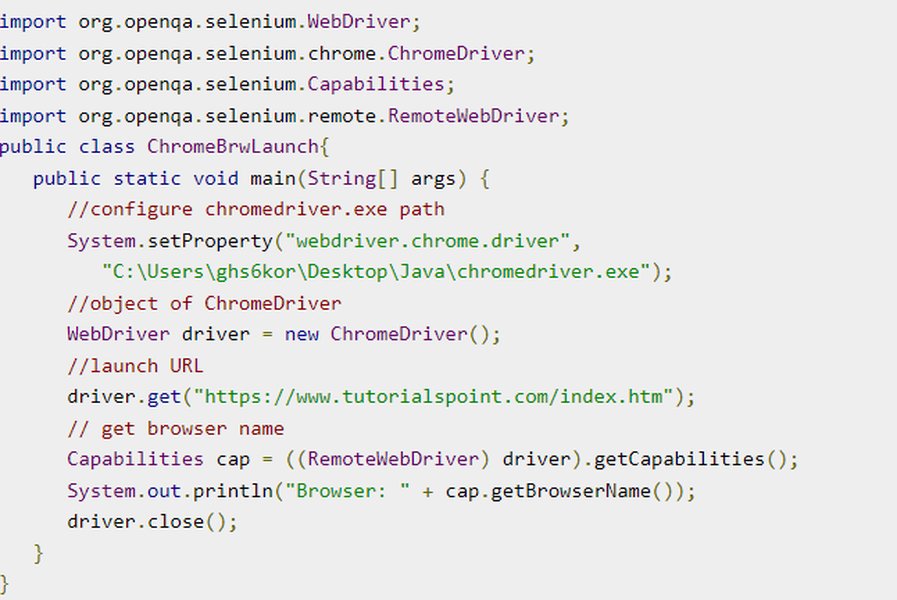
A visual representation of Selenium tests running on a Chrome browser.
Selenium Wire for Network Control
selenium-wire extends Selenium's capabilities by providing access to network requests and responses made by the browser. This is particularly useful for:
- Monitoring network traffic in real-time.
- Modifying requests and responses on the fly (e.g., changing headers).
- Easily integrating proxies, including those requiring authentication.
While standard Selenium can be configured to use proxies, handling authentication often requires generating complex proxy plugins or relying on external tools. selenium-wire simplifies this by allowing proxy details, including username and password, to be passed directly through the seleniumwire_options dictionary during WebDriver initialization.
Authenticated Proxies
Authenticated proxies require a username and password to establish a connection. These are commonly used with commercial or premium proxy services to ensure only authorized users can access them. When using authenticated proxies with web scraping, it's essential to correctly configure Selenium or a supporting library like selenium-wire to handle the authentication handshake.
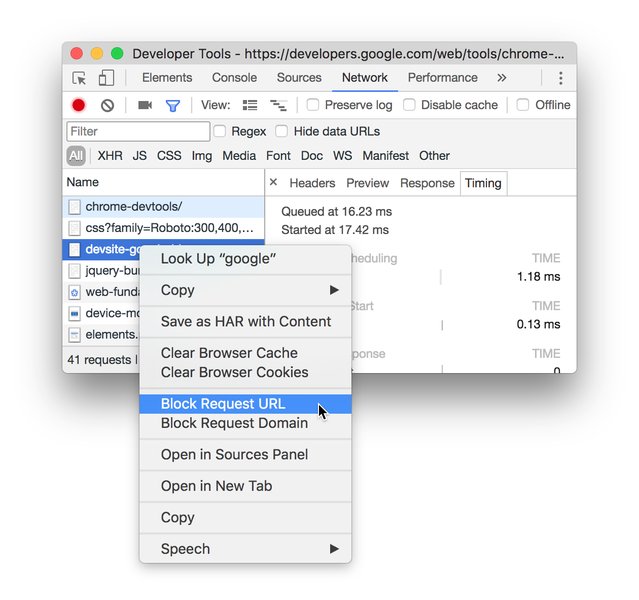
Illustrating the network monitoring capabilities available in browser developer tools, similar to what Selenium Wire provides programmatically.
Code Breakdown and Functionality
Importing Necessary Libraries
import seleniumwire.undetected_chromedriver as ucThis line imports the undetected_chromedriver module from the seleniumwire library, aliasing it as uc for brevity. This is the key step to use the undetected version of the ChromeDriver with the added network capabilities of selenium-wire.
Proxy Configuration
# بيانات البروكسي
username = 'eyad12'
password = '_IMp5wu8E7fpeB4xpj'
proxy = f"https://{username}:{password}@gate.decodo.com:7000"
Here, the proxy credentials (username and password) and the proxy address (hostname and port) are defined. The proxy URL is then constructed in the format protocol://username:password@hostname:port. This format is standard for including authentication details directly in the proxy string, which selenium-wire can interpret.
Selenium Wire Options
# إعدادات seleniumwire للبروكسي
seleniumwire_options = {
    'proxy': {
        'http': proxy,
        'https':proxy ,
    }
}
This dictionary is where the configuration specific to selenium-wire is provided. The 'proxy' key is used to define the proxy settings. By providing the same authenticated proxy URL for both 'http' and 'https' keys, the script ensures that both types of traffic are routed through the specified proxy with the provided credentials.
It's worth noting that seleniumwire_options is distinct from the standard ChromeOptions used in Selenium. While ChromeOptions handles browser-level settings, seleniumwire_options is specifically for configuring the network interception and proxy features of selenium-wire.
Initializing the WebDriver
# تشغيل المتصفح مع الإعدادات
driver = uc.Chrome(
    seleniumwire_options=seleniumwire_options,
)
This line creates an instance of the Chrome WebDriver using the undetected_chromedriver provided by selenium-wire. The seleniumwire_options dictionary is passed as an argument, configuring the driver to use the specified authenticated proxy for all network requests.
Navigating to a Website
# فتح صفحة واختبار البروكسي
driver.get('https://www.fragrantica.com/perfume/Maori-Collection/Wise-Way-1.html')
This command instructs the browser to navigate to the specified URL. Since the WebDriver was configured with the authenticated proxy, all requests made to load this page and its resources will go through the proxy server.
Monitoring Network Requests
# عرض الطلبات التي تمت
for request in driver.requests:
    if request.response:
        print(
            request.url,
            request.response.status_code,
            request.response.headers.get('Content-Type')
        )
One of the key features of selenium-wire is the ability to access the requests made by the browser. The driver.requests attribute provides a list of all captured requests. The code iterates through these requests and prints the URL, the response status code, and the Content-Type header for each request that received a response. This allows verification that requests are indeed being made and provides insight into the responses received.
Accessing Page Source
# ممكن تطبع المحتوى مباشرة:
print("\nPage Content:\n", driver.page_source)
Finally, the code prints the HTML source code of the loaded page using driver.page_source. This confirms that the page was successfully loaded through the proxy.
Why Use This Approach?
Combining undetected_chromedriver with selenium-wire for authenticated proxy usage offers several advantages for web scraping and automation:
- Bypassing Anti-Bot Measures: The undetected nature of the driver helps in avoiding blocks from sophisticated anti-bot systems.
- Handling Authenticated Proxies Easily:
selenium-wiresimplifies the complex process of authenticating with proxy servers. - Network Visibility: The ability to monitor and manipulate network requests provides greater control and debugging capabilities.
- Rotating Proxies: While not explicitly shown in this basic example,
selenium-wirecan be integrated with logic to rotate through a list of authenticated proxies, further enhancing the ability to scrape at scale without being blocked.
Potential Challenges and Considerations
While this approach is powerful, there can be challenges:
-
Proxy Reliability and Speed: The performance and success rate heavily depend on the quality and reliability of the authenticated proxy server.
-
Updates to Anti-Bot Systems: Anti-bot technologies are constantly evolving, and even
undetected_chromedrivermight eventually be detected as new techniques are developed. -
Compatibility Issues: Ensuring compatibility between specific versions of Selenium,
undetected_chromedriver,selenium-wire, and the Chrome browser/driver can sometimes require troubleshooting. -
Handling Different Authentication Schemes: While
selenium-wirehandles basic username/password authentication, other more complex schemes might require different approaches.
Comparison of Proxy Configuration Methods
There are several ways to configure proxies with Selenium. Here's a brief comparison highlighting the method used in the provided code:
| Method | Description | Authenticated Proxy Support | Ease of Use | Network Monitoring/Modification |
|---|---|---|---|---|
Standard Selenium ChromeOptions with --proxy-server argument |
Configures the proxy using a command-line argument passed to the browser. | Limited; often requires workarounds like proxy helper extensions or manual authentication handling. | Relatively easy for unauthenticated proxies. | None directly through Selenium. |
| Generating a Proxy Extension | Creating a small Chrome extension (ZIP file) with manifest.json to handle proxy authentication. | Yes, allows for robust authentication handling within the extension. | More complex setup required to create and manage the extension file. | None directly through Selenium. |
Selenium Wire with seleniumwire_options |
Utilizes the selenium-wire library's built-in proxy configuration options. |
Yes, specifically designed to handle authenticated proxies easily. | Much simpler than creating a proxy extension; requires installing selenium-wire. |
Excellent, provides full access to requests and responses. |
| Using Operating System Proxy Settings | Configuring the system-wide proxy settings that the browser will then use. | Depends on the OS and its proxy configuration capabilities. | Varies by OS; affects all applications using the system proxy. | None directly through Selenium. |
Comparison of different methods for setting up proxies in Selenium.
As the table illustrates, using selenium-wire with its dedicated options provides a convenient and powerful way to handle authenticated proxies, especially when combined with undetected_chromedriver.
Further Enhancements and Next Steps
To build upon the provided code and create a more robust scraping solution, consider the following:
Proxy Rotation
For large-scale scraping, using a single proxy is often insufficient as websites can quickly detect and block requests from a single IP address. Implementing proxy rotation involves using a list of proxies and cycling through them for each request or after a certain number of requests. This can be managed by updating the seleniumwire_options['proxy'] dictionary dynamically.
Error Handling and Retries
Web scraping can encounter various errors, such as connection issues, timeouts, or proxy authentication failures (HTTP 407). Implementing robust error handling and retry mechanisms is crucial for ensuring the script can recover from temporary issues and complete its task.
Managing Browser Options
While seleniumwire_options is for proxy and network settings, you can still use standard ChromeOptions to configure other browser behaviors, such as running in headless mode, setting a specific user agent, or disabling images for faster loading. These options can be passed to the uc.Chrome() constructor alongside seleniumwire_options.
from seleniumwire import undetected_chromedriver as uc
from selenium.webdriver.chrome.options import Options

# ... (proxy configuration remains the same) ...

chrome_options = Options()
chrome_options.add_argument("--headless") # Example: Run in headless mode

driver = uc.Chrome(
    seleniumwire_options=seleniumwire_options,
    options=chrome_options # Pass the ChromeOptions here
)

# ... (rest of the code) ...
This demonstrates how to combine standard ChromeOptions with seleniumwire_options.
Embedding a Relevant Tutorial Video
To further illustrate the concepts of using proxies with Selenium in Python, the following video provides a visual guide on handling proxy authentication. This aligns directly with the core problem addressed by the provided code snippet.
A YouTube tutorial on handling proxy authentication in Selenium with Python.
FAQ
Why do I need an authenticated proxy?
Authenticated proxies are often used by premium or commercial proxy providers to control access. They require a username and password to ensure only subscribers can utilize their service, which typically offers more reliable and higher-quality IP addresses compared to free proxies.
What is the difference between HTTP, HTTPS, and SOCKS proxies?
HTTP proxies are designed for HTTP traffic. HTTPS proxies handle encrypted HTTPS traffic. SOCKS (Socket Secure) proxies are lower-level and can handle various types of network traffic, including HTTP, HTTPS, FTP, etc. For web scraping, HTTP and HTTPS proxies are common, and using selenium-wire allows specifying different proxies for each protocol if needed, although in the example, the same proxy is used for both.
Can I use this approach with other browsers like Firefox?
The provided code specifically uses undetected_chromedriver, which is designed for Chrome. selenium-wire does support other browsers like Firefox, but you would need to use the appropriate WebDriver for that browser (e.g., seleniumwire.webdriver.Firefox) and there might not be an "undetected" version available for Firefox with the same level of sophistication as undetected_chromedriver.
How can I verify that the proxy is working?
You can verify the proxy is working by navigating to a website that shows your IP address (e.g., https://httpbin.org/ip) using the configured WebDriver and checking if the displayed IP matches your proxy's IP address. Additionally, inspecting the captured requests using driver.requests can show if the requests are being routed through the proxy.
References
Last updated May 14, 2025