
Unlock Blazing-Fast Face Detection: Optimizing TensorFlow.js First Load Speed
Tired of waiting? Learn proven techniques to dramatically reduce the initial delay when running face detection models in your browser.
Running face detection models with TensorFlow.js directly in the browser opens up incredible possibilities for interactive web applications. However, many developers encounter a frustrating delay the very first time the model runs. This initial lag, sometimes lasting several seconds (5-10 seconds or even more, depending on the model and device), can significantly impact user experience. This delay typically stems from several factors happening behind the scenes: downloading the model files (architecture and weights), parsing them, initializing the TensorFlow.js backend (like WebGL or WASM), and compiling the model operations for the specific hardware.
Fortunately, this initial sluggishness isn't something you just have to accept. There are numerous effective strategies you can implement to significantly speed up that first face detection run. By optimizing model selection, loading processes, execution environment, and leveraging browser capabilities, you can make your TensorFlow.js face detection application feel much more responsive from the start.
Quick Wins: Key Optimization Highlights
Essential takeaways for faster initial face detection:
- Choose Lightweight Models: Opt for models specifically designed for speed and efficiency in browsers, like BlazeFace or the Tiny Face Detector, often available through libraries like face-api.js or MediaPipe.
- Preload & Cache Aggressively: Load the model proactively during application startup or idle time and use browser storage (like IndexedDB) to cache it, eliminating download time on subsequent visits.
- Warm-Up the Model: Perform a "dummy" inference pass immediately after loading the model to force backend initialization and shader compilation, ensuring the actual first detection is near-instantaneous.
Understanding the First-Run Bottleneck
Why does the initial face detection take longer?
The first time your application attempts to run a face detection model using TensorFlow.js, several one-time setup processes occur, contributing to the perceived delay:
- Model Downloading: If not cached, the browser must download the model's architecture definition (often a JSON file) and its trained weights (binary files). Larger models mean longer download times, especially on slower connections.
- Model Parsing & Loading: Once downloaded, the browser needs to parse the model structure and load the weights into memory.
- Backend Initialization: TensorFlow.js uses different backends (like WebGL, WASM, CPU) to execute operations. The chosen backend needs to be initialized, which can involve setting up communication with the GPU (for WebGL) or loading the WebAssembly module.
- Shader Compilation (WebGL): If using the WebGL backend (common for GPU acceleration), TensorFlow.js often compiles the model's operations into WebGL shaders during the *first* inference pass. This compilation step can be time-consuming but significantly speeds up subsequent inferences.
- Resource Constraints: Mobile devices or older computers might have limited CPU, GPU, or memory resources, exacerbating all the above steps.
Subsequent runs are typically much faster because the model is already loaded, the backend is initialized, and shaders (if applicable) are compiled and cached.
Core Strategies for Speeding Up Initial Detection
Implement these techniques for significant performance gains:
1. Optimize Your Model Choice
The single most impactful factor is often the model itself. Larger, more complex models naturally take longer to download and initialize.
- Select Lightweight Architectures: Prioritize models designed for edge devices and browser environments. Examples include:
- BlazeFace: Optimized for mobile GPUs and provides real-time performance. Often used via MediaPipe integrations.
- Tiny Face Detector: Part of the face-api.js library, this model uses depthwise separable convolutions, making it significantly smaller and faster (around 5.4 MB quantized) than models like SSD Mobilenet V1, though potentially less accurate for very small faces.
- Use Quantized Models: Quantization reduces the precision of the model's weights (e.g., from 32-bit floats to 8-bit integers). This dramatically decreases file size (often 3-4x smaller) with minimal impact on accuracy for many tasks. Smaller files download and load faster. Check if pre-quantized versions of your chosen model are available or consider using the TensorFlow Model Optimization Toolkit to quantize your own models before converting them to TensorFlow.js format.
- Pruning & Optimization: Techniques like model pruning remove less important connections within the neural network, further reducing size and potentially improving speed.

TensorFlow.js enables powerful in-browser ML like face detection.
2. Master Loading and Caching Techniques
Optimize how and when the model is loaded.
- Preloading: Don't wait until the user clicks "detect" to start loading. Initiate the model download and loading process as early as possible in your application's lifecycle – perhaps during a loading screen or immediately after the initial page load. Use asynchronous functions (
async/awaitwithtf.loadLayersModelor similar) so it doesn't block the main thread.// Example: Preloading a model async function initializeFaceDetection() { console.log('Loading face detection model...'); // Replace with your specific model loading function (e.g., faceapi.nets.tinyFaceDetector.loadFromUri) const model = await tf.loadGraphModel('path/to/your/model/model.json'); console.log('Model loaded.'); // Store the loaded model for later use window.faceDetectionModel = model; } // Call this early, e.g., after the page loads initializeFaceDetection(); - Browser Caching (IndexedDB): After the first download, store the model directly in the user's browser using IndexedDB. TensorFlow.js has built-in support for this. When loading, you can check IndexedDB first before fetching from the network.
// Example: Saving to and Loading from IndexedDB const modelUrl = 'path/to/your/model/model.json'; const modelDBKey = 'indexeddb://my-face-model'; async function loadAndCacheModel() { let model; try { // Try loading from IndexedDB first model = await tf.loadGraphModel(modelDBKey); console.log('Model loaded from IndexedDB.'); } catch (e) { console.log('Model not found in IndexedDB, loading from URL and saving...'); // Load from URL model = await tf.loadGraphModel(modelUrl); console.log('Model loaded from URL.'); // Save to IndexedDB for future use await model.save(modelDBKey); console.log('Model saved to IndexedDB.'); } window.faceDetectionModel = model; } loadAndCacheModel(); - Efficient Serving (CDN): Host your model files on a Content Delivery Network (CDN). CDNs distribute your files across servers worldwide, reducing latency by serving users from geographically closer locations. Ensure proper HTTP caching headers are set on the server hosting the model files.
3. Warm-Up the Model
As mentioned, the very first inference often triggers time-consuming setup like shader compilation. You can force this setup to happen *before* the user needs the detection by performing a "warm-up" inference immediately after the model loads.
- Dummy Inference Pass: Create a tensor of zeros (or random data) matching the expected input shape of your model and run
model.predict()ormodel.executeAsync(). Dispose of the input and output tensors afterwards to free up memory. This pre-compiles shaders and initializes necessary operations.// Example: Warming up the model after loading async function loadWarmupAndUseModel() { const model = await tf.loadGraphModel('path/to/model.json'); console.log('Model loaded. Warming up...'); // Create dummy input (adjust shape: [batch, height, width, channels]) const dummyInput = tf.zeros([1, 128, 128, 3]); // Example for a 128x128 RGB input // Perform warm-up inference const warmupResult = await model.executeAsync(dummyInput); // Dispose tensors promptly tf.dispose(dummyInput); tf.dispose(warmupResult); // Dispose single or array of tensors console.log('Model is warmed up and ready!'); window.faceDetectionModel = model; // Now the *actual* first inference will be faster } loadWarmupAndUseModel();
4. Optimize the Execution Environment
Ensure TensorFlow.js is using the most efficient backend available.
- Leverage Hardware Acceleration (WebGL): In browsers, the WebGL backend utilizes the GPU and is generally the fastest option for model inference *after* the initial setup. TensorFlow.js usually selects the best backend automatically, but you can explicitly set it using
await tf.setBackend('webgl');. Ensure the browser tab remains active, as background tabs often throttle WebGL performance. - WebAssembly (WASM): Provides near-native speed on the CPU. It's a good fallback if WebGL isn't available or performs poorly on specific devices. Some models benefit from WASM with SIMD (Single Instruction, Multiple Data) support, which can be enabled in browser flags (like
chrome://flags/#enable-webassembly-simdin Chrome) for potential further speedups. Useawait tf.setBackend('wasm');. - Node.js Optimization (
tfjs-node): If running TensorFlow.js in a Node.js environment (e.g., for server-side processing), *always* install and require@tensorflow/tfjs-node(for CPU) or@tensorflow/tfjs-node-gpu(if you have a compatible NVIDIA GPU and CUDA setup). These packages bind to the native TensorFlow C++ library, providing dramatic speed improvements (often 2-10x faster) for both loading and inference compared to the pure JavaScript CPU backend.
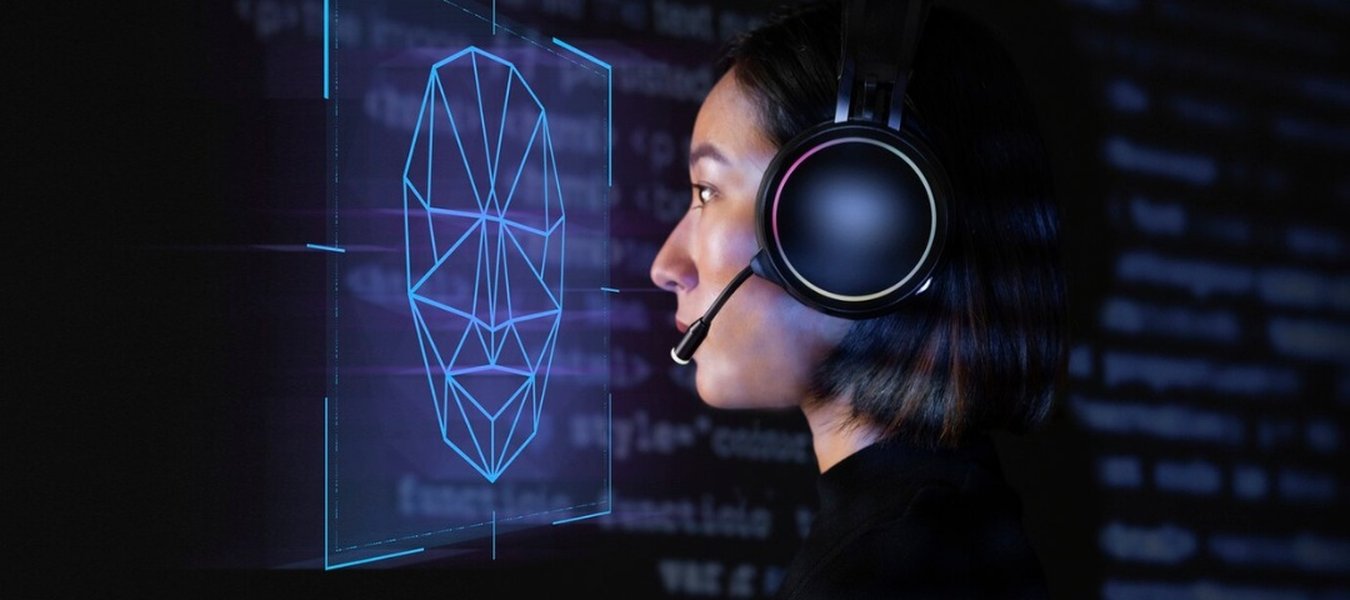
Face detection models identify key facial landmarks.
5. Utilize Web Workers
To prevent the model loading and initial inference steps from freezing the user interface (UI), offload these tasks to a Web Worker.
- Background Processing: Web Workers run scripts in a background thread, separate from the main UI thread. You can perform model loading, warm-up, and even subsequent inferences within a worker. This keeps your main application responsive, even if the initial detection takes a few seconds. Communication between the main thread and the worker is handled via message passing.
6. Input Optimization
While primarily affecting inference speed rather than initial load, optimizing the input data can contribute to a smoother overall experience.
- Downsample Input: Face detection models often operate on smaller input resolutions (e.g., BlazeFace uses 128x128 or 256x256). Resizing larger input images or video frames down to the model's expected input size *before* feeding them into the model reduces the computational load. Use functions like
tf.image.resizeBilinear().
Visualizing Optimization Strategies
Comparing the Impact of Different Techniques
The following chart provides a relative comparison of various optimization techniques based on several factors. Note that the actual impact can vary significantly depending on the specific model, hardware, and network conditions. These are generalized estimations for typical web-based face detection scenarios.
This radar chart helps visualize the trade-offs. For instance, choosing a lightweight model heavily impacts initial load time and model size, while being relatively easy to implement if pre-trained models are available. Techniques like Web Workers have lower direct impact on raw load time but significantly improve perceived performance by keeping the UI responsive, though they add implementation complexity.
Choosing the Right Face Detection Model
A Comparison of Common Options
Selecting an appropriate model is crucial for balancing speed and accuracy. Here's a comparison of some common face detection models often used with TensorFlow.js:
| Model | Typical Size (Quantized) | Relative Speed | Relative Accuracy | Primary Use Case | Notes |
|---|---|---|---|---|---|
| Tiny Face Detector (face-api.js) | ~190 KB (weights only, structure separate) / ~5.4 MB (older info might include more) | Very Fast | Good (Optimized for larger faces) | Real-time detection on web/mobile where speed is critical. | Uses depthwise separable convolutions. Part of face-api.js. |
| BlazeFace (MediaPipe/TF Hub) | ~400 KB - 1 MB | Very Fast | Very Good | Real-time detection on mobile and web, optimized for mobile GPUs. | Lightweight and accurate. Often available via MediaPipe. Input typically 128x128 or 256x256. |
| SSD MobileNet V1 (face-api.js/TF Hub) | ~5-6 MB | Moderate | High | General face detection where higher accuracy is needed, less critical speed constraints. | Larger and slower than Tiny Face Detector or BlazeFace. |
| MediaPipe Face Detection (TFJS Models) | ~1-3 MB | Very Fast | Very Good | Modern, optimized real-time face detection for web. | Often incorporates BlazeFace-like architectures. Recommended package from TF.js team. |
Note: Sizes and performance can vary based on the specific version, quantization level, and source (e.g., TF Hub, face-api.js). Always refer to the documentation for the specific model implementation you are using. The "Tiny Face Detector" size discrepancy likely stems from different reporting (weights vs full model package). The ~190KB figure from face-api.js refers specifically to the quantized weights file.
Mindmap: Key Optimization Areas
Visualizing the Optimization Landscape
This mindmap provides a structured overview of the different categories of optimizations you can apply to speed up the initial load and execution of your TensorFlow.js face detection model.
(BlazeFace, Tiny Face Detector)"] id1b["Quantization (INT8/FP16)"] id1c["Model Pruning"] id2["Loading Strategies"] id2a["Preloading (Early Fetch)"] id2b["Caching (IndexedDB)"] id2c["Efficient Serving (CDN)"] id3["Execution Enhancement"] id3a["Warm-up Inference
(Dummy Prediction)"] id3b["Input Resizing/Downsampling"] id4["Environment & Backend"] id4a["Select Backend"] id4a1["WebGL (GPU)"] id4a2["WASM (CPU / SIMD)"] id4a3["Node.js (
tfjs-node)"]
id4b["Web Workers (Background Thread)"]
id4c["Browser Choice/Flags (SIMD)"]
Thinking about optimization through these categories—Model, Loading, Execution, and Environment—can help ensure you address all potential bottlenecks for the first run.
See it in Action: Real-Time Face Detection Demo
Exploring TensorFlow.js Face Detection Implementations
Watching tutorials and demonstrations can provide valuable insights into how these models are implemented and how they perform in real-time. The video below demonstrates building a real-time face detection application using TensorFlow.js (specifically via the face-api.js library, which builds upon TensorFlow.js) and React. It showcases how to load models and perform detections on a video feed, illustrating the practical application of the concepts discussed.
Real Time Face Detections with Tensorflow.JS and React (via face-api.js)
This video highlights the use of face-api.js, which simplifies loading pre-trained face detection models (like Tiny Face Detector and SSD Mobilenet V1) built on TensorFlow.js. Observing such implementations can help you understand model loading calls, drawing detection boxes, and the overall flow of a real-time face detection application in a web environment.
Frequently Asked Questions (FAQ)
Quick answers to common questions:
▶ Why is the very first TensorFlow.js run always slower?
▶ What is model quantization and how does it help?
▶ Should I use WebGL or WASM backend?
▶ How much speed improvement can I realistically expect?
Recommended Next Steps
Explore further related topics:
- How do I benchmark different TensorFlow.js backends (WebGL vs. WASM) for face detection performance?
- What is the step-by-step process to implement TensorFlow.js model caching using IndexedDB?
- How can I effectively use Web Workers with TensorFlow.js to run model inference in the background?
- What are the steps to quantize a custom TensorFlow model for optimal use with TensorFlow.js?
References
Sources used for this analysis:
Last updated May 4, 2025