
Mastering String Segmentation in SQL Server: Splitting Product Descriptions into Rows
Efficiently transform lengthy product descriptions into manageable, fixed-length segments.
Key Insights into SQL Server String Splitting
- Leveraging
STRING_SPLITfor Modern SQL Server: For SQL Server 2016 and later, theSTRING_SPLITfunction is the most efficient and recommended way to break down delimited strings into individual rows. However, it requires a separator, which isn't directly applicable when splitting by fixed length. - Innovative Approaches for Fixed-Length Segmentation: Since
STRING_SPLITis delimiter-based, fixed-length splitting requires alternative techniques like Common Table Expressions (CTEs), Recursive CTEs, or Tally Tables combined with string functions (SUBSTRING,LEN). - Performance and Compatibility Considerations: The choice of method largely depends on your SQL Server version and the volume of data. Newer functions like
STRING_SPLITgenerally offer better performance but are not available in older versions. Custom functions or recursive CTEs can be resource-intensive for very large datasets.
Working with string data in SQL Server often presents unique challenges, especially when you need to transform or normalize data stored in an unconventional format. Your scenario, where a product description column (VARCHAR(1024)) needs to be split into multiple records, each with a maximum length of 42 characters, is a classic example of such a data manipulation task. This goes beyond simple delimited string splitting and requires a more sophisticated approach. While SQL Server 2016 introduced the highly useful STRING_SPLIT function, its primary purpose is to split strings based on a specified delimiter, not a fixed character length. Therefore, to achieve your objective, we must explore methods that can handle fixed-length segmentation, often involving iterative or recursive logic within T-SQL.
Understanding the Challenge: Fixed-Length String Splitting
Why standard string splitting functions fall short for fixed lengths.
The STRING_SPLIT function, available in SQL Server 2016 and later, is a powerful table-valued function that parses a string into rows of substrings. It takes the input string and a separator character as parameters, returning a table with a single column named value (and an optional ordinal column from SQL Server 2022 onwards to preserve order). For example, splitting "apple,banana,orange" by a comma is straightforward:
SELECT value
FROM STRING_SPLIT('apple,banana,orange', ',');
However, your requirement is to split by a fixed length (42 characters), not a delimiter. This means we cannot simply use a character like a space or comma as a separator, as the splits need to occur precisely every 42 characters, regardless of content. This necessitates a programmatic approach that can iterate through the string and extract segments of the specified length.
Advanced Techniques for Fixed-Length String Segmentation
Exploring powerful T-SQL methods for precise data transformation.
To effectively split a VARCHAR(1024) product description into 42-character segments, we'll delve into several T-SQL techniques. These methods involve generating a sequence of numbers or leveraging recursive logic to extract substrings at regular intervals.
Method 1: Utilizing a Numbers Table (Tally Table) with SUBSTRING
A "Numbers Table" or "Tally Table" is a highly efficient way to generate sequences of numbers without loops or recursion. This table can then be used in conjunction with the SUBSTRING function to extract fixed-length segments. This method is often preferred for its performance, especially with large datasets, as it avoids row-by-row processing.
First, ensure you have a Numbers Table. If not, you can create one or generate numbers on-the-fly using common table expressions or system views.
-- Example of creating a Numbers Table (if you don't have one)
-- This approach can generate numbers up to a certain limit (e.g., 10000)
CREATE TABLE Numbers (n INT PRIMARY KEY);
INSERT INTO Numbers (n)
SELECT TOP 10000 ROW_NUMBER() OVER (ORDER BY (SELECT NULL))
FROM sys.objects A, sys.objects B;

-- Now, using the Numbers Table to split the string
SELECT
    p.ProductID,
    SUBSTRING(p.ProductDescription, n.n, 42) AS SegmentedDescription
FROM
    Products p
INNER JOIN
    Numbers n ON n.n BETWEEN 1 AND LEN(p.ProductDescription)
    AND (n.n - 1) % 42 = 0;
In this query:
n.nrepresents the starting position of each 42-character segment.(n.n - 1) % 42 = 0ensures that we only select starting positions that align with a 42-character interval (1, 43, 85, etc.).LEN(p.ProductDescription)provides the total length to ensure we don't go beyond the string.
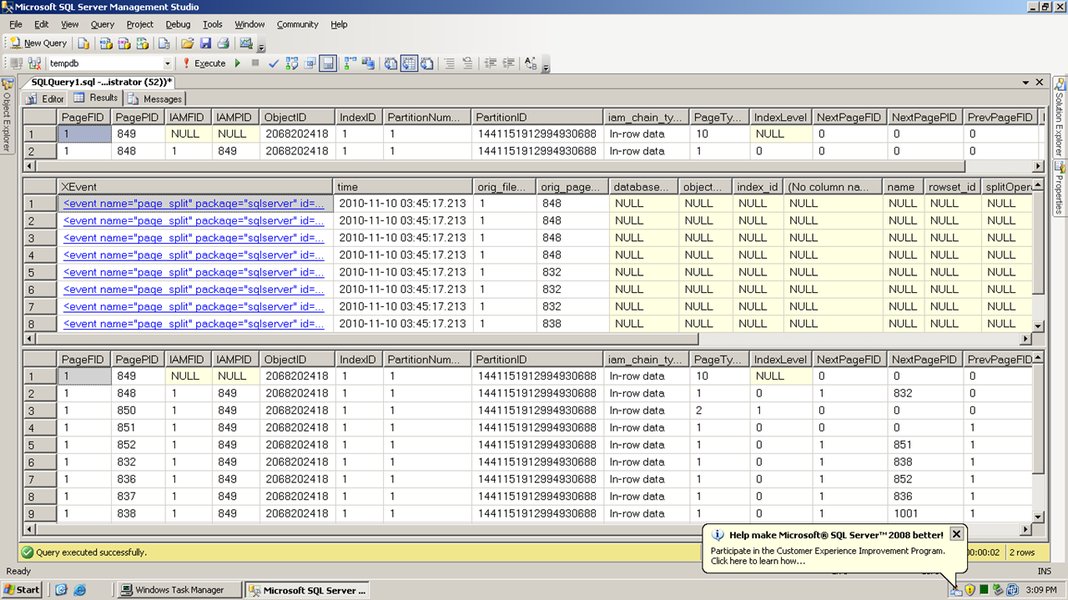
Conceptual representation of data segmentation, analogous to how page splits occur in database storage.
Method 2: Recursive Common Table Expression (CTE)
A Recursive CTE allows you to iteratively process a string until it's fully segmented. This method is elegant and doesn't require a pre-existing numbers table, making it self-contained.
WITH StringSegments AS (
    -- Anchor member: Get the first 42 characters
    SELECT
        ProductID,
        ProductDescription,
        CAST(SUBSTRING(ProductDescription, 1, 42) AS VARCHAR(42)) AS Segment,
        42 AS EndPosition
    FROM
        Products
    WHERE
        LEN(ProductDescription) > 0

    UNION ALL

    -- Recursive member: Get the next 42 characters
    SELECT
        s.ProductID,
        s.ProductDescription,
        CAST(SUBSTRING(s.ProductDescription, s.EndPosition + 1, 42) AS VARCHAR(42)) AS Segment,
        s.EndPosition + 42 AS EndPosition
    FROM
        StringSegments s
    WHERE
        s.EndPosition < LEN(s.ProductDescription)
)
SELECT
    ProductID,
    Segment
FROM
    StringSegments
ORDER BY
    ProductID, EndPosition;
The recursive CTE works by:
- Anchor Member: Selects the first 42 characters and initializes the
EndPosition. - Recursive Member: Continues to select the next 42 characters, starting from
EndPosition + 1, until theEndPositionexceeds the total length of theProductDescription.
Performance and Scalability Considerations
Evaluating the efficiency of different splitting methodologies.
When dealing with data manipulation, especially involving string operations, performance is a critical factor. The choice between a Tally Table and a Recursive CTE can significantly impact execution time, particularly with large datasets or very long strings.
The radar chart above illustrates a comparative analysis of the Tally Table and Recursive CTE methods across several key dimensions:
- Ease of Implementation: How straightforward it is to write and understand the initial code.
- Performance for Large Datasets: How well the method scales when processing many rows or very long strings.
- Memory Usage: The amount of temporary memory required during execution.
- Compatibility (Older SQL Server): Whether the method is viable for SQL Server versions prior to 2016.
- Code Readability: How easy it is for another developer to understand the logic.
Practical Implementation and Best Practices
Optimizing your string splitting solution for production environments.
When implementing string splitting, especially for large volumes of data or frequently executed queries, consider these best practices:
Database Compatibility Level
If you are using STRING_SPLIT for any other string splitting needs (e.g., if you later find a delimited part within your 42-char segments), ensure your database compatibility level is 130 or higher (SQL Server 2016 and above). Older versions do not support this built-in function.
Handling Edge Cases and Empty Strings
Consider what happens if a ProductDescription is empty or NULL. The provided solutions gracefully handle empty strings, but it's always good practice to explicitly manage NULL values if they could lead to unexpected behavior in downstream processes. For example, you might add a WHERE LEN(ProductDescription) > 0 clause to filter out empty strings upfront.
Performance for Very Large Strings
While VARCHAR(1024) is not excessively large, if you were dealing with VARCHAR(MAX) columns or millions of rows, the performance implications of string splitting become more pronounced. In such extreme cases, offloading string processing to the application layer might be more efficient, as application languages often have highly optimized string manipulation libraries. However, if database-side processing is a hard requirement, the Tally Table approach generally offers better scalability than recursive CTEs for fixed-length splitting.
This video provides a comprehensive overview of the STRING_SPLIT function in SQL Server, demonstrating its versatility for handling delimited strings. While it focuses on delimiter-based splitting, understanding its mechanics is crucial for appreciating why fixed-length splitting requires different strategies. The video helps contextualize string manipulation capabilities within SQL Server, highlighting both its strengths and where custom solutions become necessary.
Comparative Overview of String Splitting Methods
A detailed look at various approaches for string manipulation in SQL Server.
To provide a broader perspective on string splitting in SQL Server, the following table summarizes various methods, including those for fixed-length splitting and the more common delimiter-based splitting. This helps illustrate the evolution of string manipulation capabilities in SQL Server and guides the selection of the most appropriate method for different scenarios.
| Method | Description | SQL Server Version Compatibility | Best Use Case | Pros | Cons |
|---|---|---|---|---|---|
| STRING_SPLIT() | Splits a string into rows based on a single separator character. | SQL Server 2016+ (Compatibility Level 130+) | Splitting comma-separated values (CSV) or other delimited lists. | Built-in, highly optimized, simple syntax, good performance. | Only single-character delimiter, does not guarantee order (without ordinal in 2022+), not for fixed-length. |
| Numbers Table (Tally Table) + SUBSTRING | Generates a sequence of numbers to define start/end points for SUBSTRING extractions. |
All versions | Fixed-length splitting, complex parsing, large datasets. | Very high performance, set-based operation, flexible. | Requires a pre-populated numbers table, less intuitive for simple delimited splitting. |
| Recursive CTE + SUBSTRING | Uses recursive logic to iteratively extract segments of a string. | All versions | Fixed-length splitting, hierarchical data traversal. | No external tables needed, self-contained, good readability. | Can be resource-intensive for very long strings or massive datasets (recursion depth limit). |
XML CROSS APPLY |
Converts the delimited string to XML and uses XQuery to shred it into rows. | SQL Server 2005+ | Complex delimited strings, preserving order (if structure allows). | Can handle multiple delimiters, flexible parsing. | More complex syntax, performance overhead for XML parsing. |
| User-Defined Functions (UDFs) | Custom functions written in T-SQL to encapsulate splitting logic. | All versions | Encapsulating reusable splitting logic, often for older SQL Server versions. | Reusable, can implement complex logic. | Often perform poorly (row-by-row processing, scalar UDFs are particularly bad), might block parallelism. |
Frequently Asked Questions (FAQ)
STRING_SPLIT for my scenario?STRING_SPLIT function is designed to split strings based on a specified delimiter (e.g., comma, space). It does not inherently support splitting a string into fixed-length segments without a natural delimiter at those specific lengths.SUBSTRING, iterating through the string's length at fixed intervals without resorting to slower row-by-row processing or recursive calls, making it highly efficient for large datasets.VARCHAR(MAX). However, be mindful of the maximum recursion depth limit (default 100, can be increased with OPTION (MAXRECURSION N)). For extremely long strings, the number of recursive calls might become a performance bottleneck. The Tally Table approach often scales better for such cases.ORDER BY n.n clause (from the Numbers Table) naturally preserves the order. For recursive CTEs, including the EndPosition in your final ORDER BY clause will maintain the original segment order. The STRING_SPLIT function in SQL Server 2022 and later offers an optional ordinal column specifically for this purpose.Conclusion
Splitting a product description column into multiple records, each with a fixed length of 42 characters, is a common data transformation requirement in SQL Server. While the STRING_SPLIT function simplifies delimiter-based string splitting in modern SQL Server versions, fixed-length segmentation necessitates more advanced T-SQL techniques. The most robust and performant solutions involve leveraging a pre-generated Numbers Table with the SUBSTRING function or employing a Recursive Common Table Expression. Each method offers distinct advantages in terms of performance, compatibility, and readability. By understanding the nuances of these approaches and considering your specific SQL Server version and data volume, you can choose the optimal strategy to efficiently transform your string data, ensuring your database remains both powerful and flexible.
Recommended Further Exploration
- How to optimize string manipulation performance in SQL Server?
- What are the best practices for using recursive CTEs in SQL Server?
- How can I create and effectively use a Tally Table in SQL Server?
- What are the new features of STRING_SPLIT in SQL Server 2022, particularly the ordinal column?