
MySQL Stored Procedure to Manage Long-Running Transactions
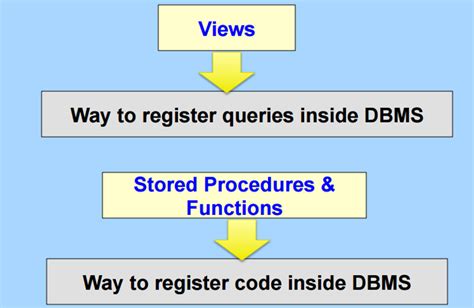
Managing long-running transactions is crucial for maintaining the performance and stability of your MySQL databases. This guide provides a comprehensive solution to automatically identify and terminate the longest-running transactions that exceed 300 seconds, especially when the number of concurrent threads surpasses 300. Additionally, it logs detailed information about the killed sessions, including the current SQL statement and the history of the last 10 SQL statements executed during the session.
Overview
The solution involves creating a stored procedure that performs the following tasks:
- Monitors active transactions and identifies those exceeding the specified duration.
- Checks if the number of concurrent threads exceeds the defined threshold.
- Kills the longest-running transactions that violate the thresholds.
- Logs pertinent session information into a dedicated table for auditing and analysis.
- Schedules the procedure to run periodically, ensuring continuous monitoring.
Prerequisites
Before implementing the stored procedure, ensure the following:
- MySQL Version: Ensure you are using a compatible version of MySQL that supports the required features, such as the Performance Schema.
- Permissions: The user executing the procedure must have sufficient privileges to kill threads and access the Performance Schema.
- Performance Schema: Enable the Performance Schema to access historical statement data.
- Event Scheduler: Enable the MySQL Event Scheduler to automate the execution of the stored procedure.
Step 1: Create the Logging Table
First, create a table to store information about the killed sessions. This table will capture essential details, including the current SQL statement and the history of the last 10 SQL statements executed by the session.
SQL Script to Create the Table
CREATE TABLE killed_sessions (
    id INT AUTO_INCREMENT PRIMARY KEY,
    session_id INT,
    user VARCHAR(255),
    host VARCHAR(255),
    current_sql TEXT,
    history_sql TEXT,
    kill_time TIMESTAMP DEFAULT CURRENT_TIMESTAMP
);
Step 2: Enable Performance Schema
The Performance Schema provides detailed insights into the execution of SQL statements, which is essential for retrieving the history of SQL commands executed by a session.
Enable Performance Schema in MySQL Configuration
Modify your MySQL configuration file (my.cnf or my.ini) to enable the Performance Schema:
[mysqld]
performance_schema=ON
After making changes to the configuration file, restart the MySQL server to apply the changes.
Step 3: Create the Stored Procedure
The core component of this solution is the stored procedure that identifies and terminates long-running transactions while logging relevant session information.
Stored Procedure: kill_long_transactions
DELIMITER $$

CREATE PROCEDURE kill_long_transactions()
BEGIN
    DECLARE done INT DEFAULT FALSE;
    DECLARE proc_id INT;
    DECLARE current_sql TEXT;
    DECLARE history_sqls TEXT;
    DECLARE thread_count INT;

    -- Cursor to select process IDs with queries exceeding 300 seconds
    DECLARE cur1 CURSOR FOR
        SELECT ID
        FROM information_schema.processlist
        WHERE Command = 'Query'
          AND Time > 300;

    -- Handler for when no more rows are found
    DECLARE CONTINUE HANDLER FOR NOT FOUND SET done = TRUE;

    -- Get the current number of active threads
    SET thread_count = (SELECT COUNT(*) FROM information_schema.processlist WHERE Command = 'Query');

    -- Proceed only if concurrent threads exceed 300
    IF thread_count > 300 THEN
        OPEN cur1;

        read_loop: LOOP
            FETCH cur1 INTO proc_id;

            IF done THEN
                LEAVE read_loop;
            END IF;

            -- Retrieve the current SQL statement of the process
            SET @current_sql = (
                SELECT INFO
                FROM information_schema.processlist
                WHERE ID = proc_id
            );

            -- Retrieve the last 10 SQL statements from the Performance Schema
            SET @history_sqls = (
                SELECT GROUP_CONCAT(EVENT_SQL_TEXT SEPARATOR '; ')
                FROM performance_schema.events_statements_history
                WHERE THREAD_ID = (
                    SELECT THREAD_ID
                    FROM performance_schema.threads
                    WHERE PROCESSLIST_ID = proc_id
                )
                ORDER BY EVENT_ID DESC
                LIMIT 10
            );

            -- Insert the session information into the killed_sessions table
            INSERT INTO killed_sessions (session_id, user, host, current_sql, history_sql)
            VALUES (
                proc_id,
                (SELECT USER FROM information_schema.processlist WHERE ID = proc_id),
                (SELECT HOST FROM information_schema.processlist WHERE ID = proc_id),
                @current_sql,
                @history_sqls
            );

            -- Terminate the offending process
            KILL proc_id;

            -- Clear variables for the next iteration
            SET @current_sql = NULL;
            SET @history_sqls = NULL;
        END LOOP;

        CLOSE cur1;
    END IF;
END$$

DELIMITER ;
Explanation of the Stored Procedure
- Declarations:
done: Flag to indicate the end of the cursor.proc_id: Variable to store the process ID of each query.current_sqlandhistory_sqls: Variables to store SQL statements.thread_count: Variable to store the number of current threads.
- Cursor
cur1: Selects the IDs of all processes executing queries that have been running longer than 300 seconds. - Handler: Handles the scenario when no more rows are found by setting
doneto TRUE. - Thread Count Check: The procedure first checks if the number of concurrent threads exceeds 300 before proceeding.
- Loop: Iterates through each process ID fetched by the cursor to perform the following:
- Retrieves the current SQL statement being executed.
- Fetches the last 10 SQL statements from the Performance Schema's history.
- Inserts the collected information into the
killed_sessionstable. - Kills the offending process using the
KILLcommand.
Step 4: Schedule the Stored Procedure
To ensure continuous monitoring, schedule the stored procedure to run at regular intervals using the MySQL Event Scheduler.
Enable the Event Scheduler
Ensure the Event Scheduler is enabled. You can check its status and enable it if necessary:
-- Check if the Event Scheduler is enabled
SHOW VARIABLES LIKE 'event_scheduler';

-- Enable the Event Scheduler if it's OFF
SET GLOBAL event_scheduler = ON;
To make the Event Scheduler persistent across server restarts, add the following line to your MySQL configuration file:
event_scheduler=ON
Create the Event
Create an event that calls the kill_long_transactions procedure every minute:
CREATE EVENT kill_long_transactions_event
ON SCHEDULE EVERY 1 MINUTE
DO CALL kill_long_transactions();
Step 5: Verify the Implementation
After setting up the stored procedure and scheduling the event, it's essential to verify that everything functions as expected.
Testing the Stored Procedure
Manually execute the stored procedure to ensure it operates correctly:
CALL kill_long_transactions();
Check the killed_sessions table to verify that session information is being logged accurately:
SELECT * FROM killed_sessions;
Monitoring the Event Scheduler
Ensure that the event is running as scheduled:
SHOW EVENTS LIKE 'kill_long_transactions_event';
This command will display the status of the event, confirming whether it's enabled and its next scheduled execution time.
Best Practices and Recommendations
- Thorough Testing: Before deploying the procedure in a production environment, test it extensively in a staging environment to prevent unintended disruptions.
- Backup Regularly: Always back up your databases before implementing automated procedures that can terminate active sessions.
- Logging and Monitoring: Enhance the logging mechanism by integrating with external monitoring tools to receive alerts when transactions are killed.
- Adjust Thresholds: Modify the time thresholds and thread counts based on your application's specific requirements and workload patterns.
- Performance Considerations: Be cautious of the performance impact when querying the Performance Schema, especially in high-load environments.
- Security: Ensure that only authorized users have the privileges to execute or modify the stored procedure and related events.
Understanding the Components
1. Killed Sessions Logging
The killed_sessions table is pivotal for auditing and troubleshooting. It records detailed information about each terminated session, enabling database administrators to analyze patterns, identify problematic queries, and optimize database performance.
2. Performance Schema Utilization
The Performance Schema provides a wealth of information about SQL statement execution, including historical data. Leveraging this feature allows the stored procedure to retrieve a history of SQL statements, offering deeper insights into the behavior of terminated sessions.
3. Event Scheduler Automation
Automating the execution of the stored procedure ensures that the monitoring mechanism operates consistently without manual intervention. Scheduling the procedure to run at defined intervals allows for timely detection and termination of problematic transactions.
Advanced Enhancements
1. Notification Mechanism
Integrate a notification system (e.g., email alerts, Slack notifications) to inform administrators whenever a transaction is killed. This proactive approach enables quicker responses to potential issues.
2. Dynamic Thresholds
Implement dynamic thresholds that adjust based on the time of day or current system load. This flexibility ensures that the monitoring mechanism adapts to varying workloads, reducing the likelihood of unnecessary terminations.
3. Detailed Analytics
Enhance the logging table with additional fields such as transaction start time, client IP addresses, or application identifiers. This enriched data set facilitates more comprehensive analysis and reporting.
Potential Challenges and Solutions
- Performance Overhead: Querying the Performance Schema and process list can introduce performance overhead. To mitigate this, optimize queries and limit the frequency of the stored procedure's execution.
- Incomplete History: The Performance Schema retains a limited history of statements. For extended history requirements, consider integrating external logging solutions or expanding the Performance Schema's history size.
- Permission Restrictions: Users may face permission issues when attempting to kill threads or access certain schemas. Ensure that the executing user has the necessary privileges.
- False Positives: Legitimate long-running transactions might be erroneously terminated. Implement safeguards, such as excluding specific users or transactions, to prevent disrupting critical operations.
Conclusion
Effectively managing long-running transactions and high concurrency levels is essential for maintaining the health and performance of your MySQL databases. By implementing the stored procedure outlined in this guide, you can automate the identification and termination of problematic transactions while keeping detailed records for analysis and auditing purposes.
Remember to customize the thresholds and configurations to align with your specific operational requirements. Regularly review and update the monitoring strategy to adapt to evolving workloads and application behaviors.
For more detailed information, refer to the official MySQL documentation:
- MySQL Performance Schema Documentation
- MySQL Processlist Documentation
- MySQL Event Scheduler Documentation
Example Usage
To manually execute the stored procedure and observe its behavior, follow these steps:
- Invoke the Stored Procedure:
CALL kill_long_transactions(); - Review Killed Sessions:
SELECT * FROM killed_sessions ORDER BY kill_time DESC; - Monitor Event Scheduler:
SHOW EVENTS LIKE 'kill_long_transactions_event';
These steps allow you to verify that the stored procedure is functioning correctly and that sessions are being appropriately terminated and logged.
Additional Resources
Final Thoughts
Implementing automated management of long-running transactions enhances the resilience and efficiency of your database systems. By proactively monitoring and controlling resource-intensive operations, you ensure optimal performance and prevent potential bottlenecks.
Always tailor the solution to fit the unique demands of your environment, and continuously assess its impact to maintain a balance between performance and operational integrity.
Last updated January 5, 2025