
How to Create a Strong Password
Master the techniques behind secure and memorable passwords
Key Insights
- Length & Complexity: Use a minimum of 12 to 16 characters combined with varied character types.
- Unique & Randomized: Avoid common patterns or personal details; use password managers for randomness.
- Multi-Factor & Passphrases: Enhance security with passphrases and multi-factor authentication.
Understanding the Foundations of Strong Passwords
A strong password is the cornerstone of digital security, protecting your sensitive accounts and personal data from malicious attacks. The goal is to make your password so unpredictable that even the most sophisticated attackers would have a hard time cracking it. There is a universal consensus that better passwords are lengthy, complex, unique to each account, and regularly updated. In this guide, we will unfold strategies and best practices for crafting robust passwords without compromising on memorability.
Detailed Strategies for Creating a Robust Password
1. Emphasize Length and Complexity
Length
The length of your password plays a vital role in its overall strength. Research and industry guidelines typically recommend a minimum of 12 to 16 characters. Longer passwords exponentially increase the number of possible combinations and reduce the risk of brute-force attacks. In mathematical terms, if you choose a character set that includes 94 printable characters (including digits, letters, and symbols) and you form a password of \( n \) characters, the total combination space is:
\( \text{Combinations} = 94^n \)
This formula reveals that even a modest increase in \( n \) dramatically improves password security. Therefore, it is advisable to aim for the upper end of the recommended character count, especially for accounts that serve critical functions.
Complexity
Beyond length, a strong password should incorporate a variety of character types, including:
- Uppercase letters (A-Z)
- Lowercase letters (a-z)
- Numbers (0-9)
- Special symbols (e.g., !, @, #, $, etc.)
The inclusion of these character types disrupts common patterns and makes it harder for attackers to guess your password through simple dictionary or brute-force methods. Each added character type increases the complexity by broadening the set of potential values for each position in your password.
2. Utilize Passphrases and Memorability
Passphrases
One effective technique for creating strong passwords is to use passphrases—a string of words that are easy for you to remember, yet nearly impossible for others to predict. For instance, instead of using a random, unreadable array of characters, you might choose a phrase like:
"PurpleMonkeySky92!"
This password is strong because it is long, includes a mix of uppercase, lowercase, numbers, and symbols, and importantly, it is not based on your personal information. Passphrases can be formed by combining unrelated words, which create an unexpectedly robust password while still being memorable.
Personalization Without Compromise
While it is tempting to incorporate personal details for memorability, avoid using common identifiers such as your name, birthday, or favorite sports team. Personal information can often be accessible from public records or social media, making it easier for attackers to suspect the basis of your password.
Instead, consider using random word generators or combining unique words that have personal meaning without being directly linked to publicly available information.
3. Ensure Uniqueness and Avoid Reuse
An essential principle of modern digital security is the prohibition of password reuse across multiple accounts. If the same password is compromised on one site, all your other accounts sharing that password are at risk. Instead, each account should have its own strong, unique password.
This strategy protects your digital identity by ensuring that even if one platform experiences a data breach, the others remain secure.
4. Additional Layer: Multi-Factor Authentication (MFA)
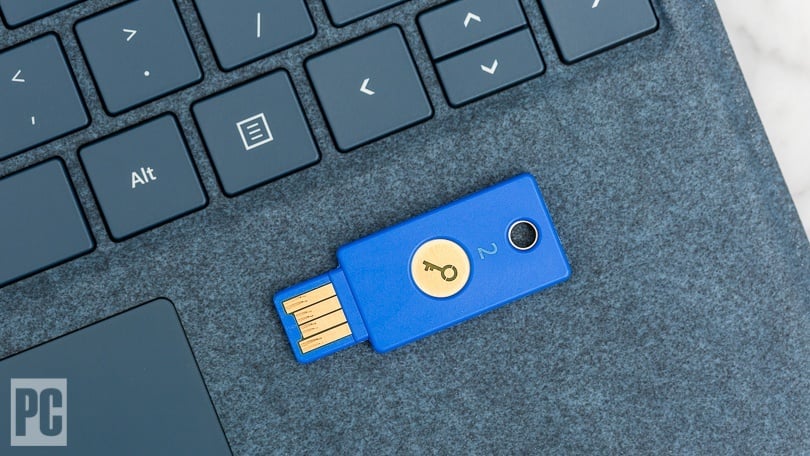
In addition to a robust password, implementing multi-factor authentication (MFA) provides an extra layer of security. MFA ensures that even if your password is inadvertently compromised, unauthorized access is still thwarted by requiring a secondary verification factor such as a text message code, an email, or an authentication app.
MFA transforms your security strategy from a single barrier to a multi-layered defense mechanism, making it significantly harder for attackers to gain access.
5. Leverage Password Managers
Remembering multiple complex passwords can be challenging. This is where password managers come in handy. These tools generate, store, and autofill your passwords securely, ensuring each online account has a unique and robust password.
Not only do password managers help in creating high-entropy (random and complex) passwords, but they also facilitate regular password updates across various accounts, thereby reducing the risk of password fatigue and reuse.
Best Practices and Practical Tips
Avoid Common Pitfalls
Avoid easily guessable sequences such as "1234," "abcd," or "password." Such predictable strings are the first to be attempted by attackers using dictionary or brute-force methods. Similarly, steer clear of using keyboard patterns like "qwerty" that are ubiquitous in their simplicity.
Regular Password Updates
Regularly updating your passwords is another critical security measure. Scheduling changes every few months minimizes the window of opportunity for any potential breach. Additionally, if there is any suspicion that an account may have been compromised, immediately update the password to mitigate further risks.
Account Lockout Policies
Alongside personal password management, implementing account lockout policies can further secure user accounts. Many systems now have mechanisms that temporarily lock accounts after a few failed login attempts, deterring brute-force efforts.
Practical Examples and Tools
A Comprehensive Table of Strong Password Strategies
| Aspect | Strategy | Example |
|---|---|---|
| Length | Minimum 12-16 characters | \( \text{"a7B!cD8eFgH1"} \) |
| Complexity | Mix uppercase, lowercase, numbers, symbols | \( \text{"P@ssw0rd!Secure"} \) |
| Passphrase | Use multiple unrelated words | "BlueMountainRiver$3" |
| Password Manager | Generate and store unique passwords | Tools like LastPass, Bitwarden |
| MFA | Combine with extra verification steps | Authy, Google Authenticator |
Using Password Generators
Password generators are particularly useful for those who struggle to come up with truly random combinations. These tools create high-entropy strings that are very difficult to crack via automated methods. Moreover, many modern password managers come integrated with password generators. When using such a tool, you can set the desired length and ensure that you include uppercase letters, lowercase letters, numbers, and special symbols.
Implementing and Remembering Strong Passwords
While enhancing security is the primary goal, it is also critical that you remember your passwords without writing them down in an insecure manner. Here are some actionable steps:
- Create a Mnemonic: Associate the password with a story or image that helps trigger your memory.
- Segment Your Password: Divide your password into smaller chunks or sections to recall them more easily.
- Use Trusted Devices: Enable biometric authentication where available to reduce reliance on manual password entry.
Enhancing Security with Additional Measures
Multi-Factor Authentication (MFA) – An Extra Layer
Even the strongest password can be compromised in case of phishing or data breaches. Multi-factor authentication (MFA) helps by requiring two or more forms of verification. For instance, after inputting your password, you might be prompted to enter a temporary code sent to your phone. This ensures that the person attempting access has physical possession of the secondary device. MFA is one of the most effective security enhancements and is highly recommended wherever possible.
Regularly Monitor for Breaches
Security is not a set-and-forget mechanism. Monitoring services can alert you if your credentials have been compromised in a data breach. Tools such as Have I Been Pwned? allow you to input your email or password (safely hashed) to see if it has appeared in any known breaches. By staying vigilant, you can take immediate action to change your credentials if needed.
Educational Resources and Continuous Improvement
Staying updated with the latest security trends and practices is essential. Cybersecurity is a constantly evolving field, and attackers regularly develop new methods of breaching systems. By regularly reviewing best practices, attending webinars, or reading up-to-date resources, you can ensure that your password management habits remain robust and secure.
Resources, Tools, and Further Reading
In addition to using the techniques described above, there are a number of trusted resources and digital tools that can assist you in formulating secure passwords:
- Password Managers: Consider tools like LastPass, Bitwarden, and 1Password for generating and storing your passwords safely.
- Password Generators: Use online generators that let you customize the inclusion of character categories and desired length.
- Security Guidelines: Follow national and international cybersecurity guidelines such as those from CISA or the National Institute of Standards and Technology (NIST).
Tips for Managing Multiple Strong Passwords
Once you have all your strong passwords generated, managing them securely becomes important:
- Use a Password Manager: This will help you effortlessly manage your login credentials across various platforms.
- Keep Software Updated: Ensure that your password manager and other related tools are always on the latest version to avoid vulnerabilities.
- Backup Securely: If your password manager provides backup options, use them to avoid permanent data loss in case of unforeseen system errors.
Practical Implementation of a Secure Password Strategy
Step-by-Step Guide
- Decide on the length: Aim for at least 12 characters; 14 or 16 is even better especially for accounts requiring high security.
- Mix Character Types: Include uppercase, lowercase, numbers, and symbols. For example, a password like \( \text{"gD9@lMn4#Qw!xV"} \) combines all elements effectively.
- Create a Passphrase: Think of a phrase or a series of unrelated words. Convert them to a strong password by mixing in numbers and symbols. An illustrative option might be "Sunny!Peak3River$Dance".
- Adopt a Password Manager: Use a trusted password manager to generate random passwords and store them securely. This tool can also remind you to update your passwords periodically.
- Implement MFA: Wherever available, enable multi-factor authentication to add an extra security barrier.
- Regular Review: Set a reminder to periodically update and review your passwords, and monitor accounts for unauthorized activity.
Integrating Security Into Your Digital Life
In today’s digital landscape, creating and managing strong passwords is not a one-time task but an ongoing process that evolves with emerging threats. It requires an awareness of both current best practices and future challenges in cybersecurity. By integrating strong password practices into your everyday security habits, you can significantly reduce your risk of becoming a victim of cyber attacks.
Whether you are an individual concerned with personal data security or a professional managing corporate accounts, the strategies outlined above ensure that you have a robust defense against unauthorized access. The combination of increased password length, complexity, diversified character sets, and additional measures like MFA creates a multi-layered security framework that is resilient and adaptive.
Additionally, consider the broader context of cybersecurity. Maintaining digital hygiene through regular updates, cautious online behavior, and education on the latest threats will complement your efforts in managing strong passwords. Keeping abreast of the latest recommendations from cybersecurity authorities can guide you in refining your methods and adopting innovative practices.
References
- Create and use strong passwords - Microsoft Support
-
Use Strong Passwords – CISA
- How to Create a Strong Password (and Remember It) - How-To Geek
- The Importance of Strong, Secure Passwords - ECCU
-
How Do I Create a Strong Password - Webroot
Recommended Queries for Further Exploration
Last updated March 19, 2025