
Reviving Your Nintendo Switch: Troubleshooting Power Issues After Jailbreaking
Addressing Blank Screens and Unresponsiveness in Modified Consoles
Key Takeaways
- Jailbreaking Risks: Modifying your Switch carries inherent risks, including the potential for the console to become unresponsive or "bricked," which can manifest as a blank screen or failure to power on.
- Troubleshooting Steps: Simple steps like performing a hard reset, checking the charging cable and adapter, and ensuring the console is properly charged can often resolve power issues.
- Jailbreak-Specific Solutions: If your jailbroken Switch won't turn on, it might be stuck in custom firmware (CFW). Using an RCM loader to inject a payload is a common method to revive it.
Experiencing a blank screen or a complete lack of power on your Nintendo Switch can be concerning, especially if the console has been jailbroken. While jailbreaking opens up possibilities like custom firmware and homebrew applications, it also introduces potential complications. This guide will walk you through common reasons why a jailbroken Switch might not power on and provide troubleshooting steps to help you resolve the issue.
It's important to understand that jailbreaking involves modifying the console's software, which can sometimes lead to unexpected behavior. One of the significant risks is the possibility of "bricking" the device, rendering it inoperable. Power issues, including a black screen or failure to charge, can be a symptom of this or other related problems.
Initial Troubleshooting for Power Issues
Before diving into jailbreak-specific solutions, it's wise to rule out general power-related problems that can affect any Nintendo Switch console, regardless of its modification status.
Checking the Power Source and Charging
A common reason for a Switch not turning on is simply a depleted battery. Ensure your console is properly connected to a working power outlet using the official Nintendo Switch AC adapter. Sometimes, a faulty cable or adapter can prevent charging.
Verifying the Charging Cable and Adapter
Inspect the AC adapter and USB-C cable for any signs of damage, such as frayed wires, bent pins, or dirt. If possible, try using a different, known-working Nintendo Switch AC adapter and cable to see if the issue is with your charging equipment. Ensure the adapter is plugged directly into a wall outlet, not a power strip or surge protector, which can sometimes interfere with charging.
Leaving the Switch on the dock or plugged in for an extended period, even up to a day, can sometimes help if the battery is deeply discharged.
Resetting the AC Adapter
Unplug the AC adapter from both the wall outlet and the Switch for at least 30 seconds. This can help reset the adapter. Then, plug it back in and see if the console begins to charge or turn on.
It's crucial to use the official Nintendo Switch AC adapter, as third-party chargers may not provide the correct voltage or amperage, potentially leading to charging issues or even damage.
Performing a Hard Reset
A hard reset can resolve many temporary software glitches that might prevent the Switch from powering on correctly.
Steps for a Hard Reset
While the console is unplugged, press and hold the Power button located on the top left of the console for at least 12 to 20 seconds. This will force the console to shut down completely. After holding the button, release it and then press the Power button again briefly to attempt to turn the console back on.
If the console turns on, you should see the Nintendo logo appear on the screen.
Jailbreak-Specific Power Issues and Solutions
If your Switch is jailbroken and experiencing power problems, the cause might be related to the custom firmware or the jailbreaking process itself.
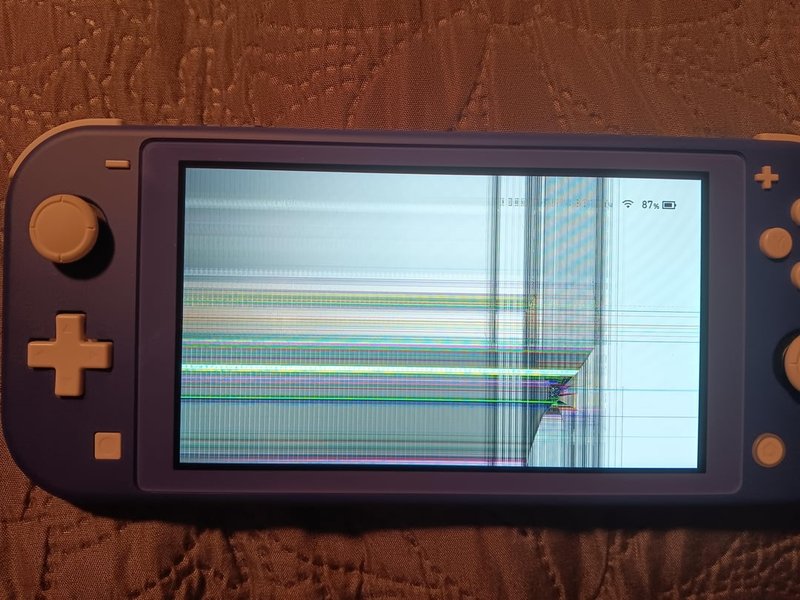
A damaged Nintendo Switch console, which could result in power issues.
Understanding RCM Mode and Payloads
For unpatched V1 Switch models, jailbreaking often involves entering Recovery Mode (RCM) and injecting a payload. If your jailbroken Switch won't turn on, it might be stuck in a state where it requires a payload to boot, especially if AutoRCM was enabled.
What is RCM Mode?
RCM is a low-level boot mode on the Switch that can be accessed through a hardware exploit on certain models. It allows users to inject code (payloads) into the console's memory before the standard operating system loads.
Using an RCM Loader
An RCM loader is a small USB device or a PC application that can inject payloads into a Switch in RCM mode. If your jailbroken Switch has a black screen and is unresponsive, it may be in RCM mode, waiting for a payload. Connecting an RCM loader and injecting a boot payload (like Hekate or Fusee) can often "wake up" the console and allow you to boot into custom firmware or the official firmware.
You will typically need a USB-C cable to connect your Switch to a PC or an RCM loader. Software like TegraRCMGUI can be used on a PC to detect if your Switch is in RCM mode and inject payloads.
The Role of AutoRCM
AutoRCM is a modification that forces the Switch to always boot into RCM mode, eliminating the need for an RCM jig. While convenient for launching CFW, a downside is that the console will appear dead or unresponsive if it's not connected to a power source or an RCM injector. If your Switch has AutoRCM enabled and won't turn on, it's likely in this state and needs a payload injected to boot.
Issues Related to Custom Firmware (CFW)
Incorrectly installed or corrupted custom firmware can also lead to boot problems.
Troubleshooting CFW Issues
If you suspect the issue is related to your CFW installation, you might need to re-download the necessary CFW files (like Atmosphere and Hekate) and place them on your microSD card. Ensure you are using the correct versions of the files for your Switch's firmware.
Sometimes, simply removing the microSD card and attempting to boot the Switch can help determine if the issue is related to the card or its contents. If the Switch boots to the official firmware without the microSD card, the problem likely lies with the files on the card.
Understanding Emunand and Sysnand
Many jailbreak setups utilize an emunand (emulated NAND), which is a copy of your Switch's system memory stored on the microSD card. This allows you to keep your sysnand (the original system memory) clean and connect online using the official firmware without risking a ban. If you are having boot issues, ensure you are attempting to boot the correct environment (emunand or sysnand) and that the necessary files for that environment are intact on your microSD card.
Potential Risks of Jailbreaking
It's crucial to reiterate the risks associated with jailbreaking your Nintendo Switch.

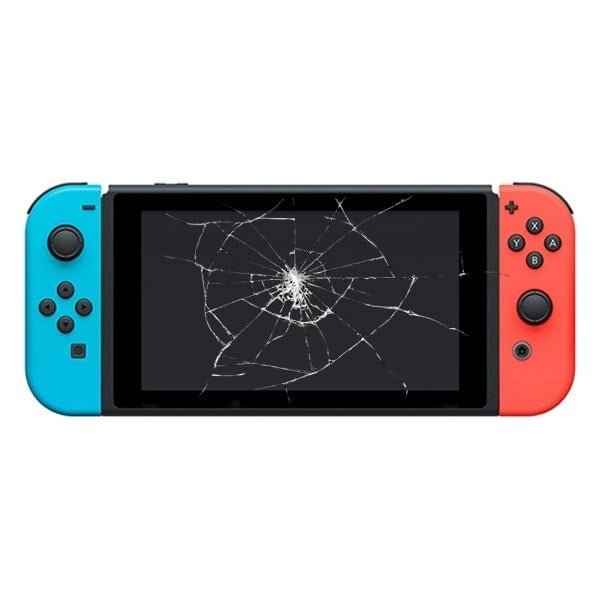
Visual representation that may be related to a broken Nintendo Switch.
Bricking the Console
One of the most significant risks is rendering your console unusable, often referred to as "bricking." This can happen due to incorrect steps during the jailbreaking process, incompatible software, or issues with firmware updates on a modified console.
Types of Bricking
Bricking can be soft or hard. A soft brick might be fixable with specific tools or procedures, while a hard brick often means the console is permanently damaged.
In some cases, corruption of critical boot partitions (Boot0 and Boot1) can lead to a bricked state. While sometimes fixable with specific methods, it highlights the potential for irreversible damage.
Voiding the Warranty
Jailbreaking your Switch violates Nintendo's terms of service and will void your warranty. If your console experiences issues after being jailbroken, Nintendo is unlikely to repair it, even if you offer to pay. This means you're solely responsible for any repairs or replacements needed.
Potential Bans from Nintendo Services
Connecting a jailbroken Switch to Nintendo's online services (like the eShop or online multiplayer) carries a significant risk of being banned. Nintendo actively detects modified consoles, and a ban will prevent you from accessing online features and the eShop on that device.
To mitigate this risk, many users of jailbroken Switches avoid connecting to the internet on their modified console or use an emunand setup specifically for offline use, keeping their sysnand clean for online play.
When to Seek Professional Help
If you've attempted the troubleshooting steps and your jailbroken Switch still won't power on, it might be time to consider professional repair services. However, be aware that many repair shops may be hesitant or unable to work on modified consoles due to the complexities involved and the potential for underlying software issues related to the jailbreak.
Look for repair services that specifically mention experience with modified or jailbroken consoles. Be upfront about the fact that your Switch has been jailbroken, as this will help the technician diagnose the problem accurately.
A technician working on a Nintendo Switch during a repair.
Summary of Potential Issues and Solutions
Here's a table summarizing the potential causes of power issues on a jailbroken Switch and corresponding troubleshooting steps:
| Potential Issue | Description | Troubleshooting Steps |
|---|---|---|
| Depleted Battery | Insufficient charge to power on the console. | Plug into a working outlet with the official AC adapter. Check cable and adapter for damage. Leave plugged in for an extended period. |
| Software Glitch | Temporary error in the console's software preventing boot. | Perform a hard reset (hold power button for 12-20 seconds). |
| Stuck in RCM Mode (with AutoRCM) | Console is in Recovery Mode and requires a payload to boot. | Use an RCM loader or PC with TegraRCMGUI to inject a boot payload. |
| Corrupted CFW Files | Issues with the custom firmware installation on the microSD card. | Re-download and replace CFW files on the microSD card. Ensure correct versions are used. Try booting without the microSD card. |
| Hardware Damage | Physical damage to the console's internal components. | Inspect the console for visible damage. If suspected, seek professional repair services experienced with modified consoles. |
| Bricked Console | Severe software or hardware issue rendering the console inoperable. | May require advanced recovery methods or professional repair. In some cases, the damage may be irreversible. |
Considerations Before Jailbreaking
For those considering jailbreaking their Switch, it's essential to weigh the benefits against the risks. While it unlocks customization and the ability to run homebrew, the potential for issues like the one you're experiencing is real. Only certain models of the original Switch (V1) with specific serial numbers can be jailbroken via software methods. Newer models (V2 and OLED) typically require hardware modifications, which add another layer of complexity and risk.
Always follow reputable guides carefully and ensure you understand each step before proceeding. Having a backup of your NAND is highly recommended before making any modifications.
Frequently Asked Questions
Can jailbreaking a Switch permanently damage it?
Yes, if done incorrectly or if incompatible software is used, jailbreaking can potentially "brick" the console, rendering it permanently unusable.
Will Nintendo fix my Switch if it won't turn on after I jailbroke it?
No, jailbreaking voids your warranty, and Nintendo will typically not repair modified consoles.
What is an RCM jig and why would I need one?
An RCM jig is a small tool used to put certain unpatched Switch models into Recovery Mode (RCM), which is necessary for injecting payloads to boot custom firmware.
Can a firmware update cause issues on a jailbroken Switch?
Yes, updating the official firmware on a jailbroken Switch without properly updating or removing the custom firmware can lead to compatibility issues or even bricking.
References
Last updated April 23, 2025