
Unlock Perfect AI Prompts: Technical Blueprint for an Interactive Builder
Detailed documentation for developing a web solution that crafts optimized AI prompts through guided questioning, based on PromptingGuide.ai.
Essential Highlights
- Interactive Prompt Generation: An AI agent guides users through questions, dynamically building prompts based on their answers.
- PromptingGuide.ai Foundation: Leverages established best practices (Zero-shot, Few-shot, Chain-of-Thought, etc.) for optimal LLM performance.
- Developer-Focused Design: Provides structured documentation and output formats (JSON, Text) suitable for integration and implementation using tools like Cursor.
1. Introduction to PromptForge Agent Builder
This document outlines the technical specifications for "PromptForge Agent Builder," a web-based solution designed to simplify and optimize the creation of prompts for various AI agents. The core concept revolves around an integrated AI assistant that interactively guides users through a series of questions. The user's responses are then systematically used to construct well-structured, contextually rich, and effective prompts.
The methodology underpinning PromptForge is directly derived from the comprehensive best practices detailed in the Prompt Engineering Guide. This ensures that generated prompts adhere to proven techniques for maximizing the capabilities of Large Language Models (LLMs).
Purpose & Scope
Purpose
To provide users, ranging from novices to experts, with an intuitive tool to generate high-quality prompts for AI agents without needing deep expertise in prompt engineering intricacies.
Scope
This documentation covers the functional requirements, system architecture, user interface design, backend logic, AI integration, data model, API specifications, and deployment considerations for the PromptForge Agent Builder. It details how the system interactively gathers information and applies principles from the Prompt Engineering Guide. General AI theory or prompt engineering concepts beyond the tool's direct application are out of scope.
Target Audience
The primary audience for this documentation is the development team (potentially utilizing AI-assisted tools like Cursor) responsible for building, deploying, and maintaining the PromptForge web solution. Secondary audiences include product managers, testers, and potentially end-users (like developers, researchers, and AI enthusiasts) seeking to understand the tool's inner workings.
Key Features
- Interactive Questioning Engine: An AI agent adaptively asks questions to elicit user requirements for the prompt.
- Dynamic Prompt Construction: Builds prompts incrementally based on user responses, incorporating elements like instructions, context, examples, and desired output formats.
- PromptingGuide.ai Integration: Systematically applies techniques such as Zero-Shot, Few-Shot, Chain-of-Thought (CoT), and Retrieval Augmented Generation (RAG) principles.
- Agent/Task Specialization: Supports tailoring prompts for different AI agent types (e.g., code generation, Q&A, summarization, creative writing).
- Real-time Preview & Feedback: Allows users to see the prompt evolve and provides suggestions for improvement based on best practices.
- Customization & Templates: Offers pre-defined templates and allows saving custom prompt structures.
- Export & Integration Options: Provides prompts in usable formats (Text, JSON) and includes API specifications for potential programmatic integration.
2. System Architecture
PromptForge employs a modern web application architecture designed for scalability and maintainability. It consists of distinct frontend, backend, AI integration, and data storage layers.
Architectural Components Mindmap
This mindmap illustrates the primary components of the PromptForge system and their relationships. It provides a high-level overview of how different parts interact to deliver the prompt-building functionality.
Component Descriptions
- Frontend: A single-page application (SPA) built with a modern JavaScript framework (e.g., React, Vue.js). It handles user interaction, presents the questionnaire, displays the live prompt preview, and communicates with the backend via APIs.
- Backend: A server-side application (e.g., Node.js/Express, Python/FastAPI) exposing a RESTful API. It manages the application logic, including the questioning flow, prompt construction, AI model interaction, and data persistence.
- AI Integration: Leverages powerful Large Language Models (LLMs) like GPT-4o or Claude 3 for intelligent question generation, input validation, and prompt optimization suggestions. It incorporates a codified ruleset based on PromptingGuide.ai.
- Database: A persistent storage solution (e.g., PostgreSQL, MongoDB) to store user information, saved prompts, session data, and templates.
- Cache: An optional caching layer (e.g., Redis) can be used for performance optimization, particularly for session management and frequently accessed data.
Data Flow
The typical data flow starts with the user initiating a session via the frontend. The frontend sends requests to the backend API. The backend orchestrates the process: querying the AI Integration layer for the next question, processing user answers, updating the prompt state (potentially involving the AI layer for refinement), storing session data in the cache/database, and finally returning the next question or the finalized prompt to the frontend for display.
3. User Interface (Frontend)
The frontend provides an intuitive and responsive interface, guiding the user seamlessly through the prompt creation process.
User Flow
- Initiation: User selects the type of AI agent or task they want to create a prompt for (optional) or starts a general prompt session.
- Interactive Questioning: The user is presented with a sequence of questions from the AI agent. Each question aims to gather specific information needed for the prompt (e.g., objective, context, constraints, examples, output format).
- Response Input: User provides answers through various input fields (text areas, dropdowns, checkboxes).
- Live Preview: A dedicated panel shows the prompt being constructed in real-time as the user answers questions.
- Suggestions & Feedback: Inline tips or suggestions may appear based on user input or the current state of the prompt, guided by PromptingGuide.ai principles.
- Review & Refinement: The user can review the generated prompt and potentially iterate by asking the agent to modify specific parts or answering further clarifying questions.
- Finalization & Export: Once satisfied, the user finalizes the prompt and can copy it or export it in various formats (Text, JSON).
Screen Descriptions & Visuals
The primary interface will likely feature a multi-panel layout:
- Control/Input Panel: Displays the current question from the agent and provides input fields for the user's answer.
- Prompt Preview Panel: Shows the live, formatted prompt as it's being built.
- Guidance/Suggestions Panel (Optional): Offers contextual help or optimization tips.
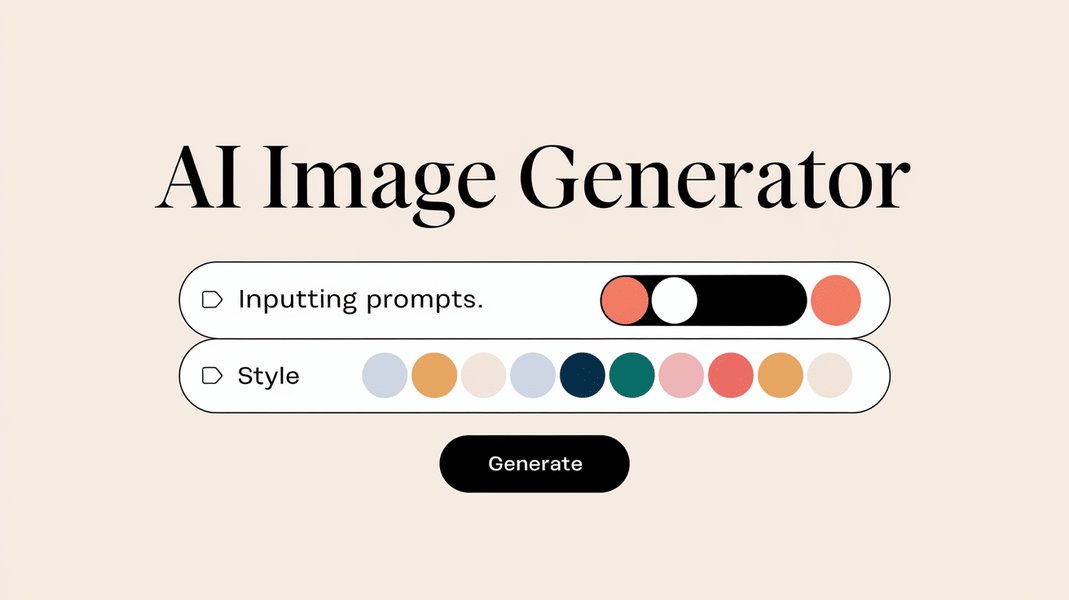
Conceptual example of an interactive interface for AI generation.
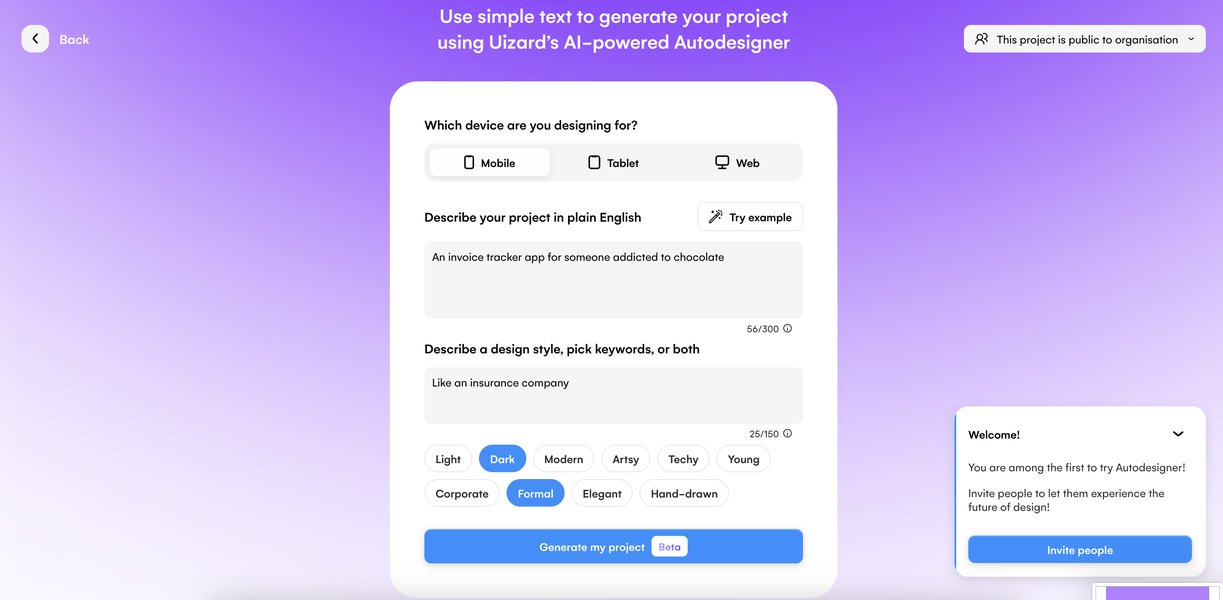
Example AI-generated UI design, showcasing potential layout elements.
Input Validation
Client-side validation will ensure basic input requirements are met (e.g., required fields, data formats). More complex semantic validation will occur on the backend, potentially involving the AI layer.
4. Backend Logic & Prompt Generation Engine
The backend houses the core intelligence of PromptForge, orchestrating the interactive dialogue and constructing the final prompt based on established engineering principles.
Question Generation Module
This module determines the sequence of questions presented to the user. It employs a combination of:
- Rule-Based Logic: Predefined question flows based on the selected agent type or task.
- Contextual Adaptation: Questions adapt based on previous user answers to drill down into specifics or explore relevant branches (e.g., asking for examples only if the user indicates a complex task suitable for few-shot learning).
- LLM Assistance: May leverage an LLM to generate more natural or nuanced follow-up questions based on the ongoing conversation context.
Prompt Construction Engine
This engine assembles the prompt using the gathered user inputs and applies best practices from PromptingGuide.ai. Key aspects include:
- Structuring Information: User answers are mapped to specific prompt components (e.g., role definition, instructions, input variables, context, examples, output specifications).
- Applying Techniques: The engine intelligently incorporates techniques based on the gathered information and PromptingGuide.ai rules:
- Clarity & Specificity: Ensuring instructions are unambiguous.
- Zero-Shot / Few-Shot Learning: Including examples provided by the user when appropriate.
- Chain-of-Thought (CoT): Structuring prompts to encourage step-by-step reasoning for complex tasks, potentially by asking the user to break down the process.
- Role Prompting: Defining a clear persona or role for the AI agent.
- Output Formatting: Specifying the desired output structure (e.g., JSON, Markdown list).
- Template Utilization: May start from predefined templates for common tasks and fill them in based on user input.
- Internal Representation: Manages an internal state representation of the prompt as it's being built, allowing for iterative refinement.
Leveraging PromptingGuide.ai Principles
The system's logic is deeply integrated with the concepts from PromptingGuide.ai. It serves as both a knowledge base for formulating questions (e.g., asking about elements needed for CoT) and a rulebook for constructing the prompt (e.g., formatting few-shot examples correctly). The table below summarizes key techniques implemented:
| Prompting Technique (from PromptingGuide.ai) | Description | Implementation in PromptForge |
|---|---|---|
| Zero-Shot Prompting | Providing instructions without examples. | Default approach; engine focuses on clear instructions based on user input. |
| Few-Shot Prompting | Including a small number of examples (input/output pairs) in the prompt. | Agent asks user if examples are available/needed; formats provided examples correctly. |
| Chain-of-Thought (CoT) | Encouraging the LLM to "think step by step" to solve complex problems. | Agent asks user to break down the task or includes explicit instructions like "Think step by step." |
| Role Prompting | Assigning a specific persona or role to the AI. | Agent explicitly asks about the desired role/persona for the AI agent. |
| Structured Output | Specifying the desired format for the output (e.g., JSON, list, table). | Agent asks about the preferred output format and includes instructions accordingly. |
| Retrieval Augmented Generation (RAG) | Providing external knowledge/context within the prompt. | Agent may ask if specific documents or data sources need to be considered, structuring the prompt to reference this context. |
Validation & Optimization Module
This module analyzes the constructed prompt for potential issues based on PromptingGuide.ai heuristics (e.g., ambiguity, lack of specificity, excessive length). It may provide feedback to the user via the frontend or suggest alternative phrasings, potentially using an LLM for evaluation.
Prompt Output Formats
The finalized prompts can be exported in multiple formats suitable for direct use or integration:
- Plain Text: Simple, copy-paste ready format.
- JSON: Structured format, potentially including metadata (e.g., intended agent type, parameters).
- XML (Optional): Could use tags for clear input/output demarcation if needed for specific agent frameworks, as suggested in some research contexts.
5. AI Integration
The integration with Large Language Models (LLMs) is crucial for the intelligent and adaptive behavior of the PromptForge Agent Builder.
Core LLM Utilization
A state-of-the-art LLM (e.g., OpenAI's GPT-4o, Anthropic's Claude 3) will be used via API calls for several key functions:
- Intelligent Question Generation: Assisting the Question Generation Module in formulating context-aware and natural follow-up questions.
- Input Understanding & Validation: Helping interpret nuanced user answers and validating semantic consistency.
- Prompt Optimization: Suggesting refinements to the prompt's wording, structure, or clarity based on best practices.
- Example Generation (Optional): Potentially generating synthetic examples for few-shot prompting if the user cannot provide them.
PromptingGuide.ai Ruleset Integration
The principles and techniques from PromptingGuide.ai are codified into a ruleset used by the backend logic and potentially referenced in meta-prompts sent to the integrated LLM. This ensures the AI assistance aligns with established best practices.
6. Prompt Builder Effectiveness Analysis
This radar chart provides a visual representation of the key strengths and design goals for the PromptForge Agent Builder, assessed on a subjective scale from 5 (baseline) to 10 (excellent). It highlights the focus on adhering to prompt engineering best practices and providing a highly interactive user experience.
The chart emphasizes high scores in Interactivity and strict PromptingGuide Adherence, reflecting the core design principles. Strong User Experience, Output Quality, and Customization are also key targets. Integration Potential is considered important but slightly less central than the core prompt building experience itself.
7. Data Model
A database will store essential information for user persistence and application functionality.
Key Entities
- User: Stores user account information (ID, credentials, preferences).
- PromptSession: Tracks an active or past prompt-building session (Session ID, User ID, current state, timestamp).
- QuestionLog: Records the sequence of questions asked and answers received within a session (Session ID, Question ID, Question Text, Answer Text).
- GeneratedPrompt: Stores finalized prompts created by users (Prompt ID, User ID, Session ID, Prompt Text, Format, Metadata, Timestamp).
- PromptTemplate: Stores reusable prompt templates (Template ID, Name, Structure, Use Case).
The exact schema will depend on the chosen database technology (e.g., relational schema for PostgreSQL, document structure for MongoDB).
8. API Specification (Example)
The backend will expose a RESTful API for the frontend and potential external integrations.
POST /api/prompt-builder/start
- Description: Initiates a new prompt-building session.
- Request Body:
{ "agentType": "code-generation", // Optional: Type of agent/task "userId": "user123" // Optional: If user is logged in } - Response Body (Success):
{
  "sessionId": "xyz789",
  "nextQuestion": {
    "id": "q1",
    "text": "What is the primary goal of the code you want the AI to generate?"
  }
}
POST /api/prompt-builder/respond
- Description: Submits the user's answer to the current question and retrieves the next question or prompt status.
- Request Body:
{ "sessionId": "xyz789", "questionId": "q1", "answer": "Generate a Python function to calculate Fibonacci sequence." } - Response Body (Success - Next Question):
{ "sessionId": "xyz789", "nextQuestion": { "id": "q2", "text": "Should the function handle invalid inputs (e.g., negative numbers)?" }, "currentPromptPreview": "Instruction: Generate a Python function to calculate Fibonacci sequence." } - Response Body (Success - Ready to Finalize):
{
  "sessionId": "xyz789",
  "status": "ready_to_finalize",
  "currentPromptPreview": "..." // Nearly complete prompt
}
POST /api/prompt-builder/finalize
- Description: Requests the final, fully constructed prompt.
- Request Body:
{ "sessionId": "xyz789" } - Response Body (Success):
{
  "sessionId": "xyz789",
  "finalPrompt": {
    "text": "You are an expert Python programmer...\nInstruction: Generate a Python function to calculate the Fibonacci sequence recursively. Handle negative inputs by raising a ValueError. Example: fib(5) -> 5",
    "format": "text",
    "suggestions": [
      "Consider adding type hints for better code clarity."
    ]
  }
}
Error responses should follow standard HTTP status codes (e.g., 400 for bad requests, 500 for server errors) with informative JSON bodies.
9. Integration with Development Tools (e.g., Cursor)
PromptForge aims to streamline the workflow for developers using tools like Cursor.
- Direct Copy-Paste: The simplest integration method is copying the generated prompt text directly from the PromptForge UI into the development environment or tool.
- API Integration: The exposed backend API (see Section 8) could potentially be called programmatically from scripts or plugins within development tools to generate prompts on demand.
- Structured Output: Providing output in formats like JSON allows for easier parsing and utilization within automated workflows or more sophisticated tool integrations.
Example Use Cases
- A developer uses PromptForge to generate a detailed prompt for Cursor to refactor a complex piece of code, specifying the desired style guide and edge cases to consider.
- A data analyst uses PromptForge to build a prompt for an AI agent to write SQL queries, providing table schemas and desired output formats through the interactive questions.
- A content writer uses PromptForge to craft a prompt for generating blog post ideas, specifying the target audience, keywords, and desired tone.
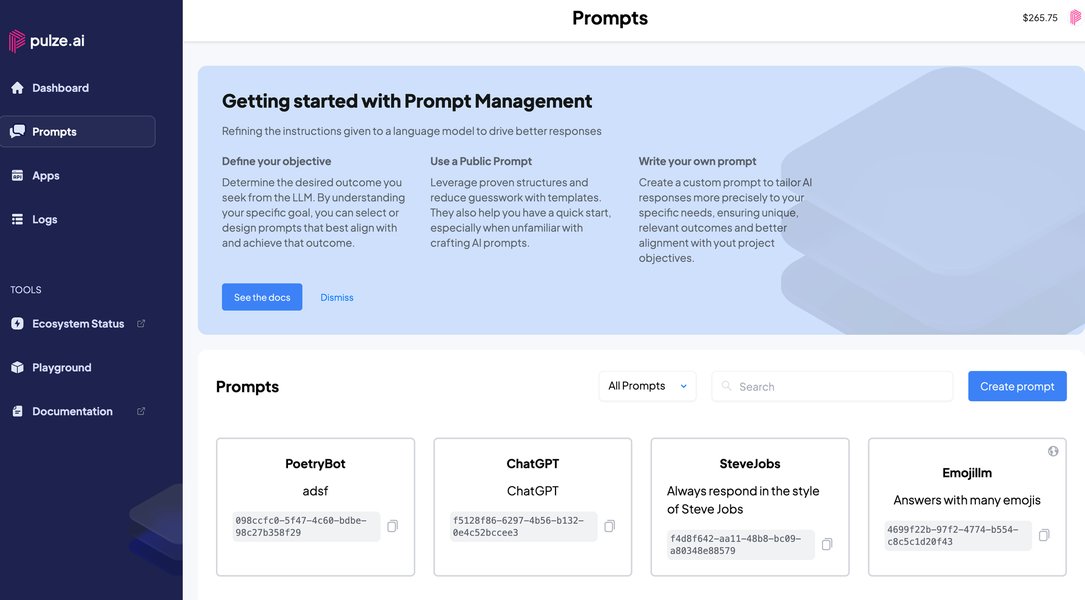
Conceptual representation of tailoring AI interactions through customizable prompts.
10. Setup, Deployment, and Security
Prerequisites & Installation
- Frontend: Node.js, npm/yarn. Standard build process (e.g.,
npm install && npm run build). - Backend: Node.js or Python environment, package manager (npm/pip). Dependencies listed in
package.jsonorrequirements.txt. API keys for LLM services. - Database: Running instance of chosen database (PostgreSQL/MongoDB).
- Detailed setup instructions will be provided in the project's README file.
Deployment
- Containerization: Recommended approach using Docker for both frontend and backend services.
- Cloud Platform: Deploy on cloud providers like AWS, Google Cloud, or Azure using services like Kubernetes, App Service, EC2/Compute Engine, and managed databases.
- CI/CD: Implement a CI/CD pipeline (e.g., GitHub Actions, Jenkins) for automated testing, building, and deployment.
- Hosting: Serve the frontend via CDN or static web hosting; host the backend API securely.
Security Considerations
- Authentication: Secure user authentication (e.g., OAuth, JWT) to protect user data and saved prompts.
- Authorization: Implement proper access controls for API endpoints.
- Input Sanitization: Sanitize all user inputs rigorously on the backend to prevent injection attacks (SQL injection, cross-site scripting (XSS), and especially prompt injection).
- API Rate Limiting: Protect backend resources and prevent abuse.
- Data Encryption: Encrypt sensitive data both in transit (HTTPS/TLS) and at rest.
- Dependency Management: Regularly update dependencies to patch security vulnerabilities.
11. Understanding Prompt Builders
While PromptForge has unique interactive features, understanding the general concept of prompt builders can be helpful. The video below provides a brief overview of what prompt builders are and why they are used in the context of generative AI.
This video explains that behind every generative AI result lies a prompt, which consists of the questions or instructions provided. Prompt builders, like the proposed PromptForge solution, aim to simplify the creation of these instructions, making it easier to get desired results from AI models by structuring the input effectively. PromptForge enhances this by making the process interactive and guided by established engineering principles.
Frequently Asked Questions (FAQ)
What is PromptForge Agent Builder?
PromptForge Agent Builder is a planned web application designed to help users create high-quality, effective prompts for AI agents. It features an interactive AI assistant that asks guiding questions and uses the answers to construct prompts based on best practices from the Prompt Engineering Guide.
How does it use the Prompt Engineering Guide?
The core logic of PromptForge is built upon the principles detailed in PromptingGuide.ai. The questioning process is designed to gather information relevant to techniques like zero-shot, few-shot, chain-of-thought, role prompting, etc. The Prompt Construction Engine then applies these techniques correctly when assembling the final prompt, aiming for clarity, specificity, and effectiveness.
Who is the target audience?
While the tool aims to be user-friendly for anyone needing to create AI prompts, it is particularly beneficial for developers, researchers, content creators, and analysts who regularly interact with AI agents and need to generate specific, optimized instructions. This technical documentation itself is primarily for the development team building the tool.
What output formats are supported?
The system is planned to output prompts primarily in plain text for easy copy-pasting and JSON for structured integration with other tools or workflows. An XML format might be considered if specific use cases demand it.
How does the interactive questioning work?
An AI agent within the application presents users with a sequence of questions. The questions start broadly (e.g., "What is the main goal?") and become more specific based on the user's previous answers and the type of prompt being built. This adaptive flow ensures all necessary components (instructions, context, examples, format) are gathered systematically before the prompt is constructed.
Recommended Further Exploration
- Explore effective implementation strategies for Chain-of-Thought prompting in complex reasoning scenarios.
- Discover best practices for selecting and formatting examples to maximize few-shot learning performance.
- Investigate advanced prompt engineering techniques tailored for specialized AI agents, such as code generators or data analyzers.
- Compare the effectiveness of different large language models (LLMs) specifically for prompt generation and optimization tasks.
References
Last updated May 5, 2025