
Using Testcontainers without Docker in Quarkus Kotlin
A guide to leveraging alternative container runtimes and LocalStackContainer for integration tests
Highlights
- Alternative Runtimes: Utilize alternatives like Podman or Testcontainers Desktop to replace Docker Engine.
- LocalStack Integration: Configure LocalStackContainer to simulate AWS services seamlessly in integration tests.
- Quarkus and Kotlin Setup: Implement and customize Quarkus test resource lifecycle managers for robust testing.
Introduction
Integration testing in modern applications often requires testing against real external services in order to validate end-to-end flows. In the context of a Quarkus application written in Kotlin, Testcontainers provides a robust solution by spinning up containerized dependencies on-demand. Typically, Testcontainers relies on Docker as the container runtime. However, due to varying development environments or CI/CD restrictions, Docker Engine might not always be available or preferred.
To overcome this limitation, alternative runtimes such as Podman or cloud-based options like Testcontainers Desktop come into play. Furthermore, if your application leverages AWS services, simulating them locally provides a controlled testing environment. This is where LocalStackContainer proves to be essential, allowing you to mimic AWS services locally without incurring cloud costs or setup complexities.
Using Alternative Container Runtimes
Podman and Testcontainers Desktop
Traditionally, Testcontainers utilizes Docker Engine to start and manage containers during test execution. In environments where Docker is not installed or desired (such as certain CI/CD pipelines or systems with restricted privileges), alternatives are necessary.
Podman as a Docker Replacement
Podman provides a drop-in replacement for Docker, offering a similar command line interface and container management features. With Podman installed, Testcontainers can be configured to use it by ensuring that the container engine commands are mapped to Podman’s equivalents. On platforms like macOS and Windows, these alternatives not only reduce the dependency on Docker Desktop but also offer performance benefits.
Testcontainers Desktop and Cloud Services
Another modern solution is Testcontainers Desktop, which supports running containers using cloud services or alternative container runtimes under the hood. This avoids the need for a locally installed Docker daemon while still managing the lifecycle of containers seamlessly. In development environments, this allows seamless integration without major configuration changes.
Integrating LocalStackContainer
Simulating AWS Services in Integration Tests
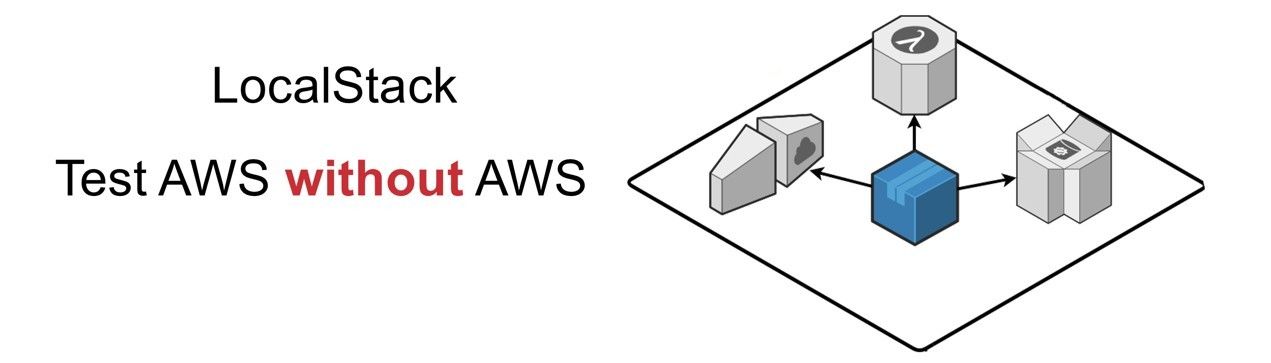
In many modern applications, especially those running in the cloud, AWS services play a critical role. However, when performing integration tests locally, it is not always practical or economical to use actual AWS resources. LocalStackContainer comes to the rescue by providing a fully functional local AWS cloud stack that simulates services such as S3, DynamoDB, Lambda, and more.
LocalStackContainer is integrated with Testcontainers and can be used to start and stop simulated AWS services automatically. It is highly configurable—allowing you to set specific environment variables and service endpoints—so that your Quarkus application communicates with LocalStack rather than the real cloud.
Configuring LocalStack in Quarkus Tests
When using LocalStackContainer in a Quarkus application written in Kotlin, you usually create a custom test resource class that implements a resource lifecycle manager interface. This class handles starting the container, configuring endpoints, and finally tearing the container down after the tests are complete. This setup emulates a real AWS environment and returns configuration properties (like S3 endpoint URLs, region, and credentials) to be used by your tests.
Implementing a Test Resource Lifecycle Manager
A typical implementation involves creating a class that implements the Quarkus test resource lifecycle management interface. Within this class:
- Initialize the LocalStackContainer and specify the needed AWS services (for example, S3).
- Customize the container settings using methods like
.withEnv()to replicate specific AWS configurations. - Expose container endpoints (such as the S3 endpoint) to the Quarkus test environment by substituting them into properties.
Example Code Snippet
Consider the following Kotlin example which demonstrates how to configure LocalStackContainer within a Quarkus project:
    // import statements omitted for brevity
    import org.testcontainers.containers.LocalStackContainer
    import io.quarkus.test.common.QuarkusTestResourceLifecycleManager
    import org.testcontainers.utility.DockerImageName

    class LocalStackTestResource : QuarkusTestResourceLifecycleManager {
        private lateinit var localStack: LocalStackContainer

        override fun start(): Map<String, String> {
            localStack = LocalStackContainer(DockerImageName.parse("localstack/localstack:latest"))
                .withServices(LocalStackContainer.Service.S3)
            localStack.start()

            // Substitute the S3 endpoint and region into application properties
            return mapOf(
                "quarkus.s3.endpoint-override" to localStack.getEndpointOverride(LocalStackContainer.Service.S3).toString(),
                "quarkus.s3.aws.region" to localStack.region
            )
        }

        override fun stop() {
            localStack.stop()
        }
    }
Notice how the start() method sets the container to run the S3 service and returns the properties to be used by your Quarkus tests. The stop() method gracefully stops the container after the tests conclude.
Setting Up Your Quarkus Kotlin Test
Configuring Your Project Dependencies
To get started, ensure your project’s build configuration (e.g., build.gradle.kts) incorporates the necessary Testcontainers and LocalStack dependencies:
    dependencies {
        // JUnit testing framework
        testImplementation("org.junit.jupiter:junit-jupiter-api:5.7.0")
        // Testcontainers core dependency
        testImplementation("org.testcontainers:testcontainers:1.16.0")
        // LocalStack module for Testcontainers
        testImplementation("org.testcontainers:localstack:1.16.0")
        // Additional dependencies, if required by Quarkus and AWS integration
    }
In addition, disable the default Quarkus Dev Services if you intend to control the container lifecycle manually:
quarkus.devservices.enabled=false
Creating and Annotating Your Integration Test
With your dependencies in place, you can now write an integration test that employs the LocalStack container. Annotate your test class with the appropriate testing annotations to ensure that the test resource lifecycle manager is engaged.
Sample Test Class Implementation
Here’s an example of a test class using the configured LocalStack resource:
    import io.quarkus.test.junit.QuarkusTest
    import io.quarkus.test.common.QuarkusTestResource
    import org.junit.jupiter.api.Test
    import software.amazon.awssdk.services.s3.S3Client
    import software.amazon.awssdk.regions.Region
    import software.amazon.awssdk.auth.credentials.AwsBasicCredentials
    import software.amazon.awssdk.auth.credentials.StaticCredentialsProvider

    @QuarkusTest
    @QuarkusTestResource(LocalStackTestResource::class)
    class MyIntegrationTest {

        // Create an S3 client pointing to the simulated LocalStack S3 service
        private val s3Client: S3Client = S3Client.builder()
            .region(Region.of("us-east-1"))
            .endpointOverride(LocalStackTestResource.localStack.getEndpointOverride(LocalStackContainer.Service.S3))
            .credentialsProvider(
                StaticCredentialsProvider.create(AwsBasicCredentials.create("test", "test"))
            )
            .build()

        @Test
        fun `should upload file to LocalStack S3`() {
            // Implement your S3 operations such as file upload or list buckets to verify integration
            // e.g., s3Client.createBucket { it.bucket("test-bucket") }
        }
    }
In this snippet, the S3 client is configured to interact with LocalStack’s S3 endpoint rather than the real AWS cloud. This isolation ensures your integration tests run quickly and do not require external dependencies.
Managing CI/CD and Environments Without Docker
Using Alternative Runtimes in CI/CD Pipelines
In automated pipelines, you might face environments that do not have Docker installed or permitted. In such cases, alternatives like Podman or Testcontainers Cloud can be part of your strategy:
Podman in CI/CD Environments
Many CI/CD systems support Podman out-of-the-box. By configuring your build scripts to recognize Podman commands (or by using symbolic links and environment variables to refer to Podman as the Docker runtime), you can run Testcontainers in these pipelines without major modifications.
Testcontainers Cloud and Remote Runtimes
Alternatively, if you have access to cloud services designated for container management, Testcontainers Cloud allows you to offload container execution remotely. This setup can be particularly useful for large-scale testing environments or when running tests that require high levels of isolation.
Comparative Overview of Integration Setup
The table below summarizes the key aspects of setting up integration tests with Testcontainers and LocalStackContainer in a Quarkus Kotlin project using an alternative runtime:
| Aspect | Description | Configuration Tip |
|---|---|---|
| Container Runtime | Use Podman or Testcontainers Desktop as a Docker alternative | Ensure runtime compatibility by configuring environment variables |
| Dependencies | Testcontainers, LocalStack modules, JUnit, and Quarkus testing libraries | Update build.gradle.kts or pom.xml accordingly |
| Test Resource | Implement a lifecycle manager to handle LocalStack startup and shutdown | Customize properties and endpoints for AWS service simulation |
| CI/CD Support | Run tests on environments without Docker using Podman or remote runtimes | Adjust CI/CD scripts to point to alternative container engines |
| Cost and Isolation | LocalStack provides a cost-effective and isolated testing environment | Configure endpoint overrides to prevent accidental use of production services |
Advanced Configuration and Customization Tips
Configurable Environment Variables
An effective testing setup for a Quarkus Kotlin project is one that can be adapted to different development and CI/CD scenarios. Consider these advanced configuration tips:
Environment-Specific Overrides
Overriding default endpoints and credentials can be done through the configuration files such as application-test.properties. This allows you to designate alternative values for different environments:
    quarkus.s3.endpoint-override=http://localhost:4566
    quarkus.s3.aws.region=us-east-1
    # Additional AWS service configurations can be added here
Container Reuse and Optimization
For performance optimization in test suites, consider configuring containers to be reused across tests. Quarkus provides settings for container reuse which helps minimize startup times and resource consumption.
Monitoring and Debugging
When running integration tests that rely on containerized services, proper logging and monitoring can help diagnose issues quickly. Enable verbose logging in Testcontainers and Quarkus to capture detailed output from the container’s lifecycle.
Summary of Best Practices
The following best practices encapsulate the integration of Testcontainers with LocalStackContainer for a Quarkus Kotlin project:
- Choose the Right Runtime: Whether it's Podman or Testcontainers Desktop, ensure your environment is configured to support your chosen container engine.
- Implement a Dedicated Test Resource Manager: Use a custom lifecycle manager to handle LocalStack container setup, configuration, and teardown.
- Configure Explicit Endpoints: Mapping LocalStack endpoints to your application properties prevents accidental calls to live services.
- Optimize CI/CD Pipelines: Adjust CI/CD configurations to use Podman or remote container runtimes to ensure smooth testing flows.
- Keep Dependencies Updated: Regularly update Testcontainers, LocalStack, and Quarkus dependencies to benefit from the latest patches and improvements.
References
- Development and Testing of Quarkus Applications Using Testcontainers - Testcontainers
- LocalStack Module Overview - Testcontainers Java
- LocalStack Documentation - LocalStack
- Using Podman to Run Testcontainers in a Quarkus Project - Dev.to
- Quarkus Integration Testing with Testcontainers and LocalStack - Stephen Nimmo
- Quarkus Integration Guide - LocalStack
- Faster Integration Tests with Reusable Testcontainers - Foojay
- Testcontainers Desktop Documentation - Testcontainers
- Testcontainers Without Docker Desktop - Medium
-
Quarkus Documentation - Quarkus
Recommended Searches
Last updated February 28, 2025